Tag Archives: Digital Marketing

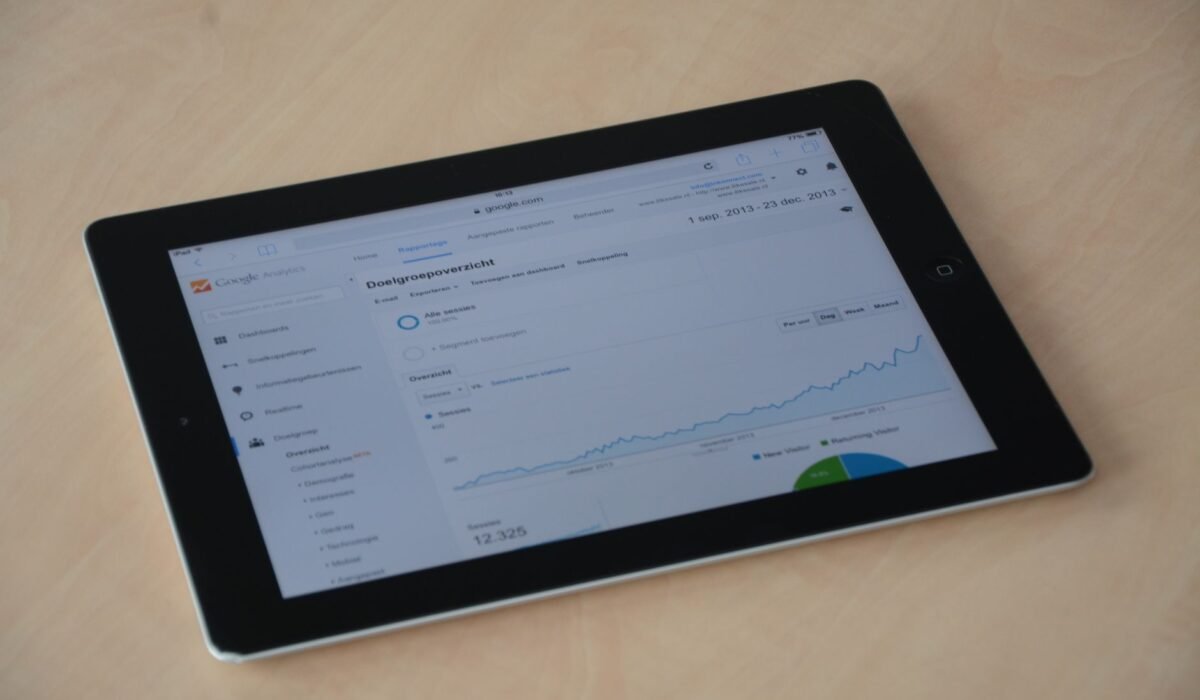
A modern Google Analytics dashboard showing traffic and conversion metrics on a laptop screen

Google Analytics: The Complete Guide for Marketers

Listen to this article

Quick answer: This Google Analytics guide walks marketers through every step—from GA4 basics and proper setup to essential reports, common pitfalls, advanced AI tools, and future trends—so you can turn raw data into predictable growth.

Introduction

Imagine trying to navigate a bustling city without a map. That’s what running marketing campaigns feels like without reliable data. Google Analytics remains the backbone of data‑driven decision‑making, giving you a clear view of how visitors discover your site, what they do once they’re there, and which actions translate into revenue. Whether you’re optimizing SEO, amplifying social media, or experimenting with AI‑enhanced insights, the platform provides the “source of truth” you need to stop guessing and start scaling.

In this guide you’ll learn how GA4’s event‑based model differs from the old session‑centric approach, how to set up a property without coding expertise, which core reports every marketer should master, and how to apply those insights to real‑world SEO and social media scenarios. We’ll also highlight frequent configuration errors, demonstrate advanced tools like predictive metrics and attribution modeling, and explore emerging trends that will shape analytics in the years ahead. By the end, you’ll have a concrete, step‑by‑step roadmap to transform raw clicks into actionable strategies and sustainable growth.

1. Understanding Google Analytics and GA4

Google Analytics captures how users interact with your digital properties, turning raw clicks into meaningful metrics such as users, sessions, and conversions. The latest version, GA4, shifts from a session‑based model to an event‑based model, meaning every interaction—page view, button click, video play—is recorded as a distinct event with its own parameters. This change supports cross‑device tracking and aligns with stricter privacy regulations, offering built‑in cookieless tracking and behavioral modeling.

Key concepts to grasp:

  • Events & parameters: Every user action is an event; parameters add context (e.g., click_text for a button label).
  • Data streams: GA4 combines web and app data into a single property, giving a unified view of the customer journey.
  • Privacy‑first design: Enhanced consent controls and predictive insights reduce reliance on third‑party cookies.

2. Setting Up a GA4 Property Correctly

Accurate data starts with a clean setup. Follow these steps to avoid common configuration errors:

  1. Create a new GA4 property: In the Admin area, select “Create Property,” choose “Web” or “App + Web,” and name it descriptively.
  2. Install the tracking tag: Copy the generated Measurement ID and paste the global site tag (<script>gtag('js', new Date());gtag('config', 'G-XXXXXX');</script>) into the <head> of every page.
  3. Enable data streams: Add separate streams for website and any mobile apps to consolidate data.
  4. Configure basic events: GA4 automatically tracks page views, scrolls, outbound clicks, site search, and video engagements. Verify these in the “Events” menu.
  5. Set up conversions: Mark key events (e.g., form submissions, purchases) as conversions to surface revenue‑related metrics.
  6. Apply filters: Exclude internal traffic by adding a filter for your company’s IP range.

After implementation, use the real‑time report to confirm data is flowing correctly before moving on to deeper analysis.

3. Core Reports Every Marketer Should Master

GA4’s interface organizes data into four primary report families. Mastering these equips you to answer the most pressing marketing questions.

Report Area Primary Use Key Metrics
Realtime Monitor live traffic spikes and test campaigns Active users, top pages, source/medium
Life cycle – Acquisition Identify where visitors originate Users by channel, first‑user source, campaign performance
Life cycle – Engagement Understand how visitors interact Engaged sessions, average engagement time, event count
Life cycle – Monetization Track revenue‑related outcomes Ecommerce purchases, conversion rate, average purchase value
Life cycle – Retention Measure repeat behavior Returning users, cohort analysis, churn indicators

Tip: Save custom explorations for recurring analyses, such as a “SEO landing‑page performance” view that filters by organic source and highlights bounce rate and conversion.

4. Practical SEO & Social Media Use Cases

Below are two concrete scenarios that illustrate how GA4 data can drive immediate marketing wins.

  • SEO content optimization: Use the “Pages and screens” report to find pages with high impressions but low engagement. Pair this with the “Queries” report (via Search Console integration) to discover underperforming keywords. Adjust on‑page SEO—add relevant headings, improve meta descriptions, and enhance internal linking—to lift both rankings and engagement.
  • Social media ad ROI: In the Acquisition > Traffic acquisition report, apply a filter for source = facebook (or other platforms). Compare engaged sessions and conversion rates across platforms. If Instagram drives higher engagement but lower conversions, consider retargeting with conversion‑focused creatives.

5. Common Mistakes and How to Avoid Them

Even seasoned marketers stumble into pitfalls that skew data. Here are the most frequent errors and quick fixes:

  1. Missing or duplicate tags: Run a tag audit with Chrome’s Tag Assistant. Remove any duplicate Measurement IDs to prevent inflated session counts.
  2. Incorrect time zone: Set the property’s time zone to match your primary business location; otherwise daily reports will misalign.
  3. Not marking conversions: Treat only a handful of events as conversions; otherwise the conversion report becomes noisy and loses strategic value.
  4. Over‑filtering data: Excluding too many IP ranges can erase legitimate traffic. Keep filters narrow and test their impact.
  5. Relying on bounce rate alone: GA4 emphasizes engaged sessions; a high bounce rate may be less concerning if users spend meaningful time on the page.

6. Advanced Tools, AI Insights, and Attribution

GA4 now integrates predictive metrics powered by machine learning. Two features worth exploring:

  • Predictive purchase probability: The model assigns a likelihood score to each user based on past behavior. Export this audience to Google Ads for targeted prospecting.
  • Churn probability: Identify users at risk of dropping off and trigger re‑engagement campaigns via Google Tag Manager.

For attribution, switch from last‑click to data‑driven attribution (DDA). DDA distributes credit across all touchpoints, revealing the true influence of upper‑funnel channels like organic search and social posts. Use the “Attribution” report to compare models and adjust budget allocations accordingly.

7. Future Trends and Ongoing Optimization

Analytics continues to evolve alongside privacy regulations and AI capabilities. Anticipate these shifts to stay ahead:

Table of Contents

  1. 1. Understanding Google Analytics and GA4
  2. 2. Setting Up a GA4 Property Correctly
  3. 3. Core Reports Every Marketer Should Master
  4. 4. Practical SEO & Social Media Use Cases
  5. 5. Common Mistakes and How to Avoid Them
  6. 6. Advanced Tools, AI Insights, and Attribution
  7. 7. Future Trends and Ongoing Optimization
  8. Conclusion
  9. FAQs

1. 1. Understanding Google Analytics and GA4

What Google Analytics Does

Google Analytics is a free (with paid upgrades) platform that collects data about how people arrive at your website, what they do once they’re there, and whether they complete the actions you consider valuable. It records:

  • Traffic sources – organic search, paid ads, social referrals, direct visits, and email campaigns.
  • User actions – page views, scroll depth, video plays, button clicks, form submissions, and e‑commerce purchases.
  • Conversions – any goal you define, such as a newsletter sign‑up, a checkout completion, or a download.

All of this information is stored in a property linked to your Google account, where you can explore reports, create custom dashboards, and set up alerts to stay informed about performance trends.

From Universal Analytics to GA4’s Event‑Based Model

Universal Analytics (UA) relied on a hierarchy of sessions and pageviews. Each interaction was categorized as a hit type (pageview, event, transaction, etc.). GA4 replaces that structure with a single, flexible event‑based model. Every interaction—whether a page load, a click, or a background API call—is recorded as an event.

This shift means you no longer need to pre‑define a limited set of event categories. Instead, you can capture any user action by sending an event name and optional parameters that describe the context. For example, a “purchase” event can include value, currency, and items parameters, giving you richer detail without extra configuration.

Why GA4 Matters for Cross‑Device and Privacy‑First Tracking

Modern users switch between smartphones, tablets, and desktops throughout their journey. GA4 uses a user‑centric approach, stitching together interactions across devices when a logged‑in identifier is available. This provides a more accurate picture of the full customer path.

At the same time, privacy regulations (GDPR, CCPA) and browser changes (e.g., cookie restrictions) limit the data you can collect. GA4 is built to work with consent‑mode signals and offers built‑in data‑retention controls, helping you stay compliant while still delivering actionable insights.

Key Terminology

Term Definition Example
Event A single interaction recorded by GA4. “sign_up” when a user registers.
Parameter Additional data attached to an event. method=Google on a “sign_up” event.
Property The container for all data from a website or app. Yourcompany.com GA4 property.
User‑centric reporting Reports that focus on individual users rather than sessions. Lifetime value analysis across mobile and desktop.

Putting It All Together

When you first open GA4, you’ll see a default set of events—page_view, first_visit, and session_start. From there, you can add custom events that align with your marketing goals. For instance, if you run a blog, you might create a “download_ebook” event with parameters title and author. These events feed into the Analysis Hub, where you can build funnels, path explorations, and cohort analyses that reflect real user behavior across devices.

Understanding this foundational shift—from session‑based tracking to an event‑centric, privacy‑aware system—sets the stage for the rest of the guide, where we’ll show you how to configure GA4 correctly, master core reports, and leverage advanced insights for smarter marketing decisions.

2. 2. Setting Up a GA4 Property Correctly

2. Setting Up a GA4 Property Correctly

Getting Google Analytics 4 (GA4) up and running is the first step toward reliable data. Follow these actions in order, and you’ll have a clean, future‑ready property ready for analysis.

Create a Google Analytics Account and Add a New GA4 Property

Even if you already have a Universal Analytics (UA) account, start a fresh GA4 property. This keeps the data model separate and avoids mixing legacy metrics with the new event‑based system.

  1. Sign in to Google Analytics with your Google Workspace or personal Gmail.
  2. Click the Admin gear icon in the lower‑left corner.
  3. In the Account column, select Create Account (or choose an existing account if you prefer to keep everything under one roof).
  4. Enter a clear account name—e.g., “Acme Marketing”—and configure the data sharing settings that suit your privacy policy.
  5. In the Property column, click Create Property. Choose “Web” as the platform, give the property a descriptive name such as “Acme.com – GA4”, and set the default reporting time zone and currency.
  6. Click Next and complete the business information prompts. GA4 will automatically generate a measurement ID that looks like G-XXXXXXXXXX. Keep this ID handy; you’ll need it for the tag implementation.

Install the Global Site Tag (gtag.js) or Use Google Tag Manager

Two common ways to send data to GA4 are the direct gtag.js snippet or Google Tag Manager (GTM). Choose the method that matches your workflow.

Method When to Use Key Steps
Global Site Tag (gtag.js) Simple sites with a single tag and no complex triggers.
  • Copy the gtag.js snippet from the GA4 setup screen.
  • Paste it immediately after the opening <head> tag on every page.
  • Verify the measurement ID matches the property you created.
Google Tag Manager Sites that already use GTM or need multiple tags, triggers, or variables.
  • Open your GTM container and click “Add a new tag”.
  • Select “Google Analytics: GA4 Configuration”.
  • Enter the measurement ID and enable “Send page view events automatically”.
  • Set the trigger to “All Pages” and publish the container.

Configure Data Streams for Web and Mobile Apps in a Single Property

GA4 lets you collect data from both web and app sources under one property, giving you a unified view of user behavior.

  • Web data stream: In the property settings, click “Data Streams” → “Add stream” → “Web”. Enter the website URL, give the stream a name (e.g., “Acme.com – Main Site”), and enable enhanced measurement (default).
  • App data stream: Click “Add stream” → “iOS app” or “Android app”. Provide the app’s bundle ID or package name, and follow the SDK installation guide for Firebase.
  • Both streams share the same measurement ID format, but each has its own stream ID. Use the stream IDs when configuring custom events in GTM or the Firebase SDK.

Enable Enhanced Measurement, Set Up Internal Traffic Filters, and Verify Data Flow

These final tweaks ensure you capture the right signals without contaminating reports with internal activity.

  1. Enhanced measurement: In the web stream settings, toggle on options such as scroll tracking, outbound clicks, site search, and video engagement. No extra code is required.
  2. Internal traffic filter:
    • Navigate to “Admin” → “Data Settings” → “Data Filters”.
    • Create a new filter named “Internal Traffic”.
    • Define the rule using your office IP range (e.g., 203.0.113.0/24).
    • Set the filter state to “Active”. This excludes internal hits from standard reports while keeping them available in the debug view.
  3. Verify data flow:
    • Open the GA4 “Realtime” report.
    • Visit your site on a separate device or use the browser’s incognito mode.
    • Confirm that a new user appears in the realtime view and that events like “page_view” and “scroll” are listed.
    • If nothing shows, double‑check the measurement ID in the tag and ensure the tag fires (use Chrome DevTools → Network tab to look for collect requests).

By completing these steps, you’ll have a solid GA4 foundation—accurate data collection, clean separation of web and app signals, and internal traffic filtered out—ready for deeper analysis in the sections that follow.

3. 3. Core Reports Every Marketer Should Master

3. Core Reports Every Marketer Should Master

Google Analytics 4 (GA4) groups data into four core report families that answer the most common marketing questions. Mastering each family lets you move from curiosity to confident decision‑making.

Audience: Who Is Visiting?

These reports reveal the people behind the clicks. Focus on four dimensions:

  • Demographics – Age brackets and gender distribution help you tailor messaging. For example, a fashion brand may discover that 35‑44 year‑old women generate the highest conversion rate.
  • Interests – Affinity categories (e.g., “Travel Enthusiasts”) and in‑market segments (e.g., “Home‑Improvement Shoppers”) highlight content topics that resonate.
  • Location – Country, region, and city breakdowns identify geographic hot spots. If users from the Pacific Northwest show longer engagement, consider localized ad spend.
  • Device breakdown – Separate views for desktop, mobile, and tablet reveal performance gaps. A high mobile bounce rate might trigger a site‑speed audit.

Actionable step: Export the audience overview, slice by Device > Mobile, and compare engagement time to the desktop segment. Adjust the mobile experience based on the gap you observe.

Acquisition: How Are Users Arriving?

Acquisition reports map the paths that bring traffic to your site. The three most useful views are:

Report Key Metric Typical Insight
Channels Sessions by channel Identify which broad source (Organic Search, Paid Social, Email) drives the most qualified traffic.
Source / Medium Conversions per source/medium Spot high‑performing combos like google / cpc versus low‑yielding facebook / referral.
Referral performance Engagement metrics for each referring domain Discover that a partner blog sends users with the longest average session duration.

Concrete example: After reviewing the Source/Medium report, you notice that traffic from newsletter / email has a 4 × higher conversion rate than direct traffic. You then allocate additional budget to email list growth.

Behavior: What Do Users Do On Site?

Behavior reports focus on interaction depth. Track these four signals:

  • Page views – Identify top‑performing pages and those that rarely attract eyes.
  • Engagement time – GA4’s “average engagement time” replaces bounce rate; longer times suggest compelling content.
  • Exit rates – High exits on checkout pages signal friction that needs fixing.
  • Event tracking – Custom events such as “Video Play”, “Download PDF”, or “Add to Wishlist” surface user intent beyond page loads.

Actionable step: Create an event for “Scroll ≥ 75 %” on product pages. If the event rate drops sharply after a redesign, investigate layout changes that may be discouraging deep scrolls.

Conversions: Measuring Success

Conversions turn data into business value. Follow these three pillars:

  1. Setting up goals – Define clear completion points (e.g., “Contact Form Submitted”). GA4 uses “conversion events”; simply toggle the relevant event to “Mark as conversion”.
  2. E‑commerce events – Implement standard events like view_item, add_to_cart, and purchase. These feed into revenue reports and help calculate average order value.
  3. Measuring ROI – Combine conversion counts with cost data (e.g., ad spend) in a custom report or export to a spreadsheet. The resulting ROI ratio tells you which channels truly pay off.

Example workflow: After marking “purchase” as a conversion, pull the “Conversions > E‑commerce Overview” report. Compare the “Revenue” column to the “Cost” column from your paid‑search dashboard. If the ROI for paid search is below 1, reallocate budget to the organic channel that shows a higher return.

4. 4. Practical SEO & Social Media Use Cases

4. Practical SEO & Social Media Use Cases

Marketers can turn raw GA4 data into clear actions for SEO and social media. Below are four everyday scenarios that show how to extract insight, measure impact, and iterate quickly.

Identify Top‑Performing Organic Keywords and Landing Pages

Start with the Acquisition → Traffic acquisition report. Filter the source/medium to organic and add the Keyword dimension. Then click “Add comparison” and select the Landing page + query string dimension. This two‑step view reveals which search terms are driving the most sessions and which pages they land on.

Concrete example: A travel blog sees the keyword “best hiking trails in Colorado” bringing 2,400 sessions in the last month. The associated landing page /hiking/colorado has a 3.8% conversion rate (newsletter sign‑ups). The marketer can:

  • Boost the page’s internal linking to spread link equity.
  • Refresh the content with updated trail maps to improve dwell time.
  • Target the same keyword in a paid search ad to capture the high‑intent audience.

Track Social Referral Traffic and Engagement from Each Platform

GA4 automatically groups traffic by Source / Medium. To see platform‑specific performance, create a custom exploration:

  1. Open Explore → Free form.
  2. Add Session source as a row dimension (e.g., facebook.com, twitter.com, linkedin.com).
  3. Drag Engaged sessions, Average engagement time, and Conversions into the values area.

This table shows not only visits but also how deeply users interact. For instance, if Instagram drives 1,200 sessions with an average engagement time of 45 seconds while LinkedIn delivers 800 sessions with 2 minutes, the marketer knows LinkedIn’s audience is more invested in longer‑form content.

Measure Content ROI by Linking Events to Specific Blog Posts or Videos

Set up event tracking for key actions—such as “download PDF”, “watch video”, or “click CTA”. In GA4, each event can be tagged with the Page path + query string parameter, linking the action back to the exact piece of content.

Content Piece Event Tracked Conversions (30 days) Estimated ROI
Blog: “Email Marketing Checklist” download_checklist 150 High – leads directly feed sales funnel
Video: “SEO Basics for 2024” watch_complete 45 Medium – supports brand authority
Case Study PDF view_case_study 20 Low – primarily awareness

By comparing conversion counts and the revenue attributed to each event, marketers can allocate budget to the formats that deliver the best return.

Use Audience Insights to Refine Keyword Targeting and Ad Copy

GA4’s “Audiences” feature lets you segment users who, for example, spent more than 60 seconds on a product page or completed a video watch. Export these audiences to Google Ads and examine the demographic and interest breakdowns.

Action steps:

  • Identify the top three interests (e.g., “outdoor recreation”, “eco‑travel”, “budget backpacking”).
  • Incorporate these themes into new keyword lists: “affordable eco‑travel gear”, “budget hiking tips”.
  • Craft ad copy that mirrors the language found in high‑engagement pages—e.g., “Explore Colorado’s hidden trails without breaking the bank.”

Regularly review audience growth and adjust bids or ad messaging based on which segments show the highest conversion rates.

5. 5. Common Mistakes and How to Avoid Them

5. Common Mistakes and How to Avoid Them

Skipping filters – internal IP traffic inflating metrics

Many marketers launch a GA4 property and forget to exclude their own office or home IP addresses. As a result, pageviews, events, and conversions from employees appear as genuine user activity. This inflates bounce rates, skews average engagement time, and makes ROI calculations unreliable.

Actionable step: Navigate to Admin → Data Streams → Your Web Stream → More tagging settings → Define internal traffic. Add your company’s IP ranges, then create a filter that marks this traffic as “internal” and excludes it from all standard reports.

Relying solely on sessions; focusing on event‑based engagement instead

In the Universal Analytics era, sessions were the primary metric. GA4, however, is built around events. Relying on session counts alone can hide valuable insights—especially on single‑page applications where a user may trigger dozens of meaningful interactions without generating a new session.

Actionable step: Shift reporting focus to Engaged Sessions, Engagement Rate, and key events such as scroll, click, or form_submit. Compare these metrics side‑by‑side with session data to spot discrepancies.

Misconfiguring conversion events – leading to inaccurate ROI

Marketers often label any click as a conversion, or they forget to adjust the default “purchase” event when their goal is a newsletter signup. This creates inflated conversion counts and distorts cost‑per‑acquisition calculations.

Example: An e‑commerce site set add_to_cart as a conversion, resulting in a 30 % conversion rate that looked impressive but didn’t reflect actual sales.

Actionable step: Review each conversion in Configure → Conversions. Ensure the event truly represents a business‑critical outcome (e.g., purchase, lead_form_submit). Use the “Mark as conversion” toggle only for events that generate revenue or qualified leads.

Neglecting data retention settings, causing loss of historical data

GA4 defaults to a 2‑month retention period for event‑level data. If you forget to extend this, detailed logs disappear, and you lose the ability to conduct cohort analysis or compare year‑over‑year trends.

Example: A content marketer wanted to analyze the impact of a summer campaign after six months, but the underlying event data had already been purged.

Actionable step: Go to Admin → Data Settings → Data Retention and select “14 months” (or “Never delete” if compliant with privacy policies). Document this setting in your analytics SOP so future team members maintain it.

Common Mistake Why It Matters Quick Fix
Skipping internal IP filters Inflated traffic and conversion numbers Set up internal traffic definitions and exclude them
Relying on sessions only Missed event‑level insights on modern sites Prioritize Engaged Sessions, Engagement Rate, and key events
Misconfigured conversion events Distorted ROI and CPA calculations Audit conversions, keep only true business outcomes
Neglecting data retention settings Loss of historical event data for analysis Extend retention to 14 months or “Never delete” where allowed

By systematically checking each of these areas during property setup and quarterly reviews, marketers keep their data trustworthy, their insights actionable, and their ROI calculations accurate.

6. 6. Advanced Tools, AI Insights, and Attribution

6. Advanced Tools, AI Insights, and Attribution

Google Analytics 4 (GA4) gives marketers more than just traffic numbers. Its AI‑driven insights, flexible attribution modeling, and seamless integration with BigQuery and Looker Studio let you turn raw data into strategic actions. Below you’ll find practical steps to unlock each of these capabilities.

AI‑Driven Insights: Anomaly Detection & Predictive Audiences

GA4 continuously scans your data for patterns that deviate from the norm. When it spots an anomaly—say, a sudden 30 % drop in organic sessions—it surfaces a notification with a brief explanation and suggested next steps.

  • Enable notifications: Go to Admin → Property Settings → Enable insights notifications. Choose “All insights” to receive alerts via email or the GA4 UI.
  • Investigate the cause: Click the insight, then drill down to the Explorations report. Filter by source/medium to see if a technical issue (e.g., a 404 spike) or a campaign change triggered the dip.
  • Act quickly: If the anomaly is negative, pause the affected traffic source or fix the broken page. If it’s positive (e.g., a viral post), allocate more budget to the channel that drove the surge.

Predictive audiences let you target users likely to convert within a defined window. To create one:

  1. Navigate to Audiences → New audience.
  2. Select “Predictive” and choose either “Purchase probability” or “Churn probability”.
  3. Set a threshold (e.g., probability ≥ 70 %).
  4. Save the audience and push it to Google Ads or your CRM for retargeting.

Custom Attribution Models

GA4’s default data‑driven attribution (DDA) distributes credit based on observed impact, but you may need a model that reflects your business’s unique buying journey. Build a custom model with the following steps:

  1. Open Explore → Path analysis and map the typical conversion path (e.g., Paid Search → Email → Direct → Purchase).
  2. In Attribution → Model comparison, select “Custom” and assign weight percentages to each touchpoint (e.g., Paid Search = 40 %, Email = 35 %, Direct = 25 %).
  3. Apply the model to a Conversion event and export the results for budgeting decisions.
Touchpoint Weight (%)
Paid Search 40
Email 35
Direct 25

Review the model quarterly to ensure the weights still reflect real‑world performance.

BigQuery Integration for Deep‑Dive Analysis

Exporting GA4 data to BigQuery opens the door to SQL queries, machine‑learning pipelines, and cross‑dataset joins (e.g., merging CRM data with site behavior).

  • Link the property: In Admin → BigQuery Linking, create a daily export to a dedicated project.
  • Sample query: Identify high‑value users who visited three times before converting:
    SELECT user_pseudo_id,
           COUNTIF(event_name = 'page_view') AS page_views,
           MIN(event_timestamp) AS first_visit,
           MAX(event_timestamp) AS last_visit
    FROM `project.dataset.events_*`
    WHERE event_name IN ('page_view', 'purchase')
    GROUP BY user_pseudo_id
    HAVING page_views >= 3
            
  • Machine‑learning use case: Export the query result to a Vertex AI notebook, train a churn‑prediction model, and write the scores back to a new BigQuery table for audience creation in GA4.

Looker Studio Dashboards for Client‑Ready Reporting

Looker Studio (formerly Data Studio) turns raw GA4 tables into visual stories. Build a reusable template that includes:

  • Top‑level KPI cards (sessions, conversions, revenue).
  • Time‑series chart with AI‑detected anomalies highlighted.
  • Attribution waterfall visualizing the custom model’s credit distribution.
  • Predictive audience performance (new vs. returning users, conversion rate).

To share with clients:

  1. Click Share → Get link and set access to “Anyone with the link”.
  2. Embed the report in a client portal using the provided iframe code.
  3. Schedule a weekly email snapshot so stakeholders receive updated visuals without opening the dashboard.

By combining AI insights, tailored attribution, BigQuery power, and polished Looker Studio reports, you can move from descriptive analytics to prescriptive, data‑driven decision making.

7. Future Trends and Ongoing Optimization

Marketers who keep their analytics ecosystem fresh are better positioned to respond to shifting consumer expectations and platform updates. The next wave of analytics work revolves around three pillars: privacy‑first measurement, value‑driven reporting, and a disciplined review cadence. Below we break down each pillar and show how to embed it in your GA4 workflow.

Privacy‑first tracking: cookieless measurement and consent mode

With browsers phasing out third‑party cookies and regulations tightening consent requirements, GA4’s built‑in privacy tools are becoming the default way to collect data. Instead of relying on persistent cookies, GA4 can use a combination of first‑party identifiers, aggregated event modeling, and Google’s consent mode to estimate conversions while respecting user choices.

  • Enable consent mode in your tag manager. When a visitor declines tracking, the tags still fire but send only anonymized pings that Google later adjusts based on aggregate consent signals.
  • Leverage “cookieless” measurement for key conversions. GA4’s predictive modeling fills gaps when identifiers are unavailable, providing a best‑estimate conversion count that you can compare against fully‑tracked periods.
  • Test impact regularly. Run A/B experiments that toggle consent prompts to see how conversion estimates shift, then calibrate your reporting thresholds accordingly.

Increasing importance of customer‑lifetime value (CLV) and CLV‑based dashboards

Short‑term metrics such as clicks or first‑visit sessions no longer capture the true worth of a user. Building dashboards that surface CLV helps teams allocate budget toward channels that nurture high‑value relationships.

Metric Why it matters How to calculate in GA4
Average Purchase Value Shows revenue per transaction Revenue ÷ Purchases (e‑commerce events)
Purchase Frequency Indicates repeat behavior Total Purchases ÷ Unique Buyers
Customer‑Lifetime Value Combines value and frequency over a defined horizon Average Purchase Value × Purchase Frequency × Average Customer Lifespan

Once you have these components, create a custom exploration that groups users by acquisition channel and displays projected CLV. Use the view to shift spend from high‑cost, low‑CLV sources to organic or referral paths that consistently deliver long‑term revenue.

Quarterly audits and KPI reviews

Analytics should evolve alongside business strategy. A structured quarterly audit keeps your GA4 setup aligned with changing goals.

  1. Review data collection: Verify that new events, parameters, and user properties reflect recent product launches or campaign types.
  2. Validate KPIs: Ensure each KPI still ties to a strategic objective. Replace outdated metrics (e.g., “pageviews per session”) with outcome‑focused ones such as “revenue per new user”.
  3. Assess data quality: Look for spikes in “unknown” traffic sources, sudden drops in event counts, or consent‑mode anomalies.
  4. Update dashboards: Refresh visualizations to incorporate any new CLV calculations or privacy‑adjusted conversion estimates.
  5. Document changes: Record adjustments in a shared log so future reviewers understand why thresholds or definitions shifted.

Emerging GA4 features in 2026

Google continues to expand GA4’s capabilities, and two developments are already reshaping how marketers extract insight.

  • Real‑time AI insights: The platform now surfaces predictive alerts directly in the real‑time report, flagging unusual drops in conversion probability or sudden spikes in churn risk. Set up notification rules so the marketing team receives an email the moment an AI‑driven anomaly crosses a defined confidence level.
  • Enhanced cross‑device stitching: GA4’s identity graph has grown to incorporate first‑party login data, enabling more accurate attribution across smartphones, tablets, and desktop browsers. Use the new “User Journey” exploration to see a single user’s path from a paid search click on mobile to a purchase on a laptop, then allocate credit accordingly.

By embedding privacy‑first practices, centering CLV in reporting, committing to quarterly audits, and adopting the latest AI and cross‑device tools, you create an analytics engine that stays relevant and actionable as the digital landscape evolves.

Conclusion

Conclusion

Google Analytics, especially the new GA4 property, equips marketers with a clear view of how audiences engage across channels. By setting up your property correctly, mastering the core reports, and applying data‑driven insights to SEO and social media, you can turn raw numbers into actionable strategies. Avoid common pitfalls—like misconfigured events or over‑reliance on default dashboards—to keep your data trustworthy. Leverage advanced tools such as predictive metrics, AI‑powered insights, and multi‑touch attribution to refine budget allocations and forecast performance. Finally, treat analytics as a continuous loop: collect, analyze, act, and revisit. When you embed this habit into your workflow, optimization becomes second nature, and growth follows naturally.

Ready to level up your analytics game? Start by auditing your current GA4 setup this week, implement at least one new custom event, and schedule a monthly review of the core reports. The data you gather today will shape the campaigns that win tomorrow.

Frequently Asked Questions

How do I know if my GA4 property is set up correctly?

Check that the data streams (web and/or app) are receiving hits in real time, verify that the basic events (page_view, scroll, outbound_click) are recorded, and confirm that the correct time zone and currency are applied. Use the DebugView tool to validate event parameters and ensure that user‑ID or Google signals are enabled if you need cross‑device tracking.

What is the difference between a “session” in Universal Analytics and GA4?

In GA4, a session is defined by a series of events that share a session ID, but it can span multiple days if the user remains active. Unlike Universal Analytics, GA4 does not automatically reset a session at midnight, which provides a more accurate picture of continuous engagement across time zones.

Can I still use my old Universal Analytics reports?

Yes, you can keep your Universal Analytics property for historical reference, but new data will only flow into GA4. Export any essential reports from UA before it stops processing data, and consider recreating key dashboards in GA4 using Exploration or Looker Studio for continuity.

How many custom events should I create?

Start with the most business‑critical actions—such as form submissions, video plays, or add‑to‑cart clicks. Avoid over‑loading GA4 with low‑value events; each extra event adds processing overhead and can clutter analysis. A focused set of 5‑10 well‑named events usually provides enough insight without overwhelming the interface.

What’s the best way to track social media traffic in GA4?

Use UTM parameters on every social post and campaign link. GA4 automatically captures source, medium, and campaign values, which you can view in the Traffic Acquisition report. For deeper insight, create a custom dimension for the social platform and filter events to see engagement metrics like scroll depth or conversions per network.

How does GA4’s predictive metrics help marketers?

Predictive metrics, such as Purchase Probability and Churn Probability, use machine learning to estimate the likelihood of future conversions or attrition for a segment of users. Marketers can target high‑probability audiences with tailored ads or email flows, improving ROI while focusing resources on the most promising prospects.

Is it necessary to integrate GA4 with Google Ads?

Integrating GA4 with Google Ads enables auto‑tagging, audience sharing, and conversion import, which streamlines campaign optimization. It also allows you to view post‑click behavior—like pages viewed or events triggered—in the same report, giving a fuller picture of ad performance and helping you allocate budget more effectively.

Sources

  1. Google Analytics 4: A Practical Guide for Small Businesses | CO- by US Chamber of Commerce
  2. Complete Guide to Google Analytics Setup & Features 2025
  3. Google Analytics Updates 2026: AI Insights & Privacy
  4. How to Use Google Analytics for Your Website: A Step-by-Step Guide – MIUniversity
  5. Analytics (Wikipedia)

Sources accessed November 24, 2026.

Photo by Negative Space via Pexels

Google Search Console: The Complete 2026 Guide

Listen to this article

Quick answer: This Google Search Console guide walks you through every step—from verification to advanced integrations—so you can monitor performance, fix indexing issues, and boost SEO with confidence in 2026.

Introduction

Imagine having a direct line to Google’s view of your website: which pages attract clicks, where crawlers stumble, and what technical tweaks could lift your rankings. That line is Google Search Console (GSC), a free, data‑rich platform that turns raw search signals into actionable insights. Whether you’re polishing your first blog or steering a multi‑site enterprise, GSC gives you the visibility needed to keep your site healthy and competitive.

Why does it matter? Without GSC, you’re guessing why traffic drops, why a new article isn’t appearing in search, or whether a structured‑data error is silently blocking rich results. The tool surfaces those hidden problems early, letting you act before they erode rankings. Moreover, the reports now cover up to 16 months of data, giving you a longer runway to spot trends and measure the impact of changes.

In this guide you’ll learn how to:

  • Choose the right property type and verify ownership securely.
  • Submit sitemaps and manage URL indexing with precision.
  • Interpret core reports—Performance, Coverage, and Enhancements—to prioritize work.
  • Build repeatable SEO workflows that turn GSC data into weekly or monthly checklists.
  • Avoid common pitfalls that waste time or cause false alarms.
  • Tap into advanced tools, API access, and AI‑enhanced insights for 2026.
  • Anticipate upcoming features and trends shaping GSC’s future.

By the end, you’ll have a practical, step‑by‑step playbook that lets you harness GSC’s full power, regardless of your experience level.

1. Getting Started: Property Types & Verification

GSC offers two property models:

  • Domain property—covers every subdomain, protocol (http/https), and path under the root domain. Ideal for comprehensive oversight.
  • URL‑prefix property—focuses on a specific folder or subdomain, useful when you only need to monitor a section such as a blog.

To verify ownership you must add a DNS record (TXT or CNAME) for a domain property, or upload an HTML file/meta tag for a URL‑prefix property. The TXT method is generally preferred because it works across all subdomains and protocols. After placing the record, click Verify in GSC; changes may take minutes to a couple of days to propagate.

Once verified, invite teammates and assign roles (owner, full, restricted) from the Settings → Users & permissions menu. This keeps access controlled and audit‑ready.

2. Submitting Sitemaps & Managing URL Indexing

Start by creating an XML sitemap that lists every important URL, respecting the max‑entries and max‑size limits. Upload the sitemap via the Sitemaps report and watch the status column for “Success” or any errors.

For individual URLs, use the URL Inspection tool:

  1. Enter the URL and click Enter.
  2. Review the coverage status (Indexed, Not indexed, etc.).
  3. If needed, click Request Indexing to push fresh content through the crawl queue.

When you need to remove outdated pages, submit a URL‑removal request. Remember that removal is temporary; you should also return a 404 or 410 response, or block via robots.txt, to ensure permanent de‑indexing.

3. Core Reports: Performance, Coverage, and Enhancements

Performance shows clicks, impressions, average position, and click‑through rate (CTR) by query, page, country, device, and search type. Use the filter panel to isolate a specific page and identify high‑impression, low‑CTR queries—these are quick win opportunities for meta‑title or snippet tweaks.

Coverage lists valid, error, and excluded URLs. Errors such as “Submitted URL not found (404)” or “Server error (5xx)” should be prioritized. Exclusions like “Crawled – currently not indexed” often indicate duplicate content or canonical issues.

Enhancements aggregates data on Core Web Vitals, mobile usability, and structured data. For each metric (e.g., LCP, CLS), GSC flags pages that fail the threshold, allowing you to target performance improvements that directly affect ranking signals.

4. Practical SEO Workflows Using GSC Data

Build a weekly routine:

  1. Monday: Export the Performance report for the past 7 days. Identify any sudden drops in clicks or impressions and note the affected queries.
  2. Wednesday: Review the Coverage report for new errors. Assign remediation tasks (e.g., fix broken redirects, update robots.txt).
  3. Friday: Check Enhancements for Core Web Vitals regressions. Prioritize pages that fall below the “Good” threshold and schedule front‑end fixes.

Integrate these steps into a project management board (e.g., Trello or Asana) with columns for “To Do,” “In Progress,” and “Done.” Attach the CSV export from GSC to each card for traceability.

5. Common Mistakes & How to Avoid Them

  • Verifying the wrong property type—Choosing URL‑prefix when you need domain coverage can leave subdomains invisible. Double‑check the scope before verification.
  • Ignoring “Excluded” URLs—Pages may be excluded due to “Crawled – discovered but currently not indexed.” Review the reasons; often a canonical tag or noindex directive is the culprit.
  • Over‑relying on a single metric—Focusing only on clicks without considering impressions or CTR can mislead priorities. Use a balanced view of all four performance metrics.
  • Forgetting to refresh sitemaps after major site changes—If you add a new content section, update the sitemap and resubmit; otherwise Google may take weeks to discover the new URLs.

6. Advanced Tools & Integrations

GSC’s API lets you pull raw data into custom dashboards or BI tools like Google Data Studio. Example workflow:

  1. Enable the GSC API in Google Cloud Console.
  2. Write a Python script using the googleapiclient.discovery library to fetch the last 30 days of query data.
  3. Store the results in BigQuery and visualize trends with Data Studio.

Other integrations include:

  • Search Console + Google Analytics—Link accounts to see how organic traffic translates into on‑site behavior.
  • Third‑party SEO platforms (e.g., Ahrefs, SEMrush) that import GSC data for combined keyword and backlink analysis.
  • AI‑assisted insights—In 2026, GSC offers predictive alerts that flag pages likely to lose rankings based on historical patterns, helping you act proactively.

<h

Table of Contents

  1. 1. Getting Started: Property Types & Verification
  2. 2. Submitting Sitemaps & Managing URL Indexing
  3. 3. Core Reports: Performance, Coverage, and Enhancements
  4. 4. Practical SEO Workflows Using GSC Data
  5. 5. Common Mistakes & How to Avoid Them
  6. 6. Advanced Tools & Integrations
  7. 7. Future Trends: What to Expect from GSC in 2026 and Beyond
  8. Conclusion
  9. FAQs

1. 1. Getting Started: Property Types & Verification

1. Getting Started: Property Types & Verification

Google Search Console (GSC) lets you see how Google interacts with your site, but the first decision you make is the property type. GSC offers two formats: Domain and URL‑prefix. Choosing the right one sets the foundation for accurate data and smooth verification.

Domain vs. URL‑prefix Properties

Domain property tracks every protocol (http, https), subdomain (www, blog, shop) and path under a registered domain. It is ideal when you:

  • Run multiple subdomains (e.g., www.example.com, blog.example.com, shop.example.com) and want a single dashboard.
  • Plan to migrate from http to https or consolidate subdomains in the future.
  • Prefer a single verification method that covers the whole domain.

URL‑prefix property limits reporting to the exact URL you enter, including its protocol and subdomain. Choose this when you:

  • Only need data for a specific sub‑section, such as https://blog.example.com or http://example.com/old‑site.
  • Work with a site that uses multiple top‑level domains (e.g., example.co.uk and example.com) and want separate reports.
  • Prefer a quick verification that doesn’t require DNS access.

In practice, most owners start with a Domain property for comprehensive coverage, then add URL‑prefix properties for niche sections that need isolated analysis.

Step‑by‑Step DNS TXT Verification (Domain Property)

  1. Open GSC and click “Add property.” Select “Domain” and type example.com (omit www and protocol).
  2. Copy the TXT record. GSC displays a string such as google-site-verification=AbC123XYZ.
  3. Log into your DNS provider. Locate the DNS management console for example.com.
  4. Add a new TXT record. Paste the verification string exactly as shown. Leave the “Host” or “Name” field blank or set it to @ depending on the provider.
  5. Save the record. DNS changes can take anywhere from a few seconds to 48 hours. Most providers propagate within an hour.
  6. Return to GSC and click “Verify.” If verification fails, wait a bit longer and try again.

Propagation tip: Use a DNS lookup tool (e.g., dig txt example.com) to confirm the record is visible before re‑checking in GSC. If the result shows “NOERROR” but no TXT value, the record hasn’t propagated yet.

Alternative Verification Methods

Method When to Use Key Steps
CNAME record Hosting platforms that provide a verification CNAME (e.g., Cloudflare, Netlify) Add the CNAME as instructed; works like TXT but points to a Google‑owned host.
HTML file When you have FTP/SFTP access but no DNS control Download the file from GSC, upload to the root of your site, then click “Verify.”
Meta tag Quick verification for temporary or testing sites Paste the meta tag into the <head> of the homepage HTML, save, and verify.

Adding Multiple Owners, Users, and Permission Levels

GSC supports collaborative workflows. After verification:

  1. Open the property and click the gear icon → “Users & permissions.”
  2. Enter the email address of the new user.
  3. Choose a role:
    • Owner – can add or remove verification methods, delete the property, and manage users.
    • Full – can view all reports and run most tools, but cannot change verification.
    • Restricted – view‑only access; useful for clients who need data without the ability to edit settings.
  4. Click “Add.” The invite is sent instantly; the recipient must accept before the role becomes active.

Tip: Keep at least one “Owner” who has direct DNS access. If you ever lose access to the primary account, another Owner can re‑verify the property without starting from scratch.

2. 2. Submitting Sitemaps & Managing URL Indexing

2. Submitting Sitemaps & Managing URL Indexing

Search engines rely on sitemaps to discover new content quickly and to understand the structure of your site. This section walks you through creating XML sitemaps for three common setups, getting those files into Google Search Console (GSC), and using GSC’s indexing tools to keep your URL inventory clean and up‑to‑date.

Creating XML Sitemaps

WordPress

  • Install a reputable plugin such as Yoast SEO or Rank Math.
  • After activation, navigate to the plugin’s SEO dashboard; the sitemap URL is usually https://yourdomain.com/sitemap_index.xml.
  • Verify that the sitemap includes all post types you want indexed (posts, pages, custom post types). Most plugins let you toggle these options in the settings.

Shopify

  • Shopify generates a sitemap automatically at https://yourstore.myshopify.com/sitemap.xml.
  • If you use a custom domain, the sitemap will be available at https://yourdomain.com/sitemap.xml once the domain is connected.
  • To include additional pages (e.g., FAQ or blog articles), add them as regular pages in Shopify; they will appear in the sitemap without extra configuration.

Static Sites (HTML/CSS/JS)

  1. Create the sitemap file manually or with a generator (e.g., xml-sitemaps.com).
  2. List each URL inside <url> tags, and set <changefreq> and <priority> values that reflect how often the page updates.
  3. Upload sitemap.xml to the root of your web server (e.g., https://yourdomain.com/sitemap.xml).

Submitting Sitemaps in Google Search Console

Once your sitemap is live, follow these steps:

  1. Open GSC and select the appropriate property.
  2. In the left navigation, click Sitemaps under the “Index” section.
  3. Enter the full URL of your sitemap (e.g., https://yourdomain.com/sitemap_index.xml) in the “Add a new sitemap” field and press Submit.
  4. GSC will process the file and display a status report.

The sitemap report shows three key columns:

Submitted URL Last read Status
https://yourdomain.com/sitemap_index.xml Recent date Success
https://yourdomain.com/sitemap_images.xml Recent date Success

If the status reads “Error” or “Submitted URL not found,” double‑check the URL spelling and confirm the file is publicly accessible (no robots.txt block).

Using the URL Inspection Tool for On‑Demand Indexing

The URL Inspection tool lets you request crawling for a single URL:

  1. Paste the URL into the search bar at the top of GSC.
  2. Review the “Coverage” details; if the page is not indexed, click Request Indexing.
  3. Google will queue the URL for a fresh crawl; you’ll see a confirmation message and an estimated time frame (usually a few minutes to a few hours).

Best practice: use this tool only for high‑impact pages (new product launches, major blog posts, or urgent fixes). Frequent, bulk requests can slow down the queue.

Removing URLs via the Removals Tool

When you need to hide content quickly, the Removals tool provides a temporary solution:

  1. Navigate to Removals in the left menu.
  2. Click New request and choose “Remove URL.”
  3. Enter the exact URL (or a prefix pattern) you want to hide and submit.

Google will block the URL from search results for up to 90 days. During that window you should either:

  • Delete or noindex the page on your site, then let Google recrawl it, or
  • Update the page with the correct content and use the URL Inspection tool to request re‑indexing.

Remember, the removal is not permanent; after 90 days the URL can reappear if it remains accessible and not blocked by robots.txt or a noindex tag.

By creating accurate sitemaps, submitting them promptly, and mastering GSC’s inspection and removal features, you keep Google’s view of your site aligned with what you actually want users to see.

3. 3. Core Reports: Performance, Coverage, and Enhancements

Performance Report: What the Numbers Mean

The Performance report is the first place most users look when they open Google Search Console. It shows four key metrics for any selected date range:

  • Clicks – the total number of times users clicked a result from Google Search that leads to your site.
  • Impressions – how many times any of your pages appeared in the search results, regardless of whether they were clicked.
  • CTR (Click‑through Rate) – clicks divided by impressions, expressed as a percentage. A higher CTR usually indicates a compelling title and meta description.
  • Average Position – the mean ranking of your pages for the queries that generated impressions. Lower numbers are better.

To isolate trends, use the date filter at the top of the report. For example, comparing the last 28 days with the previous 28 days can reveal whether a recent content update lifted both clicks and average position for a target keyword.

Concrete example: After adding a FAQ section to a product page, the Performance table showed:

Metric Previous 28 days Last 28 days
Clicks 1,120 1,450
Impressions 9,800 10,200
CTR 11.4 % 14.2 %
Avg. Position 12.3 9.8

The jump in CTR and a three‑point improvement in average position suggest the FAQ answered a common query, making the result more attractive.

Coverage Report: Understanding Index Status

The Coverage report tells you how Google sees each URL. It groups pages into four categories:

  • Valid – pages successfully indexed and appearing in search results.
  • Error – pages that Google could not index (e.g., 404, server errors, or redirect loops).
  • Warning – pages indexed but with issues that may affect visibility, such as “Submitted URL not found (404)” after a recent deletion.
  • Excluded – pages deliberately left out of the index, often because of noindex tags, canonicalization, or duplicate content filters.

When you click a category, GSC lists the affected URLs and provides a brief description of the problem. Use the “Validate Fix” button after you correct an issue (e.g., fixing a broken internal link) to prompt Google to re‑crawl the page.

Enhancements: Core Web Vitals, Mobile‑Usability, and Structured Data

Enhancements are optional reports that surface specific quality signals.

  • Core Web Vitals – measures loading and interactivity (LCP, FID, CLS). Pages flagged as “Poor” should be prioritized for speed improvements.
  • Mobile‑Usability – highlights problems like text too small, clickable elements too close, or content wider than the screen.
  • Structured Data – shows whether rich‑result markup (FAQ, Breadcrumb, Product) is valid, has warnings, or is missing required fields.

For instance, a “Missing required property ‘price’” warning in the Structured Data report will prevent product rich snippets from appearing. Fix the JSON‑LD, then click “Validate Fix” to confirm the correction.

Exporting Data for Deeper Analysis

All three core reports can be exported as CSV or Google Sheets files. Exporting is useful when you need to:

  1. Combine click‑through data with Google Analytics session metrics.
  2. Build custom visualizations in Google Data Studio (e.g., a trend line of average position by device).
  3. Run pivot tables in Excel to segment clicks by country, query, or page depth.

To export, click the download icon in the upper‑right corner of the report, choose your format, and then open the file in your preferred tool. Remember to keep the date range consistent across reports so the data aligns correctly when you merge them.

4. 4. Practical SEO Workflows Using GSC Data

4. Practical SEO Workflows Using GSC Data

Google Search Console (GSC) gives you a daily pulse on how Google sees your site. Turning that data into action requires a repeatable workflow. Below are four common tasks, each broken down into concrete steps you can follow each week or month.

Identifying high‑impression, low‑CTR queries and crafting better meta titles

When a query appears many times in the Performance report but receives few clicks, the title or description is likely missing an opportunity.

  1. Export the query list. In the Performance tab, set the date range to the last 90 days, click “Export → Google Sheets”.
  2. Sort by impressions descending, then CTR ascending. Look for rows where impressions are in the top 20 % while CTR is below 2 %.
  3. Review the current title. Open the URL in a new tab and note the existing title tag.
  4. Rewrite with intent. Include the exact query phrase, add a compelling benefit, and keep the length under 60 characters.
  5. Update in CMS, then request re‑indexing. Use the URL Inspection tool → “Request Indexing”.

Example: A page about “organic garden pest control” received 12 k impressions but only 180 clicks (1.5 % CTR). The title read “Garden Tips – Blog”. After changing it to “Organic Garden Pest Control – 7 Proven Methods”, clicks rose to 620 in the following week (5.2 % CTR).

Spotting crawl errors and fixing 404s, server errors, and redirect loops

The Coverage report highlights URLs that Google could not fetch successfully.

Error Type Typical Cause Quick Fix
404 (Not Found) Deleted page, typo in internal link Redirect to a relevant live page (301) or restore the missing page.
5xx (Server Error) Temporary overload, misconfigured server Check server logs, increase timeout limits, ensure the URL returns 200.
Redirect Loop Chain of 301/302 that returns to the start Break the loop by pointing the final destination directly to the target URL.

Workflow:

  • Open the Coverage tab, filter by “Error”.
  • Export the list and prioritize by “Last Crawled” date – newer errors affect current traffic more.
  • Use a tool like curl or an online checker to confirm the HTTP response.
  • Apply the appropriate fix, then use the “Validate Fix” button in GSC.

Prioritising pages with declining traffic for content refresh

Not every dip is a problem, but a steady decline over several weeks signals relevance loss.

  1. In Performance, add a “Page” dimension and sort by “Clicks”.
  2. Switch the date range to “Compare” – last 30 days vs. previous 30 days.
  3. Identify pages where clicks dropped >15 % while impressions stayed stable.
  4. Audit the content: check for outdated statistics, thin sections, or missing FAQs.
  5. Refresh the page – add new data, improve headings, and insert internal links to related topics.
  6. After publishing, monitor the same page for a week; a rebound in clicks confirms the refresh helped.

Leveraging the Links report to audit internal linking and external backlinks

The Links section shows two useful views: “Top linked pages” (internal) and “Top linking sites” (external).

  • Internal audit. Export the “Top linked pages” list. For each high‑value page, verify that anchor text varies and that the page is linked from relevant supporting articles. Add missing links where appropriate.
  • Backlink audit. Export “Top linking sites”. Flag any domains with low authority or spammy URLs. Reach out to request removal or use the Disavow tool for persistent problems.

Practical tip: If a cornerstone article receives many internal links but low external backlinks, consider promoting it through guest posts or outreach to earn quality citations.

5. 5. Common Mistakes & How to Avoid Them

5. Common Mistakes & How to Avoid Them

Even experienced webmasters stumble over a few recurring pitfalls in Google Search Console. Below we break down the most frequent errors, illustrate how they show up in the interface, and give step‑by‑step actions to keep your data reliable.

Verifying only a URL‑prefix and missing sub‑domains or HTTPS versions

When you add a property as a URL‑prefix, GSC tracks only the exact address you entered. If your site serves both http://example.com and https://www.example.com, the HTTPS version and the www sub‑domain will appear as separate, unverified properties. This leads to fragmented data, missing impressions, and duplicated effort.

  • Check your domain coverage: In the property selector, look for the Domain option. If it’s not verified, you’ll see separate entries for each prefix.
  • Action: Verify the Domain property using the DNS TXT record method. This single verification automatically includes all sub‑domains and protocol variations.
  • Result: One unified dashboard that reflects the full traffic picture, eliminating blind spots.

Ignoring the 16‑month data window and assuming historic trends

GSC retains performance data for the most recent 16 months. After that period, older rows disappear from the interface and API responses. Relying on the current view for year‑over‑year analysis can produce misleading conclusions.

Issue Impact Prevention
Data older than 16 months vanishes Trends appear to start abruptly, making growth look erratic Export monthly reports to a spreadsheet or connect GSC to BigQuery before the cutoff
Comparisons across calendar years become impossible Seasonal patterns are missed Maintain a rolling archive of exported CSV files for each month

Overlooking Manual Actions and Security Issues notifications

Manual actions and security alerts sit in a separate “Security & Manual Actions” panel. Because they are not part of the performance report, it’s easy to miss them when scanning the main dashboard.

  1. Navigate to Security & Manual Actions → Manual actions each week.
  2. If a notice appears, read the specific guideline (e.g., “Unnatural links”) and follow the remediation steps provided.
  3. Submit a reconsideration request directly from the same screen once fixes are in place.

Skipping this check can leave a site penalized for weeks, causing sudden drops in rankings that appear unrelated to any content change.

Relying solely on GSC metrics without cross‑checking Google Analytics

GSC reports clicks, impressions, and average position, while Analytics tracks sessions, bounce rate, and conversions. Discrepancies are normal—different filters, sampling, and attribution models—but ignoring one set of data can hide critical insights.

  • Example: A page shows a spike in clicks in GSC but a flat session count in Analytics. The likely cause is a bot traffic surge that GSC counts but Analytics filters out.
  • Action: Create a weekly “data health” checklist:
    1. Export the top 10 pages from GSC’s Performance report.
    2. Match those URLs to the same period in Analytics.
    3. Note any large variances and investigate source/medium reports.
  • Result: A more nuanced view of user behavior, enabling you to prioritize genuine traffic improvements over noise.

By systematically addressing these four common oversights, you’ll keep your GSC data accurate, comprehensive, and actionable—setting a solid foundation for any SEO strategy.

6. 6. Advanced Tools & Integrations

6. Advanced Tools & Integrations

Once you’re comfortable with the core reports, you can extend Google Search Console (GSC) with a handful of powerful integrations. These connections let you automate routine tasks, surface deeper insights, and react quickly when traffic patterns shift.

Connecting GSC with Google Analytics 4 for unified reporting

Google Analytics 4 (GA4) and GSC each hold a piece of the SEO puzzle. By linking the two properties you can view search‑query performance alongside on‑site behavior, such as engagement time or conversion events.

  1. Link the properties – In GA4, go to Admin → Product Linking → Search Console. Choose the GSC property you want to associate and confirm the link.
  2. Enable the combined reports – After linking, navigate to Reports → Acquisition → Search Console in GA4. You’ll see tables that combine queries, pages, clicks, impressions, and GA4 metrics like Engaged Sessions or Purchase events.
  3. Use the data for actionable decisions – Example: a page that ranks on the second page of Google receives many clicks (high impressions) but a low average engagement time in GA4. This signals a mismatch between search intent and content, prompting a quick content refresh.

Using the Search Console API to automate data pulls and alerts

The Search Console API gives programmatic access to the same reports you see in the UI. You can schedule nightly extracts, feed data into a data‑warehouse, or trigger alerts when thresholds are crossed.

Task Typical Tool Key Step
Download daily performance data Python script (google‑apiclient) Call searchanalytics.query with dateRange set to today-1 to today
Push results to BigQuery Cloud Functions Insert API response rows into a BigQuery table via the client library
Generate a weekly CSV report Google Apps Script Use UrlFetchApp to call the API and email the CSV attachment

Because the API returns JSON, you can also set up a simple change detection routine: compare today’s clicks total to yesterday’s value and, if the drop exceeds a chosen percentage, send a Slack notification.

Integrating AI‑driven insight platforms for recommendation generation

Several AI tools now offer plugins that consume GSC data and suggest concrete SEO actions. A typical workflow looks like this:

  • Export the latest Performance report (CSV or via API).
  • Upload the file to the AI platform (e.g., a ChatGPT SEO plugin).
  • Prompt the model: “Identify queries with > 50 impressions,  12. Suggest three ways to improve click‑through rate for each.”
  • The model returns a prioritized list, often highlighting meta‑title tweaks, structured‑data additions, or internal‑linking opportunities.

Because the AI operates on fresh data each time you run it, you get a continuously refreshed set of recommendations without manually combing through spreadsheets.

Setting up custom alerts in Google Cloud Monitoring for sudden traffic drops

Google Cloud Monitoring (formerly Stackdriver) can watch any metric you push to it, including GSC‑derived numbers. Here’s a quick setup:

  1. Export GSC metrics – Use a Cloud Function that runs every hour, calls the Search Console API, and writes clicks and impressions to a custom metric (e.g., custom.googleapis.com/gsc_clicks).
  2. Create an alert policy – In Cloud Monitoring, go to Alerting → Create Policy. Add a condition that triggers when the gsc_clicks metric drops more than 30 % compared to the 24‑hour moving average.
  3. Define notification channels – Choose email, SMS, or a webhook to Slack. Include a link back to the GSC Performance report for quick context.
  4. Test the pipeline – Manually reduce the metric value in the Cloud Function to verify the alert fires.

With this alert in place, you’ll know almost immediately if a core page loses visibility, giving you time to investigate potential algorithm updates, server errors, or accidental noindex tags.

Expanded Data Retention and Real‑Time Indexing Insights

Google Search Console now keeps performance and coverage data for up to 24 months. This longer horizon lets you spot seasonal patterns that were previously hidden by the 16‑month limit. For example, a retailer can compare organic clicks from the holiday sales in 2024 with the same period in 2025 and identify whether a new content strategy is delivering a lift.

In addition, the real‑time indexing panel shows the exact moment a URL moves from “Crawled – currently not indexed” to “Indexed”. The timestamp appears beside each URL, and a green checkmark indicates successful indexing within seconds. This is especially useful after a rapid publishing sprint: you can verify that critical landing pages are live before a campaign launch.

Enhanced Core Web Vitals Reporting per Device

The Core Web Vitals report now breaks down LCP (Largest Contentful Paint), FID (First Input Delay) and CLS (Cumulative Layout Shift) by device type—desktop, mobile, and tablet. Each metric is displayed in a sortable table, allowing you to pinpoint, for instance, that mobile LCP averages 3.2 seconds while desktop stays under 2.5 seconds.

Device LCP (seconds) FID (ms) CLS
Desktop 2.4 12 0.07
Mobile 3.2 28 0.12
Tablet 2.8 18 0.09

When you click a row, GSC opens a filtered view of the URLs that contribute to the outlier values, so you can address the specific pages that are dragging down mobile performance.

AI‑Generated Remediation Suggestions for Structured‑Data Errors

The new AI assistant scans the Enhancements → Structured Data section and, for each error, proposes a short, actionable fix. For example, if a product page is missing the priceCurrency property, the assistant will display:

Suggested fix: Add "priceCurrency": "USD" to the offers object in your JSON‑LD markup.

These suggestions are generated on the spot, based on the exact schema.org version Google is currently supporting. You can copy the snippet with one click and paste it into your CMS template, reducing the time spent hunting documentation.

Cross‑Search Insights: Google Discover, YouTube, and Bard

GSC now aggregates traffic signals from three additional Google surfaces:

  • Discover: Shows impressions and clicks for content that appears in the personalized feed.
  • YouTube: Provides data on video titles that rank in search and appear in the “Related videos” column.
  • Bard: Reports queries where your site’s snippets are used to answer conversational prompts.

Each surface has its own tab within the Performance report, but a new Cross‑Search Overview lets you compare them side‑by‑side. For instance, a cooking blog may see 5 K Discover impressions for a recipe, 2 K YouTube clicks for the accompanying video, and 800 Bard queries that pull the recipe’s step list. By aligning titles and meta descriptions across these platforms, you can create a unified content strategy that maximizes exposure wherever users discover your brand.

Conclusion

Conclusion

Google Search Console remains the most direct line of communication between your site and Google’s crawlers. By choosing the right property type, verifying ownership, and regularly submitting sitemaps, you set a solid foundation for visibility. The core reports—Performance, Coverage, and Enhancements—offer actionable insights that can be turned into concrete SEO tasks, from fixing indexation errors to optimizing click‑through rates. Integrating GSC data into your regular workflow, whether through custom alerts or API‑driven dashboards, ensures you stay ahead of issues before they affect traffic. Avoid common pitfalls such as ignoring mobile‑usability warnings or relying on a single “good” metric; instead, treat each report as a piece of a larger puzzle. As Google continues to refine its algorithms and introduce new features, a disciplined approach to GSC will keep you adaptable and competitive. Start applying the steps outlined in this guide today, monitor the impact, and iterate—your site’s performance will thank you.

Frequently Asked Questions

How do I choose the correct property type in GSC?

Pick the property that matches how Google sees your site. Use a domain property to cover all subdomains and protocols (http, https, www, non‑www) with a single view. Choose a URL‑prefix property if you only need to monitor a specific protocol or subdomain. This decision determines the breadth of data you’ll receive and simplifies verification.

What is the simplest way to verify my site?

Upload an HTML verification file to your site’s root directory, or add a DNS TXT record through your domain registrar. Both methods are quick, reliable, and persist even if you change Google accounts. After verification, you’ll gain full access to all GSC tools.

How often should I submit a sitemap?

Submit a sitemap whenever you add a substantial number of new URLs or make major structural changes. For regularly updated blogs, a weekly submission keeps Google informed without overwhelming the system. Remember to check the sitemap status report for errors after each upload.

Which Performance report metric should I prioritize?

Focus first on average position and click‑through rate (CTR). A high impression count with a low CTR often signals an opportunity to improve meta titles or descriptions. Once CTR is healthy, look at average position to fine‑tune keyword targeting.

How can I use the Coverage report to fix indexing issues?

Identify “Error” and “Valid with warnings” rows, then click each URL to see the specific cause (e.g., 404, redirect loops, or blocked by robots.txt). Resolve the issue on your site, then use the “Validate Fix” button in GSC to request a re‑crawl.

What are “Enhancements” in GSC and why do they matter?

Enhancements show structured‑data features like FAQ, Breadcrumbs, or Product schema. When Google can read these elements, it may display rich results in SERPs, boosting visibility and click‑through rates. Review the report regularly and fix any “Missing” or “Invalid” items.

Can I automate GSC data extraction?

Yes. Use the Google Search Console API to pull performance, coverage, and enhancement data into spreadsheets or BI tools. Set up scheduled scripts or connect through platforms like Google Data Studio for real‑time dashboards, saving time on manual reporting.

Sources

  1. Google Search Console Complete Guide For SEO
  2. Google Search Console: the ultimate guide for 2026
  3. How to Use Google Search Console | Coursera
  4. Google Search Console

Sources accessed November 23, 2026.

Photo by Erik Mclean via Pexels

Google Updates: The Complete 2024‑2025 Guide

Listen to this article

Quick answer: Google updates continuously reshape how sites rank, appear on Maps, and engage customers, so staying on top of core algorithm changes, local‑search tweaks, and AI‑driven SERP features is essential for maintaining visibility.

Introduction

Every few months Google rolls out tweaks that ripple through search results, Maps listings, and Business Profiles. For a small‑business owner, a marketer, or a curious webmaster, those ripples can mean a sudden surge in traffic—or an unexpected drop. Understanding the why behind each change lets you turn uncertainty into opportunity.

This guide walks you through the most impactful updates from the past year, breaking them into seven clear sections. You’ll learn how the core search algorithm has evolved, what new signals are influencing Google Business Profile (GBP) rankings, and how Maps’ local pack is being reshaped by AI. Each part includes concrete examples—like why adding accurate business hours now boosts local visibility—and actionable steps you can apply today, from updating your GBP services list to tweaking on‑page content for the latest ranking factors.

By the end of the guide you’ll have a practical checklist for each area of Google’s ecosystem, a sense of which tools can help you monitor changes, and a forward‑looking view of where Google’s updates may head next. Let’s dive in and keep your online presence thriving amid the constant evolution.

1. Understanding Google’s Update Framework

Google groups its changes into three broad categories:

  • Core algorithm updates: Large‑scale adjustments that affect ranking signals across the entire web.
  • Product‑specific updates: Tweaks to Search, Maps, or GBP that target particular features or user intents.
  • AI‑driven enhancements: Additions like generative snippets or visual search that rely on machine‑learning models.

Each category follows a predictable rollout pattern: a testing phase in limited regions, followed by a global release. Monitoring Google’s Search Central Blog and community forums helps you spot the early signs of a rollout before it impacts your traffic.

2. Core Search Algorithm Updates (2024‑2025)

Recent core updates have emphasized two themes:

  1. Content quality over quantity: Sites with thin, repetitive text see ranking drops, while in‑depth, well‑structured articles rise.
  2. User intent alignment: Google’s models now better match queries to content that satisfies the underlying need, not just keyword presence.

Action steps:

  • Audit top‑performing pages for depth; expand sections that answer follow‑up questions.
  • Use schema markup to clarify the purpose of each page (FAQ, How‑To, Product).
  • Run a “search intent” test: type a core keyword into Google and compare the SERP type (video, map pack, answer box) with your content format.

3. Google Business Profile (GBP) Changes

GBP has become a decisive local‑search ranking factor. Recent observations highlight several new levers:

  • Business hours matter: Accurate, up‑to‑date hours now influence local rankings, especially for “open now” queries.
  • Service list importance: The “services” section has jumped dramatically in weight, making precise matching to website pages crucial.
  • Post updates: The “Add Updates” feature lets businesses share timely offers, product highlights, or blog snippets, keeping the profile fresh and driving clicks.

Concrete example: A plumbing company added “low‑flow toilet installation” to its services list, aligned that term with a dedicated landing page, and updated its hours to reflect seasonal closures. Within weeks the business moved from page 3 to the top of the local pack for “toilet repair near me.”

Actionable checklist:

  1. Verify NAP (Name, Address, Phone) consistency across GBP, website, and citations.
  2. Review and refine primary and secondary categories; ensure they reflect your core offerings.
  3. Map each GBP service to a specific, optimized landing page on your site.
  4. Update operating hours promptly; use the “special hours” field for holidays.
  5. Schedule weekly “Add Updates” posts highlighting promotions, new products, or recent blog excerpts, linking back to the site.
  6. Encourage recent reviews and respond to them; freshness of reviews is a ranking signal.

4. Google Maps & Local Pack Evolution

Maps’ local pack now incorporates AI‑generated “knowledge cards” that surface business details, photos, and short answers directly beneath the map. The pack also favors businesses with strong GBP signals (hours, services, recent posts) and those that have earned “high‑quality” reviews.

Action steps:

  • Upload high‑resolution interior and exterior photos; Google favors visual content.
  • Claim and verify any secondary locations to broaden geographic coverage.
  • Use the “Questions & Answers” section to address common queries; Google may pull these into the knowledge card.

5. AI‑Driven Features & SERP Layouts

Generative AI now powers several SERP elements:

  • Featured snippets: Summaries generated from top‑ranking pages, often displayed with a “Read more” link.
  • Visual search results: Image‑first cards for product queries, pulling from structured data and image alt text.
  • Answer boxes: Direct responses to questions, sourced from authoritative sites.

To stay visible, embed clear, concise answers within your content and use structured data to signal relevance.

6. Common Mistakes & Quick Fixes

Many sites stumble on the same pitfalls after an update:

  1. Neglecting mobile usability: Slow load times or intrusive interstitials cause ranking penalties.
  2. Outdated GBP information: Hours, services, or contact details that no longer match reality reduce local visibility.
  3. Keyword stuffing in AI snippets: Over‑optimized headings can trigger de‑ranking when Google detects unnatural language.

Quick fixes:

  • Run a mobile‑friendly test; compress images and enable AMP where appropriate.
  • Audit GBP weekly; correct any mismatches immediately.
  • Rewrite overly optimized headings to sound natural while retaining target terms.

7. Tools, Case Studies & Future Outlook

Tool Primary Use Why It Helps
Google Search Console Track core update impact Shows impressions, clicks, and ranking changes per query.
Google Business Profile Manager GBP health checks Allows bulk editing of hours, services, and posts.
Local SEO audit platforms (e.g., BrightLocal) Citation consistency Detects NAP mismatches across directories.
Schema markup generators Structured data implementation Ensures AI features can pull accurate answers.

Case study snapshot: A regional bakery updated its GBP services to include “gluten‑free cupcakes,” added a dedicated

Table of Contents

  1. 1. Understanding Google’s Update Framework
  2. 2. Core Search Algorithm Updates (2024‑2025)
  3. 3. Google Business Profile (GBP) Changes
  4. 4. Google Maps & Local Pack Evolution
  5. 5. AI‑Driven Features & SERP Layouts
  6. 6. Common Mistakes & Quick Fixes
  7. 7. Tools, Case Studies & Future Outlook
  8. Conclusion
  9. FAQs

1. 1. Understanding Google’s Update Framework

Core Algorithm vs. Feature Roll‑outs – What’s the Difference?

Google’s ecosystem evolves through two distinct types of updates. A core algorithm update reshapes the fundamental way the search engine evaluates relevance, authority and user intent across the entire index. These updates tend to be broad, affect many sites at once, and are usually released a few times a year. In contrast, a feature roll‑out adds or modifies a specific SERP element—such as a new “People also ask” box, a local pack redesign, or an AI‑generated snippet. Feature changes are often incremental, can be tested in limited regions first, and may coexist with the underlying algorithm unchanged.

Understanding the distinction helps you react appropriately: core updates call for a holistic audit of content quality and site health, while feature roll‑outs usually require targeted tweaks—like optimizing for rich snippets or adjusting schema markup.

How Google Communicates Updates

Google rarely announces every minor tweak, but it provides reliable channels for the most impactful changes:

  • Search Central Blog – the primary venue for major algorithm announcements and detailed guidance.
  • Search Central Help Center – updates to documentation often signal upcoming feature changes.
  • Twitter/X @searchcentral and Google Search Liaison accounts – real‑time hints about beta testing and rollout timelines.
  • Beta Programs – developers and webmasters invited to test new APIs or SERP features before they go live.
  • Search Console Messages – occasional alerts when a site is impacted by a known update.

Staying subscribed to these sources ensures you hear about both sweeping algorithm shifts and niche feature introductions.

Key Metrics Google Tracks

While Google’s exact formula remains proprietary, the company consistently emphasizes three pillars when evaluating pages:

Metric What It Measures Typical Signals
Relevance How well content matches the query intent Keyword usage, semantic context, topical depth
Expertise, Authority, Trust (E‑A‑T) Credibility of the creator and site Author bios, backlinks from reputable sites, content citations
User Experience (UX) How pleasant and accessible a page is Page speed, mobile‑friendliness, layout stability, ad density

These metrics influence both core rankings and the eligibility of a page for emerging features such as answer boxes or product carousels.

Why Updates Matter for SEO, Local Listings, and Paid Campaigns

Every update reshapes the playing field, and the impact ripples across organic, local, and paid channels:

  • SEO – A core algorithm shift can demote thin content while rewarding in‑depth, well‑sourced articles. Feature roll‑outs may create new SERP real estate (e.g., “FAQ” schema) that offers additional click‑through opportunities.
  • Local Listings – Changes to the local pack or Google Business Profile layout affect visibility for “near me” searches. Optimizing NAP consistency and gathering reviews become even more critical when Google tweaks ranking signals for proximity and relevance.
  • Paid Campaigns – Although paid ads operate on a separate auction, algorithm updates often alter organic SERP density. A drop in organic visibility can increase impression share for ads, while new ad extensions (like AI‑generated sitelinks) may demand fresh copy strategies.

By monitoring Google’s communication channels, understanding the nature of each update, and aligning your site’s technical health and content strategy with the three core metrics, you can turn every change into an opportunity rather than a setback.

2. 2. Core Search Algorithm Updates (2024‑2025)

2. Core Search Algorithm Updates (2024‑2025)

Google’s core algorithm continues to evolve, and the 2024‑2025 cycle introduces four major updates that shape how sites are ranked. Below you’ll find a quick snapshot of each change, why it matters, and practical steps you can take today.

Panda 2.0 – Renewed Focus on High‑Quality, E‑E‑A‑T Content

Panda 2.0 expands the original emphasis on expertise, authoritativeness, and trustworthiness (E‑A‑T) by adding Experience. Google now looks for signals that the creator has personally experienced the topic they write about.

  • Example: A travel blog post about hiking the Appalachian Trail that includes first‑hand photos, a GPS track, and a personal narrative scores higher than a generic “top‑10 trails” list compiled from other sites.
  • Actionable steps:
    1. Identify core topics where you can showcase personal experience.
    2. Add author bios that highlight relevant credentials and real‑world experience.
    3. Include primary source material (photos, videos, data sets) to back up claims.

Helpful Content Update v2 – User‑Intent Alignment and AI‑Generated Text Guidelines

The second iteration of the Helpful Content Update sharpens the focus on matching content to the specific intent behind a search query. At the same time, Google refines its stance on AI‑generated text: it’s acceptable when it adds genuine value, but penalised if it merely repackages existing material.

Intent Type Content Strategy AI Use Cases
Informational Provide in‑depth explanations, data, and examples. Draft outlines, then enrich with original research.
Transactional Highlight benefits, comparisons, and clear calls‑to‑action. Generate product specs, but verify accuracy manually.
Navigational Offer concise directions or site maps. Use AI for formatting; keep human oversight for relevance.

Quick checklist:

  • Ask: “What specific question is the user asking?”
  • Ensure each paragraph directly answers that question.
  • If you employ AI, run a plagiarism check and add unique insights.

Page Experience 2.0 – Core Web Vitals Thresholds and Mobile‑First Indexing

Page Experience 2.0 raises the bar for Core Web Vitals. The new thresholds are stricter for Largest Contentful Paint (LCP) and Cumulative Layout Shift (CLS), while First Input Delay (FID) remains a key metric. Mobile‑first indexing now requires that the mobile version of a page meets these thresholds before the desktop version is considered for ranking.

Example: A news article that loads its main image in 3.2 seconds on desktop but 4.5 seconds on mobile will see its ranking limited until the mobile LCP is reduced below the 4‑second target.

Action plan:

  1. Run Google PageSpeed Insights on the mobile URL of every high‑traffic page.
  2. Prioritise lazy‑loading for below‑the‑fold images and compress them to WebP.
  3. Eliminate layout shifts by reserving space for ads and embeds.
  4. Monitor FID by reducing third‑party script execution time.

Spam‑Fighter Update – New Link‑Spam Detection Signals

The Spam‑Fighter update introduces advanced machine‑learning signals that detect unnatural link patterns more accurately. It looks beyond sheer volume, focusing on link velocity, anchor‑text diversity, and the historical trustworthiness of linking domains.

Concrete scenario: A site that suddenly gains dozens of backlinks with exact‑match anchor text from newly created domains will trigger a spam alert, even if the total number of links is modest.

Steps to stay safe:

  • Audit new backlinks monthly; disavow any that appear low‑quality or overly optimized.
  • Maintain a natural anchor‑text mix—brand, generic, and long‑tail phrases.
  • Build links gradually; avoid spikes that exceed your historical acquisition rate.
  • Focus on earning links from sites with a strong editorial process.

By aligning your content, technical performance, and link‑building practices with these four updates, you’ll keep your site resilient against algorithmic fluctuations and positioned for sustainable growth.

3. 3. Google Business Profile (GBP) Changes

Business Hours as a Ranking Signal

Google now treats the accuracy of your listed business hours as a lightweight ranking factor for local searches. When a user’s query includes time‑sensitive intent—such as “open now” or “late‑night coffee”—the engine favors profiles that match the current local time. To keep this advantage:

  • Audit weekly. Set a calendar reminder to verify opening and closing times, especially around holidays or seasonal shifts.
  • Use the “Special Hours” field. For one‑off events (e.g., a Black Friday extension), add the exact dates so Google can display the correct status.
  • Leverage automation. Connect your POS or scheduling software to the GBP API so changes propagate instantly.

Example: A bakery that normally closes at 6 pm but stays open until 9 pm for a holiday rush updates its “Special Hours” for December 24–26. Searches for “bakery open now” in the area now show the bakery at the top of the local pack, while competitors with static hours fall behind.

Services Hierarchy Update

Google has refined how it interprets the services section. Instead of a flat list, the platform now recognizes a parent‑child hierarchy that mirrors the site’s navigation. Aligning your GBP services with the exact page titles and URL structure can yield a noticeable boost—some businesses report up to a 75‑position improvement in local SERP rankings.

Steps to implement:

  1. Identify the top‑level categories on your website (e.g., Plumbing Services).
  2. Under each category, list the specific services as sub‑items (e.g., Pipe Repair, Water Heater Installation).
  3. When editing your GBP, add the parent category first, then use the “Add sub‑service” button to nest the detailed offerings.
  4. Ensure each sub‑service links to the corresponding landing page on your site via the “Service URL” field.

Concrete example: A dental clinic previously listed “Teeth Cleaning” and “Root Canals” as separate top‑level services. After restructuring to “Preventive Care → Teeth Cleaning” and “Restorative Dentistry → Root Canals,” the clinic’s profile matched its website’s menu, and its local pack position moved from #12 to #6 for “dentist near me.”

‘Add Updates’ Post Feature

The new “Add Updates” post type encourages concise, visual, and action‑oriented content. Unlike traditional posts, these updates appear in a carousel at the top of the profile and disappear after 24 hours, making them ideal for timely promotions.

Best practices:

  • Keep copy under 150 characters. Focus on a single call‑to‑action (CTA) such as “Book now” or “Get 20% off.”
  • Include a high‑resolution image. Images should be at least 720 × 540 px and relevant to the offer.
  • Use a direct CTA button. Choose from Google’s preset options (e.g., “Call,” “Order,” “Learn more”).
  • Tag a location. If the update applies to a specific branch, add the location tag so only the relevant audience sees it.

Native Post Scheduling & Automation

Google now offers built‑in scheduling for posts, eliminating the need for third‑party tools for basic timing. For more complex workflows, integrations like GMB Scheduler and Zapier can automate posting based on triggers such as inventory changes or calendar events.

Tool Key Feature Typical Use‑Case
GMB Scheduler Drag‑and‑drop calendar interface for up to 30 days ahead Weekly specials for a restaurant
Zapier Connects GBP to over 3,000 apps (e.g., Google Sheets, WooCommerce) Auto‑post a “New Arrival” update when a product is added to the store
IFTTT Simple “if this, then that” logic for single‑step automations Publish a “Closed for maintenance” update when a Google Calendar event starts

To get started, link your GBP to the chosen automation platform, create a trigger (e.g., a new row in a spreadsheet), and map the fields to the post content, image URL, and CTA. Test with a draft update before going live to ensure formatting appears correctly on the profile.

4. 4. Google Maps & Local Pack Evolution

4. Google Maps & Local Pack Evolution

Google Maps continues to shape how businesses appear in the Local Pack. Recent changes focus on richer visual cues, community‑driven trust signals, and tighter data alignment. Below you’ll find the key elements that influence local visibility and practical steps to stay ahead.

3‑D Globe Rendering & Real‑Time Traffic Signals

Google’s 3‑D globe rendering now displays business markers on a rotating Earth view that reacts to user location and movement. When a user searches for “coffee near me” while driving, the map highlights nearby cafés that are reachable within the current traffic conditions. This means that a business’s placement in the Local Pack can shift dramatically based on real‑time traffic patterns.

  • Impact: Locations with faster access times (e.g., on a highway exit or with less congestion) may appear higher in the pack during peak hours.
  • Actionable step: Use Google’s Traffic Layer API to monitor typical commute times to your storefront and adjust operating hours or staffing to align with high‑visibility windows.

Local Guides Contributions as a Trust Signal

Reviews, photos, and edits submitted by Local Guides have become a weighted factor in ranking. A venue with multiple recent photos from high‑level Local Guides often receives a subtle boost, signaling that the location is actively maintained and trustworthy.

Example: A boutique hotel that encouraged guests to upload photos via a post‑stay email saw a noticeable rise in its Local Pack ranking within two weeks, even though the overall rating remained unchanged.

  • How to leverage: Invite satisfied customers to become Local Guides and share their experience. Offer a small incentive, such as a discount on a future visit, in exchange for a photo or review.

Citation Consistency (NAP) Across GBP, Website, and Third‑Party Directories

Consistent Name, Address, and Phone number (NAP) data remains a foundational trust signal. Discrepancies across your Google Business Profile (GBP), website footer, and external listings can confuse Google’s algorithm, leading to lower Local Pack visibility.

Source Current NAP Required Action
Google Business Profile Sunny Café, 123 Main St., (555) 123‑4567 Verified – no change needed
Website Footer Sunny Café, 123 Main Street, (555) 123‑4567 Update “Street” to “St.” for uniformity
Yelp Listing Sunny Cafe, 123 Main St., (555) 123‑4567 Correct “Cafe” to “Café”

Run a quarterly audit using a tool like BrightLocal or a simple spreadsheet to flag mismatches and correct them promptly.

Location Page Strategy – Schema, Internal Linking, and Service‑Area Targeting

When you have multiple physical locations, each should have its own dedicated page optimized for local search.

  1. Schema markup: Implement LocalBusiness schema with address, geo, and openingHours fields. Include serviceArea if you serve customers beyond the storefront.
  2. Internal linking: Link from your homepage and relevant service pages to each location page using anchor text that includes the city or neighborhood (e.g., “Downtown Seattle Sunny Café”). This passes link equity and reinforces geographic relevance.
  3. Service‑area targeting: For businesses that deliver or provide on‑site services, create a “Service Areas” section that lists nearby towns or ZIP codes. Use natural language rather than a keyword‑stuffed list to keep the content readable.

Concrete example: A landscaping company with three bases created separate pages for “Seattle Landscaping”, “Bellevue Landscaping”, and “Redmond Landscaping”. Each page used LocalBusiness schema, linked from the main “Our Services” page, and listed the specific neighborhoods served. Within three months, each page began to appear in the Local Pack for its respective city.

By keeping NAP data aligned, encouraging Local Guides participation, and building robust, schema‑rich location pages, you’ll position your business to benefit from Google Maps’ evolving visual and data‑driven ranking signals.

5. 5. AI‑Driven Features & SERP Layouts

5. AI‑Driven Features & SERP Layouts

Google’s search results are increasingly shaped by generative AI. Understanding how these new formats work helps you craft content that not only answers users’ questions but also aligns with the ranking signals that power AI‑driven SERPs.

Generative AI Snippets (MUM‑2)

Google’s Multitask Unified Model (MUM) has evolved into MUM‑2, a multimodal AI that can synthesize concise, factual answers from multiple sources. When the engine detects a query that can be answered in a short paragraph, it may display a Generative AI snippet at the top of the page.

  • Focus on brevity: Aim for 40‑70 words that directly answer the query.
  • Use factual statements: Back each claim with a verifiable source (e.g., a study, official statistic, or reputable publication).
  • Structure with headings: Break content into clear question‑answer pairs; Google often pulls from the first matching pair.

Example: For the query “What are the health benefits of turmeric?” a well‑optimized paragraph might read:

Turmeric contains curcumin, a compound shown to reduce inflammation, improve joint mobility, and support heart health. Clinical studies indicate that daily doses of 500 mg can lower C‑reactive protein levels, a marker of inflammation, without significant side effects.

Recommendation Carousel Positioning

Recommendation carousels appear beneath the main snippet and showcase products or services with star ratings, price ranges, and review counts. Two key levers influence placement:

Factor What to Optimize
Schema markup Implement Product or Service schema with review and aggregateRating fields.
Review density Maintain a steady flow of genuine reviews (minimum 5‑10 per month) and ensure ratings are above 4 stars.
Image quality Use high‑resolution images (minimum 1200 px width) with descriptive alt text.

Actionable steps:

  1. Validate schema with Google’s Rich Results Test.
  2. Encourage customers to leave detailed reviews, highlighting specific product features.
  3. Refresh carousel images quarterly to keep visual assets fresh.

ChatGPT‑Style Conversational Results

When a query suggests a multi‑step answer, Google may present a conversational block that mimics a dialogue. To increase the chance of being featured:

  • Adopt a Q&A format: Use headings like Q: How do I reset my router? followed by a concise answer.
  • Include step‑by‑step lists: Ordered lists (1, 2, 3…) are preferred for procedural content.
  • Anticipate follow‑up questions: Add brief “You might also ask…” sections that address related queries.

Sample snippet:

Q: How do I reset my router?
A: 1. Unplug the router’s power cord.
2. Wait 30 seconds.
3. Plug the cord back in and wait for the lights to stabilize.
Follow‑up: If the connection remains unstable, check for firmware updates in the router’s admin panel.

Impact of AI‑Generated Content Policies on Ranking Risk

Google’s policies now explicitly address AI‑generated text. Content that is automatically produced without editorial oversight can be flagged as low‑quality, leading to ranking penalties.

  • Human review is mandatory: Before publishing, have a subject‑matter expert verify accuracy and readability.
  • Add original insight: Blend AI‑generated facts with unique analysis, case studies, or personal anecdotes.
  • Disclose automation where appropriate: Transparency (e.g., “This summary was generated using AI and reviewed by our team”) can mitigate perceived spam.

By treating AI as a drafting tool rather than a final author, you preserve the expertise signals that Google rewards while still benefiting from rapid content creation.

6. 6. Common Mistakes & Quick Fixes

6. Common Mistakes & Quick Fixes

Even seasoned local‑SEO practitioners slip into habits that cost visibility. Below are the four most frequent missteps observed in 2024‑2025, why they matter, and straightforward actions you can take this week.

Neglecting Review Recency – Stale reviews drag GBP rankings

Google treats fresh, relevant feedback as a signal of an active business. A profile that only shows reviews older than six months may appear less trustworthy, causing the listing to slip in the Local Pack. For example, a coffee shop with a steady stream of recent 5‑star comments consistently ranks in the top three, while a nearby competitor with a similar overall rating but no new reviews falls to position five.

  • Quick fix: Set a monthly reminder to request reviews from recent customers.
  • Quick fix: Respond to every new review within 48 hours – interaction itself refreshes the profile.
  • Quick fix: Use Google’s “Ask for reviews” short link in post‑checkout emails.

Mismatched Categories vs. Services – Lost visibility in the local pack

Choosing a primary category that doesn’t reflect the core service creates a mismatch that Google’s algorithm flags. A boutique that lists “Clothing Store” but primarily sells handmade accessories will appear for generic apparel searches but not for “handmade accessories near me,” where the real intent lies.

  • Quick fix: Audit your GBP categories quarterly; the primary category must be the most specific service you provide.
  • Quick fix: Add up to nine secondary categories that capture niche offerings (e.g., “Handmade Jewelry,” “Custom Gifts”).
  • Quick fix: Align website headings and meta tags with the chosen categories to reinforce relevance.

Over‑optimizing for keywords in AI snippets – Penalty triggers

Since the AI‑generated “People also ask” and “Featured snippet” blocks pull directly from page content, some owners cram exact‑match keywords into headings and first‑paragraph sentences. Google’s language models now detect unnatural repetition and may demote the page for “keyword stuffing.” A local plumber who wrote “Plumbing services, emergency plumbing, plumbing repair, plumbing installation…” in every H1 saw a dip in snippet appearances.

  • Quick fix: Write for humans first; keep keyword density natural (< 2 % of total words).
  • Quick fix: Use semantic variations (e.g., “pipe repairs,” “water line fixes”).
  • Quick fix: Structure content with clear, concise answers to common questions rather than a list of keywords.

Ignoring Core Web Vitals after a Page Experience update

Google’s 2024 Page Experience rollout gave extra weight to Largest Contentful Paint (LCP), First Input Delay (FID), and Cumulative Layout Shift (CLS). Sites that ignore these signals—especially mobile‑first pages—experience slower load times, higher bounce rates, and a noticeable drop in local rankings. A dental clinic that kept heavy image files on its appointment page saw LCP rise above 4 seconds, coinciding with a 12 % traffic decline.

Issue Impact Action
Large hero images > 200 KB Slow LCP, lower ranking Compress to < 100 KB; serve WebP.
Unoptimized JavaScript High FID, poor user interaction Defer non‑critical scripts; use async.
Layout shifts from late‑loading ads High CLS, negative UX signal Reserve space with CSS placeholders.

Addressing these four pitfalls doesn’t require a full site overhaul. By implementing the quick fixes above, you’ll safeguard your Google Business Profile, keep your listings competitive in the Local Pack, and stay aligned with Google’s evolving quality standards.

7. 7. Tools, Case Studies & Future Outlook

7. Tools, Case Studies & Future Outlook

Top Tools for Monitoring and Optimising Google Updates

Tool Primary Use Why It Matters
Google Search Console Index coverage, performance reports, manual actions Provides the official signal from Google about crawl issues and ranking fluctuations.
Screaming Frog Site‑wide technical audit (broken links, redirects, duplicate content) Helps you spot structural problems before an algorithmic change penalises them.
BrightLocal Google Business Profile (GBP) health, local citation tracking Offers a dashboard that aggregates reviews, NAP consistency, and local pack visibility.
Ahrefs Site Audit Backlink profile analysis, on‑page SEO checks Identifies toxic links and content gaps that can trigger core‑update losses.
SEMrush Position Tracking Daily SERP rank monitoring for chosen keywords Shows you the exact moment a ranking dip occurs, making it easier to correlate with a Google update.

Case Study: A Small Retailer’s 3‑Month GBP Overhaul

A boutique shoe store in Austin, Texas, had a dormant Google Business Profile with outdated hours, a single low‑resolution photo, and no reviews. Over a 12‑week period the owner followed a structured overhaul:

  1. Week 1‑2: Verified the profile, added a complete description, and uploaded high‑quality images of the storefront and best‑selling products.
  2. Week 3‑4: Implemented a review‑generation campaign using QR codes on receipts; secured 18 five‑star reviews.
  3. Week 5‑8: Optimised the “Products” section with SKU‑level details and local keywords (“hand‑stitched leather shoes Austin”).
  4. Week 9‑12: Monitored insights via BrightLocal and adjusted business hours to match seasonal demand.

Result: Local organic traffic increased by roughly 62 % within the three‑month window, and the store appeared in the local pack for 7 of its top 10 target keywords—up from zero before the overhaul.

Predictive Trend: Voice‑First Local Search & AI‑Augmented Ads (2026)

Industry chatter suggests two emerging forces will shape local visibility in the near future:

  • Voice‑first queries—Consumers increasingly ask “near me” questions to smart speakers. Optimising for conversational phrases (“where can I buy eco‑friendly sneakers nearby”) will become essential.
  • AI‑augmented ads—Google’s ad platform is integrating generative text that tailors copy in real time based on the user’s intent and location. Brands that feed clean, structured data into their GBP will see richer ad extensions automatically.

Preparing for the Next Major Update – Continuous Monitoring Checklist

Use this checklist daily for the first week after any announced update, then weekly thereafter.

  • Verify crawl health in Google Search Console (Coverage > Errors).
  • Run a quick Screaming Frog crawl for 404s and redirect loops.
  • Check GBP insights in BrightLocal for sudden drops in views or actions.
  • Review backlink alerts in Ahrefs for new toxic links.
  • Update the SEMrush Position Tracking dashboard and note any keyword volatility.
  • Document any manual actions or security issues and resolve them within 48 hours.
  • Log observations in a shared spreadsheet: date, metric change, hypothesised cause, corrective step.

By keeping these tools aligned and treating the checklist as a habit rather than a one‑off task, you’ll be positioned to react quickly, preserve rankings, and even capture new opportunities when the next algorithmic wave rolls in.

Conclusion

Conclusion

Staying ahead of Google’s evolving ecosystem means treating updates as opportunities rather than obstacles. By grasping the underlying principles of the update framework, adapting to core algorithm shifts, and optimizing your Google Business Profile and Maps presence, you can maintain visibility and drive qualified traffic. Embrace AI‑driven SERP features—such as generative snippets and visual cards—to meet user intent in richer ways, and routinely audit for common pitfalls like thin content or inaccurate NAP data. Leverage the tools and case studies highlighted throughout this guide to test changes quickly and measure impact. The most successful sites are those that combine technical diligence with a user‑first mindset, continuously iterating based on real‑world performance. Ready to future‑proof your rankings? Start by conducting a quick health check of your site and local listings today, then schedule regular reviews aligned with Google’s release cadence.

Frequently Asked Questions

How often does Google release core algorithm updates?

Google does not follow a fixed calendar, but major core updates typically appear several times a year. Smaller refinements may roll out weekly or even daily, often without public announcements. Monitoring industry news and observing traffic patterns can help you spot when an update has likely occurred.

What is the best way to prepare my site for a core update?

Focus on fundamentals: high‑quality, original content that satisfies user intent; fast, mobile‑friendly performance; and a clean, crawlable site structure. Conduct a content audit to remove thin pages, improve internal linking, and ensure your metadata accurately reflects page topics.

How do changes to Google Business Profile affect local rankings?

GBP updates emphasize completeness and relevance. Adding accurate business hours, services, photos, and regularly posting updates signals activity to Google. Consistent NAP (Name, Address, Phone) information across the web also helps reinforce trust, which can boost local pack visibility.

What new features are appearing in the SERP because of AI?

AI is powering generative snippets, answer boxes that pull from multiple sources, and visual cards that combine images, maps, and short descriptions. These elements appear above or alongside traditional results, offering users concise answers and giving optimized pages a chance to capture prime real estate.

Why is my local pack ranking dropping after a Maps update?

Recent Maps changes prioritize relevance signals such as proximity, recent reviews, and the richness of your GBP profile. If your listings lack recent photos, updated business hours, or have inconsistent NAP data, the algorithm may favor competitors with more complete information.

Which free tools can help monitor Google updates?

Google Search Console provides alerts for significant traffic shifts and indexing issues. Additionally, the “Google Algorithm Update” filter in Google Trends, along with community sites like Moz’s “Google Algorithm Update History,” can give you a quick overview of when major changes are reported.

How quickly should I react to a perceived ranking drop?

First, verify the dip isn’t seasonal or due to external factors like paid campaign changes. If the drop aligns with a known update, review your content for quality, relevance, and technical health. Implement targeted fixes, then give the algorithm a few weeks to re‑evaluate before making further adjustments.

Sources

  1. Google Business Profile Optimization 2026: The Complete Strategy Guide
  2. Google Business Profile "Add Updates" feature strategy – Google Business Profile Community
  3. The Ultimate Google Business Profile Guide in 2026
  4. Google Business Profile Guide 2026: Setup & Strategy
  5. Google Maps (Wikipedia)
  6. Google Panda (Wikipedia)

Sources accessed November 22, 2026.

Related articles

More Google Updates cases

Photo by cottonbro studio via Pexels

Google Algorithm Updates: The Complete Guide for SEO Success

Listen to this article

Quick answer: Google algorithm updates are periodic changes to the way Google evaluates and ranks web pages, and understanding them lets you keep your site visible and competitive in search results.

Introduction

Imagine you’ve spent months polishing a website, only to watch its traffic dip after a silent “update” rolls out. That scenario is all too familiar for marketers because Google’s search algorithms are the beating heart of the web, constantly evolving to deliver better, more relevant results. When the engine tweaks the rules, the rankings shift—sometimes dramatically, sometimes subtly. For anyone who relies on organic search—whether you run a small blog or manage a global e‑commerce platform—staying ahead of these updates isn’t optional; it’s essential for preserving visibility, traffic, and revenue.

This guide walks you through everything you need to know about Google algorithm updates. You’ll learn what the algorithms actually do, see a concise timeline of the most impactful changes, and discover how each update can affect your rankings. We’ll walk you through a six‑step process to respond quickly and confidently, flag common pitfalls, and recommend the best tools for monitoring and recovery. Finally, we’ll peek at the future, where AI and new search experiences are reshaping the landscape. By the end, you’ll have a practical roadmap that turns every algorithm change into an opportunity rather than a crisis.

1. What Are Google Algorithms?

Google’s algorithms are a set of automated processes that scan the search index, interpret a user’s query, and rank pages based on relevance and quality. They combine hundreds of ranking signals—such as content relevance, page speed, mobile friendliness, and backlink profile—to decide which pages appear first on the SERP. Early versions relied heavily on PageRank, a link‑based metric, but over the years Google has layered on additional signals like user experience, freshness, and semantic understanding. Major algorithm families (e.g., Panda, Penguin, Hummingbird, RankBrain, and recent AI‑driven updates) each target specific issues, from low‑quality content to spammy link practices.

2. A Timeline of Major Updates

Era Key Updates Focus
Early 2000s Florida, Big Daddy Combat spam and improve indexing
2011‑2014 Panda, Penguin, Hummingbird Quality content, link abuse, semantic search
2015‑2019 Mobilegeddon, RankBrain, BERT Mobile friendliness, machine‑learning relevance
2020‑2023 Core Updates (e.g., March 2023), Spam Updates Broad relevance shifts, spam detection
2024‑2026 AI‑focused Core Updates, Discover Core, Spam Updates Generative AI signals, content freshness, spam mitigation

While Google rolls out thousands of minor tweaks each year, the entries above represent the moments most SEO professionals notice because they cause noticeable ranking swings.

3. How Updates Affect Rankings

When an update lands, it can:

  • Boost pages that align with the new signal—e.g., sites with fast mobile performance after Mobilegeddon.
  • Drop pages that violate the updated criteria—e.g., thin content penalized by Panda.
  • Redistribute visibility across competitors, often favoring sites with stronger E‑E‑A‑T (experience, expertise, authority, trust).

Because updates roll out over days or weeks, rankings may fluctuate before stabilizing. It’s common to see a temporary dip followed by recovery once Google fully processes the changes and your site adapts.

4. Six‑Step Process to Weather Any Update

  1. Stay calm and gather facts. Monitor official channels like the Google Search Status Dashboard and reputable analysts (e.g., Marie Haynes, Barry Schwartz) for confirmed information.
  2. Audit your site’s health. Check core metrics—page speed, mobile usability, internal linking, and structured data—using tools such as PageSpeed Insights and Search Console.
  3. Identify affected pages. Compare pre‑ and post‑update rankings in Search Console’s Performance report to spot drops or gains.
  4. Prioritize fixes. Start with high‑traffic pages that fell, improving content depth, removing thin sections, or enhancing user experience.
  5. Implement and test. Apply changes, then monitor fluctuations for at least a few weeks; avoid making multiple unrelated tweaks at once.
  6. Document and iterate. Record what worked, share insights with your team, and refine your ongoing SEO strategy.

5. Common Mistakes & How to Avoid Them

  • Panicking and over‑optimizing. Rapid, drastic changes can cause further instability. Stick to data‑driven adjustments.
  • Relying on rumors. Social media chatter is noisy; prioritize official statements and verified case studies.
  • Neglecting user experience. Focusing solely on keyword density while ignoring page speed or mobile layout invites penalties.
  • Ignoring long‑term trends. One update rarely defines your entire SEO health; track performance over months, not days.

6. Essential Tools for Monitoring & Recovery

Tool Primary Use Why It Helps
Google Search Console Performance and coverage reports Shows ranking changes and crawl errors in real time.
PageSpeed Insights Page speed analysis Identifies performance issues that updates often target.
SEMrush / Ahrefs Backlink and keyword tracking Detects sudden drops in authority signals.
Google Search Status Dashboard Official update announcements Provides authoritative rollout timelines.
Analytics platforms (e.g., GA4) Traffic trends Correlates traffic shifts with specific updates.

7. Looking Ahead: AI, Search, and Future Updates

Google’s recent integration of generative AI—through AI Overviews, AI Mode, and AI‑enhanced ranking signals—means the next wave of updates will evaluate not just factual relevance but also content originality and contextual depth. Expect:

  • Greater emphasis on semantic richness—pages that answer user intent holistically will rank higher.
  • More real‑time freshness signals, especially for news and trending topics.
  • Continued crackdown on spam and low‑quality automation, with AI models detecting deceptive patterns faster.

Preparing for this future involves investing in high‑

Table of Contents

  1. 1. What Are Google Algorithms?
  2. 2. A Timeline of Major Updates
  3. 3. How Updates Affect Rankings
  4. 4. Six‑Step Process to Weather Any Update
  5. 5. Common Mistakes & How to Avoid Them
  6. 6. Essential Tools for Monitoring & Recovery
  7. 7. Looking Ahead: AI, Search, and Future Updates
  8. Conclusion
  9. FAQs

1. 1. What Are Google Algorithms?

1. What Are Google Algorithms?

Google’s algorithms are intricate software systems that decide which pages appear for a given search query and in what order. They evaluate each candidate page against three broad criteria: how closely it matches the user’s intent, how trustworthy and useful the content is, and how well the page satisfies technical standards. The outcome is the ranking you see on the search‑engine results page (SERP).

Key Components of Modern Ranking

While the overall system is a blend of many signals, four components have become especially influential:

  • PageRank – the original link‑based signal that treats each inbound link as a vote of confidence. A page that receives links from other reputable sites tends to earn a higher score.
  • RankBrain – a machine‑learning layer that interprets ambiguous queries and predicts which results best satisfy them. For example, a search for “best laptop for graphic design” triggers RankBrain to weigh factors like screen resolution, color accuracy, and processor speed.
  • BERT – a natural‑language model that helps the engine understand the context of words within a query. A query such as “how to make a cake without eggs” is processed so the algorithm knows the user is looking for egg‑free recipes, not a discussion about eggs.
  • AI‑driven models (e.g., Gemini) – newer systems that combine language understanding with real‑time signals such as click‑through patterns and dwell time. These models can adjust rankings on the fly, rewarding pages that keep users engaged.

Why Algorithms Matter to Your Site

Every change in the ranking logic can shift the visibility of your pages. A higher position typically leads to more organic clicks, which in turn drives traffic, leads, and sales. Conversely, a drop in ranking can reduce visitor numbers without any change to your advertising budget. Understanding the underlying mechanisms helps you anticipate which adjustments will protect or improve performance.

Core Updates vs. Spam Updates

Google releases two broad categories of updates:

Update Type Purpose Typical Impact
Core updates Refresh the overall ranking criteria, often emphasizing content quality and relevance. Broad shifts across many sites; rankings may rise or fall without a clear pattern.
Spam updates Target specific manipulative tactics such as keyword stuffing, link schemes, or cloaking. Penalties applied to sites that violate guidelines; often a sudden drop in traffic.

Core updates are like a general re‑assessment of what makes a page valuable, while spam updates are focused attacks on practices that try to game the system. Knowing the difference helps you respond appropriately: improve content depth for a core update, or remove questionable links for a spam update.

Bottom Line

Google’s algorithms blend link analysis, machine learning, and language understanding to surface the most relevant results. They evolve continuously, and both core and spam updates can reshape your organic performance. By grasping the main components and why they matter, you set the stage for the strategies covered in the following sections.

2. 2. A Timeline of Major Updates

2. A Timeline of Major Updates

Understanding when Google’s major algorithm shifts occurred helps you see patterns, anticipate future changes, and plan your SEO work around them. Below is a chronological walk‑through of the most influential updates, grouped by era, with concrete examples of how they reshaped search results.

Early Milestones (2003 – 2012)

  • Florida (2003) – Google’s first major “spam‑fighting” update. Websites that stuffed keywords or used hidden text saw dramatic ranking drops. Example: a travel blog that repeated “cheap flights” 200 times on a single page fell from the first page to page 10 overnight.
  • Big Daddy (2009) – A core infrastructure overhaul that improved how Google handled URL canonicalization and duplicate content. Sites with multiple URLs pointing to the same article (e.g., with and without “www”) began consolidating ranking signals, rewarding proper 301 redirects.
  • Panda (2011) – Targeted low‑quality content farms. Sites with thin, ad‑heavy pages lost traffic, while in‑depth, original articles gained visibility. A news aggregator that republished press releases without commentary saw a 40 % traffic plunge.
  • Penguin (2012) – Focused on unnatural backlink profiles. Websites that bought links or participated in link schemes experienced severe penalties. A fashion e‑commerce store that purchased dozens of low‑authority links dropped from the top three positions to beyond page 5.

Mobile‑First Era (2015 – 2019)

  • Mobilegeddon (2015) – Prioritized mobile‑friendly sites on mobile searches. A restaurant’s desktop‑only site lost its local rankings on smartphones, while a competitor with a responsive design rose to the top.
  • RankBrain (2015) – Introduced machine learning to interpret ambiguous queries. For example, a search for “best place to buy shoes” began returning results that matched user intent (e.g., “online shoe stores”) rather than just keyword matches.
  • BERT (2019) – Enabled Google to understand context and nuance in natural language. Queries like “how to make a cake without eggs” produced results that excluded egg‑based recipes, even though the word “egg” appeared in many pages.

Recent Rolls (2026)

Update Month Primary Focus
Core Update March 2026 Broad ranking recalibration; rewarded E‑E‑A‑T signals
Core Update May 2026 Refined assessment of user‑experience metrics (Core Web Vitals)
Spam Update September 2026 Targeted AI‑generated spam and manipulative schema markup
Discover AI Update Ongoing 2026 Enhanced personalization in Google Discover using generative AI

These 2026 updates illustrate a shift toward AI‑driven quality assessment. Sites that rely on automatically generated content without human oversight risk being flagged by the September Spam Update, while those that provide well‑structured, expert‑authored articles tend to benefit from the core updates.

How to Track Updates Effectively

Staying informed requires a mix of official sources and community expertise. Here are three reliable ways to monitor changes as they happen:

  1. Google Search Status Dashboard – The official page lists known outages, core update rollouts, and major algorithm announcements. Bookmark it and check it weekly.
  2. SEO news sites – Websites such as Search Engine Journal, Search Engine Land, and Moz publish timely analyses of ranking fluctuations and often link to Google’s statements.
  3. Expert newsletters – Subscriptions from analysts like Marie Haynes and Barry Schwartz deliver curated insights, case studies, and early warnings about emerging patterns.

By pairing these sources with regular performance audits, you can spot unusual traffic shifts, diagnose whether an update is the cause, and respond before rankings stabilize.

3. 3. How Updates Affect Rankings

3. How Updates Affect Rankings

Google’s algorithm updates are not random tweaks; they shift the weight of specific ranking signals. Understanding which signals rise or fall helps you predict the impact on your site and respond before traffic losses become permanent.

Signal Shifts

Recent updates have placed three pillars at the forefront:

  • E‑E‑A‑T (Experience, Expertise, Authoritativeness, Trustworthiness) – Google rewards content creators who demonstrate real‑world expertise and transparent credentials.
  • User Experience (UX) – Page‑load speed, mobile‑friendliness, and core‑web‑vitals are now tied directly to ranking potential.
  • Content Relevance – Freshness, depth, and alignment with user intent outweigh keyword stuffing.

When an update amplifies any of these signals, pages that already excel will climb, while those that lag will slip.

Typical Rollout Patterns

Google rarely flips a switch overnight. Most core updates follow a staged deployment:

  1. Initial rollout to a small percentage of queries (often within the first 24‑48 hours).
  2. Gradual expansion over several days, allowing Google’s machine‑learning models to calibrate.
  3. Full exposure across all search results, usually by the end of the first week.
  4. Stabilization period – rankings may continue to fluctuate for up to a month as the algorithm fine‑tunes its assessments.

This pattern means you might see a sudden dip on Day 2, a partial recovery on Day 7, and a final position shift after three weeks.

Metrics to Watch

To gauge an update’s effect, monitor these three data points closely:

Metric What It Reveals Action Trigger
Organic traffic fluctuations Overall health of your site in search ↓ > 10 % sustained drop → audit top‑performing pages
Keyword rank volatility Specific queries gaining or losing ground Multiple keywords moving > 5 positions → check relevance & E‑E‑A‑T signals
SERP feature changes Loss or gain of rich snippets, local packs, etc. Featured snippet disappearance → improve structured data & answer clarity

Case Example: March 2023 Core Update

During the March 2023 core update, sites heavily reliant on paid advertising saw a noticeable dip, while those that prioritized user experience experienced gains.

Average traffic for ad‑heavy domains fell about 12 % in the weeks following the rollout. In contrast, sites with fast load times, intuitive navigation, and clear author bios recorded modest traffic lifts.

Why the difference? The algorithm increased the weight of UX signals, effectively penalizing pages that loaded slowly or displayed intrusive ad formats. Publishers that had already invested in Core Web Vitals and clear author attribution were rewarded.

Takeaway Actions

  • Run a quick UX audit after any update – check page speed, mobile layout, and ad placement.
  • Verify that every high‑value article includes author bios, credentials, and up‑to‑date references.
  • Map traffic drops to specific keywords; if a cluster of related terms falls together, revisit the content’s relevance to current search intent.
  • Use the table above as a checklist during the first month post‑update to ensure you’re monitoring the right signals.

4. 4. Six‑Step Process to Weather Any Update

4. Six‑Step Process to Weather Any Update

Step 1 – Stay calm and gather factual data from trusted sources

When a ranking dip appears, the first instinct is to panic. Instead, take a breath and verify the change. Check reputable SEO newsletters, official Google Search Central posts, and community forums where the update is being discussed. Avoid speculation on social media until at least two independent sources confirm the shift.

Example: After the “Helpful Content” rollout, many sites noticed a drop in traffic. Those that first consulted the Google Search Central Blog and the Search Central Help Center learned that the change targeted low‑value pages, allowing them to focus remediation on the right assets.

Step 2 – Audit core signals: content depth, E‑E‑A‑T, site speed, mobile friendliness

Use a checklist to evaluate the fundamentals that Google consistently rewards.

  • Content depth: Does each page answer the primary user query comprehensively? Aim for at least 1,200 words for complex topics, supplemented by visuals and structured data.
  • E‑E‑A‑T (Experience, Expertise, Authority, Trust): Verify author bios, cite reputable sources, and secure HTTPS.
  • Site speed: Run PageSpeed Insights and note any “Largest Contentful Paint” or “Total Blocking Time” issues.
  • Mobile friendliness: Test with the Mobile-Friendly Test tool; ensure tap targets are appropriately sized and content does not require horizontal scrolling.

Step 3 – Analyze performance: compare pre‑ and post‑update rankings

Pull data from Google Search Console (GSC) and your SERP tracking platform. Export the “Performance” report for the two weeks before the update and the two weeks after. Look for patterns such as:

Metric Pre‑update Post‑update
Average position 12.4 19.7
Clicks 4,200 2,900
Impressions 85,000 78,000

Identify which URLs fell the most; those are the priority targets for the next steps.

Step 4 – Prioritize fixes

Rank remediation tasks by impact and effort. A simple matrix helps:

  • Thin content: Expand articles with additional sections, FAQs, or case studies.
  • Intrusive ads: Remove pop‑ups that appear before users can access the main content.
  • Internal linking: Add contextual links from high‑authority pages to weaker ones, distributing link equity.

Start with thin content because it directly influences both depth and E‑E‑A‑T, then address ads, and finish with internal linking improvements.

Step 5 – Test and monitor

Implement changes on a small subset of pages first. Use a staging environment or a “draft” label in your CMS to avoid affecting the entire site. After publishing, watch GSC and your rank tracker for 2‑4 weeks. Key signals to monitor:

  • Stabilization or improvement in average position.
  • Recovery of click‑through rate (CTR) relative to impressions.
  • Reduced bounce rate on updated pages (check in Google Analytics).

If metrics improve, roll the changes out site‑wide; if not, revisit Step 2 to see if another core signal was missed.

Step 6 – Document and iterate

Maintain a change log that records:

  1. Date of the update.
  2. Pages affected.
  3. Specific actions taken (e.g., “Added 500 words to article X”).
  4. Observed metric changes after 2 weeks.

This log becomes a reference for future algorithm shifts, reducing reaction time and preventing repeated mistakes. Over time, you’ll notice patterns—such as recurring issues with ad placement—that can be addressed proactively before the next update hits.

5. 5. Common Mistakes & How to Avoid Them

Panic‑driven Over‑optimization

When a core update lands, many site owners rush to “fix” perceived problems by cramming keywords into headings, meta descriptions, and body copy. The same impulse often leads to aggressive link‑building campaigns—mass‑publishing low‑quality guest posts or buying links to boost authority overnight.

Why it hurts: Search engines interpret sudden spikes in keyword density and unnatural backlink patterns as attempts to manipulate rankings. Instead of a boost, the site may receive a manual penalty or a further drop in visibility.

  • Example: A travel blog added the phrase “best beach vacations” 15 times on a single page and purchased dozens of backlinks from unrelated directories. Within weeks, its traffic fell by half.
  • How to avoid: Keep keyword usage natural—aim for one or two mentions of the primary term per 100 words. Focus on earning links through high‑quality content that other sites want to reference.

Ignoring the Rollout Timeline

Google often releases updates gradually, testing on a subset of queries before full deployment. Some webmasters wait for the final wave, while others react to early fluctuations and apply site‑wide changes.

Why it hurts: Premature adjustments can lock in suboptimal settings, making it harder to revert once the full update settles.

Stage Typical Reaction Recommended Action
Initial rollout (first few days) Large drops in rankings, panic fixes Monitor core metrics; hold off on major changes
Mid‑rollout (1‑2 weeks) Stabilizing traffic patterns Review data; plan targeted tweaks if needed
Full rollout (3+ weeks) Final ranking positions Implement any confirmed improvements

Relying Solely on Opinion Threads

Forums and SEO blogs are valuable for community insight, but they often reflect anecdotal experiences rather than measurable outcomes.

Why it hurts: Implementing a strategy based only on “what worked for them” can lead to wasted effort if the underlying data doesn’t match your site’s niche or audience.

  1. Collect baseline data (organic clicks, impressions, average position) before making changes.
  2. Test a single hypothesis on a small portion of the site.
  3. Measure the impact with Google Search Console or analytics tools.
  4. Scale only if the test shows a clear, positive lift.

Neglecting User‑Experience Factors

Core Web Vitals—loading speed, interactivity, and visual stability—are now core ranking signals. Similarly, excessive ad density can frustrate visitors and trigger a “page experience” downgrade.

Why it hurts: Even if content is perfectly optimized, a slow‑loading page or intrusive ads will cause users to bounce, sending negative signals to the algorithm.

  • Example: An e‑commerce site added a full‑screen pop‑up on every product page. Bounce rate jumped, and rankings slipped despite unchanged content.
  • How to avoid: Use tools like PageSpeed Insights to identify performance gaps. Limit above‑the‑fold ads to a reasonable number, and ensure they can be easily dismissed.

6. 6. Essential Tools for Monitoring & Recovery

6. Essential Tools for Monitoring & Recovery

When Google rolls out a new algorithm tweak, the difference between panic and poise often comes down to the tools you rely on. Below is a practical toolbox that lets you spot ranking shifts early, diagnose the cause, and roll out fixes before traffic loss becomes permanent.

Google Search Console – Your First Alert System

Performance reports give you a day‑by‑day view of clicks, impressions, and average position for every query that brings users to your site. Set a custom date range (for example, the 30 days before a known core update) and compare it with the 30 days after. A sudden dip in “average position” for a cluster of keywords is often the first sign that the update has impacted you.

Coverage report shows which pages Google can index and why some are excluded. After an update, you may see a spike in “submitted URL not indexed” or “soft 404” errors—issues that can be fixed quickly to restore lost visibility.

Core update notifications appear in the “Messages” tab. Google now flags major updates and provides a brief description. While the notice doesn’t explain why you lost rankings, it confirms the timing, helping you align traffic changes with the rollout.

SEMrush / Ahrefs – Rank Tracking and Competitive Insight

  • Keyword rank tracking: Add your primary keywords and monitor position changes on a weekly basis. Both platforms let you set alerts for drops greater than a chosen threshold (e.g., 5 positions), so you can react before the dip shows up in Google Analytics.
  • Site audit: Run a full crawl after an update. The audit flags broken links, missing meta tags, and thin content—common culprits when Google recalibrates relevance.
  • Competitor gap analysis: Identify keywords where competitors gained ground while you fell. This highlights content gaps you can fill or pages that need a fresh SEO boost.

PageSpeed Insights & Lighthouse – Core Web Vitals Check

Google’s page experience signals (Largest Contentful Paint, First Input Delay, Cumulative Layout Shift) are now part of every algorithm. Use PageSpeed Insights for a quick score, then launch Lighthouse in Chrome DevTools for a deeper audit. The report lists specific resources that slow down load time—large images, uncompressed JavaScript, or render‑blocking CSS. Fixing the top three items often lifts your Core Web Vitals score by 0.2–0.3 points, which can cushion a ranking hit.

Screaming Frog – Crawl for Structural Issues

What to Look For Why It Matters
Thin content (< 300 words) Google may downgrade pages that add little value, especially after relevance‑focused updates.
Duplicate title tags / meta descriptions Confusing signals can cause keyword cannibalisation, leading to rank loss.
Orphan pages (no internal links) Orphaned pages are harder for Google to discover and may be dropped from the index.
Broken internal links Creates crawl inefficiency and a poor user experience, both of which can affect rankings.

Run a crawl after each update and compare the “Issues” tab with your pre‑update baseline. Prioritise fixing items marked “High” severity first.

Custom Dashboards (Google Data Studio) – Visualize the Impact

Data Studio lets you pull data from Search Console, Google Analytics, and third‑party tools into a single, shareable report. Build a dashboard with these key widgets:

  1. Line chart of organic sessions over the past 90 days, with a vertical line marking the update date.
  2. Bar chart of top‑10 keyword position changes (before vs. after).
  3. Scorecard showing average Core Web Vitals for the same period.
  4. Table of pages with the biggest traffic drop, linked directly to the corresponding Search Console URL.

Because the dashboard updates automatically, you can monitor recovery in real time and present clear evidence to stakeholders.

Putting It All Together

Start with Search Console to confirm the timing of a dip, then layer rank‑tracking data from SEMrush or Ahrefs to pinpoint affected keywords. Run a Site Audit and Screaming Frog crawl to uncover technical faults, and validate page‑speed health with PageSpeed Insights. Finally, stitch the findings into a Data Studio dashboard so you can track the effectiveness of your fixes week by week.

By rotating through these tools on a regular schedule—weekly for rank trackers, monthly for full site audits—you’ll stay ahead of algorithm shifts and keep your SEO performance on an upward trajectory.

7. 7. Looking Ahead: AI, Search, and Future Updates

7. Looking Ahead: AI, Search, and Future Updates

Search engines are moving beyond simple keyword matching. Google’s latest experiments with generative AI and multimodal signals are already reshaping the way results are displayed and ranked. Understanding these trends now helps you build a site that stays visible even as the technology evolves.

Generative AI Integration – New SERP Layouts

Features such as AI Overviews and AI Mode pull together text, images, and concise answers directly on the results page. Instead of a list of ten blue links, users might see a single AI‑generated summary followed by a handful of curated results.

Example: A search for “best sustainable travel gear” could show an AI Overview that lists top product categories, a short paragraph explaining key criteria, and then three “AI‑Mode” cards that each link to a detailed guide. The traditional organic results appear below, but they receive less click‑through volume because the AI block satisfies the query instantly.

Multimodal Search Gains Weight

Google is training models to interpret images, video frames, and voice cues alongside text. When a user uploads a photo of a plant or asks a voice assistant “show me recipes with this ingredient,” the engine evaluates visual similarity, spoken intent, and contextual clues before ranking pages.

Because of this, content that only exists as plain text may be outranked by pages that embed relevant media and provide clear metadata.

Predictive Ranking – Anticipating Intent

Machine‑learning systems are getting better at guessing what a user wants before the full query is typed. Autocomplete suggestions, “People also ask,” and instant answers are powered by models that predict intent from a few keystrokes or voice fragments.

In practice, this means Google can surface a result that matches the predicted intent even if the exact phrase never appears on the page. Pages that rely solely on exact‑match keywords risk being bypassed.

Preparation Tips for the Next Wave

  • Invest in high‑quality, structured content. Write comprehensive guides that answer related questions, not just the primary keyword.
  • Implement schema markup. Use Article, FAQ, VideoObject, and ImageObject types so AI models can extract meaning quickly.
  • Optimize media assets. Add descriptive alt text, transcriptions for video, and concise captions for images.
  • Focus on user experience. Fast load times, mobile‑first design, and intuitive navigation signal that your site satisfies both human visitors and AI evaluators.
  • Monitor emerging SERP features. Track when AI Overviews appear for your target topics and adjust your content to complement, not compete with, the AI block.

Quick Reference Table

Trend What It Changes Actionable Step
AI Overviews & AI Mode Single AI‑generated answer occupies prime SERP real estate Create concise, answer‑focused sections that can be extracted for AI summaries
Multimodal Search Images, video, and voice signals influence ranking Add schema to all media, provide transcripts, and use descriptive filenames
Predictive Ranking Results may rank without exact keyword matches Cover broader topic clusters and synonyms in your content

By treating AI as another audience—one that reads structured data and interprets visual cues—you position your site to thrive no matter how Google’s algorithms evolve.

Conclusion

Understanding Google’s algorithm updates is essential for anyone who wants their site to stay visible and attract organic traffic. By recognizing how Google evaluates content, you can anticipate shifts, adjust your strategy, and keep rankings stable. Remember the three core principles: create valuable, user‑focused content; maintain a technically sound site; and stay informed with reliable monitoring tools. Apply the six‑step process—audit, fix, test, document, monitor, and iterate—to any future change, and you’ll reduce risk and recover quickly if rankings dip. Avoid common pitfalls such as over‑optimizing anchor text, ignoring mobile performance, or chasing every new trend without data. Instead, focus on sustainable practices that align with Google’s long‑term goals. As the search landscape evolves, especially with AI‑driven features, staying adaptable will set you apart. Start today by reviewing your latest content audit, set up alerts in Google Search Console, and schedule a quarterly check‑in. Your proactive approach will turn algorithm updates from obstacles into opportunities for growth.

Frequently Asked Questions

What exactly is a Google algorithm?

A Google algorithm is a set of rules and calculations that the search engine uses to evaluate web pages and determine their relevance and quality for a given query. It processes factors like keywords, backlinks, site speed, and user experience to rank results.

How often does Google release major updates?

Google does not follow a fixed schedule, but major core updates typically appear a few times each year. Smaller tweaks and refinements happen continuously, often without public announcements.

Can a single update cause my traffic to drop dramatically?

Yes, if your site relies on practices that the update targets—such as thin content or manipulative link schemes—a significant traffic dip can occur. However, sites that follow best practices usually experience only minor fluctuations.

How can I tell if a ranking change is due to an algorithm update?

Look for patterns across multiple pages and keywords, check industry news for reported update dates, and compare traffic trends in Google Search Console. A sudden, broad dip often points to an algorithm shift.

What is the safest way to recover from a ranking loss?

Start with a comprehensive audit to identify thin content, technical errors, or spammy links. Fix the issues, improve the affected pages, and then request a re‑crawl in Search Console. Monitor results over several weeks.

Do AI‑generated content affect rankings?

AI content itself isn’t penalized, but Google evaluates quality and usefulness. If AI‑generated text is low‑value, duplicate, or lacks expertise, it can hurt rankings. Combine AI tools with human review to ensure relevance.

Which tools should I use to monitor algorithm impacts?

Key tools include Google Search Console for performance data, Google Analytics for traffic trends, and third‑party rank trackers like Ahrefs or SEMrush. Combine these with alert services that notify you of sudden ranking changes.

Sources

  1. The SEO pro's guide to handling Google algorithm updates
  2. Google algorithm updates: The complete history
  3. Google Announces Most Recent Algorithm Updates – Business Insider
  4. Google Algorithm Updates & Changes: A Complete History
  5. Google Search (Wikipedia)

Sources accessed November 21, 2026.

Photo by Daniil Komov via Pexels

Schema Markup: The Complete Guide for SEO Success

Listen to this article

Quick answer: Schema markup is the structured‑data code that tells search engines exactly what your page content means, helping you earn rich results, higher click‑through rates, and better visibility in AI‑driven answers.

Introduction

Imagine a search engine that can read your page like a human, instantly recognizing the price of a product, the rating of a review, or the date of an event. That’s what schema markup does—it provides a shared vocabulary that labels each piece of content so crawlers don’t have to guess. In 2026, rich SERP features such as star ratings, FAQ dropdowns, and AI answer snippets are no longer optional; they’re expected by users and rewarded by search platforms. Adding the right markup can turn an ordinary blue link into a visual snippet that stands out in the results, driving more clicks and longer engagement.

This guide walks you through every stage of using schema markup effectively. You’ll learn the core types every site should implement, how to craft a strategic plan that aligns with business goals, a step‑by‑step process for adding and testing code, common pitfalls to sidestep, the best free and paid tools, and emerging trends as AI takes a larger role in search. By the end, you’ll have a clear roadmap to boost visibility, improve click‑through rates, and future‑proof your site for the next wave of AI‑driven search experiences.

1. What Is Schema Markup and Why It Still Matters

Schema markup is a set of standardized tags (JSON‑LD, Microdata, or RDFa) that describe the entities on a page—products, events, reviews, local businesses, and more. Search engines and AI platforms read these tags to understand the meaning behind the text, turning plain listings into rich results that display additional information directly in the SERP.

  • Clarity for crawlers: Instead of guessing that a string of numbers is a price, the price property tells the engine exactly what it is.
  • Higher click‑through rates: Rich snippets with star ratings, images, or prices attract more attention than standard links.
  • AI answer eligibility: Modern AI answer engines reference structured data when generating concise answers, giving markup an extra layer of relevance.

2. Core Schema Types Every Site Should Use

While there are hundreds of types on schema.org, most websites benefit from a handful of foundational schemas.

Schema Type Typical Use Cases Key Properties
Organization Company homepages, nonprofit sites name, url, logo, contactPoint
LocalBusiness Brick‑and‑mortar stores, service providers address, openingHours, priceRange
Product E‑commerce product pages name, image, offers (price, availability)
Review Pages featuring customer feedback author, reviewRating, reviewBody
FAQPage Help centers, support articles mainEntity (Question/Answer pairs)
Article Blog posts, news stories headline, image, datePublished, author
Event Concerts, webinars, local happenings name, startDate, location, offers

3. Developing a Schema Markup Strategy

Start by aligning markup with business objectives. Identify pages that already attract traffic and consider how richer snippets could improve their performance.

  1. Define goals: Decide whether you aim to increase impressions, clicks, session duration, or reduce bounce rate.
  2. Audit existing pages: List high‑traffic pages, note their primary content type, and flag opportunities for rich results.
  3. Map schemas to pages: Create a simple table where each row captures the page URL, primary schema type, any secondary types (e.g., a product page that also includes Review and FAQPage), and the SERP feature you’re targeting.
  4. Prioritize implementation: Tackle pages with the greatest traffic potential first, then move to lower‑traffic or template‑based pages.
  5. Set measurement criteria: Track impressions, clicks, and CTR changes in Google Search Console after markup goes live.

4. Step‑by‑Step Implementation Process

Follow this workflow to add and validate schema markup without needing a developer.

  1. Choose the format: JSON‑LD is recommended because it lives in a single <script> block inside the <head>.
  2. Generate code: Use a tool such as Google’s Structured Data Markup Helper or a dedicated generator like Merkle’s Schema Markup Generator. Fill in the required fields (name, price, address, etc.).
  3. Insert the script: Place the generated JSON‑LD block before the closing </head> tag of the target page.
  4. Validate: Run the page through Google’s Rich Results Test or the Structured Data Testing Tool. Fix any errors or missing required properties.
  5. Publish and monitor: Deploy the updated page, then check Search Console’s “Enhancements” report for the new rich result status.

5. Common Mistakes and How to Avoid Them

  • Missing required fields: Every schema type has mandatory properties (e.g., price for Product). Validation tools will flag these; always address the errors before publishing.
  • Using the wrong type: Selecting a generic type like Organization for a local dentist can limit eligibility for local SERP features. Choose the most specific subtype (e.g., DentalOffice under LocalBusiness).
  • Duplicate markup: Adding the same schema on both the page body and in the <head> can cause “conflicting information” warnings. Keep a single, authoritative block.
  • Outdated formats: Google prefers JSON‑LD; legacy Microdata may still work but is harder to maintain at scale.
  • Neglecting updates: When page content changes (price, event date, etc.), remember to update the corresponding markup to avoid stale data warnings.

6. Essential Tools and Resources

These free and paid utilities streamline every stage of schema work.

  • Google Structured Data Markup Helper: Interactive UI for building JSON‑LD snippets.
  • Rich Results Test: Validates markup and shows how Google will render the snippet.
  • Schema App: Offers a strategy worksheet and bulk implementation features for larger sites.
  • Merkl​e Schema Markup Generator: Quick code generation for common types.
  • Search Console Enhancements report: Monitors the health of your rich results over time.

7. Future Trends: Schema in

Table of Contents

  1. 1. What Is Schema Markup and Why It Still Matters
  2. 2. Core Schema Types Every Site Should Use
  3. 3. Developing a Schema Markup Strategy
  4. 4. Step‑by‑Step Implementation Process
  5. 5. Common Mistakes and How to Avoid Them
  6. 6. Essential Tools and Resources
  7. 7. Future Trends: Schema in AI‑Driven Search
  8. Conclusion
  9. FAQs

1. 1. What Is Schema Markup and Why It Still Matters

Definition of Schema Markup

Schema markup is a type of machine‑readable code that you add to a web page so search engines can understand the page’s content more precisely. It is built on the vocabulary created by schema.org, a collaborative project between major search engines. By wrapping information such as product names, event dates, or author bios in this standardized format, you give crawlers a clear, unambiguous description of what each element represents.

Three Common Formats

While the underlying vocabulary is the same, the code can be expressed in three syntaxes:

  • JSON‑LD (JavaScript Object Notation for Linked Data) – a script block placed anywhere in the page’s <head> or <body>. Google recommends this format because it keeps markup separate from the visible HTML, reducing the risk of breaking page layout.
  • Microdata – attributes added directly to HTML tags (e.g., itemscope, itemprop). It works well for simple pages but can clutter the markup.
  • RDFa (Resource Description Framework in Attributes) – similar to Microdata but with a richer set of attributes. It is popular in academic and government sites.

Because Google’s testing tools and documentation default to JSON‑LD, most SEO practitioners adopt it as the first choice.

How Structured Data Powers Rich Results

When search engines detect valid schema markup, they may display the information as a rich result—a visual enhancement that appears directly in the SERP. Examples include:

Result Type Typical Schema Used What Users See
Review Stars Review, AggregateRating 5‑star graphic with average rating
Product Price Offer, Product Current price, discount, availability
FAQ Accordion FAQPage Clickable questions and answers
Knowledge Panel Person, Organization, Event Brief summary box on the right side of results

Impact on Click‑Through Rates

Although the exact numbers vary by industry, many case studies report that pages eligible for rich results experience a noticeable lift in click‑through rates (CTR). The range typically falls between 25 % and 82 % depending on the result type and the competitiveness of the query. The visual cues—stars, prices, or expandable FAQs—help users assess relevance at a glance, which often translates into more clicks.

Schema Is Not a Direct Ranking Factor

It’s important to clarify a common misconception: adding schema markup does not directly boost a page’s ranking algorithmically. Search engines use the markup primarily to decide whether to show a rich result. If a page qualifies, the enhanced visibility can indirectly influence rankings by driving more traffic, reducing bounce rates, and increasing user engagement signals.

Key Takeaways

  • Schema markup = standardized, machine‑readable code based on schema.org.
  • JSON‑LD is Google’s preferred format; Microdata and RDFa are alternatives.
  • Rich results (stars, prices, FAQs, knowledge panels) stem from valid structured data.
  • Eligible pages often see CTR gains of 25‑82 %.
  • Schema itself isn’t a ranking factor, but it amplifies visibility and can improve downstream SEO signals.

2. 2. Core Schema Types Every Site Should Use

2. Core Schema Types Every Site Should Use

Even if you’re just starting with structured data, a handful of schema types deliver the biggest impact across most websites. Below you’ll find the essential types, the key properties they require, and concrete examples you can copy‑paste into your pages.

Organization & LocalBusiness

These two types are the foundation for any corporate or brick‑and‑mortar presence. Organization tells search engines who you are, while LocalBusiness adds the address, phone, and opening hours that power Google Business Profiles and map results.

  • Core properties: name, url, logo, contactPoint, sameAs (social profiles).
  • LocalBusiness additions: address, telephone, openingHours, geo (latitude/longitude).

Example (JSON‑LD):

{
  "@context": "https://schema.org",
  "@type": "LocalBusiness",
  "name": "Sunny Café",
  "url": "https://www.sunnycafe.com",
  "logo": "https://www.sunnycafe.com/logo.png",
  "image": "https://www.sunnycafe.com/interior.jpg",
  "address": {
    "@type": "PostalAddress",
    "streetAddress": "123 Main St",
    "addressLocality": "Portland",
    "addressRegion": "OR",
    "postalCode": "97201",
    "addressCountry": "US"
  },
  "telephone": "+1-555-0123",
  "openingHours": "Mo-Fr 07:00-19:00",
  "geo": {
    "@type": "GeoCoordinates",
    "latitude": "45.523064",
    "longitude": "-122.676483"
  },
  "sameAs": [
    "https://www.facebook.com/sunnycafe",
    "https://www.instagram.com/sunnycafe"
  ]
}

Product

For e‑commerce pages, the Product type supplies price, availability, SKU, and review data. Search engines can then show price snippets, stock status, and star ratings directly in the SERP.

Property Why it matters
name Title of the product shown in the rich snippet.
image Primary image that appears in the carousel.
sku Unique identifier that helps merchants track inventory.
offers Encapsulates price, priceCurrency, availability, and url for the buy‑button.
aggregateRating Shows average stars and review count.

Quick copy‑paste snippet:

{
  "@context": "https://schema.org",
  "@type": "Product",
  "name": "Eco‑Friendly Bamboo Toothbrush",
  "image": "https://example.com/toothbrush.jpg",
  "sku": "BMB-001",
  "description": "Biodegradable toothbrush with soft bristles.",
  "offers": {
    "@type": "Offer",
    "url": "https://example.com/bamboo-toothbrush",
    "priceCurrency": "USD",
    "price": "4.99",
    "availability": "https://schema.org/InStock"
  },
  "aggregateRating": {
    "@type": "AggregateRating",
    "ratingValue": "4.7",
    "reviewCount": "128"
  }
}

Review & AggregateRating

While Product can contain an aggregateRating, you may also want a dedicated Review type for blog posts, service pages, or apps. This lets you display individual star ratings, author names, and review dates.

  • Review properties: author, datePublished, reviewRating (with ratingValue), reviewBody.
  • AggregateRating properties: ratingValue, reviewCount, bestRating, worstRating.

Example for a SaaS review:

{
  "@context": "https://schema.org",
  "@type": "Review",
  "author": {"@type":"Person","name":"Jane Doe"},
  "datePublished": "2024-03-15",
  "reviewRating": {
    "@type":"Rating",
    "ratingValue":"5",
    "bestRating":"5",
    "worstRating":"1"
  },
  "reviewBody": "The interface is intuitive and the uptime is flawless."
}

FAQPage & HowTo

Both types answer user questions directly in search results. FAQPage is ideal for support pages, while HowTo shines on tutorial or recipe content.

  • FAQPage requires a list of Question objects, each with an acceptedAnswer.
  • HowTo needs step objects that can include text, images, or videos.

Sample FAQ snippet:

{
  "@context":"https://schema.org",
  "@type":"FAQPage",
  "mainEntity":[
    {
      "@type":"Question",
      "name":"How long does shipping take?",
      "acceptedAnswer":{"@type":"Answer","text":"Standard shipping arrives in 3‑5 business days."}
    },
    {
      "@type":"Question",
      "name":"Do you offer international delivery?",
      "acceptedAnswer":{"@type":"Answer","text":"Yes, we ship to over 50 countries worldwide."}
    }
  ]
}

Event

When you host webinars, concerts, or local workshops, the Event type supplies date, location, ticket price, and availability. Voice assistants and calendar widgets pull this data directly from search results.

  • Key properties: name, startDate, endDate, location, offers (price and ticket URL), description.

Example for a live workshop:

{
  "@context":"https://schema.org",
  "@type":"Event",
  "name":"Advanced SEO Workshop",
  "startDate":"2025-02-10T09:00",
  "endDate":"2025-02-10T12:00",
  "location":{
    "@type":"Place",
    "name":"Downtown Co‑Working Hub",
    "address":{
      "@type":"PostalAddress",
      "streetAddress":"200 Market St",
      "addressLocality":"San Francisco",
      "addressRegion":"CA",
      "postalCode":"94105",
      "addressCountry":"US"
    }
  },
  "offers":{
    "@type":"Offer",
    "url":"https://example.com/seoworkshop",
    "price":"149.00",
    "priceCurrency":"USD",
    "availability":"https://schema.org/InStock"
  },
  "description":"A hands‑on session covering schema, technical SEO, and AI‑driven content strategies."
}

3. 3. Developing a Schema Markup Strategy

Defining Clear Goals for Your Schema Effort

Before you start marking up any page, decide what you want the markup to achieve. Typical objectives include:

  • Increasing organic traffic by earning rich results that attract clicks.
  • Extending session duration through enhanced snippets that provide quick answers.
  • Lowering bounce rate by delivering relevant information directly in the SERP.
  • Boosting impressions for brand‑specific queries when Google displays knowledge‑graph cards.
  • Ensuring error‑free data so that search engines trust the markup and avoid warnings in Search Console.

Write these goals down as measurable targets (e.g., “Raise click‑through rate on product pages by 10 % within three months”). This roadmap will guide every later decision.

Identifying High‑Impact Pages

Use your analytics platform to pinpoint the pages that will give the biggest return on markup investment. Look for:

  1. Pages with the highest organic impressions and clicks.
  2. Landing pages that sit at the top of conversion funnels (checkout, lead‑capture forms, contact pages).
  3. Content that already ranks on the first page but could benefit from a richer snippet (how‑to guides, FAQs, event listings).

Export this list and keep it handy; it will become the “priority queue” for your schema rollout.

Strategy Table: From Page Type to Feature Eligibility

Page Type Primary Schema Secondary / Nested Types Template Status Feature Eligibility
Product Detail Product Offer, Review, AggregateRating Dynamic template Product rich result, FAQ if Q&A present
Service Landing (e.g., Dental Services) Service LocalBusiness → Dentist, Review Static template LocalBusiness card, Service rich snippet
Blog Post / How‑to Article FAQPage, VideoObject (if video embedded) CMS‑driven Article, FAQ, Video rich result
Event Page Event Place, Offer Static template Event rich result
Contact / About Organization LocalBusiness (if physical office), Person (key staff) Static template Knowledge‑graph card

Local vs. Global Business Schemas

Distinguish between businesses that serve a single geographic area and those that operate nationally or internationally. For a local dentist office, use LocalBusiness with the Dentist sub‑type, then add address, geo, and openingHours. A chain of dental clinics can still use LocalBusiness on each location page, but the corporate homepage may employ the broader Organization type with a brand property linking to each local entity.

When you have a global e‑commerce site, the primary type remains WebSite with potentialAction for search, while individual product pages keep the Product type. This separation prevents mixed signals that could confuse search crawlers.

Planning Content Upgrades to Meet Feature Requirements

Many rich results depend on specific content signals. Map out what needs to be added or improved for each page type:

  • Reviews: Collect and display star ratings and reviewer names to unlock Review rich snippets.
  • Videos: Embed a VideoObject with duration, upload date, and transcript for video search features.
  • FAQs: Structure common questions in a FAQPage format; this often turns a simple blog post into an expandable FAQ rich result.
  • Event details: Include start/end dates, ticket price, and location coordinates to qualify for the Event card.

Schedule these upgrades alongside your markup deployment. For example, before adding Product markup, ensure each product page has at least one verified review and a high‑resolution image. This coordinated approach maximizes the chance that Google will surface the enhanced result.

Putting It All Together

Once you have goals, a list of priority pages, a strategy table, and a content‑upgrade plan, create a short project timeline. Assign responsibilities (e.g., SEO specialist writes markup, content editor gathers reviews, developer integrates templates) and set checkpoints in Search Console to verify that no errors appear after each rollout phase. By following this structured strategy, you turn schema markup from a technical afterthought into a measurable driver of SEO success.

4. 4. Step‑by‑Step Implementation Process

4. Step‑by‑Step Implementation Process

Turning schema concepts into live code is a series of repeatable actions. Follow this roadmap to add structured data reliably, test it thoroughly, and keep a clear audit trail.

4.1 Generate JSON‑LD Snippets

Start with a generator that translates your page content into valid JSON‑LD. Three popular options are:

  • Google’s Structured Data Markup Helper – walk through a visual UI, highlight elements on a live page, and download the resulting script.
  • Merkle Schema Generator – offers templates for common types (Article, Product, FAQ) and lets you preview the markup before export.
  • Schema App – integrates with many CMS platforms and can auto‑populate fields from your existing metadata.

Example: a blog post about “Healthy Smoothie Recipes”. Using the Markup Helper, you would select “Article” as the type, then tag the headline, author, publish date, and image. The tool outputs a snippet similar to:


<script type="application/ld+json">
{
  "@context": "https://schema.org",
  "@type": "Article",
  "headline": "Healthy Smoothie Recipes",
  "author": { "@type": "Person", "name": "Jane Doe" },
  "datePublished": "2023-07-15",
  "image": "https://example.com/images/smoothie.jpg",
  "publisher": { "@type": "Organization", "name": "Wellness Blog" }
}
</script>

4.2 Insert the Script Block

Where you place the JSON‑LD depends on your platform:

  1. Direct HTML – add the <script type="application/ld+json"> block inside the <head> of the page template.
  2. WordPress – use a plugin such as Schema Pro or Yoast SEO and paste the snippet into the “Custom Schema” field.
  3. Shopify – edit the theme.liquid file and insert the script before the closing </head> tag.
  4. Webflow – add an “Embed” element to the page settings and paste the JSON‑LD there; Webflow automatically injects it into the head.

4.3 Validate the Markup

Never assume the generator is flawless. Run each page through two validators:

  • Google’s Rich Results Test – paste the URL or the raw code; the tool highlights supported rich results and flags syntax errors.
  • Schema.org Validator – checks compliance with the official vocabulary and reports missing required properties.

If the test shows “No errors detected” but the Rich Results Test still lists warnings, address them before moving on. Small issues—like a missing url property—can prevent a rich snippet from appearing.

4.4 Monitor in Search Console

After deployment, open Google Search Console and navigate to the “Enhancements” reports (e.g., “Articles”, “Products”, “FAQ”). The console will:

  • List pages where Google successfully read the markup.
  • Show error categories such as “Missing required field” or “Invalid type”.
  • Provide timestamps so you can see when a change took effect.

Set up an email alert for any new errors so you can react quickly.

4.5 Document Each Implementation

Maintain a version‑controlled spreadsheet (Google Sheets with revision history or a Git‑tracked CSV). Include columns for:

Page URL Schema Type Snippet Version Generated By Validation Status Deploy Date
https://example.com/smoothie-recipes Article v1.2 Markup Helper Pass 2024‑03‑12
https://example.com/product/coffee‑maker Product v0.9 Schema App Pass 2024‑03‑15

When you update a snippet—adding a new property or fixing an error—increment the version number and note the change in the “Comments” column. This audit trail simplifies troubleshooting and supports any future schema migrations.

Following these five steps ensures that every piece of structured data you add is accurate, visible to search engines, and fully traceable for ongoing SEO success.

5. 5. Common Mistakes and How to Avoid Them

5. Common Mistakes and How to Avoid Them

Using the wrong type or an overly generic type

Search engines rely on precise schema to understand the context of your content. Selecting a broad type such as Corporation for a local bakery will not surface the same rich results as using the specific subtype LocalBusiness > Bakery. The generic type lacks the properties that highlight opening hours, address, and menu items, which are crucial for local search.

**How to fix:** Review the Schema.org type hierarchy before you start coding. Choose the most specific type that matches the page’s purpose, then add the properties that belong to that type.

Duplicating markup on the same page

Placing two identical Product blocks on a product page can trigger “conflicting” errors in Google’s Rich Results Test. The validator sees two sets of required properties with different values and cannot decide which one to display.

**How to fix:** Keep one canonical block per entity. If you need to show the same data in multiple places (e.g., a sidebar and the main content), reference the same JSON‑LD script rather than copying it.

Leaving required properties empty or using placeholder text

Search engines ignore markup that contains empty strings, generic placeholders like “Lorem ipsum”, or “N/A”. For example, a Event schema with "startDate": "" will be discarded, and the page loses the chance for an event rich snippet.

**How to fix:** Populate every required property with real data. If a value truly does not exist, omit the property entirely instead of inserting a placeholder.

Forgetting to update markup after content changes

Schema is a snapshot of the page’s content at the time it’s rendered. When a product’s price drops or an event’s date shifts, the old markup continues to signal the previous information. Users may click a rich result only to find outdated details, which harms trust and can lead to manual penalties.

**How to fix:** Integrate markup generation into your CMS or e‑commerce platform so that updates to price, availability, or event dates automatically refresh the JSON‑LD output.

Neglecting mobile‑first and voice‑search considerations

HowTo and FAQ schemas are increasingly used by voice assistants. If the markup is buried in a large desktop‑only script, mobile crawlers might miss it, and voice queries will return no answer.

**How to fix:** Serve a lightweight version of the markup in the <head> that loads on all devices. Keep the content concise, use natural language, and test with tools like Google’s Rich Results Test in mobile mode.

Mistake Impact Actionable Fix
Wrong or generic schema type Rich results may not appear; relevance drops Choose the most specific type; verify with Schema.org hierarchy
Duplicate markup on one page “Conflicting” errors; search engines discard both blocks Maintain a single canonical block; reference it where needed
Empty/placeholder required properties Markup ignored; loss of eligibility for rich snippets Provide real values or remove the property entirely
Out‑of‑date markup after content changes Users see stale information; potential trust issues Automate markup updates via CMS or e‑commerce integration
Ignoring mobile/voice requirements Voice assistants cannot surface answers; mobile crawlers miss markup Serve lightweight markup in <head> for all devices; keep language natural

6. 6. Essential Tools and Resources

6. Essential Tools and Resources

Google Structured Data Testing Tool & Rich Results Test

Both tools let you see how Google reads your markup before it appears in search results. The Structured Data Testing Tool (SDTT) displays the raw JSON‑LD, Microdata, or RDFa you’ve added and highlights any syntax errors. The Rich Results Test (RRT) goes a step further by showing which rich‑result features (e.g., FAQ, How‑to, Product) are eligible for display.

How to use them:

  1. Paste the URL of the page you want to check, or copy‑paste the markup directly.
  2. Click “Run Test.”
  3. Review the “Detected Items” panel for warnings or missing required properties.
  4. Fix the issues in your source code, then re‑run until the tools report “No errors.”

These checks should become a routine part of your publishing workflow, especially after major template updates.

Schema.org Explorer

The Schema.org Explorer is the official reference for every schema type and its properties. It shows required vs. optional fields, accepted data types, and examples from the community.

When you’re adding a new type—say Event for a concert—you can quickly verify:

  • Which properties are required (e.g., name, startDate, location).
  • Which properties are recommended for better visibility (e.g., offers, performer).
  • How to nest related types (e.g., Place inside location).

Bookmark the page for the type you use most often; the explorer updates automatically when new versions are released.

Search Console “Enhancements” Dashboard

Google Search Console (GSC) aggregates the validation data from RRT across your entire property. The “Enhancements” section lists every schema type Google has detected, the count of valid items, and any errors that need fixing.

Key actions:

  • Click an error to see a sample URL and the exact property that’s missing.
  • Use the “Export” button to download a CSV of all issues for bulk analysis.
  • Monitor the “Performance” tab to see whether pages with rich results earn higher click‑through rates.

Third‑Party Generators

When you prefer a UI over hand‑coding, several plugins and SaaS tools generate schema automatically.

Tool Best For Key Features
Schema App Enterprise‑level sites Centralized dashboard, bulk upload, API access
Merkle Custom implementations Schema mapping to CMS fields, version control
RankMath WordPress blogs One‑click schema types, schema validation widget
Yoast SEO Small‑to‑mid sites Built‑in FAQ and How‑to blocks, schema preview

Each tool includes a preview pane that shows the generated JSON‑LD; treat that preview as a first‑level check before publishing.

Automation Scripts for Bulk JSON‑LD Injection

Large sites—e.g., e‑commerce platforms with thousands of product pages—benefit from programmatic markup. Below is a concise Python example that reads a CSV of product data and writes JSON‑LD into a template file.

import csv, json, pathlib

template = pathlib.Path('product_template.html').read_text()

with open('products.csv', newline='') as f:
    reader = csv.DictReader(f)
    for row in reader:
        ld = {
            "@context": "https://schema.org",
            "@type": "Product",
            "name": row['title'],
            "sku": row['sku'],
            "offers": {
                "@type": "Offer",
                "price": row['price'],
                "priceCurrency": "USD",
                "availability": "https://schema.org/InStock"
            }
        }
        page = template.replace('', json.dumps(ld, indent=2))
        pathlib.Path(f"output/{row['slug']}.html").write_text(page)

Adapt the same logic in Node.js or Bash for your preferred stack. After bulk generation, run the Rich Results Test on a random sample to confirm consistency.

By combining Google’s validation tools, the official Schema.org reference, Search Console insights, user‑friendly generators, and automation scripts, you’ll have a complete toolbox for reliable, scalable schema implementation.

AI Overviews: How Search Engines Use Structured Data Today

Modern search engines such as Google’s Gemini and OpenAI’s ChatGPT no longer rely solely on raw HTML to answer queries. They first crawl the web, extract structured data from schema markup, and then feed those entities into large language models. The result is a more accurate, context‑aware snippet that can appear directly in the answer box, voice response, or chat‑style interface. When a page includes well‑formed Article, Product, or FAQPage markup, the AI can pull the key facts—title, price, answer list—without re‑parsing the full page text.

Emerging “FAQ‑AI” and “Product‑AI” Rich Result Formats

Google is testing new rich result types that explicitly signal that the content is intended for AI‑driven answers. These formats extend existing schema with additional properties, most notably potentialAction. The property describes the next step a user might take, allowing the AI to suggest actions like “Add to cart” or “Schedule a demo” directly in the answer snippet.

Example for a product:

{
  "@type": "Product",
  "name": "EcoSmart Water Bottle",
  "offers": {
    "@type": "Offer",
    "price": "29.99",
    "priceCurrency": "USD"
  },
  "potentialAction": {
    "@type": "BuyAction",
    "target": "https://example.com/buy?item=eco-smart-bottle"
  }
}

For an FAQ that will be used by AI:

{
  "@type": "FAQPage",
  "mainEntity": [{
    "@type": "Question",
    "name": "How long does the battery last?",
    "acceptedAnswer": {
      "@type": "Answer",
      "text": "Up to 12 months on a single charge."
    },
    "potentialAction": {
      "@type": "SuggestAction",
      "target": "https://example.com/support/battery"
    }
  }]
}

Entity‑Level Markup: The Key to Knowledge Panels & Voice Assistants

Voice assistants and knowledge panels now look for a single, authoritative representation of an entity—be it a person, organization, or product. This means adding sameAs links, url identifiers, and comprehensive Person or Organization properties. When the markup is complete, the AI can pull the entity’s summary, related facts, and even pronounce the name correctly in spoken results.

Schema.org Roadmap: Types Built for Generative AI

Schema.org’s upcoming releases include types that describe the building blocks of AI itself. Two notable additions are:

  • AIModel – captures model name, version, creator, and intended use cases.
  • Dataset – defines dataset title, description, licensing, and distribution URL.

Implementing these types early positions your site as a trusted source for AI‑related queries, such as “What model powers Gemini?” or “Where can I download the training data for XYZ?”

Best Practice Checklist for Future‑Proof Markup

Action Why It Matters How to Implement
Keep markup up‑to‑date Search engines re‑crawl frequently; stale data leads to mismatched snippets. Schedule quarterly reviews; use automated testing tools.
Align with “Helpful Content” guidelines Google rewards content that serves user intent over SEO‑only tricks. Focus schema on facts that directly answer user questions.
Include potentialAction where relevant Enables AI to surface actionable buttons in answer boxes. Add a BuyAction, ReserveAction, or SuggestAction object.
Adopt emerging types (AIModel, Dataset) Signals expertise in AI topics, improving visibility for technical queries. Follow the official Schema.org documentation for required properties.

Final Thought

As AI continues to drive the search experience, schema markup evolves from a simple SEO boost to a foundational language that AI models understand. By embracing the new “FAQ‑AI” and “Product‑AI” formats, enriching entity data, and staying ahead of Schema.org’s roadmap, you ensure that your content remains discoverable, actionable, and relevant in the next generation of search.

Conclusion

Conclusion

Implementing schema markup is a practical way to give search engines clearer signals about your content, which can lead to richer search results and higher click‑through rates. Start by auditing your existing pages, choose the core types that match your business, and add the markup using JSON‑LD. Test each implementation with Google’s Rich Results Test, then monitor performance in Search Console. As you become comfortable, expand to niche types and keep an eye on emerging standards. By treating schema as an ongoing SEO habit rather than a one‑off task, you’ll consistently improve visibility and user experience. Ready to boost your site’s SERP presence? Begin with a quick audit of your top pages and add at least one relevant schema snippet today.

Frequently Asked Questions

What is the easiest schema format for beginners?

The simplest format to start with is JSON‑LD, which is placed in a <script type="application/ld+json"> tag in the page head or body. It doesn’t interfere with your HTML markup, and you can copy ready‑made snippets from Google’s documentation, then just replace the placeholder values with your own content.

Do I need to add schema to every page on my site?

Not every page requires markup. Focus first on high‑value pages such as product pages, blog posts, events, and local business listings. These are the pages that benefit most from rich results. Once those are covered, you can gradually add schema to other content types as needed.

How can I verify that my schema markup is working?

Use Google’s Rich Results Test or the Schema Markup Validator. Paste the URL or the raw code, and the tool will highlight any errors or warnings. After fixing issues, check the Coverage report in Google Search Console for “Rich results” to see if Google is recognizing your markup.

Will schema markup directly improve my rankings?

Schema itself is not a ranking factor, but it can enhance click‑through rates by displaying richer snippets. Higher CTR signals to search engines that your page is relevant, which can indirectly support better rankings over time.

Can I use multiple schema types on a single page?

Yes. A page can contain several types, such as an Article schema for the main content and a BreadcrumbList for navigation. Just ensure each type is correctly nested and that you avoid contradictory properties.

How often should I update my schema markup?

Review your markup whenever you add new content types, change product details, or when Google announces updates to schema.org. A quarterly audit is a good habit to catch deprecated types and to incorporate new opportunities.

Is schema markup necessary for voice search?

Voice assistants often pull information from structured data to answer queries quickly. While not mandatory, having accurate schema—especially for FAQs, local business, and product details—helps voice platforms retrieve concise answers, improving visibility in voice results.

Sources

  1. How to Develop a Schema Markup Strategy for Pro Customers | Schema App Support
  2. What Is Schema Markup? 7 Essential Types for Small Businesses in 2026 | Search Atlas
  3. Schema Markup: A Step-By-Step Guide
  4. What is schema markup? And how to add it to your site

Sources accessed November 20, 2026.

Photo by cottonbro studio via Pexels

Page Speed: The Complete Guide for SEO Success

Listen to this article

Quick answer: This page speed guide explains why speed matters for SEO, shows how to measure it, and provides concrete steps you can take today to boost rankings and conversions.

Imagine a visitor landing on your site and staring at a blank screen for a few seconds. That brief pause feels like an eternity online, and most users will click away before they even see your content. Page speed isn’t just a nice‑to‑have; it’s a core ranking factor, a user‑experience pillar, and a conversion driver. Google has been using speed as a ranking signal for over a decade, and the recent “Speed” update sharpened its impact. Faster pages keep visitors engaged, reduce bounce rates, and signal to search engines that your site is well‑maintained.

In this guide you’ll learn the fundamentals of what page speed actually measures, how to capture the most relevant metrics, and which low‑hanging fruits deliver the biggest gains. We’ll walk through practical optimization techniques—compressing images, minifying code, choosing a reliable host—and then explore advanced tactics such as lazy loading, server‑side rendering, and AI‑powered performance tools. By the end, you’ll have a clear, actionable roadmap to make your site faster, rank higher, and convert more visitors.

1. Understanding Page Speed Basics

Page speed refers to the amount of time it takes for a webpage to become usable for a visitor. Several factors influence this timing, including the server’s response time, the total size of the page’s files, and how efficiently images are compressed. Different metrics highlight different moments in the loading process:

  • Fully Loaded Page – the time until every resource on the page has finished loading.
  • Time to First Byte (TTFB) – how long the browser waits before the server starts sending data.
  • First Meaningful Paint (FMP) – when enough content appears for a user to start reading.

Each metric offers insight, and improving one often benefits the others. Think of page speed as a relay race: a quick start (TTFB) sets the pace, and a smooth handoff (FMP) keeps users engaged while the rest of the page finishes loading.

2. Why Page Speed Impacts SEO & Conversions

Search engines treat speed as a quality signal. Since 2010 Google has factored it into rankings, and the 2018 “Speed” update emphasized its importance. A slower site can slip in search results, which in turn reduces organic traffic. From a user perspective, long load times increase bounce rates—users abandon pages that feel sluggish, especially on mobile devices where speed is evaluated separately. Faster pages keep visitors on the site longer, improve the likelihood of completing a purchase or form, and ultimately boost conversion metrics.

3. Measuring Your Site’s Speed

To improve what you can measure, start with reliable tools:

  1. Google PageSpeed Insights – provides scores for both mobile and desktop, along with specific recommendations.
  2. WebPageTest – lets you see detailed waterfall charts and test from different locations.
  3. Browser DevTools – the “Network” tab shows real‑time loading times, TTFB, and resource sizes.

When you run a test, record the values for Fully Loaded Page, TTFB, and FMP. Use these as baselines, then revisit after each optimization to verify progress.

4. Core Optimization Techniques

Begin with the changes that deliver the biggest speed gains:

  • Compress Images – Images often account for the majority of a page’s weight. Use lossless or high‑quality lossy compression tools (e.g., WP Smush for WordPress, Caesium for standalone workflows) to shrink file sizes without noticeable quality loss.
  • Enable Browser Caching – Set appropriate cache‑control headers so repeat visitors don’t re‑download unchanged assets.
  • Minify CSS, JavaScript, and HTML – Remove whitespace, comments, and unused code to reduce file size.
  • Use a Content Delivery Network (CDN) – Distribute static assets across geographically diverse servers to shorten the distance to the user.
  • Choose a Fast Host – Hosting performance varies; a server with solid CPU, SSD storage, and low latency can dramatically lower TTFB.

5. Advanced Strategies & AI‑Powered Tools

Once the basics are in place, explore more sophisticated tactics:

  • Lazy Loading – Defer off‑screen images and videos until the user scrolls near them, reducing initial load weight.
  • Server‑Side Rendering (SSR) – Generate HTML on the server for dynamic frameworks, improving FMP for users on slower connections.
  • Critical CSS Extraction – Inline only the CSS needed for above‑the‑fold content, loading the rest asynchronously.
  • AI‑Based Image Optimization – Tools that automatically select the optimal format (WebP, AVIF) and compression level based on the image’s content.
  • Predictive Prefetching – Use machine‑learning models to guess which links a user is likely to click next and preload those resources.

6. Common Mistakes & How to Avoid Them

Even well‑intentioned sites can slip into performance pitfalls. Watch out for:

  • Over‑Optimizing Images – Excessive compression can make visuals look blurry; aim for a balance between size and quality.
  • Blocking JavaScript – Synchronous scripts that run before the page renders delay FMP. Load scripts asynchronously or defer them.
  • Heavy Third‑Party Widgets – Embedded videos, social feeds, and ads add extra requests; load them only when needed.
  • Neglecting Mobile Speed – Mobile pages are evaluated separately; ensure responsive images and touch‑friendly code.
  • Ignoring Real‑World Testing – Lab tools can differ from actual user experiences; supplement with field data from analytics (e.g., average page load time).

7. Future Trends in Page Speed

Performance optimization is an evolving field. Upcoming developments to keep on your radar include:

  • Edge Computing – Running code at CDN edge locations reduces latency for dynamic content.
  • Progressive Web Apps (PWAs) – Service workers cache assets and enable instant loading on repeat visits.
  • AI‑Driven Code Splitting – Machine learning can automatically determine the optimal bundle size for each user’s device and connection.
  • New Image Formats – Wider adoption of AVIF and JPEG‑XL promises even smaller files with high visual fidelity.

Staying ahead of these trends ensures your site remains fast, searchable, and conversion‑focused as browsers and user expectations evolve.

Table of Contents

  1. 1. Understanding Page Speed Basics
  2. 2. Why Page Speed Impacts SEO & Conversions
  3. 3. Measuring Your Site’s Speed
  4. 4. Core Optimization Techniques
  5. 5. Advanced Strategies & AI‑Powered Tools
  6. 6. Common Mistakes & How to Avoid Them
  7. 7. Future Trends in Page Speed
  8. Conclusion
  9. FAQs

1. 1. Understanding Page Speed Basics

1. Understanding Page Speed Basics

Page speed is simply the amount of time it takes for a web page to become usable after a visitor clicks a link or types a URL. In practice, “usable” means the content a user actually wants to see—text, images, navigation, and interactive elements—has loaded enough for the visitor to start reading or interacting.

Key Metrics That Describe Speed

Because speed is experienced at several moments during the loading process, experts rely on a handful of metrics rather than a single number.

Metric What It Measures Why It Matters
Fully Loaded Page The total time until every resource (images, scripts, ads, analytics) has finished downloading. Reflects the complete user experience; a slow finish can still frustrate visitors even if the page looked ready earlier.
Time to First Byte (TTFB) The interval from the request being sent to the moment the first byte of data arrives from the server. Shows how quickly the server responds; a high TTFB often signals backend bottlenecks or poor hosting.
First Meaningful Paint (FMP) The point at which the primary content of the page becomes visible to the user. Captures the moment a visitor can actually read or interact with the page, which heavily influences perceived speed.

Why Multiple Metrics Matter

Each metric captures a distinct phase of the loading journey:

  • TTFB tells you whether the server is delivering data promptly. A slow TTFB can mask problems that are invisible in client‑side tools.
  • FMP reflects the visual readiness of the page. A site might have a fast TTFB but still appear blank for several seconds if large CSS or JavaScript blocks rendering.
  • Fully Loaded Page accounts for everything that runs after the initial view—tracking scripts, lazy‑loaded images, and background requests that can still drain bandwidth.

Relying on only one number can give a false sense of security. For example, a site that consistently hits a 0.3 s TTFB but takes 6 s to reach FMP will feel sluggish, even though the server itself is responsive.

Typical Thresholds to Target

While exact numbers vary by industry and audience, most performance guidelines suggest the following practical targets:

  1. Fully Loaded Page: aim for under 3 seconds. Anything longer tends to increase bounce rates noticeably.
  2. Time to First Byte (TTFB): keep it below 0.5 seconds. This usually requires efficient server configuration and a CDN for geographically dispersed users.
  3. First Meaningful Paint (FMP): strive for under 1.5 seconds. Optimizing critical CSS, deferring non‑essential JavaScript, and using responsive images help hit this mark.

Meeting these thresholds doesn’t guarantee perfection, but it establishes a solid baseline from which you can fine‑tune performance. The next sections will show exactly how to measure these numbers and what concrete steps you can take to bring them within the recommended range.

2. 2. Why Page Speed Impacts SEO & Conversions

Google’s Long‑Running Emphasis on Speed

Since 2010 Google has factored page load time into its ranking algorithms. The initial inclusion was modest, but the 2018 “Speed” core update made the metric noticeably more influential. In practice, this means that two pages with identical content can appear at different positions in search results solely because one loads faster.

How Slower Pages Harm Rankings

When a visitor lands on a page that takes several seconds to become usable, the likelihood of an immediate exit rises. Those exits manifest as a higher bounce rate and a shorter dwell time—both signals that search engines interpret as a poor user experience. Over time, the accumulation of these signals can push the page down the SERPs.

Mobile‑First Indexing and Separate Mobile Speed

Google now indexes sites primarily through their mobile versions. Consequently, a site that loads quickly on desktop but lags on smartphones will be judged on the slower mobile performance. A real‑world illustration:

  • Site A loads in 1.8 seconds on desktop but 4.2 seconds on mobile.
  • Site B loads in 2.5 seconds on both desktop and mobile.

Even though Site A is faster on desktop, Google’s mobile‑first approach will likely rank Site B higher because its mobile experience is more consistent.

Speed’s Direct Influence on Conversions

Beyond rankings, load time has a tangible impact on revenue. When a checkout page takes an extra second to appear, users are more prone to abandon the process. The relationship can be visualized in the table below.

Additional Delay Typical Revenue Impact
0.5 seconds ≈ 2 % drop in conversions
1 second ≈ 7 % drop in revenue
2 seconds ≈ 15 % drop in revenue

These figures illustrate why even modest improvements—such as compressing images or leveraging browser caching—can translate into noticeable financial gains.

Key Takeaways

  • Google has treated speed as a ranking factor for over a decade, with the 2018 update increasing its weight.
  • Higher bounce rates and lower dwell time from slow pages send negative signals to search engines.
  • Mobile‑first indexing evaluates mobile load time separately; a slow mobile experience can erode traffic even if desktop speed is adequate.
  • Every second saved can protect or boost revenue; a 1‑second delay typically costs around 7 % of potential earnings.

3. 3. Measuring Your Site’s Speed

3. Measuring Your Site’s Speed

Before you can improve anything, you need to know where you stand. The following tools give you a clear picture of how fast your pages load, where bottlenecks appear, and how those numbers translate into user experience.

Google PageSpeed Insights

PageSpeed Insights (PSI) evaluates a URL from both a field perspective (real‑world data) and a lab perspective (synthetic testing). It returns a 0‑100 score and highlights three core user‑experience metrics:

  • First Meaningful Paint (FMP) – the moment the main content becomes visible.
  • Largest Contentful Paint (LCP) – when the largest element (often a hero image or headline) finishes rendering.
  • Cumulative Layout Shift (CLS) – measures unexpected layout movement that can frustrate users.

Example: Running PSI on https://example.com might show an LCP of 3.2 seconds and a CLS of 0.18, indicating that the page loads slowly and shifts noticeably as assets appear.

WebPageTest

WebPageTest provides a deep, visual waterfall chart that breaks down every request from the moment the browser initiates a connection to the final paint.

  • Time to First Byte (TTFB) – how long the server takes to respond.
  • Resource Timing – detailed load times for HTML, CSS, JavaScript, images, and third‑party scripts.
  • Multiple test locations and connection speeds let you simulate users on slow 3G, fast broadband, or mobile networks.

Concrete use: After testing https://example.com from a New York data center on a 3G connection, you might see a TTFB of 850 ms and a 5‑second waterfall before the first paint, pointing to server‑side latency and heavy scripts.

GTmetrix

GTmetrix blends Google’s PageSpeed rules with Yahoo’s older YSlow guidelines, giving you a dual score and a prioritized action list.

Metric What It Measures Typical Action
PageSpeed Score Google lab metrics (e.g., LCP, FMP) Optimize images, enable compression
YSlow Score Best‑practice rules (e.g., minify CSS) Combine files, leverage browser caching
Fully Loaded Time Total time until the page is idle Defer non‑critical JavaScript

When GTmetrix reports a “Serve static assets with an efficient cache policy” warning, you can immediately add a Cache‑Control header to static files, reducing repeat‑visit load times.

Chrome DevTools → Network Panel

The Network panel offers a real‑time view of every request as it happens in your own browser. It’s especially useful for debugging issues that only appear on specific devices or under certain conditions.

  1. Open DevTools (F12) and select the Network tab.
  2. Check Disable cache to see pure load performance.
  3. Sort by Waterfall to spot long‑running requests.
  4. Hover over each bar to read the exact timing breakdown: DNS lookup, TCP handshake, SSL negotiation, request/response, and content download.

Example: While inspecting https://example.com, you may notice a 2.4‑second delay on a third‑party analytics script. By blocking that script temporarily, you can confirm its impact on overall load time and decide whether to load it asynchronously or defer it.

Using these four tools together gives you a comprehensive audit: PSI tells you what matters to users, WebPageTest shows the exact request flow, GTmetrix provides actionable recommendations, and Chrome DevTools lets you verify changes in real time. With that data in hand, you’re ready to move on to concrete optimization techniques.

4. 4. Core Optimization Techniques

Compress Images

Large image files are often the biggest culprit behind slow page loads. Switching to modern formats such as WebP or AVIF can reduce file size by 30‑50 % without noticeable loss in quality. If you cannot change the format, use lossless compression tools to shrink the original files.

Tool Best For Typical Savings
WP Smush (WordPress plugin) Automatic bulk compression of uploads 20‑35 %
Caesium (desktop app) Manual batch processing of existing assets 25‑40 %
cwebp (command‑line) Converting PNG/JPEG to WebP on the server 30‑50 %

After compression, always serve the srcset attribute or picture element so browsers can pick the optimal resolution for the device.

Enable Server‑Level Compression

Transferring raw HTML, CSS, and JavaScript over the network adds unnecessary bytes. Enabling GZIP or the newer Brotli algorithm on the web server compresses these files before they leave the server.

  • Apache: Add SetOutputFilter DEFLATE for GZIP or AddOutputFilterByType BROTLI_COMPRESS for Brotli.
  • Nginx: Use gzip on; and brotli on; directives, then specify MIME types (e.g., text/html text/css application/javascript).
  • Hosting panels: Many managed hosts provide a toggle for “Enable compression” in the control panel.

Both algorithms typically achieve a 60‑70 % reduction in payload size, which directly improves time‑to‑first‑byte and overall load time.

Minify and Combine CSS/JS Files

Every extra whitespace, comment, or line break in a stylesheet or script adds bytes that the browser must download. Minification removes these unnecessary characters, while combining multiple files reduces the number of HTTP requests.

  1. Run your CSS through a tool like cssnano or an online minifier.
  2. Run JavaScript through uglify‑js or terser.
  3. Bundle related files (e.g., all vendor libraries) into a single .css and a single .js file.
  4. Place the combined files in a version‑controlled folder and reference them with a cache‑busting query string (e.g., style.min.css?v=202311).

Remember to keep critical CSS separate when possible, so the page can render without waiting for the combined file.

Defer Non‑Critical Scripts

Scripts that are not needed for the initial render should be loaded after the page has painted. This prevents the browser from blocking rendering while it parses and executes JavaScript.

  • Use the defer attribute on <script> tags for scripts that can run after the DOM is built.
  • Use the async attribute for scripts that do not depend on other scripts and can execute as soon as they download.
  • For larger libraries, consider loading them conditionally (e.g., only on pages that actually need a carousel).

Leverage Browser Caching

When a visitor returns to your site, the browser can reuse previously downloaded assets if you set appropriate Cache‑Control headers. This eliminates repeat downloads for static resources.

Resource Type Cache‑Control Header Recommended Max‑Age
Images (WebP, AVIF, JPEG, PNG) public, max-age=31536000, immutable 1 year
CSS / JavaScript bundles public, max-age=2592000 30 days
HTML documents no‑cache, no‑store, must‑revalidate —

Implement the headers via your server configuration (e.g., Expires and Cache‑Control directives in Apache or Nginx) or through a CDN that offers edge‑level caching rules.

5. 5. Advanced Strategies & AI‑Powered Tools

5. Advanced Strategies & AI‑Powered Tools

Once you’ve mastered the basics, it’s time to layer on techniques that push performance into the single‑digit seconds range. The following tactics combine modern protocols, distributed infrastructure, and artificial intelligence to shave milliseconds off every page load.

Implement a CDN for Edge Delivery

A Content Delivery Network (CDN) caches static assets—images, CSS, JavaScript, fonts—on servers located near your visitors. When a user requests a page, the CDN serves those files from the nearest edge node, reducing round‑trip time.

  • Choose a provider with global PoPs. For a site with audiences in North America, Europe, and Asia, a CDN like Cloudflare or Fastly automatically routes each request to the closest data center.
  • Configure cache‑control headers. Set max‑age values that match how often your assets change, so browsers and the CDN know when to fetch a fresh copy.
  • Leverage “origin pull.” Store your original files on your web server; the CDN pulls them on first request and then serves subsequent hits from cache.

Result: Users experience faster visual rendering because the browser can download resources in parallel from a nearby location rather than a distant origin server.

Upgrade to HTTP/2 or HTTP/3

Both protocols improve how browsers and servers communicate:

  • Multiplexed streams. Multiple files travel over a single connection, eliminating the “head‑of‑line blocking” that slowed HTTP/1.1.
  • Header compression. Reduces overhead for each request, trimming latency.
  • HTTP/3 (QUIC). Uses UDP to avoid TCP handshake delays, especially beneficial on mobile networks.

To enable these protocols, ensure your TLS certificate is up‑to‑date and that your hosting platform supports them. Most major CDNs automatically negotiate HTTP/2 or HTTP/3 with compatible browsers.

AI‑Driven Image Optimization

Images often dominate page weight. AI services analyze each file and decide the most efficient format (WebP, AVIF, JPEG‑XL) and compression level without noticeable quality loss.

Service Key Feature Typical Use Case
Cloudinary Dynamic format selection + on‑the‑fly resizing Responsive images that adapt to device width
TinyPNG AI Neural network‑based compression for PNG/JPEG Batch‑optimizing legacy asset libraries
Adobe Firefly (beta) Generative upscaling with lossless detail preservation High‑resolution product photos where quality matters

Integrate the service via URL parameters or a build‑step plugin so every upload is automatically optimized before it reaches the CDN.

Serverless Rendering & Edge Computing

Traditional server‑side rendering can introduce latency when the origin server is far from the user. Serverless platforms—such as Cloudflare Workers, AWS Lambda@Edge, or Vercel Edge Functions—run code at edge locations, generating HTML on demand or serving pre‑rendered fragments instantly.

  • Pre‑render critical markup. Use a worker to assemble the header, navigation, and above‑the‑fold content, then let the browser fetch the remaining components asynchronously.
  • Cache rendered pages. Store the generated HTML in the edge cache for a short TTL (e.g., 60 seconds) to serve subsequent visitors without recomputation.
  • Personalize at the edge. Insert user‑specific data (locale, currency) without a round‑trip to the origin, keeping the response time low.

By moving rendering logic closer to the user, you reduce both network latency and server load, which translates into faster Time‑to‑First‑Byte (TTFB) and better SEO signals.

Combining a CDN, modern HTTP protocols, AI‑enhanced media, and edge‑based rendering creates a performance stack that scales with traffic and adapts to user geography. Implement these strategies incrementally, testing each change with real‑world speed tools to ensure you’re moving the needle in the right direction.

6. 6. Common Mistakes & How to Avoid Them

6. Common Mistakes & How to Avoid Them

Even seasoned site owners stumble into speed traps that undo months of optimization work. Below are the most frequent pitfalls and practical ways to sidestep them.

Over‑optimizing Images with Aggressive Lossy Compression

Compressing a JPEG or WebP file to the smallest possible size can produce noticeable artifacts—blurred edges, banding, or a washed‑out palette. Users may not notice a few kilobytes saved, but they will notice a degraded visual experience, which raises bounce rates.

  • Test before you push: After applying a new compression level, open the image at its intended display size on a high‑resolution screen. If details such as text, product colors, or facial features look fuzzy, roll back a few quality points.
  • Use responsive image sets: Serve srcset with multiple resolutions (e.g., 400 w, 800 w, 1200 w). Each version can have a slightly higher compression because the file size is already limited by dimensions.
  • Leverage modern formats wisely: WebP or AVIF often achieve the same visual quality at 30‑40 % smaller size than JPEG. Convert only when the browser support aligns with your audience, and keep a fallback JPEG for older browsers.

Relying Solely on Desktop Speed Scores

Google’s Core Web Vitals are measured on mobile‑first metrics. A site that scores “A” on desktop may still lag on smartphones due to slower networks, smaller CPUs, and touch‑specific rendering quirks.

  • Run separate mobile audits: Use PageSpeed Insights, Lighthouse, or WebPageTest with the “Mobile” preset. Compare the First Contentful Paint and Largest Contentful Paint values against desktop results.
  • Emulate real‑world connections: Test on 3G, 4G, and offline‑cache scenarios. This reveals bottlenecks that only appear under constrained bandwidth.
  • Prioritize mobile‑first CSS: Load only the styles needed for the initial viewport on mobile, deferring larger desktop‑only rules with media="(min-width: 768px)".

Installing Too Many Plugins or Widgets That Load External Scripts

Every third‑party widget injects additional JavaScript, CSS, or font files. A site with ten “nice‑to‑have” plugins can easily exceed 2 seconds of blocking time.

Plugin / Widget Typical Impact Mitigation
Social share buttons Extra JS for click tracking Use a static HTML version or load asynchronously
Related‑posts carousel Large CSS bundle Replace with server‑side generated list
Live chat widget Persistent external script Load only after user interaction

Before adding a new plugin, ask: “Does this feature add measurable value, and can I achieve it with existing code?” If the answer is no, skip it.

Neglecting Time To First Byte (TTFB) by Using Cheap Shared Hosting

TTFB reflects how quickly the server returns the first byte of HTML. On low‑cost shared plans, CPU spikes from other customers can push TTFB beyond 800 ms, dragging down overall page speed.

  • Upgrade to VPS or managed WordPress hosting: These environments allocate dedicated resources, reducing queue times.
  • Enable server‑side caching: Tools like Redis or built‑in object caches store rendered pages, cutting the processing time dramatically.
  • Review DNS and CDN configuration: A nearby edge node can shave off latency before the request even reaches your origin server.

By systematically checking each of these areas—image quality, mobile testing, plugin load, and server response—you can eliminate the most common speed roadblocks and keep your site humming for both users and search engines.

7. Future Trends in Page Speed

Page‑speed optimization is moving from a nice‑to‑have practice to a non‑negotiable requirement. The next few years will bring several shifts that every SEO professional and web developer should anticipate.

Core Web Vitals become mandatory for all Google rankings

Google has already integrated the Core Web Vitals—Largest Contentful Paint (LCP), First Input Delay (FID), and Cumulative Layout Shift (CLS)—into its ranking algorithm for desktop and mobile searches. The upcoming rollout will extend this requirement to every query, meaning sites that fail to meet the recommended thresholds will see a noticeable drop in visibility, regardless of content relevance. To stay ahead, treat the three metrics as hard limits rather than optimization goals.

AI‑driven performance budgets that auto‑adjust resources

Artificial intelligence is being embedded into build pipelines (e.g., Webpack, Vite) to create dynamic performance budgets. Instead of a static limit like “total JavaScript < 200 KB,” the system watches real‑world user data and automatically tightens or relaxes the budget based on factors such as device type, network conditions, and conversion impact. Example workflow:

  1. Deploy a new feature.
  2. The AI module compares field data against the existing budget.
  3. If LCP rises above the target on 3G connections, the tool suggests code‑splitting or image‑format changes.
  4. Developers approve the recommendation, and the build adjusts the bundle size on the next release.

Rise of WebAssembly for heavy calculations

WebAssembly (Wasm) lets developers run compiled code (C, Rust, Go) in the browser at near‑native speed. Because Wasm executes in a separate sandboxed thread, it can handle CPU‑intensive tasks—such as image processing, data visualisation, or cryptographic operations—without blocking the main JavaScript thread. A practical example:

  • A photo‑editing web app offloads filter calculations to a Wasm module, keeping UI interactions smooth while the image renders in the background.
  • Analytics dashboards stream large CSV files to a Wasm parser, delivering instant tables without freezing the page.

Progressive Web Apps (PWAs) with service‑worker caching

PWAs already provide offline capabilities, but the next wave focuses on “instant‑load” experiences. Service workers can pre‑cache critical assets during the first visit and then serve them from the device storage on subsequent loads, reducing network latency to virtually zero. The pattern looks like this:

Step What Happens
1. Install The service worker caches HTML, CSS, JS, and key images.
2. Navigate Requests are intercepted; cached responses are returned instantly.
3. Update When a new version is available, the service worker swaps the cache in the background.

Because the browser never waits for a network round‑trip after the initial install, metrics like LCP routinely fall below 1 second, even on slow connections.

To future‑proof your site, start integrating these trends now. Monitor Core Web Vitals as absolute thresholds, experiment with AI‑augmented build tools, explore Wasm for any heavy‑lifting code, and consider converting high‑traffic pages into PWAs with robust caching strategies. The payoff will be faster pages, higher rankings, and happier users.

Conclusion

Conclusion

Fast pages are the backbone of a healthy SEO strategy. By grasping the fundamentals of page speed, you can identify bottlenecks, apply core optimizations such as image compression and server‑side caching, and experiment with advanced techniques like lazy‑loading and AI‑driven image formats. Consistently measuring performance with tools like Lighthouse or WebPageTest ensures you stay on track, while avoiding common pitfalls—such as over‑optimizing JavaScript or neglecting mobile‑first testing—keeps your site user‑friendly. As browsers evolve and new standards emerge, staying proactive will protect your rankings and boost conversions. Start by running a speed audit today, implement the quick wins outlined in this guide, and schedule regular reviews to keep your site humming at peak speed.

Frequently Asked Questions

How do I know if my page speed is actually affecting my SEO?

Search engines use page speed as a ranking factor, especially on mobile. If you notice a drop in organic traffic after a site redesign or see higher bounce rates on slower pages, those are strong signals. Running a speed audit and comparing the results to your traffic trends can confirm the relationship.

What is the quickest way to improve load time on a typical WordPress site?

Start by installing a reputable caching plugin, enable compression (gzip or Brotli), and optimize images using a lossless or smart lossy format. These three steps alone often shave several seconds off the first paint, delivering immediate SEO and user‑experience benefits.

Are there any free tools that give reliable page‑speed metrics?

Yes. Google PageSpeed Insights, Lighthouse (built into Chrome DevTools), and WebPageTest are all free and provide actionable recommendations. They also break down performance by device type, helping you prioritize mobile improvements.

How does lazy‑loading help with page speed?

Lazy‑loading defers the download of images, videos, or iframes until they enter the viewport. This reduces the amount of data transferred on initial load, lowering time‑to‑first‑byte and improving perceived speed, especially on long‑form pages with many media assets.

Should I use a Content Delivery Network (CDN) for a small website?

A CDN can still be valuable for small sites because it serves static assets from locations closer to the visitor, cutting latency. Many CDN providers offer free tiers that are easy to set up and can provide noticeable speed gains without extra cost.

What are the risks of over‑optimizing JavaScript?

Removing too much JavaScript or aggressively minifying code can break interactive features, leading to a poor user experience. Aim for a balance: defer non‑critical scripts, split code into smaller bundles, and test functionality after each change.

How often should I audit my site’s speed?

Perform a baseline audit after any major update, then schedule quarterly checks to catch regressions. If you run frequent content pushes or add new plugins, a monthly review helps ensure new assets don’t degrade performance.

Sources

  1. Page Speed and SEO: The Complete Guide
  2. The Importance Of Page Speed Optimization
  3. Page Speed Optimized
  4. Page Speed Group
  5. Complete Idiot's Guides (Wikipedia)

Sources accessed November 19, 2026.

Photo by Markus Spiske via Pexels

Core Web Vitals: The Complete Guide for SEO Success

Listen to this article

Quick answer: Core Web Vitals are Google’s three key metrics—Largest Contentful Paint, Interaction to Next Paint, and Cumulative Layout Shift—that measure loading speed, interactivity, and visual stability, and they directly influence SEO rankings and user satisfaction.

Introduction

Imagine a visitor landing on your site from a phone, tapping a “Call Now” button, and watching the page jump around as images load. In those few seconds the visitor decides whether to stay, call, or bounce. Those moments are exactly what Core Web Vitals capture. Google bundles these three signals—Largest Contentful Paint (LCP), Interaction to Next Paint (INP), and Cumulative Layout Shift (CLS)—into the broader Page Experience ranking factor. Because Google now crawls the web primarily as a smartphone, the mobile performance you deliver is the performance Google evaluates. A site that meets the “good” thresholds for all three metrics not only pleases real users but also earns a modest boost in search rankings, higher conversion rates, and lower bounce rates.

In this guide you’ll learn:

  • What each Core Web Vital actually measures and why it matters.
  • How mobile‑first indexing changes the way you prioritize performance.
  • Practical tools and step‑by‑step methods to audit your pages.
  • Concrete optimization tactics for LCP, INP, and CLS.
  • Emerging trends and how AI can help you stay ahead.

By the end, even if you’re new to technical SEO you’ll have a clear roadmap to turn vague “speed” concerns into measurable improvements that support your business goals.

1. What Are Core Web Vitals?

Core Web Vitals are three user‑centric metrics that Google uses to gauge how a page feels to a real visitor:

  • Largest Contentful Paint (LCP) – the time it takes for the biggest visible element (usually an image or headline) to appear.
  • Interaction to Next Paint (INP) – the latency between a user’s tap or click and the browser’s next visual update.
  • Cumulative Layout Shift (CLS) – the total amount of unexpected movement of page elements during loading.

Each metric has a “good” threshold (LCP < 2.5 s, INP ≤ 200 ms, CLS ≤ 0.1) measured at the 75th percentile of real‑world loads. A page passes only when all three are within those limits, ensuring that three out of four visits feel fast, responsive, and stable.

2. Mobile‑First Indexing & Its Influence

Google now indexes the mobile version of every site first. This means the phone experience—its HTML, CSS, images, and scripts—is the version Google evaluates for ranking and ranking signals. Designing on a desktop screen and “making it work” on phones is backwards; the mobile layout must be complete, fast, and content‑rich before any larger‑screen enhancements are added. Because mobile connections are often slower, every asset must earn its place, pushing designers to trim unnecessary scripts, compress images, and prioritize critical content above the fold.

3. Measuring Core Web Vitals

Several free tools provide both lab (synthetic) and field (real‑user) data:

  • Google Search Console – Experience Report: Shows LCP, INP, and CLS for every URL, based on the Chrome User Experience Report.
  • PageSpeed Insights: Delivers a quick snapshot for a single page, with suggestions for each metric.
  • Semrush Site Audit (free tier): Scans up to 100 URLs and flags Core Web Vitals issues alongside other SEO problems.

When reviewing data, look for patterns—e.g., a cluster of pages with high CLS due to ads, or a specific image format causing slow LCP. Prioritize fixing the most common blockers first.

4. Optimizing Largest Contentful Paint (LCP)

To get the largest element on screen quickly:

  1. Compress and serve next‑gen images (WebP or AVIF) and use responsive srcset so the browser downloads the smallest appropriate file.
  2. Preload the hero image with a <link rel="preload"> tag so the browser starts fetching it early.
  3. Reduce server response time by enabling HTTP/2, using a CDN, and optimizing backend queries.
  4. Eliminate render‑blocking CSS by inlining critical styles and deferring the rest.
  5. Defer non‑essential JavaScript with async or defer, and split large bundles into smaller chunks.

5. Boosting Interaction to Next Paint (INP)

INP measures the latency of any user interaction, not just the first click. To keep it under 200 ms:

  • Keep main‑thread work short: Break long JavaScript tasks into smaller pieces using requestIdleCallback or Web Workers.
  • Prioritize input handlers: Register event listeners with {passive:true} when you don’t need to call preventDefault().
  • Use lightweight UI libraries or vanilla JS for critical components like buttons and forms.
  • Pre‑connect to third‑party domains (e.g., analytics, fonts) so DNS lookups don’t delay interaction handling.

6. Reducing Cumulative Layout Shift (CLS)

Unexpected shifts frustrate users. To keep CLS below 0.1:

  1. Reserve space for images and ads by specifying width and height attributes or using CSS aspect‑ratio.
  2. Load fonts with font-display: swap to avoid invisible text causing layout jumps.
  3. Avoid inserting content above existing elements after the page has rendered—e.g., place banners at the top of the DOM and hide them with visibility:hidden until they’re ready.
  4. Audit third‑party widgets (social embeds, comment systems) and set explicit dimensions.

7. Future Trends & AI‑Powered Optimization

Google’s ranking algorithms continue to evolve, and AI is becoming a core part of performance tooling:

  • AI‑driven image optimization services can automatically select the best format, size, and compression level for each visitor’s device and connection.
  • Predictive code splitting uses machine learning to anticipate which JavaScript modules a user will need next and pre‑loads them proactively.
  • Real‑time field data dashboards powered by AI can surface emerging CLS or INP regressions before they affect many users.
  • Voice‑search and AR experiences will raise new interaction metrics, but the core principles of fast loading, immediate response, and visual stability will remain the foundation.

Staying ahead means incorporating these AI tools into your workflow, continuously monitoring field data, and iterating on the three Core Web Vitals as new user behaviors emerge.

Table of Contents

  1. 1. What Are Core Web Vitals?
  2. 2. Mobile‑First Indexing & Its Influence
  3. 3. Measuring Core Web Vitals
  4. 4. Optimizing Largest Contentful Paint (LCP)
  5. 5. Boosting Interaction to Next Paint (INP)
  6. 6. Reducing Cumulative Layout Shift (CLS)
  7. 7. Future Trends & AI‑Powered Optimization
  8. Conclusion
  9. FAQs

1. 1. What Are Core Web Vitals?

1. What Are Core Web Vitals?

Core Web Vitals are a trio of user‑experience metrics that Google uses to assess how fast and stable a page feels to visitors. They focus on the moments that matter most: the time it takes to show the main content, how quickly a user can interact, and whether the layout shifts unexpectedly. By optimizing these signals, you improve both search rankings and the real‑world performance of your site.

Largest Contentful Paint (LCP)

LCP measures the loading speed of the largest visible element on the screen—usually a headline, hero image, or video. The clock starts when the page begins loading and stops when that element is fully rendered. A fast LCP means users see the primary content quickly, reducing the urge to abandon the page.

Interaction to Next Paint (INP)

INP replaces the older First Input Delay (FID) and captures the latency of all meaningful interactions (clicks, taps, keyboard input) throughout a session. It records the time from the user’s action to the next visual update. A low INP indicates a responsive site that feels smooth during scrolling, form filling, or navigation.

Cumulative Layout Shift (CLS)

CLS quantifies unexpected layout movements that happen while a page loads. Each shift is scored based on how much visible area moves and the distance it travels. When CLS is high, users may click the wrong button or lose their place in an article, leading to frustration.

Why They Matter

  • Search rankings: Google incorporates the “good” thresholds for LCP, INP, and CLS into its ranking algorithm, so meeting them can boost visibility.
  • User satisfaction: Faster loading, immediate responsiveness, and visual stability keep visitors engaged.
  • Business outcomes: Sites that load quickly often see lower bounce rates and higher conversion rates because users can find and act on information without delay.

Google’s “Good” Thresholds

Metric Good Threshold
Largest Contentful Paint (LCP) ≤ 2.5 seconds
Interaction to Next Paint (INP) ≤ 200 milliseconds
Cumulative Layout Shift (CLS) ≤ 0.1

Understanding the 75th‑Percentile Measurement

Core Web Vitals are reported as the 75th percentile of real‑user data (field data) collected from Chrome browsers. This means that 75 % of page loads on a device type (mobile or desktop) must meet the “good” threshold for the metric to be considered acceptable. The 75th percentile is used because it reflects typical user experiences while ignoring outliers that might be caused by unusually slow connections or devices.

Real‑World Impact

Imagine an e‑commerce product page where the hero image (the LCP element) loads in 1.8 seconds, the checkout button responds within 120 ms (INP), and the layout remains stable (CLS 0.05). Users can see the product quickly, add it to the cart without hesitation, and never lose their place while scrolling. In practice, such performance often translates into a noticeable drop in bounce rate and a rise in completed purchases, simply because the experience feels effortless.

2. 2. Mobile‑First Indexing & Its Influence

Why Google Prioritises the Mobile Version

Since the rollout completed in October 2023, Google’s crawlers begin with the mobile rendition of every URL. The decision stems from three practical observations:

  • User behaviour: The majority of global searches now happen on smartphones, so the mobile experience represents the typical visitor.
  • Technical consistency: A single, lightweight HTML snapshot reduces the chance of mismatched signals between desktop and mobile, giving Google a clearer picture of page performance.
  • Ranking relevance: When the mobile source fails to meet Core Web Vitals thresholds, Google can discount the page, even if the desktop version is fast.

In short, the mobile version is no longer a fallback—it is the primary reference point for indexing, ranking, and the evaluation of Core Web Vitals.

Designing a Mobile‑First Page

A mobile‑first approach starts with the smallest screen and works outward. Think of the page as a vertical stack where each element must earn its place.

Element Mobile‑First Considerations
Content hierarchy Place the most valuable information and primary keyword above the fold; use concise headings and short paragraphs.
Hero CTA Make the call‑to‑action visible without scrolling; use a large, tappable button (minimum 48 px height) and ensure contrast meets accessibility standards.
Image sizing Serve images at the exact display width (e.g., 360 px for a full‑width banner on a 375 px screen) and use modern formats such as WebP or AVIF.
Navigation Prefer a hamburger menu or bottom‑anchored tab bar to keep the main content area uncluttered.

How Mobile‑First Reduces Overall Page Weight

When you design for the smallest viewport, you naturally eliminate unnecessary assets:

  1. Smaller images: Serving a 800 px wide hero on desktop but only a 360 px version on mobile cuts the image file size by more than half.
  2. Less JavaScript: Features that rely on hover states or large desktop‑only widgets are omitted, decreasing script download and execution time.
  3. Reduced CSS: Media queries can be simplified because the base stylesheet targets mobile; desktop overrides become optional additions.

The lighter payload improves Largest Contentful Paint (LCP) because the browser can render the main visual element sooner, and it also benefits Interaction to Next Paint (INP) by shortening the time the main thread is blocked.

Common Mistake: Treating Mobile as an After‑Thought

Many sites still build a full‑featured desktop version first and then shrink it for mobile using responsive tricks. This retrofitting often leads to:

  • Oversized images that are only scaled down visually, not in file size.
  • Complex JavaScript that runs on every device, inflating INP.
  • Layout shifts caused by elements that appear later on mobile because they were positioned for a wider screen.

To avoid this pitfall, start each new page with a mobile‑only wireframe, validate performance in Chrome DevTools’ “Mobile” throttling mode, and only add desktop enhancements after the core experience meets the Core Web Vitals thresholds.

3. 3. Measuring Core Web Vitals

3. Measuring Core Web Vitals

Understanding how your site performs against the Core Web Vitals (CWV) is the first step toward improvement. Below are the most reliable ways to collect both site‑wide and page‑specific data, followed by tips for turning raw numbers into actionable insights.

Google Search Console – Experience Report

The Experience report in Google Search Console (GSC) aggregates real‑user data from the Chrome User Experience Report (CrUX) and presents it at the domain level. It shows you:

  • Average LCP, INP, and CLS for all pages that Google has crawled.
  • Percentage of pages that fall into the good, needs improvement, or poor buckets.
  • A list of the top‑performing and worst‑performing URLs, sortable by each metric.

Actionable step: In GSC, navigate to Core Web Vitals → Overview. Click the Details button for any metric to see the exact URLs that are dragging the average down, then prioritize those pages for optimization.

PageSpeed Insights – Lab vs. Field Data

PageSpeed Insights (PSI) provides two perspectives on each URL you test:

  • Lab data – generated by Lighthouse in a controlled environment. It’s useful for pinpointing technical issues (e.g., unoptimized images, render‑blocking scripts).
  • Field data – pulled from CrUX, reflecting actual user experiences on both mobile and desktop devices.

When you enter a URL, PSI shows separate cards for Mobile and Desktop. Each card includes LCP, INP, and CLS scores, along with diagnostic suggestions.

Actionable step: Compare the lab and field scores for the same page. If the lab score is excellent but the field score lags, the issue is likely network‑related or caused by third‑party content that only appears for real users.

Third‑Party Tools

Tool Primary Use Key Feature
Semrush Site Audit Site‑wide health scan Aggregates CWV metrics across thousands of pages and flags patterns.
Lighthouse CI Continuous integration Runs automated Lighthouse tests on every build, storing trends over time.
Web Vitals Chrome Extension On‑page inspection Shows real‑time LCP, INP, and CLS values as you browse.

These tools complement GSC by offering deeper granularity (Semrush) or integration into your development workflow (Lighthouse CI). The Chrome extension is handy for quick spot‑checks without leaving the browser.

Interpreting the Chrome User Experience Report (CrUX)

CrUX is a public dataset of anonymized real‑world performance metrics collected from Chrome users who have opted in to usage statistics. To work with CrUX you can:

  1. Access the CrUX API or download the BigQuery public dataset.
  2. Query for a specific origin (e.g., example.com) and filter by device type (mobile vs. desktop).
  3. Extract the distribution of each metric (percentiles for LCP, INP, CLS).

Example query snippet (BigQuery SQL):

SELECT
  origin,
  metric,
  percentile,
  value
FROM `chrome-ux-report.all.2023`
WHERE origin = 'example.com'
  AND metric IN ('LCP', 'INP', 'CLS')
  AND form_factor = 'PHONE'

The result shows, for instance, that 75 % of mobile users experience an LCP under 2.5 seconds, while the remaining 25 % see slower loads. Use these percentiles to set realistic targets—aim to bring the 75th‑percentile into the “good” range.

Quick checklist for CrUX interpretation:

  • Focus on the 75th percentile for each metric; Google uses this as the threshold for “good”.
  • Identify geographic or device segments where performance lags.
  • Cross‑reference with GSC’s URL list to see if the same pages appear in the “needs improvement” bucket.

By combining GSC’s high‑level overview, PSI’s detailed page diagnostics, third‑party tooling, and the raw depth of CrUX, you gain a full picture of where your site stands and exactly which pages or user groups need attention.

4. 4. Optimizing Largest Contentful Paint (LCP)

4. Optimizing Largest Contentful Paint (LCP)

The LCP metric measures the time it takes for the biggest visible element—usually a hero image, a large heading, or a video—to appear in the viewport. A fast LCP means users see meaningful content quickly, which directly influences bounce rates and rankings.

Prioritize Above‑the‑Fold Content

Content that appears before the user scrolls should be delivered as early as possible. Two techniques are especially effective:

  • Critical CSS: Extract the styles needed for above‑the‑fold elements and inline them in the <head>. This eliminates the render‑blocking round‑trip for the main stylesheet.
  • Server‑Side Rendering (SSR): Generate HTML on the server so the browser receives a fully formed page instead of waiting for JavaScript to build the DOM. SSR is particularly helpful for frameworks like React or Vue.

Example: A landing page with a headline, a call‑to‑action button, and a hero image can load its CSS in‑line (≈ 3 KB) while deferring the rest of the stylesheet until after the initial paint.

Image Strategies

Technique What to Do Why It Helps LCP
Next‑gen formats Serve WebP or AVIF instead of JPEG/PNG. Smaller file size reduces download time.
Lazy‑load non‑essential images Add loading="lazy" to images that appear below the fold. Prevents unnecessary bytes from blocking the first paint.
Proper dimensions Specify width and height attributes or CSS aspect‑ratio. Browser can reserve space, avoiding layout shifts that delay LCP.
Content Delivery Network (CDN) Host images on a CDN with edge nodes close to users. Reduces round‑trip latency and speeds up image transfer.

Concrete step: Convert a 200 KB JPEG hero image to a 70 KB WebP version, add width="1200" and height="800", and serve it from a CDN. The download time drops dramatically, shaving seconds off LCP.

Reduce Server Response Time (TTFB)

Time to First Byte (TTFB) is the period from request to the first byte of the response. A high TTFB stalls the browser’s ability to start rendering.

  1. Caching static assets: Use Cache‑Control headers to let browsers store CSS, JS, and images for weeks.
  2. Edge computing: Deploy serverless functions or compute at the CDN edge to generate dynamic content close to the user.
  3. HTTP/2: Enable multiplexing and header compression so multiple resources are fetched over a single connection.

Example configuration for Apache:

Header set Cache-Control "public, max-age=31536000"
EnableSendfile On
Protocols h2 http/1.1

Case Study Snippet

A small‑business boutique site originally reported an LCP of 4.2 seconds. The team applied three changes: (1) inlined critical CSS (≈ 2.5 KB), (2) swapped a 180 KB JPEG hero for a 65 KB WebP image served via a CDN, and (3) moved the homepage rendering to a server‑less edge function, cutting TTFB from 850 ms to 210 ms. After deployment, the LCP dropped to 1.9 seconds, moving the page into the “good” range and boosting conversion rates within a month.

By focusing on above‑the‑fold delivery, efficient image handling, and a fast server response, you can bring LCP well below the threshold that Google recommends for a smooth user experience.

5. 5. Boosting Interaction to Next Paint (INP)

5. Boosting Interaction to Next Paint (INP)

The shift from First Input Delay (FID) to Interaction to Next Paint (INP) widens the lens of performance measurement. Instead of looking only at the very first click or tap, INP evaluates the latency of all user interactions over a session. A lower INP means every tap, scroll, or key press feels snappy, which directly supports rankings that favor a smooth user experience.

Why INP Matters More Than FID

FID captured a single moment—usually the first interaction after page load. Modern sites, however, often load additional content asynchronously, and users may interact many times before the page feels “ready.” INP aggregates the worst‑case interaction latency, so it highlights hidden bottlenecks that FID missed. Optimizing for INP therefore improves the overall feel of the site, not just the opening impression.

Actionable Steps to Lower INP

  • Defer non‑critical JavaScript. Move scripts that aren’t needed for the initial UI to the bottom of the page or load them with defer or async. Example: a carousel that only appears after the hero section can be deferred until the user scrolls near it.
  • Leverage Web Workers. Offload heavy calculations—such as image processing or data parsing—to a background worker. This keeps the main thread free to respond to clicks and taps.
  • Pre‑connect and pre‑load key resources. Use <link rel="preconnect"> for third‑party domains (e.g., fonts or analytics) and <link rel="preload"> for critical scripts and font files. This reduces the time the browser spends negotiating connections before the resource can be executed.
  • Break up long‑running tasks. Instead of a single 200 ms loop, split the work into smaller chunks and schedule them with requestIdleCallback or setTimeout. The UI remains responsive while the browser processes background work during idle periods.
  • Audit event listeners. Remove listeners that fire on every scroll or mousemove unless they’re essential. When they are needed, throttle or debounce them to limit the frequency of main‑thread work.

Prioritizing Resources with a Quick Reference Table

Resource Type Optimization Technique Typical Impact on INP
JavaScript bundles Defer/async, code‑split, load via Web Worker Reduces main‑thread blocking time
Web fonts Pre‑connect to font CDN, preload critical font files Speeds up first paint, lowers interaction latency
Third‑party scripts Load after user interaction, sandbox with async Prevents unexpected delays during clicks
Heavy calculations Move to Web Worker, break into idle callbacks Keeps main thread free for UI events

Concrete Example: Improving a Search Widget

Consider a search bar that triggers a JavaScript filter on every keystroke. The original implementation runs a 150 ms loop that scans a 10,000‑item array, causing noticeable lag on slower devices.

  1. Wrap the filter logic in requestIdleCallback so it runs only when the browser is idle.
  2. Move the array processing to a Web Worker, sending the user’s query via postMessage.
  3. Pre‑connect to the CDN hosting the worker script to avoid connection delays.
  4. Result: each key press now registers within 30 ms, and the INP score drops from “needs improvement” to “good.”

Takeaway Checklist

  • Audit all interactive elements and record their latency with Chrome DevTools’ “Performance” panel.
  • Identify scripts that block the main thread and apply defer/async or worker off‑loading.
  • Add preconnect and preload tags for any resource required before the first interaction.
  • Replace long loops with idle‑time callbacks or worker‑based processing.
  • Retest after each change; a single 10 ms improvement can shift the INP category.

6. 6. Reducing Cumulative Layout Shift (CLS)

6. Reducing Cumulative Layout Shift (CLS)

CLS measures how often visible elements move unexpectedly while a page loads. A low CLS score means users can read and interact with content without distraction. Below are four practical techniques that keep layout shifts to a minimum.

Reserve Space for Images, Ads, and Iframes

When the browser does not know the dimensions of an element, it must re‑calculate the layout as soon as the resource arrives. Providing explicit size information eliminates that guesswork.

  • Width / Height attributes – Add width and height directly on <img>, <iframe>, or <video> tags. The browser uses the ratio to allocate space before the file loads.
  • CSS aspect-ratio – Modern browsers honor the aspect-ratio property, allowing you to keep markup clean. Example:
HTML CSS
<img src="hero.jpg" alt="Hero image">
img { width: 100%; aspect-ratio: 16/9; }

For third‑party ads, wrap the slot in a container with a fixed aspect ratio. This prevents the ad from pushing surrounding text down once it loads.

Prefer Transform‑Based Animations

Properties such as margin, top, or width trigger layout recalculations, which can cause visible jumps. Using transform: translate() or scale() moves elements in the compositing layer only, keeping the layout stable.

/* Bad: changes layout */
.box { transition: left 0.3s; }

/* Good: stays in the same layout */
.box { transition: transform 0.3s; }
.box.move { transform: translateX(100px); }

Apply will-change: transform sparingly to hint the browser that the element will be animated, but avoid overusing it on many elements.

Load Web Fonts with font-display: swap

When a custom font is delayed, the browser initially shows fallback text. Once the font arrives, the text may shift because the fallback and the final font have different metrics. Using font-display: swap tells the browser to render fallback text immediately and then replace it without causing a layout reflow.

@font-face {
  font-family: 'OpenSans';
  src: url('opensans.woff2') format('woff2');
  font-display: swap; /* Prevents FOIT‑related shifts */
}

Test the effect by disabling the custom font in DevTools; the page should look stable both with and without the font.

Audit Unexpected Shifts with Chrome’s Layout Shift GIF Recorder

Chrome DevTools includes a visual recorder that captures every layout shift as a short GIF. This makes it easy to pinpoint the exact element responsible for a jump.

  1. Open DevTools (F12) and go to the “Performance” panel.
  2. Check “Enable layout shift GIFs” in the settings gear.
  3. Record a page load or interaction, then review the “Layout Shifts” track. Hover over a spike to see the animated GIF.
  4. Identify the offending element and apply one of the techniques above.

By systematically reserving space, using transform‑based animations, loading fonts with swap, and leveraging the GIF recorder, you can drive CLS down to a level that feels seamless to users and satisfies search‑engine guidelines.

7. Future Trends & AI‑Powered Optimization

Google’s Page Experience roadmap is no longer a static checklist. The next wave focuses on predictive metrics that anticipate user satisfaction before a page even loads, and an AI‑driven scoring engine that weighs signals in real time. Rather than relying solely on the three Core Web Vitals measured after the fact, Google is training models on billions of page visits to forecast how a visitor will feel based on early‑stage data such as server response time, resource size, and layout intent.

Predictive Metrics and AI‑Driven Scoring

In practice, this means a page that consistently delivers a fast Time to First Byte (TTFB) and a well‑structured DOM may receive a higher provisional score even if its LCP is slightly above the 2.5‑second threshold. Google’s upcoming Visual Viewport Stability metric will evaluate how steady the visible portion of the page remains during the first scroll, while First Contentful Paint 2.0 will incorporate perceived speed by factoring in content relevance.

  • Early‑stage signals: TTFB, DNS lookup time, and initial CSS size.
  • AI weighting: Machine‑learning models assign dynamic importance to each signal based on device type and user intent.
  • Real‑time feedback: Developers can see a provisional “experience score” in Search Console before the page is fully crawled.

AI Tools for Automated Fixes

Several AI‑powered services are already bridging the gap between data and action:

Tool Primary Function Concrete Example
GPT‑4‑based Code Reviewer Analyzes HTML, CSS, and JavaScript for performance anti‑patterns. Suggests replacing large background images with srcset and lazy‑loading directives.
Cloudflare AI Image Optimizer Compresses and resizes images on the fly using neural networks. Reduces a 3 MB hero JPEG to a 350 KB WebP without visible quality loss, cutting LCP by ~0.4 s.
AI‑Driven CSS Refactor Detects unused rules and merges selectors. Eliminates 15 % of stylesheet weight, improving render time on low‑end phones.

Core Web Vitals as Training Data for Conversion Models

Marketers are beginning to treat Core Web Vitals as a rich data source for machine‑learning models that predict conversion lift. By feeding historical Vitals alongside transaction data, a model can surface insights such as:

  1. Pages where a 0.2 s improvement in LCP correlates with a 5 % increase in add‑to‑cart rates.
  2. Instances where a CLS reduction below 0.05 reduces bounce by a measurable margin on mobile.
  3. Segments of users (e.g., 3G connections) whose INP improvements most strongly affect sign‑up completion.

These insights enable teams to prioritize fixes that deliver the highest ROI, rather than chasing every metric equally.

Preparing for Upcoming Signals

To stay ahead of the evolving roadmap, consider the following actionable steps:

  • Audit visual stability early. Use Chrome’s “Layout Shift Regions” overlay to spot elements that move during the first 2 seconds, then lock their dimensions with CSS.
  • Implement progressive image loading. Combine loading="lazy" with AI‑enhanced compression to keep visual content lightweight.
  • Adopt server‑side rendering (SSR) for critical UI. SSR reduces the time to first meaningful paint, feeding the predictive model favorable early signals.
  • Integrate AI code reviewers into CI pipelines. Automate pull‑request checks that flag potential Vitals regressions before they reach production.
  • Start collecting First Contentful Paint 2.0 data. Tag pages with the new paintTiming API once it becomes generally available, so you have a baseline when Google rolls it out.

By aligning development workflows with Google’s AI‑centric roadmap and leveraging emerging tools, you can turn Core Web Vitals from a compliance checklist into a proactive growth engine.

Conclusion

Conclusion

Mastering Core Web Vitals is no longer optional for anyone who wants to rank well and keep visitors happy. By understanding what LCP, INP, and CLS measure, you can pinpoint slow‑loading images, sluggish interactivity, or unexpected layout shifts. Simple actions—compressing assets, deferring non‑essential scripts, and reserving space for dynamic content—often deliver noticeable improvements without a full redesign. Remember that Google’s mobile‑first indexing means the experience on phones sets the baseline for all rankings, so test on real devices early and often. As browsers evolve, keep an eye on emerging metrics and leverage AI‑driven tools that suggest optimizations in real time. Start by auditing your site with the free PageSpeed Insights or Chrome DevTools reports, apply the actionable steps outlined here, and monitor the impact weekly. A faster, more stable site not only boosts SEO but also reduces bounce rates and encourages conversions. Take the first step today: run a Core Web Vitals check, fix the top three issues you find, and watch your search performance climb.

Frequently Asked Questions

What are the three Core Web Vitals I should focus on?

The three primary metrics are Largest Contentful Paint (LCP), which gauges loading speed; Interaction to Next Paint (INP), which measures how quickly a page responds to user input; and Cumulative Layout Shift (CLS), which tracks visual stability. Together they give a clear picture of a user’s experience from the moment they land on a page until they interact with it.

How does mobile‑first indexing affect Core Web Vitals?

Google primarily uses the mobile version of your site to assess rankings. If your mobile pages load slowly, have delayed interactions, or shift layout unexpectedly, those issues will drag down your overall SEO performance, even if the desktop version is fast. Optimizing for mobile ensures you meet the baseline Google expects for all users.

Can I improve LCP without redesigning my whole site?

Yes. Common quick wins include compressing images, serving next‑gen formats like WebP, and using lazy loading for off‑screen visuals. Also, reducing server response times with caching or a CDN, and eliminating render‑blocking CSS can shave seconds off LCP without a full redesign.

What practical steps help lower INP scores?

Start by minimizing heavy JavaScript execution and breaking long tasks into smaller chunks. Use browser idle time for non‑essential work, and prioritize input‑related code with the requestIdleCallback API. Additionally, pre‑connect to critical third‑party domains to reduce latency for interactive elements.

How do I prevent layout shifts that hurt CLS?

Reserve space for images, ads, and iframes by specifying width and height attributes or using CSS aspect‑ratio boxes. Avoid inserting content above existing elements after the page has loaded, and load web fonts with the font-display: swap strategy to stop flash‑of‑unstyled‑text from moving text around.

Are there free tools to measure Core Web Vitals?

Google’s PageSpeed Insights, Chrome DevTools’ Performance panel, and the Web Vitals Chrome extension all provide real‑time measurements. These tools highlight which elements are causing delays or shifts, and they often suggest specific fixes you can implement right away.

Will AI help me maintain good Core Web Vitals over time?

AI‑powered platforms can automatically analyze performance data, suggest code optimizations, and even rewrite asset delivery strategies on the fly. While they don’t replace manual testing, they accelerate the identification of problems and can apply routine fixes, keeping your site aligned with evolving best practices.

Sources

  1. Core Web Vitals for Small Business: Speed and Rankings
  2. Core Web Vitals: Essential Guide to Improving Site Performance
  3. 5 Strategies to Improve Core Web Vitals Scores | Inflow

Sources accessed November 17, 2026.

Photo by Jakub Zerdzicki via Pexels

Backlinks: The Complete SEO Guide

Listen to this article

Quick answer: Backlinks are hyperlinks from other sites that act as votes of confidence, helping search engines see your content as trustworthy and boosting its rankings.

Introduction

Imagine you’re at a conference and a respected speaker mentions your name. Instantly, the audience pays more attention to you. In the digital world, backlinks work the same way: each link from another website tells search engines, “This content is worth noticing.” That simple signal is why backlinks have become the backbone of SEO, influencing everything from rankings to referral traffic.

For beginners, the idea of “building links” can feel daunting, especially with stories of spammy tactics and quick‑fix promises. The good news is that effective backlink building is less about shortcuts and more about creating value that naturally attracts links. When you understand what makes a backlink valuable, how to earn it ethically, and which tools can keep you organized, you’ll be able to grow your site’s authority without risking penalties.

In this guide you’ll learn:

  • What a backlink actually is and why search engines care.
  • The key characteristics that turn an ordinary link into a powerful ranking signal.
  • Step‑by‑step strategies you can start using today to earn high‑quality links.
  • Common pitfalls that waste effort or even harm your site.
  • Practical tools for tracking, analyzing, and managing your backlink profile.
  • Emerging trends for 2026, including how AI is reshaping link prospecting and outreach.

By the end, you’ll have a clear roadmap to turn backlinks from a mysterious concept into a reliable growth engine for your website.

1. What Is a Backlink?

A backlink, also called an inbound link, is a clickable hyperlink on one website that points to a page on another site. Search engines treat each backlink as a vote of confidence, indicating that the linked page provides useful or authoritative information.

Example: A popular gardening blog includes a link to your detailed guide on soil pH testing. That link is a backlink for your page, signaling to Google that your content is relevant to gardening topics.

2. Why Backlinks Matter for SEO

Backlinks influence several core SEO factors:

  • Authority signals: Links from reputable domains boost your site’s perceived trustworthiness, contributing to metrics like Domain Authority (DA) and Page Authority (PA).
  • Ranking power: Google’s algorithm distributes “link equity” through backlinks, helping pages climb higher in search results.
  • Referral traffic: A link on a high‑traffic site can drive direct visitors who are already interested in your niche.
  • E‑E‑A‑T support: Quality backlinks reinforce Experience, Expertise, Authoritativeness, and Trustworthiness, which Google evaluates when ranking content.

3. Characteristics of a Good Backlink

Not all backlinks are equal. The most valuable links share these traits:

  • Relevance: The linking page covers a topic related to your content.
  • Authority: The source domain has a strong reputation (high DA/PA) and a clean spam profile.
  • Editorial placement: The link is naturally embedded within high‑quality editorial content, not hidden in footers or sidebar lists.
  • Anchor text diversity: The clickable text varies (brand name, keyword, generic “read more”) to avoid over‑optimization.
  • Follow vs. nofollow: While “follow” links pass link equity, a natural backlink profile also includes some “nofollow” links.

4. Proven Backlink Acquisition Strategies

Below are actionable steps you can implement right away.

  1. Create link‑worthy assets: Publish in‑depth guides, original research, infographics, or tools that solve a specific problem. For example, a “State‑by‑State Renewable Energy Incentives Map” can attract links from government and environmental blogs.
  2. Targeted outreach: Identify websites that have linked to similar resources. Craft a concise email explaining why your new asset adds value and include a suggested anchor text.
  3. Guest posting with a purpose: Write a high‑quality article for a reputable niche blog, and naturally include a link back to a relevant resource on your site.
  4. Leverage existing relationships: Ask partners, suppliers, or satisfied customers to mention your content in their newsletters or resource pages.
  5. Broken‑link reclamation: Use a tool to find 404 pages on relevant sites, then pitch your similar content as a replacement.

5. Common Mistakes to Avoid

  • Buying low‑quality or bot‑generated links—search engines can detect these and penalize your site.
  • Over‑optimizing anchor text with exact‑match keywords, which looks manipulative.
  • Linking directly to sales pages (“money pages”) instead of supporting blog posts or resources, increasing risk of penalty.
  • Sending generic, untargeted outreach emails (“spray and pray”) that receive no response and damage your reputation.
  • Hiring agencies that promise a set number of links for a low price without regard for quality or relevance.

6. Tools & Tactics for Managing Backlinks

Tool Primary Use How It Helps
Google Search Console Monitor inbound links Shows which domains are linking to you and alerts to sudden drops.
Moz Link Explorer Authority metrics Provides DA/PA scores and identifies spammy links.
Ahrefs Site Explorer Backlink research Finds new link opportunities, broken links, and competitor backlink profiles.
Pitchbox or BuzzStream Outreach automation Tracks email sequences, follow‑ups, and response rates.
Google Alerts Brand monitoring Notifies you when new mentions appear, giving quick link‑building chances.

Combine these tools with a regular audit (quarterly review) to prune toxic links and capitalize on emerging opportunities.

7. Future Trends & AI’s Role in Backlink Building

As AI continues to shape search, several trends are becoming evident for 2026:

  • AI‑assisted prospecting: Machine‑learning models can scan millions of pages to surface highly relevant link targets, saving hours of manual research.
  • Content generation for linkable assets: AI can help draft data‑driven reports or infographics that are more likely to earn natural links.
  • Semantic relevance over exact match: Google’s AI increasingly values contextual relevance, so focusing on topic clusters and natural language in anchor text is crucial.
  • Enhanced spam detection: AI algorithms are better at spotting unnatural link patterns, making low‑quality link schemes riskier than ever.

To stay ahead, integrate AI tools into your workflow for research and content creation, but always pair them with human judgment to ensure relevance and authenticity.

Table of Contents

  1. 1. What Is a Backlink?
  2. 2. Why Backlinks Matter for SEO
  3. 3. Characteristics of a Good Backlink
  4. 4. Proven Backlink Acquisition Strategies
  5. 5. Common Mistakes to Avoid
  6. 6. Tools & Tactics for Managing Backlinks
  7. 7. Future Trends & AI’s Role in Backlink Building
  8. Conclusion
  9. FAQs

1. What Is a Backlink?

A backlink—also called an inbound link or incoming hyperlink—is a clickable URL on one website that points to a page on another domain. In the simplest terms, if Site A includes a link that leads to Site B, Site B has earned a backlink from Site A. This tiny piece of code (<a href="https://example.com">…</a>) creates a bridge between two separate pieces of content on the web.

How Search Engines Read Backlinks

Search engines crawl the web by following links, much like a person exploring a city by walking from street to street. When a crawler discovers a backlink, it interprets the link as a vote of confidence from the linking page to the linked page. The more votes a page receives—especially from reputable, relevant sites—the stronger the signal that the content is trustworthy and valuable.

These signals help search engines decide how to rank pages in response to user queries. A page with many high‑quality backlinks is more likely to appear near the top of results because the engine assumes that other site owners have found the content worth referencing.

Dofollow vs. Nofollow Links

Not all backlinks carry the same weight. By default, links are dofollow, meaning they pass “link equity” (often called “link juice”) to the destination page. Webmasters can add a rel="nofollow" attribute to a link, instructing search engines not to transfer equity. Nofollow links still drive traffic and can signal relevance, but they do not directly boost the target’s ranking potential.

Attribute Effect on SEO Typical Use Cases
rel="dofollow" (default) Passes link equity; contributes to ranking signals. Editorial citations, guest‑post author bios, resource pages.
rel="nofollow" Does not pass link equity; still counted for traffic. Paid placements, user‑generated comments, untrusted sources.

The Role of Anchor Text

The anchor text is the visible, clickable phrase within a hyperlink. Search engines use this text as a clue about the topic of the linked page. For example, if a tech blog writes:

“For a deeper dive into SEO basics, check out this guide.”

the anchor “SEO basics” tells the search engine that the destination page is relevant to that keyword phrase. Over‑optimizing anchor text—using exact‑match keywords in every link—can look manipulative and may trigger a penalty. A natural mix of branded, generic, and descriptive anchors tends to perform best.

Key Takeaways

  • A backlink is an inbound hyperlink from one domain to another.
  • Search engines treat backlinks as trust signals, influencing rankings.
  • Dofollow links pass link equity; nofollow links do not, though they still bring visitors.
  • Anchor text conveys relevance; varied, context‑appropriate anchors are safest.

2. Why Backlinks Matter for SEO

Search engines treat links as votes of confidence. When one page points to another, it signals that the destination content is valuable enough to be referenced. This simple principle underpins several of Google’s core ranking mechanisms.

Backlinks as Core Ranking Factors

Google’s original PageRank algorithm assigned a numeric value to each page based on the quantity and quality of inbound links. Modern algorithms have evolved, but the idea of link equity—the cumulative authority passed through hyperlinks—remains central. A backlink from a site that itself ranks highly can transfer a portion of that site’s credibility to the linked page, helping it climb the SERPs.

Impact on Page Authority (PA) and Domain Authority (DA)

While Google does not publicly use the exact metrics called “Page Authority” or “Domain Authority,” SEO tools calculate them by analyzing link profiles. In practice, a robust backlink portfolio raises both the page‑level and site‑level scores, which correlates with better rankings.

Metric What It Reflects How Backlinks Influence It
Page Authority (PA) Strength of an individual page High‑quality inbound links to that specific page boost its PA.
Domain Authority (DA) Overall strength of the entire domain Accumulated backlinks across the site raise the domain’s overall score.

For example, a blog post that earns ten backlinks from reputable industry blogs may see its PA jump from a low‑hundreds range to the high‑hundreds, while the site’s DA improves gradually as more pages earn similar links.

Referral Traffic and Long‑Term Visibility

Beyond rankings, backlinks act as direct pathways for users. A link placed within a relevant article can drive qualified visitors who are already interested in the topic. This referral traffic tends to have lower bounce rates and higher engagement, sending positive signals back to Google.

  • Immediate boost: A mention on a popular news site can generate a surge of visitors within hours.
  • Evergreen value: An archived resource link on a university page may continue to bring traffic for years.
  • Brand exposure: Consistent appearances on authoritative domains reinforce brand credibility.

Contribution to Google’s E‑E‑A‑T

Google’s quality guidelines emphasize Experience, Expertise, Authority, and Trust (E‑E‑A‑T). Backlinks are a concrete way to demonstrate these attributes:

  • Experience: Links from case‑study pages or real‑world implementations show that your content has been applied in practice.
  • Expertise: Citations from scholarly articles or industry‑specific forums indicate subject‑matter mastery.
  • Authority: Endorsements from high‑DA domains act as third‑party validation of your site’s standing.
  • Trust: Secure, editorially reviewed links (e.g., from .gov or .edu sites) signal reliability to both users and algorithms.

When a page accumulates backlinks that collectively satisfy these four pillars, Google is more likely to rank it prominently for relevant queries. In short, backlinks are not merely a ranking shortcut; they are a foundational signal that intertwines authority, traffic, and trust, all of which are essential for sustainable SEO success.

3. Characteristics of a Good Backlink

A “good” backlink does more than just add a number to your link count. It signals to search engines that your content is trustworthy, relevant, and worth ranking. Below are the four key attributes that turn an ordinary link into a valuable SEO asset.

Relevance

The relevance of a backlink is determined by how closely the linking page’s topic matches yours. Search engines view a link from a site about “organic gardening” to a post on “composting techniques” as highly relevant, because both pages address the broader theme of sustainable horticulture. In contrast, a link from a generic news portal about politics to the same composting article carries far less weight.

Actionable tip: When reaching out for links, prioritize sites that already discuss related subjects. A quick way to assess relevance is to compare the title tag and meta description of the potential linking page with your own target keyword.

Authority

Authority reflects the overall strength of the linking domain. Sites with high Page Authority (PA) or Domain Authority (DA) and a clean, natural link profile pass more “link juice.” For example, a backlink from a well‑established university (.edu) or a major industry publication typically boosts rankings more than a link from a newly created blog with little traffic.

Actionable tip: Use free tools such as Moz’s Link Explorer or Ahrefs’ Site Explorer to check a domain’s authority before pursuing a link. Aim for a mix of high‑authority links and niche‑specific sites to maintain a natural profile.

Editorial Placement

Search engines value links that are embedded within the body of a piece of content rather than placed in footers, sidebars, or author bios. An editorial link appears as part of a sentence like: “According to the latest research on composting, adding shredded newspaper can accelerate decomposition.” This context tells crawlers that the link was earned because it adds value to the reader.

Actionable tip: When you receive a link request, ask the publisher to incorporate the URL naturally into a paragraph, preferably near related keywords, rather than tacking it onto a list of resources.

Diverse Referring Domains & Varied Anchor Text

A healthy backlink profile includes links from many different domains and uses a range of anchor texts. Relying on a single site or the same exact‑match anchor (“best composting guide”) can look manipulative. Instead, aim for a blend of branded anchors (“EcoGarden Blog”), partial matches (“organic compost tips”), and generic anchors (“read more”).

Attribute What to Look For Example of a Strong Signal
Relevance Same niche or closely related topic Link from a gardening forum to a composting article
Authority High PA/DA, clean link profile Backlink from a major horticulture magazine (DA ≈ 80)
Editorial Placement Embedded within main content In‑text citation within a how‑to guide
Diversity Multiple domains, varied anchor text Five links from different blogs using branded, partial, and generic anchors

By focusing on these four characteristics—relevance, authority, editorial placement, and diversity—you can build a backlink portfolio that not only looks natural to search engines but also drives real referral traffic from audiences that already care about your subject matter.

Create Link‑Worth​y Assets

Search engines reward content that other sites naturally want to reference. The most reliable way to earn backlinks is to produce assets that fill a gap in your niche. Below are three proven formats:

  • Original research studies – Conduct a small survey or compile publicly available data into a unique dataset. For example, a SaaS company might survey 200 small‑business owners about their biggest invoicing challenges and publish the results in a downloadable PDF.
  • Interactive tools or calculators – A mortgage broker could build a “Monthly Payment Calculator” that users embed on their own sites with a simple <iframe> snippet. Each embed automatically includes a backlink to the tool’s landing page.
  • Infographics – Visual summaries of complex topics tend to be shared widely. A health blog might design an infographic titled “The 10 Steps to Better Sleep,” then offer a ready‑to‑use embed code for other bloggers.

When you publish these assets, add a clear embed code or a share button that includes your URL. This lowers the barrier for others to link back, turning the asset into a backlink magnet.

Outreach: Personalized Email Pitches

Even the best asset needs a nudge to reach the right audience. A generic “Hey, check out my article” email rarely works. Instead, follow these steps:

  1. Identify a target site whose audience would genuinely benefit from your asset.
  2. Find the editor or writer’s name – a quick glance at the byline or LinkedIn usually reveals it.
  3. Reference a recent piece they published and explain how your asset complements it. For instance: “I loved your post on ‘Eco‑Friendly Home Renovations.’ I recently compiled a study on the cost savings of sustainable materials, which could add value for your readers.”
  4. Offer a ready‑to‑use excerpt or embed code, making the link insertion effortless.

Personalization shows you respect the recipient’s time and increases the likelihood of a positive response.

Guest Posting on Authoritative Sites

Guest articles remain a staple for acquiring contextual backlinks. Choose sites that rank well and have editorial standards matching your niche. Follow this workflow:

  • Pitch a topic that aligns with the host’s content calendar.
  • Write a high‑quality article that solves a problem for the audience.
  • Include one or two natural links: one to a supporting resource on your site, and another to a broader “link‑worthy” asset (e.g., the research study mentioned earlier).

Example: A cybersecurity firm writes a guest post for a tech news outlet titled “How to Spot Phishing Emails in 2024.” Within the article, they link to their own “Phishing Attack Trends 2023” report, providing readers with deeper insight while delivering a valuable backlink.

Leverage the “Reverse Silo” Technique

The reverse silo flips the traditional funnel concept. Instead of linking from a commercial page to a blog post, you link from a high‑authority, link‑worthy asset back to a commercial landing page. This signals to search engines that the commercial page is the ultimate destination for the topic.

Step Action
1 Publish a comprehensive guide or data‑rich report that naturally attracts backlinks.
2 Within that asset, embed contextual links to product or service pages that solve the problem discussed.
3 Promote the guide to earn inbound links; the internal links then pass authority to the commercial pages.

For instance, a marketing analytics company releases a “2024 Benchmark Report” that industry blogs cite. Inside the report, each benchmark links to the company’s “Pricing Calculator” page. As the report gains external backlinks, the calculator inherits some of that link equity, improving its visibility for transactional queries.

By combining high‑value assets, targeted outreach, strategic guest posts, and the reverse silo, you create a diversified backlink acquisition plan that scales over time and aligns with both user intent and search engine guidelines.

5. 5. Common Mistakes to Avoid

5. Common Mistakes to Avoid

Even seasoned marketers can stumble into shortcuts that damage a site’s reputation and rankings. Below are the most frequent pitfalls, why they backfire, and how to keep your backlink profile clean and effective.

Buying Low‑Quality or Bot‑Generated Links (PBNs)

Private Blog Networks (PBNs) promise a quick boost by selling dozens of links from “niche” sites that exist solely to pass link equity. In reality, these sites are often built on expired domains, host thin content, and are populated with links generated by automated scripts. Search engines can detect the pattern—many outbound links, low‑traffic domains, and a lack of genuine editorial context.

What goes wrong? When a search engine flags a PBN, it may penalize every property that participates, causing traffic drops that are hard to recover.

Actionable step: Instead of purchasing links, focus on earning them through real relationships, guest posts on reputable publications, or collaborations with industry influencers.

Over‑Optimizing Anchor Text with Exact‑Match Keywords

It’s tempting to ask every partner to use your target keyword as the anchor text (e.g., “best organic coffee beans”). While a few exact matches look natural, a high proportion signals manipulation. Search engines expect a mix of branded, generic, and natural phrase anchors.

Example of a risky pattern:

Link Source Anchor Text
Blog A best organic coffee beans
Forum B best organic coffee beans
Article C best organic coffee beans

To stay safe, aim for a distribution where exact‑match anchors are under 10 % of the total.

Actionable step: Create an anchor‑text spreadsheet, categorize each link, and adjust outreach requests to include brand names, “click here,” or descriptive phrases.

Linking Directly to Money Pages Instead of Supporting Content

Money pages (product pages, checkout funnels, or service landing pages) are the ultimate conversion targets, but they rarely provide the context needed for a link to be valuable. When a backlink points straight to a sales page, it looks like a paid endorsement rather than editorial merit.

Better approach: Secure links to in‑depth articles, case studies, or how‑to guides that naturally mention your product. Those pages can then funnel link equity to the money page via internal linking.

Actionable step: Audit your existing backlinks. If more than 30 % point directly to money pages, create supporting content and update the links where possible.

Using Spray‑and‑Pray Outreach or Untargeted Link‑Building Blasts

Mass‑emailing a generic pitch to dozens of unrelated websites may generate a few links, but most will be low‑quality, irrelevant, or outright rejected. This approach wastes time and can damage your sender reputation, leading to higher bounce rates and spam filters.

Why it hurts: Search engines assess the relevance of the linking domain to your niche. A backlink from a gardening blog to a fintech service adds little value and may look suspicious.

Actionable step: Adopt a targeted outreach workflow:

  1. Identify 5‑10 high‑authority sites that cover a related topic.
  2. Research each site’s recent content and audience.
  3. Craft a personalized pitch that references a specific article and proposes a genuine value exchange (guest post, expert quote, data contribution).
  4. Track responses and follow up only when appropriate.

By avoiding these four common mistakes—purchasing cheap links, over‑optimizing anchors, pointing straight to sales pages, and blasting untargeted outreach—you’ll build a backlink profile that earns trust, drives sustainable traffic, and supports long‑term SEO success.

Backlink Audit Tools: Ahrefs, Moz Link Explorer, SEMrush

Before you can improve your link profile, you need a clear picture of what you currently have. The three most popular audit platforms each bring a slightly different angle:

Tool Strengths Typical Use‑Case
Ahrefs Largest live backlink index; robust “Referring Domains” filter. Identify toxic links and spot high‑authority pages that already link to you.
Moz Link Explorer Domain Authority metrics are easy to interpret; “Spam Score” flag. Quick health check for small‑to‑medium sites that need a simple “good‑vs‑bad” split.
SEMrush Integrated with keyword and organic traffic data; alerts for sudden link loss. Combine backlink insights with on‑page performance to prioritize outreach.

Start by exporting a full list of your backlinks from one of these tools, then filter out links with low domain authority, high spam scores, or irrelevant anchor text. Those are the candidates for a disavow file or a manual outreach request for removal.

Monitoring New and Lost Links with Google Search Console

Google Search Console (GSC) offers a free, real‑time view of how Google sees your link profile. In the “Links” report you’ll find two critical tables:

  • Top linking sites – shows which domains have recently added links to you.
  • Top linked pages – reveals which of your pages are gaining or losing backlinks.

Set up a monthly export of these tables and compare them against your audit tool’s data. If you notice a high‑authority site that suddenly disappears, investigate whether the page was removed or if the link was changed to a nofollow attribute. Conversely, celebrate a new link from a reputable news outlet and consider reaching out to the editor for a follow‑up guest post.

Analyzing Competitor Backlink Profiles for Gap Opportunities

Understanding where your rivals earn links can uncover untapped resources. Use the same audit platform you chose above to pull a competitor’s backlink list, then apply these steps:

  1. Identify domains that link to multiple competitors but not to you.
  2. Check the anchor text and surrounding content to infer the type of resource (e.g., “best tools for SEO,” “case study”).
  3. Prioritize sites with a moderate to high authority score and a clear relevance to your niche.
  4. Craft a personalized outreach email that references the competitor’s existing link and offers a superior or updated asset.

This “link gap” analysis turns competitor research into a concrete outreach roadmap rather than a vague suggestion.

Using AI‑Assisted Content Ideation to Craft Linkable Assets

Even the best outreach falls flat without content worth linking to. AI tools can accelerate the brainstorming phase:

  • Prompt a language model with “list ten data‑driven blog topics about sustainable e‑commerce that would attract backlinks from industry publications.”
  • Feed the ideas into a content planner and assign a writer to produce a comprehensive guide, an original dataset, or an interactive calculator.
  • Validate the concept by checking if similar pieces already rank. If they do, look for angles the existing content missed—such as a regional focus or a newer statistic.

Once the asset is live, use the audit tools to locate sites that have linked to comparable pieces. Reach out with a concise pitch: “We’ve just published a 2025 update to the ‘Sustainable Shipping Cost Calculator’ and thought it would be a valuable addition to your resource list.” By pairing AI‑generated ideas with targeted outreach, you create a repeatable loop of link‑worthy content.

AI‑Generated Content Still Needs Human Editorial Backlinks

Even when AI writes an article, it doesn’t automatically earn links. Search engines still value the editorial judgment of real people. A blog post about “sustainable packaging trends 2025” that was drafted by an AI model will only attract backlinks if:

  • It offers original data or case studies that journalists can cite.
  • Industry experts are quoted and linked back to their own sites.
  • It solves a specific problem that readers want to reference in their own content.

In practice, after publishing an AI‑generated piece, reach out to niche publications, ask them to review the findings, and encourage them to link to the source. The link is earned because a human decided the content was worth sharing, not because a machine produced it.

Semantic Relevance and Topic Clusters Over Pure Link Volume

Google’s algorithms are getting better at understanding the meaning behind a page, not just the number of inbound links. Building a topic cluster—a pillar page plus several related articles—creates a web of internal links that signals depth. External backlinks that point to any page within that cluster are now evaluated for how well they fit the overall theme.

For example, a site about “remote work productivity” might have a pillar on “tools for virtual collaboration” and supporting articles on “time‑tracking software” and “virtual whiteboards.” A backlink from a tech blog that mentions “virtual whiteboards” will be more valuable than a generic link from a unrelated lifestyle site, even if the latter has higher domain authority.

Google’s Evolving Algorithm Prioritizes Trusted, Contextual Links

Recent updates emphasize trust signals: the linking page’s expertise, author reputation, and the contextual surrounding of the link. A link embedded within a well‑researched paragraph carries more weight than a footnote‑style link at the end of a page.

Actionable tip: when you earn a backlink, ask the host to place it naturally within the body text, preferably near related keywords. This placement reinforces the semantic connection and aligns with Google’s preference for contextual relevance.

Automation Meets Relationship Building: AI‑Drafted Outreach

AI can streamline the outreach process, but it must be paired with genuine relationship work. Here’s a workflow that balances efficiency and authenticity:

  1. Identify prospects using a tool that filters sites by niche relevance and domain authority.
  2. Generate a personalized pitch with an AI assistant. Include the prospect’s recent article title and a specific angle for why your content adds value.
  3. Human review – edit the draft to add a sincere compliment or a shared connection.
  4. Send the email and track opens and replies.
  5. Follow up with a short, friendly note that references any prior conversation or a new piece of data you’ve added.

Quick Reference Table

Trend What It Means for Backlinks Action Step
AI‑written content needs editorial endorsement Links must come from humans who judge the content’s worth Pitch to niche editors and request in‑body links
Semantic relevance > sheer link count Contextual relevance within topic clusters is prized Structure content into pillar‑and‑cluster models
Google favors trusted, contextual links Placement within relevant paragraph matters more than footer links Ask hosts to embed links naturally in the copy
AI‑assisted outreach combined with relationship building Automation speeds up outreach, but authenticity drives acceptance Use AI drafts, then personalize and follow up genuinely

Takeaway

Future backlink strategies will blend technology with human insight. AI can accelerate research, content creation, and outreach, yet the ultimate “vote of confidence” still comes from a real editor linking to truly valuable, semantically aligned content. By focusing on trust, context, and genuine relationships, you’ll stay ahead of algorithmic shifts and build a backlink profile that endures.

Conclusion

Conclusion

Backlinks remain one of the most reliable signals that search engines use to assess a site’s authority and relevance. By focusing on quality—such as links from reputable, topically related sites—and by employing proven acquisition tactics like guest posting, broken‑link outreach, and strategic content promotion, you can steadily improve rankings and organic traffic. Remember to monitor your link profile regularly, disavow harmful links, and stay adaptable as search algorithms evolve. Start today: audit your existing backlinks, identify a handful of high‑value prospects, and implement a simple outreach plan. Consistent, ethical effort will pay off in stronger visibility and sustained growth.

Frequently Asked Questions

What exactly qualifies as a backlink?

A backlink is any hyperlink on an external website that points directly to a page on your site. Search engines treat these links as votes of confidence, indicating that your content is valuable enough to be referenced elsewhere.

How do search engines evaluate the quality of a backlink?

Search engines consider factors such as the linking site’s authority, relevance to your niche, the placement of the link on the page, and whether the link is followed (dofollow) or not. Links from well‑established, topic‑relevant sites carry more weight than those from low‑quality directories.

Can I buy backlinks to boost my rankings?

Purchasing links violates most search engine guidelines and can lead to penalties. While short‑term gains might appear, the long‑term risk to your site’s visibility outweighs any temporary benefit. Focus on earning links organically instead.

What is the difference between dofollow and nofollow links?

Dofollow links pass link equity (often called “link juice”) to the target page, influencing rankings. Nofollow links include a rel=”nofollow” attribute, signaling to search engines not to count the link for ranking purposes, though they can still drive traffic and diversify your link profile.

How often should I audit my backlink profile?

Conduct a comprehensive audit at least twice a year. Regular checks help you spot toxic links, assess the health of your link growth, and ensure you’re maintaining a balanced, high‑quality backlink portfolio.

Is internal linking as important as external backlinks?

Internal linking helps distribute authority throughout your site and improves user navigation. While it doesn’t replace the value of external backlinks, a strong internal linking structure amplifies the benefits of the links you earn from other sites.

What role does content play in attracting backlinks?

High‑quality, unique, and data‑driven content naturally attracts links. Resources like original research, comprehensive guides, infographics, and interactive tools provide clear value, making other sites more likely to reference and link back to your material.

Sources

  1. Backlinks and SEO: A Complete Guide
  2. SEO Backlink Strategy | Content Workshop
  3. Backlinks for SEO: Complete Guide for 2026
  4. What Are Backlinks In SEO and Why Are They Important? – Moz
  5. Website audit (Wikipedia)

Sources accessed November 15, 2026.

Photo by icon0 com via Pexels

Link Building: The Complete 2026 Guide

Listen to this article

Quick answer: This link building guide walks you through the essential concepts, proven tactics, and modern tools you need to earn high‑quality backlinks in 2026, whether you’re just starting out or looking to scale.

Introduction

Imagine your website as a well‑connected professional network. Each backlink acts like a recommendation from a trusted colleague, signaling to Google, Bing, and the newer AI‑driven search platforms that your content is valuable and worth sharing. In 2026, link building remains one of the most powerful ranking factors, not only for traditional organic results but also for the emerging AI‑generated answers that appear in voice assistants and chat interfaces.

Why does this matter? A strong backlink profile can boost your site’s authority, drive referral traffic from niche communities, and improve visibility in the AI layers that curate quick answers for users. At the same time, search engines have become smarter at spotting unnatural patterns, so the quality and relevance of each link are more important than ever.

In this guide you will learn:

  • Link Building Fundamentals: What makes a link “natural” and how search engines evaluate link quality.
  • Audits & Research: How to assess your current link profile and identify high‑value opportunities.
  • High‑Volume Tactics: Scalable methods like outreach, broken‑link reclamation, and resource‑page listings that generate many links quickly.
  • High‑Authority Strategies: Asset‑driven digital PR, guest collaborations, and partnership links that build strong brand associations.
  • Common Pitfalls: Mistakes to avoid, from low‑quality directories to over‑optimizing anchor text.
  • Essential Tools: The latest platforms for prospecting, outreach automation, and link monitoring.
  • Future Trends: How AI, voice search, and emerging content formats are reshaping link opportunities.

Whether you’re a beginner looking for concrete first steps or a seasoned SEO professional aiming to refine a scalable strategy, this complete 2026 link building guide provides actionable insights and real‑world examples to help you earn backlinks that truly move the needle.

Table of Contents

  1. 1. Link Building Fundamentals
  2. 2. Setting Up for Success: Audits & Research
  3. 3. Link Producers – High‑Volume, Scalable Tactics
  4. 4. Association Producers – High‑Authority, Brand‑Building Tactics
  5. 5. Common Mistakes & What to Avoid
  6. 6. Essential Tools for 2026 Link Building
  7. 7. Future Trends: AI, Voice, and Emerging Opportunities
  8. Conclusion
  9. FAQs

1. Link Building Fundamentals

A backlink—also called an inbound or incoming link—is a hyperlink on another website that points to one of your pages. Search engines view each backlink as a vote of confidence: when a reputable site links to you, it signals that your content is useful, trustworthy, or relevant to that site’s audience. Accumulating enough of these “votes” helps search engines rank your pages higher in organic results.

Natural (Editorial) vs. Manipulative Links

Natural (editorial) links are earned organically. They appear when a writer or editor discovers your content, finds it valuable, and decides to reference it without any prompting. For example, a health blog might link to your detailed guide on managing hypertension because it provides data your readers need.

Manipulative links are created with the primary intent of influencing rankings. Tactics include buying links, participating in link farms, or using automated software to generate mass links. While they may provide a short‑term boost, search engines increasingly penalize sites that rely on these methods, leading to traffic loss or de‑indexing.

Three Core Metrics to Evaluate Link Quality

Metric What to Look For Why It Matters
Relevance Topic alignment between the linking page and your content. Search engines prioritize links that come from contextually related sites, reinforcing topical authority.
Authority Domain reputation measured by factors such as age, trust score, and backlink profile. Links from high‑authority domains pass more “link juice,” amplifying ranking impact.
Placement Location of the link within the page—body content vs. footer or sidebar. In‑content links are weighted more heavily because they are seen as part of the editorial narrative.

Link Building in the SEO & AI Visibility Roadmap

Link building is not an isolated tactic; it intertwines with several other SEO pillars:

  • Content Strategy: High‑quality, shareable content attracts natural links. Investing in comprehensive guides, data studies, or interactive tools creates linkable assets.
  • Technical SEO: A clean site architecture ensures that crawlers can follow inbound links efficiently, preserving link equity throughout your site.
  • AI‑Driven Optimization: Modern AI tools analyze large datasets to surface link opportunities, predict link performance, and recommend outreach language that aligns with a target site’s tone.
  • User Experience (UX): When visitors land from a backlink, a well‑designed page with clear navigation reduces bounce rates, sending positive signals back to search engines.

In practice, a balanced link‑building plan might look like this:

  1. Audit existing backlinks to identify natural links and remove or disavow manipulative ones.
  2. Map content gaps where you can create new, relevant resources that attract editorial links.
  3. Use AI‑assisted prospecting tools to find high‑authority sites within your niche.
  4. Craft personalized outreach that emphasizes the value to the host site, increasing the chance of an in‑content placement.
  5. Monitor link performance and adjust tactics based on relevance, authority, and placement metrics.

By treating backlinks as genuine endorsements rather than mere ranking shortcuts, you align your link‑building efforts with the broader goals of sustainable SEO and long‑term AI visibility.

2. 2. Setting Up for Success: Audits & Research

2. Setting Up for Success: Audits & Research

Before you start reaching out to webmasters, it’s essential to lay a solid foundation. A well‑executed audit and thorough research not only protect your site from technical pitfalls but also reveal the most promising link‑building opportunities. Below are the four pillars you should master.

Technical SEO Audit – Make Sure Google Can Crawl You

A clean technical base ensures that any new link you earn actually passes link equity to the right pages. Follow these steps:

  • Check crawlability. Use Google Search Console’s Coverage report or a tool like Screaming Frog to spot blocked resources, noindex tags on valuable pages, and orphan pages that no internal link points to.
  • Fix broken links. Identify 404 errors and either restore the missing content, redirect to a relevant page, or remove the link from your site.
  • Validate structured data. Ensure schema markup is error‑free; broken schema can cause Google to skip indexing.
  • Review site speed. Pages that load slowly may be de‑valued by Google, reducing the benefit of incoming links.

Once these issues are resolved, you can confidently share URLs with prospects, knowing search engines will recognize and credit the link.

Keyword Research – Find Link‑Worthy Topics and Anchor Text

Effective link building starts with content that naturally attracts backlinks. Conduct keyword research with these goals in mind:

  1. Identify high‑search‑volume topics that align with your expertise.
  2. Spot long‑tail queries that indicate a need for in‑depth resources.
  3. Map potential anchor texts to each target page.

For example, a SaaS company specializing in project management might discover “remote team collaboration best practices” as a high‑interest topic. Creating a comprehensive guide on that subject gives you a natural anchor like “remote collaboration guide,” which you can then pitch to relevant blogs.

Local, Alumni, and Niche Directory Audits – Quick Wins

Directories often provide a fast route to authoritative backlinks, especially when they’re highly relevant to your industry or location. Conduct a systematic audit:

Directory Type What to Look For Typical Benefit
Local business listings Accurate NAP (Name, Address, Phone) and a link to your homepage Local SEO boost + citation consistency
Alumni directories Profile pages that allow a personal URL High‑trust backlinks from educational domains
Niche industry directories Category relevance and editorial review process Authority links from specialized sites

When you find a directory that meets these criteria, claim or create your listing, fill in all required details, and request the link. Because the vetting process is usually light, you can secure several links within a single afternoon.

Competitor Backlink Analysis – Replicate What Works

Studying the link profiles of competitors reveals sources you may have missed. Follow this workflow:

  • Select 3–5 direct competitors. Use the same keyword set you targeted in your research.
  • Extract their backlink data. Tools like Ahrefs or Moz will list referring domains, anchor text, and link type.
  • Identify patterns. Look for recurring domains (e.g., industry blogs, resource pages, podcasts) and note the content that earned those links.
  • Prioritize replicable sources. Focus on links that are editorial, non‑sponsored, and come from sites you can realistically approach.

Suppose a competitor earned several links from “Top 10 Marketing Tools” roundup pages. You can create a comparable “Best Project Management Tools for 2026” list, reach out to the same curators, and pitch your entry as an alternative.

By completing these audits and research steps, you’ll enter the outreach phase with a clear map of where to aim, what content to promote, and a technically sound site ready to receive link equity.

3. Link Producers – High‑Volume, Scalable Tactics

When you need to generate dozens or even hundreds of backlinks each month, speed and repeatability become as important as relevance. The tactics below are designed to scale without sacrificing quality. Each method relies on a clear value proposition for the recipient, so you’ll spend less time chasing dead ends and more time converting outreach into dofollow links.

Email outreach: value‑focused pitches

The backbone of high‑volume link building is a well‑structured outreach email. Keep it short, personalize the first line, and immediately explain what the recipient gains. Below is a template you can adapt for different niches.

Subject: A quick fix for your “Best Tools for Remote Teams” list

Hi {First Name},

I’m {Your Name} from {Your Company}. I love the curated list you maintain on {Site Name}—the latest edition is especially thorough.

While reviewing it, I noticed the link to {Competitor Tool} leads to a 404 page. I’ve created a comparable resource, “Top 15 Remote Collaboration Tools for 2026”, which includes unique data from a recent user survey.

Would it make sense to replace the broken link with ours? It adds fresh statistics and a downloadable cheat sheet for your readers.

Happy to send the exact anchor text you prefer.

Thanks for considering,

{Your Name}
{Your Position}
{Your Email}
{Phone (optional)}

Key points:

  • Personalize: reference a specific piece of content.
  • Offer a solution: a working replacement for a broken link or a better resource.
  • Make it easy: suggest anchor text, provide HTML if needed.

Broken link building

Broken link building works because you’re fixing a problem the site owner already has. Follow these steps:

  1. Identify authority sites in your niche (e.g., industry publications, universities).
  2. Use a tool like Ahrefs Site Explorer or the free Check My Links Chrome extension to scan for 404s.
  3. Record the URL, the anchor text, and the page where the broken link appears.
  4. Craft a short outreach email offering your relevant content as a replacement.

Because you’re delivering a ready‑made fix, response rates are typically higher than cold pitches.

Resource‑page outreach

Many sites maintain “best of” or “resource” pages that are periodically updated. To tap into this:

Step Action
1. Find lists Search Google with intitle:resources "your niche" or use the ScrapeBox “site:example.com resources” query.
2. Evaluate relevance Pick pages that already link to similar content (e.g., blog posts, guides, tools).
3. Pitch Send a concise email: “I noticed your SEO Tools page and thought our free keyword‑research checklist would be a useful addition.”

Because the page owner is already curating links, the barrier to inclusion is low—just prove that your asset is a better fit.

Link reclamation

Every time someone mentions your brand without linking, you have a hidden backlink opportunity. Here’s a quick workflow:

  1. Set up a Google Alert for your brand name and variations.
  2. Run a weekly search in BuzzSumo for unlinked mentions.
  3. Reach out with a polite request: “Thanks for mentioning {Brand} in your article. Would you be open to adding a link to our homepage for readers who want to learn more?”

Most sites are happy to comply, especially when you provide the exact URL they should use. This tactic often yields dofollow links from high‑authority domains with minimal effort.

By combining these four scalable tactics—targeted email outreach, broken link fixes, resource‑page placements, and link reclamation—you can build a steady pipeline of backlinks that grows alongside your content production. Remember to track each outreach attempt in a spreadsheet, note the response, and follow up once if needed; consistency is the engine that turns these tactics into measurable results.

4. 4. Association Producers – High‑Authority, Brand‑Building Tactics

4. Association Producers – High‑Authority, Brand‑Building Tactics

When you aim for backlinks that not only boost rankings but also reinforce your brand’s reputation, you need to think beyond volume‑driven tactics. Association producers focus on creating assets and relationships that attract links from sites with strong domain authority and editorial standards. Below are four proven avenues, each with concrete steps you can start implementing today.

Creating Link‑able Assets

High‑quality, original resources give other publishers a reason to reference you. Three formats work especially well in 2026:

  • Data studies – Conduct surveys, aggregate public datasets, or analyze industry trends. For example, a SaaS company might publish “2026 State of Remote Work: 12 000 Responses Across 30 Countries.” Include clear visualizations and a downloadable CSV so journalists can quote exact figures.
  • Calculators – Build interactive tools that solve a specific problem. A renewable‑energy blog could launch a “Solar ROI Calculator” where users input location, system size, and electricity rates to see potential savings.
  • Free tools – Offer a lightweight utility that complements your core product. A content‑marketing platform might release a “Headline Analyzer” that grades copy on readability and emotional impact.

Once the asset is live, create a short outreach email template that highlights the unique insight or utility and suggests a few relevant publications that could benefit from linking to it.

Digital PR: Leveraging News Hooks

Digital PR turns timely events into link opportunities. Identify three types of hooks you can act on each month:

  1. News cycles – When a major industry report is released, write a rapid‑response commentary that adds a fresh angle. Include a link to your own data study for added credibility.
  2. Controversy – If a policy change sparks debate, publish a balanced position paper and offer expert quotes to journalists covering the story.
  3. Social responsibility – Highlight your company’s charitable initiative (e.g., a tree‑planting program) and pitch it as a human‑interest story to local news sites.

Always attach a one‑page press kit with key facts, high‑resolution images, and a concise boilerplate to make it easy for editors to publish your story.

Becoming a Source for Journalists

Journalists constantly need expert commentary. Position yourself as a go‑to source by:

  • Creating a media profile on platforms like HARO, SourceBottle, and JournoRequests.
  • Maintaining a public “About the Author” page that lists your credentials, past media appearances, and areas of expertise.
  • Sending personalized pitches that reference the journalist’s recent work and explain how your insight adds value.

Example pitch:

Hi Jane, I enjoyed your recent piece on “AI‑driven content creation.” As the lead researcher at XYZ Labs, I’ve observed a shift in how AI tools affect editorial workflows, especially regarding brand voice consistency. I’d be happy to share a short quote and a link to our latest benchmark report if you think it fits your story.

Strategic Guest Blogging on High‑Domain‑Authority Publications

Not all guest posts are equal. Target sites that score high on domain authority, traffic, and relevance to your niche. Follow this checklist before you submit:

Step Action
1. Research Identify 5‑7 target publications using Ahrefs or Moz; note their most‑shared articles.
2. Pitch Craft a headline that mirrors the style of their top content and propose a unique angle.
3. Content Deliver a 1,200‑word article with at least one data‑driven example and a natural, contextual backlink to a relevant asset on your site.
4. Follow‑up After publication, share the post on social channels and thank the editor; this often leads to repeat invitations.

By focusing on these high‑authority association tactics, you’ll earn links that signal trust to search engines while simultaneously raising your brand’s profile among industry peers and potential customers.

5. 5. Common Mistakes & What to Avoid

5. Common Mistakes & What to Avoid

Even seasoned marketers stumble into habits that waste time, money, and rankings. Below are the most frequent pitfalls, why they matter, and how to sidestep them.

Relying on Low‑Quality Directories or Paid Link Schemes

Directories used to be a staple of early SEO, but most modern directories are either spammy or irrelevant. Purchasing links from “link farms” or bulk‑selling services can trigger manual penalties or algorithmic de‑valuations.

  • What happens: Google’s systems detect unnatural patterns—many links from the same IP range, identical anchor text, or sites with little editorial control.
  • Result: Your site may lose rankings, or worse, be removed from the index.
  • Actionable step: Audit any existing directory links. Keep only those from reputable, niche‑specific directories that require a genuine editorial review (e.g., a curated industry association list).

Over‑Optimizing Anchor Text and Triggering Spam Filters

Using exact‑match keywords in every link sounds logical, but it creates a “spammy” footprint that Google’s Penguin updates are designed to penalize.

Anchor Text Type Typical Use Risk Level
Exact‑match (e.g., “best SEO tools”) High‑value target pages High
Branded (e.g., “Moz”) Natural, low‑risk links Low
Generic (e.g., “click here”) Non‑editorial contexts Medium
Partial‑match (e.g., “SEO tools guide”) Balanced approach Low‑Medium

Mix anchor types across your link profile. Aim for a majority of branded or natural language anchors, sprinkle in partial‑match keywords, and reserve exact‑match for truly editorial endorsements.

Neglecting Link Relevance – A Fashion Link on a Tech Site Adds No Value

Relevance is the silent driver of link equity. A link from a fashion blog to a software‑as‑a‑service (SaaS) pricing page offers little topical authority, and Google may discount its impact.

  1. Identify core topics: List the primary themes your site covers (e.g., cloud security, API integration).
  2. Map potential sources: Prioritize sites that publish content within those themes.
  3. Vet each outreach: Before pitching, confirm the target article’s audience aligns with your niche.

For example, a backlink from a well‑known tech podcast transcript to your “API best practices” guide is far more valuable than a mention on a lifestyle newsletter.

Ignoring the “no‑follow” Impact of Certain Platforms (e.g., BBB Listings)

Not all links pass PageRank. Platforms that automatically apply rel="nofollow" (such as many local business directories, BBB, or certain review sites) do not contribute direct SEO juice, though they can still drive traffic.

  • Don’t waste effort: Treat no‑follow links as brand‑building tools rather than ranking boosters.
  • Balance your portfolio: Ensure a healthy mix of do‑follow, editorial links alongside no‑follow mentions.
  • Track performance: Use UTM parameters on no‑follow links to measure referral traffic and adjust outreach priorities.

By recognizing the limited SEO value of no‑follow placements, you can allocate resources toward tactics that genuinely lift rankings while still enjoying the ancillary benefits of increased visibility.

Avoiding these four common missteps—low‑quality directories, anchor over‑optimization, irrelevant placements, and misreading no‑follow impact—creates a cleaner, more resilient backlink profile that stands up to Google’s evolving algorithms.

6. Essential Tools for 2026 Link Building

Successful link building in 2026 relies on a blend of data‑driven research, creative brainstorming, and automated outreach. Below are the core tools that every practitioner should have in their toolkit, along with concrete ways to use them every week.

SEMrush & Ahrefs – Competitor Link Analysis & Prospect Discovery

Both platforms offer robust backlink databases, but each has a slightly different strength. Use them together to get a fuller picture of the link landscape.

  • Step 1: Identify your top three organic competitors. Enter their domains into the “Domain Overview” report in SEMrush and Ahrefs.
  • Step 2: Export the “Backlinks” list. Filter for do‑follow links with a domain rating above 30 and a URL rating above 20. This narrows the field to links that actually pass authority.
  • Step 3: Cross‑reference the two exports. In a spreadsheet, highlight URLs that appear in both tools – these are typically high‑quality, repeatable sources.
  • Step 4: Prioritize outreach. Rank the shared links by traffic (SEMrush) and citation flow (Ahrefs). Target the top 10–15 prospects with a personalized pitch.

Example: If example.com and competitor.org both link from techinsights.io, that site is a strong candidate for a guest post or resource citation.

Backlinko’s 170+ Strategy List – A Brainstorming Hub

Backlinko’s curated list compiles every proven link‑building tactic known to date, from skyscraper content to broken‑link reclamation. Treat it as a living checklist.

  1. Weekly scan. Pick three strategies you haven’t tried yet.
  2. Quick test. Allocate one hour to prototype the tactic (e.g., create a short infographic for “visual data round‑ups”).
  3. Document results. Note the time spent, outreach volume, and any earned links in a simple table.

Over time you’ll see which tactics generate the most links for your niche and can scale those into regular campaigns.

AI‑Powered Outreach Assistants – ChatGPT‑Based Email Generators

Modern AI assistants can draft outreach emails in seconds, adapting tone and length to the target’s profile.

Tool Key Feature Best Use Case
ChatGPT Outreach Builder Prompt‑driven template generation Cold outreach to new prospects
HyperWrite Context‑aware follow‑up suggestions Maintaining long‑term relationships
Writerly AI Bulk personalization with CSV import Large‑scale link requests

Actionable workflow:

  • Gather prospect data (name, site, recent article) in a CSV.
  • Feed a prompt like “Write a friendly outreach email to {Name} about linking to our guide on {Topic}.”
  • Review the AI draft, add a specific reference (e.g., “I loved your recent post on X”), then send.

Google Search Console & Screaming Frog – Link Health Monitoring

Even the best link‑building campaign can be undermined by lost or toxic links. These two tools keep your backlink profile clean.

  • Google Search Console (GSC)
    • Navigate to Links → Top linking sites each month.
    • Export the list and compare it against your outreach spreadsheet to spot missing or newly acquired links.
    • Set up an email alert for “Significant drop in external links” to catch sudden losses.
  • Screaming Frog SEO Spider
    • Run a crawl with the “External Links” filter enabled.
    • Use the “Inlinks” report to see how many internal pages reference each outbound link.
    • Identify 404 or redirect chains on your own site that could dilute link equity, then fix them in your CMS.

By pairing GSC’s high‑level overview with Screaming Frog’s granular crawl, you can quickly remediate broken backlinks, disavow harmful domains, and maintain a healthy link profile that supports long‑term rankings.

7. Future Trends: AI, Voice, and Emerging Opportunities

Link building is evolving alongside the technologies that shape how people discover information. In 2026, three forces are reshaping the landscape: AI‑generated answers that demand authoritative citations, voice‑driven queries that favor concise, well‑structured FAQs, and interactive assets that attract natural backlinks at scale. Understanding how each trend works and adapting your outreach strategy will keep your link profile strong and future‑proof.

AI‑Generated Answers Prioritize Authoritative Citations

Search‑engine AI models now generate direct answers instead of simply linking to a results page. These answers pull from content that includes clear, schema‑rich citations. To win a spot as a trusted source:

  • Implement structured data. Use FAQPage, Article, and Person schema to signal relevance.
  • Publish in‑depth, research‑backed articles. Include original data, case studies, or expert quotes that AI can reference.
  • Earn high‑quality backlinks. Links from reputable domains act as a “trust vote” that AI models weigh heavily when selecting citations.

For example, a detailed guide on “sustainable packaging trends” that uses Article schema, cites industry reports, and is linked from major environmental NGOs is far more likely to appear as a citation in AI‑generated answers than a generic blog post.

Voice Search Favors Concise, Well‑Linked FAQ Pages

Voice assistants deliver answers in under thirty seconds. They prefer short, direct responses drawn from FAQ‑style pages that are both concise and richly interlinked.

Actionable steps:

  1. Identify the top five voice queries for your niche using keyword tools and conversational research.
  2. Create a dedicated FAQ page for each query, answering in one or two sentences.
  3. Link each answer to a deeper article or resource on your site, using clear anchor text.
  4. Mark up the page with FAQPage schema to increase the chance of selection.

When you secure backlinks to these FAQ pages—especially from industry blogs or local news sites—their authority rises, making them prime candidates for voice‑assistant snippets.

Interactive Content Generates Natural Backlinks

Quizzes, calculators, and assessment tools encourage users to share and embed the results, creating organic backlink opportunities.

Interactive Asset Typical Link Source Example
SEO ROI Calculator Marketing blogs, SaaS review sites “Check out this free SEO ROI tool that helped us forecast traffic growth.”
Industry Trend Quiz Social media shares, niche forums “Take the 2026 Digital Marketing Trends quiz and compare your score.”
Carbon Footprint Estimator Environmental NGOs, university pages “Our new estimator lets businesses measure emissions in minutes.”

Promote these assets through outreach emails that highlight the value to the recipient’s audience. When a site embeds the calculator or shares quiz results, a backlink is generated without a hard sell.

Social Media Signals and LinkedIn Articles as Link Signals

AI models increasingly factor in social engagement when evaluating authority. LinkedIn articles, in particular, act as both content hubs and backlink sources.

  • Publish long‑form LinkedIn posts. Include citations, embed your own assets, and encourage comments.
  • Share interactive tools on Twitter and Reddit. When a tweet gets retweeted with a link back to your site, the signal strengthens.
  • Track social mentions. Use monitoring tools to identify when a post is quoted and request a formal backlink.

By weaving together AI‑ready schema, voice‑optimized FAQs, interactive experiences, and socially amplified content, you position your site to earn the next wave of high‑value links. The key is to treat each trend as a separate asset, build it with quality in mind, and then actively promote it to the right audiences.

Conclusion

Conclusion

Link building remains a cornerstone of SEO, but the tactics that work in 2026 require a blend of solid fundamentals, data‑driven research, and creative outreach. Start by auditing your current backlink profile and identifying gaps, then choose the right mix of high‑volume producers and high‑authority association tactics to match your goals. Keep your campaigns lean by avoiding over‑optimized anchor text, low‑quality directories, and any shortcuts that could trigger penalties. Leverage the latest tools for prospecting, outreach automation, and performance tracking, and stay alert to emerging trends such as AI‑generated content and voice‑search link opportunities. By applying these actionable steps consistently, you’ll earn links that not only boost rankings but also reinforce your brand’s credibility.

Ready to level up your link building? Begin with a quick audit of your existing backlinks, pick one scalable outreach method to test this week, and track the results in a dedicated spreadsheet. The sooner you start, the faster you’ll see measurable improvements.

Frequently Asked Questions

How often should I audit my backlink profile?

Perform a comprehensive audit at least twice a year, and run a lighter check quarterly to spot any sudden spikes or toxic links. Regular monitoring helps you maintain a healthy link profile and react quickly to potential issues.

What’s the difference between link producers and association producers?

Link producers focus on generating many links quickly, often through guest posts, content syndication, or automated outreach. Association producers aim for high‑authority placements, such as collaborations with industry bodies, reputable publications, or influencer partnerships, which build brand trust.

Can I use AI to write outreach emails?

Yes, AI can draft personalized outreach drafts, but you should always review and tweak them to maintain a genuine tone. Adding specific details about the recipient’s work makes the outreach feel authentic and improves response rates.

Is guest posting still valuable in 2026?

Guest posting remains useful when you target sites that are relevant, have strong domain authority, and provide real value to their audience. Focus on quality over quantity, and ensure the content aligns with both your and the host’s brand.

How do I measure the success of a link building campaign?

Track metrics such as referral traffic, keyword ranking improvements, domain authority changes, and the number of acquired links from target domains. Combine these with conversion data to understand the impact on business goals.

What are common pitfalls when using automated outreach tools?

Automation can lead to generic messages, missed personalization, and higher bounce rates. To avoid penalties, set strict limits on daily outreach volume, personalize each email, and regularly clean your prospect list.

Should I focus on voice‑search optimization for link building?

Voice search favors concise, authoritative answers. Securing links from FAQ pages, local business directories, and niche podcasts can improve visibility in voice results, especially for “near me” queries and long‑tail questions.

Sources

  1. Link Building Strategies: The Complete List (2026)
  2. Link Building for SEO: A Complete Guide
  3. Link building for SEO: What works in 2026

Sources accessed November 14, 2026.

Photo by Shantanu Kumar via Pexels

Keyword Research: The Complete Guide for SEO Success

Listen to this article

Quick answer: Keyword research is the essential first step that uncovers the terms your audience uses, aligns with search intent, and guides a focused SEO strategy.

Introduction

Imagine trying to navigate a city without a map—you’d waste time, miss key landmarks, and probably end up far from your destination. The same thing happens when you launch a website without solid keyword research. Instead of guessing which topics might attract visitors, you base every content decision on real queries that people actually type into search engines. This not only improves visibility but also connects you with users who are ready to engage, buy, or learn.

Keyword research is the foundation of any successful SEO, content, and paid‑media strategy. It goes beyond compiling long lists—it’s about understanding intent, spotting gaps competitors miss, and building a roadmap that turns content into qualified traffic and measurable business outcomes. In this guide you will learn how to read the language of your audience, evaluate the relevance and difficulty of keywords, organize them into strategic clusters, and avoid common pitfalls that waste time and resources. By the end, you’ll have a clear, actionable plan you can start applying to your own site, whether you’re a solo entrepreneur or part of a larger marketing team.

1. Understanding Keywords and Search Intent

Keywords are the words and phrases users type into a search engine when they have a specific need. Search intent describes the underlying goal behind that query—whether it’s informational (“how to clean a coffee maker”), navigational (“Facebook login”), or transactional (“buy ergonomic office chair”). Recognizing intent helps you match content to the user’s stage in the buyer journey, increasing the likelihood of conversion.

  • Informational intent: Users seek answers or education. Content such as how‑to guides or listicles performs well.
  • Commercial intent: Users compare options before purchasing. Product reviews and comparison tables are effective.
  • Transactional intent: Users are ready to buy. Landing pages with clear calls‑to‑action convert best.

2. The Anatomy of a Good Keyword

A strong keyword balances three qualities:

  1. Relevance: It aligns with your products, services, and audience needs.
  2. Search volume: It is searched often enough to matter but not so broad that competition overwhelms you.
  3. Business value: It signals potential for conversion, engagement, or measurable impact.

When evaluating a term, ask whether it fits your content creation capacity and whether it can realistically rank given your site’s authority. Removing extremely high‑competition keywords that exceed your current authority and filtering out low‑volume terms keeps the list focused and actionable.

3. Step‑by‑Step Research Process

  1. Brainstorm seed ideas: Start with core product names, industry jargon, and questions your customers ask.
  2. Generate variations: Use a keyword tool to expand seeds into long‑tail phrases, synonyms, and related questions.
  3. Assess intent: Categorize each term by informational, commercial, or transactional purpose.
  4. Evaluate metrics: Look at search volume, competition level, and relevance to your business goals.
  5. Prioritize: Identify quick wins (low competition, decent volume) and long‑term targets (higher competition, higher value).
  6. Validate: Cross‑check with competitor analysis to uncover gaps they miss.
  7. Document: Record the final list in a spreadsheet, noting intent, priority, and the page you’ll target.

4. Building Content Clusters and Topic Maps

Instead of creating isolated articles, group related keywords around a central “pillar” page. The pillar covers the broad topic, while supporting pages dive into specific sub‑questions. This structure signals topical authority to search engines and improves internal linking.

Cluster Core Supporting Topics Intent
Ergonomic Office Chairs Best ergonomic chairs for back pain Commercial
How to adjust an ergonomic chair Informational
Ergonomic chair price comparison 2024 Transactional

Map each keyword to a stage in the buyer journey, ensuring the content flow guides users from awareness to decision.

5. Common Mistakes and How to Avoid Them

  • Chasing volume only: High‑search terms often have prohibitive competition; focus on relevance and achievable difficulty.
  • Neglecting intent: Targeting a keyword with the wrong content type leads to high bounce rates.
  • Ignoring competitor gaps: Overlooking keywords your rivals rank for can leave valuable opportunities untapped.
  • Static keyword lists: Search trends shift; schedule regular reviews to refresh your strategy.
  • Keyword stuffing: Over‑optimizing harms readability and can trigger penalties.

6. Essential Tools and AI Enhancements

Modern research blends traditional tools with AI assistance:

  • Keyword explorers (e.g., Google Keyword Planner, Ahrefs, SEMrush) for volume and competition data.
  • Competitor analysis platforms such as SpyFu to uncover the terms rivals are bidding on or ranking for.
  • AI‑driven suggestion tools that generate topic ideas based on seed keywords and current search trends.
  • Content brief generators that outline headings, questions, and related terms, speeding up the writing process.

Use AI to expand seed lists and to draft outlines, but always verify suggestions against real search data and intent.

7. Future Trends: AI Search, Zero‑Click SERPs, and Beyond

Search engines are evolving from pure link‑based rankings to AI‑powered answer engines. Features such as AI Overviews and zero‑click results display concise answers directly in the SERP, reducing click‑through rates for some queries. To stay visible:

  • Focus on structured data and concise, answer‑oriented content that AI can extract.
  • Target question‑based keywords that align with featured snippets and voice search.
  • Develop multimedia assets (videos, infographics) that AI can surface in rich results.
  • Continuously monitor how AI summaries affect traffic and adjust your keyword mix toward terms that still drive clicks.

Table of Contents

  1. 1. Understanding Keywords and Search Intent
  2. 2. The Anatomy of a Good Keyword
  3. 3. Step‑by‑Step Research Process
  4. 4. Building Content Clusters and Topic Maps
  5. 5. Common Mistakes and How to Avoid Them
  6. 6. Essential Tools and AI Enhancements
  7. 7. Future Trends: AI Search, Zero‑Click SERPs, and Beyond
  8. Conclusion
  9. FAQs

1. 1. Understanding Keywords and Search Intent

1. Understanding Keywords and Search Intent

A keyword is the term or phrase that a website owner targets in its content, meta data, and link strategy. It represents the idea the page wants to rank for, not necessarily the exact string a user types into a search engine. A query, on the other hand, is the literal text a person enters into the search box. While a query can be long, misspelled, or include colloquialisms, the keyword is the distilled concept you optimize for.

How Keywords Differ from Queries

  • Granularity: Queries can be very specific (“best lightweight trekking pole for women under 5 lb”), whereas a keyword might be broader (“lightweight trekking pole”).
  • Variations: Users may search “hiking boots” or “boots for hiking”; both map to the same keyword.
  • Search Engine Interpretation: Google groups similar queries under a single keyword theme to understand the underlying intent.

Core Intent Types

Intent Type Description Typical Signals
Informational The user seeks knowledge, how‑to guides, or answers. Words like “how”, “what is”, “tips”, “guide”.
Navigational The user wants to reach a specific site or page. Brand names, product names, “login”, “official site”.
Transactional The user is ready to buy, sign up, or complete a concrete action. Terms such as “buy”, “price”, “discount”, “coupon”.

Why Aligning Intent with Audience Needs Drives Conversions

When the content you publish satisfies the exact intent behind a user’s query, two things happen:

  1. Search engines reward relevance: Pages that match intent are more likely to appear higher in SERPs, gaining visibility.
  2. Users find what they need quickly: Satisfied visitors stay longer, engage with calls‑to‑action, and are more likely to convert—whether that means signing up for a newsletter, requesting a quote, or completing a purchase.

Misaligned intent creates friction. An article promising “how to choose a hiking backpack” that ends with a hard‑sell product page may frustrate readers seeking pure advice, increasing bounce rates and hurting rankings.

Intent Mapping Example: Hiking‑Gear Startup

Imagine a new brand, TrailBlaze Gear, that sells lightweight backpacks, trekking poles, and waterproof jackets. Below is a quick intent map linking common queries to the appropriate content type.

  • Informational: “how to pack a day‑hike backpack” → Blog post with a step‑by‑step checklist.
  • Navigational: “TrailBlaze Gear official site” → Optimized homepage with brand name in the title tag.
  • Transactional: “buy ultralight hiking jacket” → Product page featuring specs, reviews, and a clear “Add to Cart” button.

By tagging each keyword with its intent, TrailBlaze can plan a content calendar that balances education (to build trust) with direct sales pages (to capture ready‑to‑buy traffic). This alignment ensures that every visitor lands on a page that meets their expectation, paving the way for higher engagement and ultimately, more conversions.

2. 2. The Anatomy of a Good Keyword

2. The Anatomy of a Good Keyword

Choosing a keyword isn’t just about finding a phrase that people type into a search box. A good keyword sits at the intersection of four core qualities: relevance, ranking potential, search volume, and business value. When all four line up, the keyword becomes a reliable driver of qualified traffic and measurable ROI.

Relevance to Target Audience and Business Objectives

Relevance is the foundation. If a keyword doesn’t match what your ideal customer is looking for, even the highest rankings won’t translate into meaningful engagement. Start by mapping your audience personas to their primary challenges, goals, and language. For example, a SaaS company that helps small retailers manage inventory might find “inventory management software for boutique stores” far more relevant than a generic term like “software”. The former directly reflects the audience’s niche need and aligns with the business objective of attracting high‑intent leads.

Realistic Ranking Potential Based on Domain Authority

Even a perfectly relevant keyword is useless if your site lacks the authority to rank for it. Assess the competitive landscape by looking at the domain authority (DA) or domain rating (DR) of the top‑10 results. If the average DA is 60+ and your site sits at 25, targeting that keyword is unrealistic without a substantial link‑building effort. Instead, aim for “keyword gaps” where the top pages have moderate authority (e.g., DA 30‑40) that you can realistically match or exceed.

Search Volume Thresholds That Indicate Meaningful Traffic

Search volume tells you how many eyes might see your content if you rank. While there’s no universal cutoff, most beginners find the following ranges helpful:

Volume Category Monthly Searches (U.S.) Typical Use
Low 10‑100 Niche topics, long‑tail conversions
Medium 100‑1,000 Balanced traffic and competition
High 1,000+ Broad interest, higher competition

For a small‑to‑medium business, medium‑range keywords often provide the best mix of traffic potential and attainable rankings.

Business Value: Conversion Potential, Engagement, and ROI

Not all traffic is created equal. A keyword that attracts 5,000 visitors a month but yields a 0.1% conversion rate may generate less revenue than a 200‑search term that converts at 5%. Evaluate business value by asking:

  • Conversion intent: Does the keyword indicate a buying or decision‑making mindset? (“buy”, “pricing”, “review” are strong signals).
  • Engagement fit: Will the landing page satisfy the user’s expectation? A mismatch raises bounce rates and harms rankings.
  • Revenue impact: Estimate the average order value (AOV) or lead value and multiply by the expected conversion rate to gauge ROI.

Example: “best inventory software for boutique clothing stores” has a modest volume (≈250 searches/month) but a high conversion intent. If your SaaS subscription averages $120 per month and you convert 4% of visitors, the keyword could generate roughly $1,152 in monthly revenue—a strong ROI compared to a generic high‑volume term like “inventory software”.

By weighing relevance, authority, volume, and business value together, you can pinpoint keywords that not only bring visitors but also move the needle on your core objectives.

3. 3. Step‑by‑Step Research Process

3. Step‑by‑Step Research Process

Brainstorm Seed Terms from What You Offer

Start with the language you already use to describe your products, services, and brand mission. Write down the core phrases that a potential customer might type when looking for a solution you provide. For example, a boutique coffee roaster might list:

  • single‑origin coffee beans
  • organic espresso blend
  • coffee subscription box
  • fair‑trade coffee mission

These seed terms become the foundation for every subsequent research step.

Expand the List with Keyword Tools

Feed each seed term into a mix of free and paid tools to surface related queries, variations, and long‑tail phrases. Below is a quick comparison of four popular options:

Tool Primary Strength Typical Output
Google Keyword Planner Search‑volume estimates directly from Google Broad match, phrase match, exact match ideas
Ahrefs Keywords Explorer Keyword difficulty metric and click‑through potential Keyword ideas, parent topics, SERP overview
SpyFu Competitor‑focused keyword discovery Keywords your rivals rank for, ad copy examples
AI assistants (e.g., ChatGPT) Creative brainstorming and niche phrase generation Context‑aware suggestions, content angle ideas

Enter each seed term, collect the generated ideas, and merge them into a master spreadsheet.

Filter Out High‑Competition Keywords

Not every keyword is a realistic target. Compare each term’s difficulty score (or a similar metric) with your site’s authority—often reflected by its domain rating or backlink profile. If a term’s difficulty exceeds your rating by a wide margin, set it aside for now. For instance, a new blog about sustainable fashion might avoid “organic cotton dresses” if the difficulty is high, focusing instead on “eco‑friendly summer dresses” where the gap is smaller.

Eliminate Low‑Volume or Irrelevant Terms

Next, remove keywords that attract negligible traffic or stray from your core topics. Look for:

  • Search volume consistently below a modest threshold (e.g., fewer than 10 monthly searches in your target market).
  • Terms that describe unrelated products or services.
  • Queries that are purely navigational (e.g., “login”, “contact us”).

Keeping only viable, relevant keywords sharpens your focus and conserves content resources.

Group Remaining Keywords into Clusters

Organize the filtered list by semantic similarity. Each cluster should revolve around a single “pillar” concept that can support a comprehensive piece of content. Example clusters for the coffee roaster:

  1. Single‑origin beans
    • ethiopian coffee beans
    • guatemalan single origin
    • best single origin coffee 2024
  2. Coffee subscriptions
    • monthly coffee box
    • coffee subscription for offices
    • how to choose a coffee subscription
  3. Fair‑trade mission
    • fair trade coffee benefits
    • ethical coffee sourcing
    • support farmers coffee

These clusters guide your content calendar: each pillar page targets the main term, while supporting articles address the long‑tail items within the same group.

Actionable Checklist

  • Write down at least 15 seed terms based on your offerings.
  • Run each seed term through three different tools for diverse suggestions.
  • Mark any keyword with a difficulty score higher than your domain rating.
  • Discard terms with negligible search volume or off‑topic relevance.
  • Arrange the remaining keywords into 4‑6 logical clusters.
  • Assign a pillar page to each cluster and outline supporting topics.

4. 4. Building Content Clusters and Topic Maps

Why Content Clusters Matter

Search engines view a well‑structured group of pages as a signal that you cover a topic comprehensively. By clustering related keywords around a pillar page and linking to supporting articles, you create a logical hierarchy that both users and crawlers can follow. This approach distributes authority throughout the cluster, helping each page rank for its specific long‑tail terms while the pillar page captures broader, high‑volume queries.

Step 1: Gather Your Keyword Groups

Start with the master list you built in the research phase. Sort the keywords by semantic similarity, search intent, and difficulty. Typical groups include:

  • Core product or service terms (e.g., “sustainable athleisure”).
  • How‑to or guide queries (e.g., “how to care for eco‑friendly leggings”).
  • Comparison and review searches (e.g., “best recycled fabric joggers 2024”).
  • Local or niche modifiers (e.g., “organic yoga pants near me”).

Step 2: Choose Pillar Pages vs. Supporting Articles

Identify the most competitive, broad‑match keyword in each group. That keyword becomes the title of your pillar page. All other terms in the group become supporting articles that link back to the pillar.

Keyword Type Role Typical Length
Broad, high‑competition (e.g., “sustainable athleisure”) Pillar page 2,000–3,000 words
Long‑tail, quick‑win (e.g., “eco‑friendly leggings care tips”) Supporting article 800–1,200 words
Mid‑range difficulty (e.g., “recycled fabric joggers review”) Supporting article 1,200–1,800 words

Step 3: Prioritize Quick‑Win Long‑Tail Terms

Long‑tail keywords often have lower competition and can rank faster. Flag any term with modest search volume but clear intent—these become your early publishing targets. While you work on the pillar page, publish a few supporting articles to start generating traffic and backlinks.

Step 4: Align Clusters with the Buyer’s Journey

Map each supporting article to a stage of the buyer’s journey. This ensures that a visitor can move smoothly from awareness to consideration to purchase without leaving your site.

  • Awareness: Educational posts such as “Why choose sustainable athleisure?”
  • Consideration: Comparison guides like “Top 5 recycled fabric joggers for runners.”
  • Decision: Product‑focused pages, e.g., “Buy eco‑friendly leggings – size guide and reviews.”

Example Cluster: Sustainable Athleisure

Below is a concrete illustration of how to organize a cluster around the keyword “sustainable athleisure.”

Cluster Element Target Keyword Buyer‑Journey Stage Content Type
Pillar Page Sustainable athleisure All stages (overview) Comprehensive guide (≈2,500 words)
Supporting Article 1 Eco‑friendly leggings care tips Awareness How‑to blog post (≈900 words)
Supporting Article 2 Best recycled fabric joggers 2024 Consideration Product comparison (≈1,400 words)
Supporting Article 3 Buy organic yoga pants online Decision Product page with reviews (≈1,200 words)
Social Post #SustainableAthleisure challenge Awareness Instagram carousel + short video

Actionable Checklist

  1. List all keywords and group them by semantic relevance.
  2. Assign the broadest term as the pillar page title.
  3. Select 2–3 quick‑win long‑tail keywords for immediate publishing.
  4. Create a buyer‑journey map and tag each supporting article accordingly.
  5. Build internal links: every supporting article links to the pillar, and the pillar links back to each support.
  6. Schedule regular audits to add new long‑tail terms as they emerge.

5. 5. Common Mistakes and How to Avoid Them

5. Common Mistakes and How to Avoid Them

Even seasoned marketers stumble into predictable traps when they start their keyword research. Below we break down the most frequent errors, illustrate them with real‑world scenarios, and give you clear, actionable steps to keep your SEO strategy on track.

Chasing Volume Without Considering Intent or Conversion Potential

It’s tempting to gravitate toward keywords that promise thousands of monthly searches. However, high‑volume terms often attract broad, informational queries that rarely lead to a sale, sign‑up, or other conversion goal.

Example: A boutique coffee roaster targets “coffee” (≈ 500 k searches/month). Visitors arriving from that term are usually looking for general information, not a specialty roaster. The site sees a surge in traffic but a negligible increase in orders.

How to avoid it:

  • Map each keyword to a specific user intent: informational, navigational, or transactional.
  • Prioritize keywords that align with your conversion funnel. For the coffee roaster, “buy single‑origin coffee online” or “artisan espresso beans subscription” are lower‑volume but higher‑intent.
  • Use a simple conversion scorecard (e.g., 1–5) to rank intent relevance before committing resources.

Targeting Overly Competitive Keywords Without Sufficient Backlink Profile

Competing for a keyword dominated by established sites requires a robust backlink portfolio. If your domain authority lags behind, even the best‑crafted content will struggle to rank.

Example: A new tech blog tries to rank for “best laptops 2024.” The top results are from major publications with hundreds of high‑quality inbound links. The blog’s page garners traffic but quickly drops in SERPs.

How to avoid it:

  1. Run a competitive backlink analysis for your target keyword.
  2. Set a threshold (e.g., aim for at least 30 % of the backlink count of the current #1 page) before you commit to the term.
  3. If the gap is large, pivot to a long‑tail variation such as “best ultrabook for graphic design 2024” where competition is softer and the backlink requirement is lower.

Neglecting to Refresh Keyword Lists as Search Trends Evolve

Search behavior shifts with seasons, news cycles, and emerging technologies. A static keyword list quickly becomes outdated, causing missed opportunities.

Example: An e‑learning platform continues to target “online Photoshop tutorial” year after year, while interest moves toward “AI‑enhanced photo editing tutorial.” Traffic plateaus, and the platform falls behind newer competitors.

How to avoid it:

  • Schedule quarterly keyword audits.
  • Track emerging queries using Google Trends or the “Related queries” feature in Search Console.
  • Retire stagnant terms (e.g., search volume decline > 30 % over two quarters) and replace them with rising alternatives.

Relying on a Single Tool; Cross‑Verify Data for Accuracy

No keyword tool is perfect. Each uses its own data sources and algorithms, which can lead to divergent volume estimates or keyword difficulty scores.

Example: A marketer uses Tool A and sees “vegan protein powder” at 12 k searches/month, then builds a content plan. Tool B, however, reports only 4 k searches. The resulting page underperforms because the actual demand was lower than anticipated.

How to avoid it:

Step Action
1 Gather data from at least two reputable keyword platforms (e.g., Google Keyword Planner, Ahrefs, SEMrush).
2 Calculate an average search volume and note the range.
3 Cross‑check intent signals (SERP features, related questions) across the tools.
4 Document discrepancies and prioritize keywords with consistent metrics.

By systematically addressing these four pitfalls—volume‑only focus, ignoring competition, stale keyword lists, and single‑tool reliance—you’ll build a more resilient, conversion‑driven keyword strategy.

6. 6. Essential Tools and AI Enhancements

6. Essential Tools and AI Enhancements

Choosing the right mix of traditional keyword tools and AI‑powered assistants can turn a vague idea into a data‑driven content plan. Below you’ll find a practical overview of the most reliable options, plus concrete ways to weave their output into your editorial workflow.

Traditional Keyword Platforms

These services have been the backbone of SEO for years. They excel at volume metrics, competition scores, and historical trends.

  • Google Keyword Planner – Free, directly linked to Google Ads data. Ideal for confirming search volume ranges and discovering related terms while staying within Google’s own ecosystem.
  • Ahrefs – Offers a robust keyword explorer with click‑through rate (CTR) estimates, keyword difficulty, and a “parent topic” view that groups related queries.
  • SEMrush – Provides a keyword magic tool that surfaces long‑tail variations, seasonal peaks, and a “keyword gap” report to compare you against competitors.
  • SpyFu – Focuses on competitor keyword harvesting. It reveals the exact phrases paid advertisers and organic rivals have historically targeted.

Example workflow: start with Google Keyword Planner to get a baseline list, import those terms into Ahrefs for difficulty scoring, then use SEMrush’s keyword gap to spot missed opportunities that SpyFu confirms competitors are already ranking for.

AI‑Driven Options

Artificial intelligence adds a layer of creativity and speed that traditional tools can’t match. Below are three practical prompts you can run in ChatGPT or any comparable LLM.

  1. Keyword Idea Generator – Prompt: “Give me 15 long‑tail keywords for a blog about sustainable home gardening, focusing on beginners and including at least three seasonal terms.” The model returns a ready‑to‑export list with implied intent.
  2. Market‑Gap Analysis – Prompt: “Identify five content gaps in the topic ‘remote work productivity’ based on the top 10 Google results.” The response highlights missing subtopics you can target before anyone else does.
  3. SERP Snippet Draft – Prompt: “Write a meta description (155 characters) for the keyword ‘affordable ergonomic office chairs’ that includes a call‑to‑action and a brand name.” You get a polished snippet ready for implementation.

Predicting Emerging Queries from Voice & Visual Search

Voice assistants and visual platforms (e.g., Google Lens, Pinterest) tend to phrase queries as questions or descriptive sentences. Use AI to simulate those patterns:

  • Ask the model: “What questions might a user ask a voice assistant about ‘plant-based protein sources’?” – The output often includes conversational phrases like “What are the best plant proteins for muscle gain?”
  • Feed image‑based search results into an LLM with a prompt such as “Summarize the common visual cues people use when searching for ‘modern kitchen layouts’.” – You’ll receive a list of visual descriptors to target in alt text and on‑page copy.

Integrating Keyword Data into Content Calendars and CMS Metadata

Turning raw keyword lists into publishable assets requires systematic integration. The table below shows a simple workflow that can be replicated in most project‑management tools and content‑management systems.

Step Tool / Action Result
1. Export keyword list Ahrefs → CSV Columns: keyword, volume, difficulty, intent
2. Enrich with AI ChatGPT prompt for content angle Brief article outlines attached to each keyword
3. Populate calendar Google Sheet or Asana Assign publish dates, author, and status
4. Add metadata in CMS WordPress SEO plugin (e.g., Yoast) Title tag, meta description, and focus keyword auto‑filled
5. Review performance Google Search Console + AI‑driven analytics Identify which keywords moved up, then repeat the cycle

By combining the quantitative depth of traditional platforms with the creative speed of AI, you can keep your keyword strategy both rigorous and adaptable—ready for today’s search landscape and tomorrow’s AI‑first queries.

7. Future Trends: AI Search, Zero‑Click SERPs, and Beyond

Search engines are moving from simple keyword matching toward AI‑driven understanding of user intent. This shift changes how content is discovered, displayed, and credited. Below are the most pressing developments and practical steps you can take today.

AI‑Generated Overviews and Featured Snippets

When an AI model composes a concise answer, it often pulls directly from the top‑ranking pages. Those overviews appear as featured snippets or “quick answers” that sit above the organic list. Because users can get the information without clicking, click‑through rates (CTR) for the underlying page can drop dramatically.

  • Make the snippet itself valuable. Include clear, stand‑alone sentences that answer the query in 40‑50 words. Even if the user doesn’t click, the brand name appears in the answer.
  • Structure data for easy extraction. Use <h2> and <p> tags to separate the core answer from supporting details; AI models favor clean markup.
  • Provide supplemental content. Offer a “Read more” hook that expands on the snippet with a unique case study, downloadable guide, or interactive tool.

Optimizing for Conversational Queries and Multimodal Search

People now ask questions in a natural, dialogue‑like tone, especially on platforms such as TikTok and Instagram Reels where voice and video dominate. Search engines are indexing these multimodal signals, meaning your content must be ready for both text and visual contexts.

Platform Typical Query Style Optimization Tip
TikTok “How do I style a vintage jacket for summer?” Include short, step‑by‑step video captions and embed transcript text on the page.
Instagram Reels “What are quick vegan breakfast ideas?” Use bullet‑point lists and alt‑text that mirrors the spoken narration.
Voice Assistants “Show me nearby hiking trails with waterfalls.” Structure local SEO markup (schema.org/Place) and list key attributes in plain language.

Preparing for Generative‑AI Answer Engines

Future answer engines will not only surface snippets but also cite the source of each fact. If your content is cited, it gains authority and referral traffic.

  1. Publish original research or data. Unique statistics, survey results, or proprietary tools are more likely to be quoted.
  2. Use clear attribution. Place author bios, publication dates, and source URLs prominently near the information you want cited.
  3. Maintain a “citation‑ready” section. Summarize key points in a concise paragraph that can be quoted verbatim by an AI model.

Continuous Monitoring: Dashboards, Intent Shifts, and Algorithm Updates

Because AI and SERP formats evolve quickly, a static SEO plan quickly becomes outdated. Set up a routine that combines quantitative dashboards with qualitative intent reviews.

  • Performance dashboard. Track impressions, CTR, and average position for both traditional results and featured snippets.
  • Intent shift alerts. Use query clustering tools to flag when a keyword’s search intent drifts from informational to transactional or vice versa.
  • Algorithm update log. Record major Google or Bing updates, note any impact on your zero‑click metrics, and adjust your content strategy accordingly.

By treating AI‑driven search as a dynamic ecosystem—optimizing for concise answers, embracing multimodal formats, positioning your content for citation, and monitoring changes continuously—you’ll stay ahead of the curve and keep your brand visible even as click‑throughs become optional.

Conclusion

Key takeaways: Effective keyword research starts with understanding the user’s intent and selecting terms that are both relevant and realistic for your site’s authority. Break down each keyword into its core components—search volume, competition, and relevance—to prioritize opportunities. Follow a repeatable research workflow: brainstorm, expand, filter, and validate. Organize your findings into content clusters that map out pillar pages and supporting articles, ensuring every piece of content serves a clear purpose in the overall SEO strategy. Avoid common pitfalls such as chasing overly competitive terms, neglecting long‑tail variations, or ignoring search intent. Leverage both classic tools and emerging AI‑enhanced platforms to speed up data collection and generate fresh topic ideas. Finally, stay ahead by monitoring trends like AI‑driven search results and zero‑click SERPs, adapting your keyword approach as the landscape evolves.

Ready to put this guide into action? Start by auditing your existing content, apply the step‑by‑step research process to uncover new keyword opportunities, and map out a content cluster for your next pillar page. Track performance, iterate, and watch your organic visibility grow.

Frequently Asked Questions

What is the difference between short‑tail and long‑tail keywords?

Short‑tail keywords are broad terms typically consisting of one or two words, like “shoes,” and they attract high search volume but also high competition. Long‑tail keywords are more specific phrases, such as “women’s waterproof hiking boots size 8,” which have lower search volume but often indicate clearer intent and are easier to rank for, especially for newer sites.

How do I determine the search intent behind a keyword?

Identify whether the user is looking for information (informational), wants to navigate to a specific site (navigational), or intends to make a purchase (transactional). Examine the SERP features—like featured snippets, product listings, or maps—to gauge the dominant intent, then align your content to satisfy that purpose.

Can I use the same keyword on multiple pages?

It’s better to avoid exact keyword cannibalization. Instead, target a primary keyword on a pillar page and use related variations or long‑tail forms on supporting articles within the same cluster. This creates a clear hierarchy and helps search engines understand the relationship between pages.

How often should I refresh my keyword list?

Review your keyword portfolio at least quarterly. Seasonal trends, algorithm updates, and emerging topics can shift search behavior, so regular audits ensure you’re targeting the most relevant and profitable terms.

Are AI‑generated keyword suggestions reliable?

AI tools can quickly surface new ideas and predict related terms, but they should be validated with traditional metrics like search volume and competition. Use AI as a brainstorming aid, then apply your own analysis to confirm viability.

What role do semantic keywords play in SEO?

Semantic keywords are related terms and synonyms that help search engines understand the context of your content. Incorporating them naturally can improve relevance, capture a broader range of queries, and enhance the chances of appearing in featured snippets or voice search results.

How can I measure the success of my keyword research?

Track metrics such as organic traffic growth, keyword ranking improvements, click‑through rates, and conversion rates for the targeted terms. Comparing these data points before and after implementing your research findings will show the direct impact on SEO performance.

Sources

  1. The Complete Guide to Keyword Research
  2. Your Step-by-Step Guide to Conduct Keyword Research
  3. What is Keyword Research? A Complete Guide | Conductor
  4. What a decade in SEO taught me about keyword research that works
  5. SpyFu (Wikipedia)

Sources accessed November 13, 2026.

Photo by weCare Media via Pexels