Google Ads can be a powerful tool for driving traffic, generating conversions, and promoting your business. Whether you’re new to Google Ads or looking to improve your existing campaigns, this guide will walk you through the steps to create an effective text ad campaign, as well as help you understand how to choose the right bidding strategy based on your campaign goals.
1. Setting Up Your Google Ads Text Ad Campaign
Before diving into the specifics of bidding strategies, it’s important to first understand how to set up a Google Ads campaign. Here’s a step-by-step process to get started:
Step 1: Create a Google Ads Account
Sign up: If you don’t already have a Google Ads account, create one at ads.google.com. Make sure you enter your business information, billing details, and timezone.
Goal Selection: Google Ads will ask you to choose your campaign goal (e.g., Website Traffic, Sales, Leads, Brand Awareness, etc.). Choose the goal that aligns with your business objectives.
Step 2: Choose Your Campaign Type
Search Campaign: Since you are creating a text ad campaign, select Search Campaign. This will allow you to show ads on Google Search Network (the search engine results pages).
Network Selection: Choose whether you want your ads to appear on search partners (other search engines, websites, and apps). For text ads, the Google Search Network is usually sufficient.
Step 3: Define Your Target Audience
Geographic Location: Choose the geographic locations where you want your ads to show. For instance, if you only want to target users in the United States, you can set this in your campaign settings.
Demographics & Interests: Define the age, gender, income, and interests of your ideal audience. You can even exclude specific groups if necessary.
2. Creating Your Text Ads
The next step is crafting the text ads themselves. A well-optimized text ad can make a huge difference in your click-through rate (CTR). Google Ads text ads are composed of several components, each with its own significance.
Headline
What It Is: This is the clickable title of your ad that appears in bold on the search results page.
Best Practices:
Use keywords that align with the user’s search intent.
Make the headline actionable—use words like “Buy,” “Get,” or “Start” to create a sense of urgency.
Limit your character count (maximum of 30 characters) and ensure it’s mobile-friendly.
Example: For an online shoe store, a headline like “Buy Comfortable Running Shoes Online” might be ideal.
Description Line
What It Is: The description line offers more detail about your offer and is displayed below the headline.
Best Practices:
Focus on the unique selling points (USPs) of your product or service.
Include a call-to-action (CTA) like “Shop Now” or “Learn More.”
Make sure the description aligns with the user’s search intent.
You have 90 characters to work with in this field.
Example: For a cleaning service, you might write, “Affordable and Reliable Cleaning Services. Book Online Today!”
Path Field (Display URL)
What It Is: This is part of the URL that appears in the ad. While the domain is static, you can customize the display path to make it relevant to the user’s search.
Best Practices:
Keep the path short and relevant to your offer.
You can use up to two path fields (maximum of 15 characters each).
What It Is: This is the actual URL that users are directed to when they click your ad. This should be highly relevant to the ad copy and provide a seamless user experience.
Best Practices:
Ensure your landing page has a clear call to action and is optimized for conversions.
Make sure it’s mobile-friendly, fast-loading, and contains relevant content.
3. Choosing the Right Bidding Strategy
Bidding strategy plays a crucial role in how your ads perform. Google Ads offers a variety of bidding options, each with specific advantages based on your campaign goals.
Manual CPC (Cost-per-click)
When to Use It: Manual CPC gives you complete control over your keyword bids. It’s ideal when:
You want to test and refine your bids on specific keywords.
You have a limited budget and want to make sure you’re controlling each click.
Your goal is traffic generation rather than conversions, or you’re managing a specific set of high-value keywords.
Example: If you’re a local service provider with a handful of high-converting keywords, you may use Manual CPC to keep control over how much you spend on each click.
Enhanced CPC (ECPC)
When to Use It: ECPC allows Google to adjust your manual bids based on the likelihood of a conversion. Use ECPC when:
You want more control than automated bidding but still leverage some automation for conversions.
You have conversion tracking set up and want Google to help optimize your bids for better performance.
Your campaign is focused on conversions, but you still prefer to manage your bid manually.
Example: If you’re a real estate agent with a small budget but high conversion intent on certain keywords (e.g., “buy house in Melbourne”), ECPC can help you optimize your bids for those high-intent searches.
Maximize Clicks
When to Use It: This strategy is best when your goal is to increase traffic. Google automatically adjusts bids to get as many clicks as possible within your budget. Use Maximize Clicks when:
You’re not concerned with conversions but want to drive volume to your website.
You want to increase brand awareness or test different keywords for performance.
Example: If you’re running an event promotion campaign, Maximize Clicks can help drive more visitors to your event landing page, without worrying about the specific cost per click.
Target CPA (Cost-per-acquisition)
When to Use It: Use Target CPA when your goal is to acquire conversions at a specific cost. Google automatically adjusts your bids to help you get as many conversions as possible within your target CPA. Use it when:
You have a well-defined cost-per-conversion goal and want to optimize for sales or leads.
Your campaign is focused on conversion tracking (Google needs enough data—typically 15 conversions in the past 30 days).
Example: An online store may use Target CPA to ensure they are spending a fixed amount for each sale or lead and maintain profitability.
Target ROAS (Return on Ad Spend)
When to Use It: Target ROAS is useful if your focus is maximizing return on investment (ROI) rather than just generating conversions. This strategy aims to drive the highest revenue for each dollar spent. Use it when:
You are selling high-value products and want to ensure your ad spend aligns with your expected return.
You’ve collected enough historical data and can set a reasonable ROAS target (e.g., 500% ROAS).
Example: A luxury retailer selling high-end watches might use Target ROAS to ensure each ad dollar spent generates substantial revenue, rather than simply focusing on conversions.
Maximize Conversions
When to Use It: This strategy automatically adjusts bids to help you get the maximum number of conversions for your budget. Use Maximize Conversions when:
Your goal is to acquire as many conversions as possible within your set budget.
You’re running campaigns with a limited budget and need the most efficient use of that budget.
Example: A charity running a donation campaign may use Maximize Conversions to get as many donations as possible within a set budget.
Target Impression Share
When to Use It: If visibility is your primary goal, use Target Impression Share. This strategy automatically adjusts bids to show your ad as often as possible in specific positions (top of the page, first page). Use this strategy when:
Brand awareness is the focus and you need to dominate the search results.
You want to maintain a high impression share across all auctions for relevant searches.
Example: A new tech startup might use Target Impression Share to increase brand visibility and awareness in search results, ensuring their ad appears at the top of the page.
CPM (Cost-per-thousand impressions)
When to Use It: CPM is primarily used for Display Campaigns where the goal is awareness and visibility, rather than clicks or conversions. Use it when:
You want to show your ad to as many people as possible.
Your campaign is designed to reach a broad audience rather than driving clicks or conversions.
Example: A large company running a product awareness campaign for a new TV model might opt for CPM to maximize exposure.
4. Monitoring and Optimizing Your Campaign
Once your campaign is live, the real work begins. Regular monitoring and optimization will help ensure that you’re maximizing your budget and achieving your desired results.
Key Metrics to Monitor:
Click-Through Rate (CTR): The percentage of people who click your ad after seeing it.
Conversion Rate: The percentage of clicks that result in a desired action (purchase, sign-up, etc.).
Cost-per-Conversion: How much you pay on average for each conversion.
Quality Score: A measure of the relevance of your ad and landing page to the user’s search.
Optimization Tips:
Test different ad copy variations to see which performs best.
Continuously refine your keywords to ensure you’re targeting the most relevant terms.
Adjust your bids and budgets based on performance to ensure maximum ROI.
5. Conclusion
Creating a Google Ads text ad campaign involves careful planning, strategic bidding, and constant monitoring. By selecting the right bidding strategy and continually refining your ads, you can achieve better results and drive more traffic or conversions at a lower cost.
By understanding the ins and outs of Google Ads text ads and aligning your bidding strategy with your goals, you’ll be able to drive high-quality traffic and achieve your desired outcomes efficiently.
In the ever-evolving world of digital marketing, video ads have emerged as one of the most powerful tools for engaging audiences. Whether on YouTube, Facebook, Instagram, or TikTok, video ads allow brands to tell stories, showcase products, and engage consumers in ways that static images or text cannot. If you’re a beginner with little to no knowledge of ads, this guide will take you through everything you need to know about creating effective video ads. Along with basic steps, we will also cover strategies and hacks to enhance your video ad campaign’s success.
1. What Are Video Ads?
Video ads are digital advertisements that use video content to promote a product, service, or brand. These ads appear before, during, or after video content on platforms like YouTube, Facebook, Instagram, and various streaming services. A typical video ad can last anywhere from 6 seconds (bumper ads) to 30 seconds or more. Their main appeal lies in their ability to blend visuals, sound, and narrative to capture attention and drive action.
2. Why Video Ads Matter in Marketing
Video ads have proven to be a highly effective tool in marketing due to several reasons:
Higher Engagement: Videos grab attention more effectively than static ads, especially on social media where users scroll quickly.
Improved Conversions: Studies show that video ads lead to better conversion rates, whether it’s driving purchases, generating leads, or encouraging sign-ups.
Better Storytelling: With video, you can tell compelling stories that resonate emotionally with your audience. This helps in building a strong connection and trust with potential customers.
Broad Reach: Video ads can be shared across multiple platforms, providing an extensive reach and visibility for your brand.
3. Types of Video Ads
There are several types of video ads, and choosing the right one depends on your marketing goals and the platform you’re using.
Skippable Video Ads: These ads are often seen on YouTube and can be skipped after the first 5 seconds. They typically run for 15-30 seconds, and you only pay if the viewer watches the ad for at least 30 seconds.
Non-Skippable Video Ads: These ads last 15-20 seconds and must be watched in full. They are often used when you need to ensure the message is completely delivered to the viewer.
Bumper Ads: These are 6-second, non-skippable video ads. They’re best used for quick brand messaging and awareness campaigns.
Overlay Ads: A less common format, these are semi-transparent ads that appear on the video player itself, typically on YouTube.
4. Setting Up Your Video Ad Campaign
To create a successful video ad, you need to choose a platform for your campaign. Platforms like Google Ads (for YouTube) and Facebook Ads are popular choices, but others like Instagram and TikTok can also be used depending on your target audience.
Sign Up for an Ads Platform: Start by setting up an account with a platform such as Google Ads or Facebook Ads.
Select Your Campaign Objective: Choose your goal (e.g., brand awareness, lead generation, sales). The objective will help define how you design and measure your ad’s performance.
Upload Your Video: If you’re using YouTube, you can directly upload your video from Google Ads. On Facebook, you can upload your video to the ad platform, or you can link it from your existing content.
5. Defining Campaign Goals
Before you create a video ad, it’s crucial to define your campaign goals. Your goals should guide the creation of the ad and its targeting strategy. Common objectives include:
Brand Awareness: If your goal is to introduce your brand or product to a larger audience, focus on delivering a memorable and compelling message.
Lead Generation: For lead generation, create ads that encourage viewers to sign up for your email list, download a guide, or request more information.
Sales: If your goal is to drive sales, use direct and persuasive messaging along with a strong call-to-action (CTA).
6. Targeting the Right Audience
Effective targeting is crucial to the success of your video ad. Without it, your ad could end up in front of people who aren’t interested in your product. Platforms like Google Ads and Facebook provide robust targeting features that let you reach specific audiences based on:
Demographics: Age, gender, income, education, etc.
Interests and Behaviors: People who have shown interest in products similar to yours or who have engaged with content related to your industry.
Geographics: Location-based targeting is important for local businesses.
Custom Audiences: Upload your own customer list for targeted advertising.
7. Creating Engaging Video Content
Once your targeting is defined, the next step is to create engaging video content. A successful video ad should contain the following elements:
Attention-Grabbing Opening: The first 5 seconds are critical. Make sure you hook your audience right from the beginning with a bold statement, intriguing question, or attention-grabbing visual.
Clear Branding: Your brand should be visible early in the video. Whether it’s through logos, product shots, or a brand message, ensure your brand stands out.
Compelling Storytelling: Use storytelling to connect emotionally with the audience. Present a problem, then offer a solution—your product or service.
Strong Call to Action (CTA): Always tell viewers what you want them to do next—whether it’s to visit your website, buy a product, or sign up for your service.
8. Optimizing for Different Platforms
Each platform has its unique requirements for video ads, and optimization is key for better performance.
YouTube: Focus on keeping your message clear within the first 5 seconds. For skippable ads, make sure the hook is strong enough to keep viewers interested.
Facebook & Instagram: Mobile users dominate these platforms, so create vertical or square videos for better engagement.
TikTok: The TikTok audience loves authentic, short, and fun content. Make sure your video aligns with the platform’s style for higher engagement.
LinkedIn: For a more professional tone, create ads that are informative and help solve business-related problems.
9. Setting Your Budget and Bidding Strategy
When setting up your campaign, you’ll need to define your budget. There are various bidding options, such as:
Cost per View (CPV): You pay when someone watches your ad for at least 30 seconds or interacts with it.
Cost Per Click (CPC): You pay when someone clicks on your ad (ideal for driving website traffic).
Cost per Thousand Impressions (CPM): You pay for every thousand impressions your video ad receives.
Be sure to choose a bidding strategy that aligns with your campaign goals. If you’re focused on brand awareness, CPM might be more appropriate. For lead generation, CPV or CPC could work better.
10. Tracking Performance and Metrics
After launching your video ad, tracking its performance is essential. Some key metrics to monitor include:
View Rate: The percentage of people who watched your video ad.
Click-Through Rate (CTR): The percentage of viewers who clicked on your CTA.
Engagement: Likes, shares, and comments can show how well your ad resonated with the audience.
Conversions: Measure how many viewers completed your desired action, such as making a purchase or signing up for a newsletter.
11. Advanced Strategies and Hacks
To maximize the performance of your video ads, here are a few advanced strategies:
Retargeting: Show ads to users who have interacted with your brand before, increasing the chances of conversion.
User-Generated Content (UGC): Use videos created by your customers, as they often feel more authentic and trustworthy.
Interactive Video Ads: Add interactive elements, like clickable options or surveys, to engage users directly within the video.
12. Avoiding Common Mistakes
To ensure the success of your video ads, here are a few common mistakes to avoid:
Not Optimizing for Mobile: Most video views are on mobile devices. Ensure your videos are optimized for vertical viewing and load quickly.
Failing to Include a Clear CTA: Always have a clear, actionable next step for your audience.
Overloading the Message: Keep your video simple, focusing on one core message at a time.
Conclusion
Creating effective video ads takes time, creativity, and a strategic approach. By understanding the goals of your campaign, targeting the right audience, crafting engaging content, and leveraging platform-specific strategies, you can maximize the success of your video ad campaigns. Implementing advanced techniques like retargeting and using interactive elements will take your campaigns to the next level.
By following this guide and consistently analyzing your results, you can create video ads that not only engage your audience but also drive conversions and boost ROI.
Google Display Ads are visual advertisements that appear on websites, apps, and video platforms within the Google Display Network (GDN). This network consists of over 2 million websites and reaches over 90% of internet users worldwide, making it one of the largest advertising platforms available.
How Do Google Display Ads Work?
Unlike Google Search Ads, which rely on keywords typed into Google Search, Google Display Ads are shown to users while they’re browsing other websites, watching videos, or using apps. Display Ads use visual elements — including images, graphics, animations, and videos — to grab attention and entice users to take action.
For instance:
If a user reads articles on a travel blog, they might see ads for luggage deals or flight discounts.
Someone exploring tech review websites may see ads promoting laptops, smartphones, or gadgets.
The goal is to deliver engaging content to users at the right time, even when they’re not actively searching for your product or service.
Key Characteristics of Google Display Ads
Here are some defining features that set Display Ads apart:
✅ Visual Appeal: Unlike text-only ads, Display Ads use vibrant colors, striking images, and dynamic elements that naturally catch the viewer’s eye. ✅ Extensive Reach: Display Ads can appear on millions of websites, ensuring your brand gains exposure across diverse digital spaces. ✅ Advanced Targeting: Google Display Ads let you target users based on demographics, behaviors, interests, and past interactions. ✅ Cost-Effective Campaigns: Display Ads are budget-friendly, allowing you to control your spending and maximize ROI. ✅ Flexible Formats: Whether it’s a static banner or a rich media ad with animations, you can create ads that match your brand’s aesthetic.
Where Do Google Display Ads Appear?
Display Ads are highly versatile and can appear in multiple locations, such as:
Websites – Display Ads often appear as banners, sidebars, or embedded graphics within content. Example: A banner promoting workout equipment on a fitness blog.
Mobile Apps – Ads may appear as pop-ups or in-app banners. Example: An ad for a language learning app appearing within a productivity app.
YouTube – Display Ads can be placed as banners alongside videos or within the YouTube Watch and Home feeds.
Gmail – Display Ads can appear in the Promotions or Social tabs, resembling a regular email but marked as an ad.
News Websites & Forums – Display Ads are commonly seen on media sites like CNN, Forbes, or niche forums relevant to your product.
Types of Content in Display Ads
Google Display Ads can showcase various content types to engage viewers:
✅ Product Promotions: Highlight your latest product with attractive visuals. ✅ Service Awareness: Promote your services with relevant offers. ✅ Event Promotions: Drive sign-ups or ticket sales for events. ✅ Brand Storytelling: Use visuals and messaging to convey your brand identity.
Example Scenario
Imagine you own a fitness apparel brand. A potential customer recently visited your website but didn’t make a purchase. Later, while browsing a lifestyle blog, they see your Display Ad showcasing your latest sportswear collection with a “20% Off – Shop Now” button.
This strategic approach reminds potential buyers of your product, encouraging them to return and complete their purchase.
Benefits of Google Display Ads
Google Display Ads provide several advantages for businesses of all sizes:
✅ Wider Audience Reach: With the GDN covering millions of sites, your ads are seen by a broader audience. ✅ Increased Brand Awareness: Even if users don’t click immediately, repeated exposure reinforces your brand. ✅ Retargeting Opportunities: Display Ads excel at re-engaging visitors who previously browsed your website. ✅ Cost-Effective Marketing: Since you can set budgets and bidding strategies, Display Ads are affordable even for small businesses. ✅ Visual Storytelling: Display Ads allow you to use visuals to convey emotions, messages, or value propositions better than text alone.
2. Why Choose Google Display Ads?
Google Display Ads offer a powerful way to expand your brand’s reach, drive traffic, and generate leads. Whether you’re a small business or a global corporation, Display Ads provide unique advantages that can significantly improve your marketing efforts.
Here’s a closer look at why Google Display Ads are a smart investment:
1. Massive Reach Across the Web
Google Display Ads have access to the Google Display Network (GDN), which spans over 2 million websites, apps, and video platforms. This extensive network allows your ads to appear on popular websites, blogs, and media outlets, ensuring your brand reaches a vast audience.
✅ Example: If you sell fitness equipment, your ad might appear on health blogs, workout video sites, and wellness forums — all places where your target audience is active.
Key Benefit: This unparalleled reach helps you engage users throughout their entire browsing journey — even when they’re not actively searching for your product.
2. Visual Impact for Enhanced Engagement
Unlike text-based ads, Google Display Ads leverage images, videos, and animations to grab attention. This visual element allows you to create engaging content that resonates with users emotionally.
✅ Example: A clothing brand can showcase vibrant, high-quality images of its latest fashion collection, instantly attracting viewers’ attention.
Key Benefit: Visual content often leads to higher engagement rates, improved recall, and stronger emotional connections with your audience.
3. Advanced Targeting Capabilities
Google Display Ads offer powerful targeting options that let you deliver ads to the right people at the right time. Some key targeting features include:
✅ Demographic Targeting: Target users based on age, gender, income, and parental status. ✅ Affinity Audiences: Connect with users interested in specific categories (e.g., travel enthusiasts or tech lovers). ✅ In-Market Audiences: Target users actively researching or comparing products in your niche. ✅ Custom Audiences: Create highly personalized audiences by specifying keywords, websites, or interests relevant to your business. ✅ Remarketing: Re-engage visitors who have previously interacted with your website but didn’t convert.
Key Benefit: Advanced targeting reduces wasted ad spend and ensures your ads are shown to people most likely to convert.
4. Cost-Effective Advertising with Flexible Budgets
Google Display Ads are ideal for businesses with any budget size. With Google’s flexible bidding strategies, you can control your spending and optimize campaigns to maximize ROI.
✅ Cost-Per-Click (CPC): You only pay when someone clicks on your ad. ✅ Cost-Per-Mille (CPM): Pay per 1,000 ad impressions to boost brand awareness. ✅ Smart Bidding: Google’s AI optimizes bids automatically to improve performance.
Key Benefit: Flexible budgeting ensures small businesses and startups can compete with larger advertisers.
5. Powerful Remarketing Capabilities
Google Display Ads excel at remarketing, which helps you reconnect with past website visitors. By targeting users who have previously interacted with your site, you can remind them about your products and encourage them to return.
✅ Example: A customer who added shoes to their shopping cart but didn’t complete the purchase might later see a Display Ad offering a “10% Discount – Complete Your Purchase!” message.
Google Display Ads support diverse ad formats to suit different marketing strategies:
✅ Responsive Display Ads: Automatically adjust in size, format, and layout to fit different placements. ✅ Image Ads: Feature static visuals for clear and concise messaging. ✅ Video Ads: Utilize dynamic content for higher engagement. ✅ Text Ads: Simple, straightforward ads that blend seamlessly with website content.
Key Benefit: This flexibility ensures you can design ads that align with your brand’s style and resonate with your target audience.
7. Strong Integration with Google’s Ecosystem
Google Display Ads can be seamlessly integrated with other Google services like:
✅ Google Analytics – Track performance data, identify trends, and refine your campaigns. ✅ Google Tag Manager – Easily implement tracking codes for conversion tracking. ✅ Google Ads Editor – Manage bulk campaigns efficiently.
Key Benefit: These integrations provide actionable insights that help you optimize campaigns for better results.
8. Drives Both Immediate and Long-Term Results
While Google Search Ads target users actively seeking your product, Display Ads excel at building long-term brand awareness. Even if users don’t click immediately, seeing your ad repeatedly builds trust and keeps your brand top-of-mind.
✅ Example: A skincare brand promoting a new moisturizer can create lasting impressions with frequent display ads on beauty and wellness websites.
Key Benefit: Display Ads contribute to both short-term conversions and long-term brand growth.
9. Effective for New Customer Acquisition
Google Display Ads excel at introducing your business to new audiences. With custom audience targeting, you can engage users who match your ideal customer profile, even if they’ve never heard of your brand before.
✅ Example: A travel agency can target users who recently browsed airline websites, promoting vacation packages to inspire future bookings.
Using Google Analytics and Google Ads reports, you can analyze your campaign’s performance and adjust strategies accordingly.
Key Benefit: Data-driven insights ensure your ad budget is spent efficiently.
Why Choose Google Display Ads Over Other Platforms?
Feature
Google Display Ads
Social Media Ads
Native Ads
Massive Reach
✔️ Over 90% of web users
❌ Limited to platform’s audience
❌ Restricted to selected sites
Visual Creativity
✔️ Flexible image, video, and rich media formats
✔️ Strong visual content
✔️ Integrated within content
Advanced Targeting
✔️ Audience, interest, and behavior-based targeting
✔️ Strong targeting
❌ Limited targeting options
Remarketing Power
✔️ Excellent for re-engagement campaigns
✔️ Effective but less personalized
❌ Limited remarketing capabilities
Cost Flexibility
✔️ CPC, CPM, and smart bidding options
❌ May require higher budgets
✔️ Cost-effective for niche markets
3. Understanding Google Display Network (GDN)
The Google Display Network (GDN) is an extensive collection of over 2 million websites, apps, and video platforms where Google Display Ads can appear. This network is designed to help advertisers reach a broad audience across multiple online touchpoints — even when users aren’t actively searching for their products or services.
With GDN, you can place your ads on relevant websites, mobile apps, and even popular platforms like YouTube and Gmail. The key advantage is that GDN allows you to reach potential customers as they browse content that aligns with their interests.
Key Features of the Google Display Network
The Google Display Network is packed with powerful features that make it an effective advertising tool:
✅ Massive Reach: GDN covers over 90% of internet users worldwide, ensuring your ads appear where your audience spends time online. ✅ Diverse Ad Placements: Ads can appear on news websites, blogs, shopping platforms, and even inside popular apps. ✅ Advanced Targeting Options: GDN lets you target users based on their interests, demographics, online behavior, and more. ✅ Flexible Ad Formats: The network supports banners, images, text ads, video ads, and responsive ads. ✅ Budget Control: You can set daily limits, define bidding strategies, and adjust your spending to match your goals.
How Does the Google Display Network Work?
The GDN leverages contextual targeting, audience data, and machine learning to deliver ads to the right users. Here’s how it works:
User Browses a Website or App: When a user visits a website or app that’s part of the Google Display Network, available ad space is automatically scanned.
Ad Matching: Google’s algorithm determines which ad best fits the user’s profile based on factors like interests, demographics, and browsing behavior.
Ad Displayed: If your ad meets the criteria, it’s displayed in one of the available ad slots.
For example, if someone reads tech blogs frequently, they may see ads promoting laptops, smartphones, or gadgets that match their browsing habits.
Where Do Google Display Ads Appear?
The Google Display Network offers versatile placements across various digital spaces:
✅ Websites: Display Ads can appear as banners, sidebars, or integrated content blocks on high-traffic sites like Forbes, CNN, or TechCrunch. ✅ YouTube: Display Ads may appear as banners alongside YouTube videos or within the homepage feed. ✅ Gmail: Ads can be placed in the Promotions and Social tabs, appearing like regular emails. ✅ Mobile Apps: Many apps that use Google AdSense display ads between content or as banner overlays. ✅ Google-Owned Properties: Google’s own services like Google Finance, Google News, and Google Maps also feature Display Ads.
Example Scenario: GDN in Action
Suppose you own an online pet store and want to promote a new line of organic dog treats.
Using GDN, your ads can appear: ✅ On popular pet care blogs. ✅ Inside pet-themed mobile apps. ✅ As banners on YouTube videos about dog training. ✅ Within Gmail’s Promotions tab targeting dog owners.
This multi-channel exposure helps you connect with potential customers across various platforms, ensuring consistent visibility.
Targeting Options Available on GDN
One of the biggest strengths of GDN is its advanced targeting capabilities. These options allow you to pinpoint your ideal audience based on specific behaviors, interests, and demographics.
Here’s a breakdown of the key targeting options:
✅ Demographic Targeting: Filter users by age, gender, income, parental status, etc. ✅ Affinity Audiences: Reach people who have long-term interests in specific categories like fitness, gaming, or travel. ✅ In-Market Audiences: Target users who are actively researching or comparing products in your niche. ✅ Custom Audiences: Build unique audience segments by specifying keywords, competitor websites, and interests. ✅ Topic Targeting: Show ads on websites that focus on specific subjects (e.g., finance, education, sports). ✅ Placement Targeting: Manually select specific websites, apps, or YouTube channels where you want your ads to appear. ✅ Remarketing: Re-engage previous website visitors, encouraging them to return and convert.
Best Practices for Using the Google Display Network
To ensure your Google Display Ads perform effectively, follow these best practices:
✅ Use High-Quality Visuals: Clear, eye-catching images improve engagement rates. ✅ Create Compelling Ad Copy: Use persuasive language and clear Call-to-Action (CTA) phrases. ✅ Target with Precision: Combine audience targeting with placement targeting to refine your reach. ✅ Test Multiple Formats: Experiment with responsive ads, image ads, and video ads to see what works best. ✅ Optimize Landing Pages: Ensure your landing page aligns with your ad content and offers a seamless experience.
Common Misconceptions About GDN
Despite its proven success, some advertisers hesitate to use GDN due to common myths. Let’s address those:
❌ “Display Ads are only for brand awareness.” ✅ Truth: Display Ads can also drive sales, leads, and website traffic with the right targeting.
❌ “Click-through rates (CTR) are always low.” ✅ Truth: While CTR may be lower than Search Ads, GDN is designed for impressions, brand exposure, and strategic remarketing.
❌ “Display Ads require a huge budget.” ✅ Truth: GDN campaigns can start with as little as $10 per day, making it accessible to businesses of all sizes.
Key Benefits of Using the Google Display Network
Benefit
Description
Broad Audience Reach
Engage users across millions of websites, apps, and YouTube.
Flexible Budgeting
Control spending with options like CPC, CPM, or smart bidding.
Visual Storytelling
Use banners, images, and video ads for enhanced engagement.
Powerful Remarketing
Reconnect with past visitors to improve conversion rates.
Diverse Placements
Reach potential customers while they read, browse, or watch.
When to Use the Google Display Network
✅ For Brand Awareness: Ideal for reaching new audiences and introducing your brand. ✅ For Retargeting Campaigns: Great for re-engaging users who abandoned their cart or visited your site. ✅ For Visual Promotions: Display Ads excel at promoting visually appealing products such as fashion, food, or travel. ✅ For Local and Global Marketing: Whether you’re targeting a local neighborhood or an international audience, GDN offers precision targeting.
Pro Tip for GDN Success
To maximize results on the Google Display Network: ✅ Use Responsive Display Ads to ensure your ads fit multiple screen sizes and placements. ✅ Combine remarketing with custom intent audiences to improve conversion rates. ✅ Use high-quality visuals and a clear Call-to-Action (CTA) to encourage clicks. ✅ Regularly analyze performance metrics to refine targeting and improve ROI.
4. Understanding different bidding strategy
Choosing the right bidding strategy is essential for running successful Display Ads campaigns. Each strategy serves a unique purpose, aligning with specific marketing goals like driving clicks, increasing conversions, or maximizing brand visibility. Let’s dive into a detailed breakdown of each bidding strategy, explaining when and how to use them effectively.
1. Manual CPC (Cost-Per-Click)
Manual CPC is a bidding strategy where advertisers set their maximum cost-per-click for each ad. This method offers full control over bids, allowing you to decide exactly how much you’re willing to pay for each click. Unlike automated bidding strategies, Google won’t adjust your bids — you manage them directly.
When to Use: Manual CPC is ideal when you want greater control over your budget and know which keywords, demographics, or placements are most valuable. This strategy is especially useful for experienced advertisers who can monitor performance closely and adjust bids based on data insights.
Example: Suppose you’re running a Display Ads campaign promoting an e-commerce sale. You know that clicks from specific websites convert better, so you set higher bids for those placements. Meanwhile, you lower bids on less relevant websites to control costs.
Pro Tip: Combining Manual CPC with Bid Adjustments allows you to raise or lower bids for specific devices, locations, or times of day for better performance.
2. Enhanced CPC (ECPC)
Enhanced CPC is an upgraded version of Manual CPC. While you still set your maximum bid, Google can automatically adjust your bids (upward or downward) to improve the likelihood of conversions. ECPC uses machine learning to predict the chances of a user converting and adjusts your bid in real-time.
When to Use: ECPC works best when you want to maintain control over your bids but still allow Google to optimize for conversions. This strategy is effective for campaigns with a clear conversion goal, such as sign-ups, purchases, or lead generation.
Example: Imagine you’re running ads for a travel agency. If Google detects that a user frequently books vacations and is browsing destination websites, it may increase your bid by 20-30% to improve your chances of winning that impression.
Pro Tip: ECPC is a safer step toward automation if you’re hesitant to switch entirely to fully automated bidding strategies.
3. Target CPA (Cost-Per-Acquisition)
Target CPA is a powerful automated bidding strategy that allows you to set a specific cost-per-acquisition goal. Google automatically adjusts your bids to generate conversions at or below your desired CPA.
When to Use: This strategy is ideal for advertisers focused on maximizing conversions while maintaining a specific cost. It’s particularly useful for businesses with consistent sales data and well-optimized landing pages.
Example: Suppose you’re running an online store selling fitness equipment. If your average customer spends $100 and you’re willing to pay $20 for each new customer, you set your target CPA at $20. Google will then optimize your bids to achieve conversions at or below this cost.
Pro Tip: For optimal results, ensure you have sufficient conversion data (at least 30 conversions in the past 30 days) before using this strategy. This allows Google’s algorithm to make accurate bidding decisions.
4. Target ROAS (Return on Ad Spend)
Target ROAS is an advanced bidding strategy that optimizes your bids to achieve a specific return on ad spend. With this strategy, you tell Google how much revenue you want to earn for every dollar spent.
When to Use: Target ROAS is ideal for e-commerce businesses or advertisers with detailed revenue tracking. It’s particularly effective when different products have varying profit margins, and you want Google to prioritize high-value conversions.
Example: Suppose your online electronics store has a range of products with different price points. If your goal is to generate $5 in revenue for every $1 spent, you set your target ROAS at 500%. Google will automatically bid higher for placements likely to yield higher-value purchases.
Pro Tip: Ensure your Conversion Value Tracking is accurately set up to measure revenue data. Without this, Google cannot optimize your bids effectively.
5. Maximize Conversions
Maximize Conversions is a fully automated bidding strategy where Google adjusts your bids to drive the highest number of conversions possible within your set budget. Instead of manually controlling individual bids, you let Google optimize everything for you.
When to Use: This strategy is best suited for campaigns with flexible budgets focused on increasing conversion volume rather than controlling costs per acquisition. It’s ideal when you’re launching a new product or running a limited-time promotion and want to capture as many leads or sales as possible.
Example: Imagine you’re promoting a seasonal sale for your fashion store. By using Maximize Conversions, Google will automatically bid more aggressively when it identifies high-conversion opportunities, ensuring you generate as many sales as possible within your daily budget.
Pro Tip: Ensure your campaign’s budget is sufficient for Google to effectively optimize bids; a limited budget may restrict its learning process.
6. Maximize Clicks
Maximize Clicks is an automated bidding strategy designed to drive the maximum number of clicks possible within your budget. This strategy prioritizes volume, making it an excellent choice for increasing website traffic.
When to Use: Maximize Clicks is ideal for campaigns where traffic volume is the primary objective. It’s commonly used in awareness campaigns or when driving visitors to blog posts, landing pages, or special promotions.
Example: Suppose you’re a software company promoting a free eBook. Since your goal is to attract as many readers as possible, you use Maximize Clicks to increase website visits and expand your audience reach.
Pro Tip: Set Maximum CPC Limits to prevent Google from overspending on expensive clicks.
7. Viewable CPM (vCPM)
Viewable CPM is a bidding strategy where you pay for every 1,000 viewable impressions (not just served impressions). An impression is considered “viewable” if at least 50% of your ad is visible on screen for at least one second (for display ads) or two seconds (for video ads).
When to Use: Viewable CPM is perfect for brand awareness campaigns where visibility is more important than clicks or conversions. It ensures your ads are seen by users, improving exposure.
Example: If you’re promoting a new fashion brand and want to appear on popular lifestyle websites, vCPM ensures you only pay when your ad has a meaningful chance of being seen.
Pro Tip: Use Ad Placements to target high-traffic websites and ensure your ads reach relevant audiences.
8. Target Impression Share
Target Impression Share is a bidding strategy designed to ensure your ads appear in a certain percentage of eligible impressions. You can choose to target the top of the page, absolute top (position 1), or anywhere on the search results page.
When to Use: This strategy is best when your goal is to dominate the search results for branded terms, key products, or competitive markets. It’s particularly effective for businesses aiming to outshine competitors.
Example: Suppose you’re a local plumbing service, and you want your ad to appear in 90% of searches for “emergency plumber near me.” Using Target Impression Share, Google will adjust your bids to achieve this goal.
Pro Tip: While this strategy increases visibility, ensure your ad quality is high to avoid wasting your budget on impressions that don’t convert.
When you first start using Google Ads, the platform may seem complex, with its many different features and settings. But once you understand its structure, it becomes a powerful tool for driving targeted traffic, increasing sales, and reaching your business objectives. The key to success with Google Ads lies in how you organize and structure your campaigns, ad groups, and ads.
What is Google Ads?
Google Ads (formerly Google AdWords) is Google’s paid advertising platform, allowing businesses to create ads that appear in Google search results and across the Google Display Network. Google Ads operates on a pay-per-click (PPC) model, meaning you only pay when someone clicks on your ad. It also offers various targeting options to ensure your ads are shown to the right people.
But to achieve success with Google Ads, it’s essential to understand its underlying structure. Google Ads is organized into three levels:
Campaigns
Ad Groups
Ads
Each level plays a unique role in ensuring that your ads are effective, efficient, and relevant to the people you’re targeting.
1. What is a Google Ads Campaign?
A campaign is the highest level of organization within Google Ads. It is where you define your overall advertising strategy, objectives, and budget. Campaigns are where you determine the type of ads you want to run and the broad settings that apply to all the ads within the campaign.
Campaign Settings
Campaign settings are vital in determining the reach and performance of your ads. Here are the key components of campaign settings:
Campaign Type: This is where you define the objective and format of your campaign. The main campaign types in Google Ads are:
Search Campaigns: These ads appear in Google’s search engine results when users search for specific keywords related to your business.
Display Campaigns: These ads appear on websites within the Google Display Network (GDN), which includes millions of sites across the internet. Display ads are usually banners or images.
Video Campaigns: Ads that appear before or during videos on YouTube and Google’s partner video sites. This is ideal for promoting brand awareness through engaging content.
Shopping Campaigns: Ads specifically for e-commerce businesses that showcase your products in Google Search and Google Shopping.
App Campaigns: These are designed to promote mobile app installations by showing ads on various Google networks like Search, Play Store, YouTube, and more.
Smart Campaigns: These are automated campaigns that simplify ad creation and management, perfect for beginners who are new to Google Ads.
Campaign Goal: Google Ads allows you to set specific goals for each campaign. These include:
Sales: If your goal is to increase online purchases.
Leads: If you’re focusing on capturing form submissions, phone calls, or sign-ups.
Website Traffic: If your main goal is to drive more visitors to your website.
Brand Awareness: If your goal is to increase brand visibility.
Budget: The budget is a fundamental part of any campaign. It defines how much you’re willing to spend per day or for the total lifetime of the campaign. Google Ads uses an auction system to determine how often and where your ad will show based on your budget and bid.
Targeting: You can target your ads based on several factors, including:
Geographical location: You can specify cities, countries, or even a radius around your business location.
Devices: You can target users on desktop computers, tablets, or mobile devices.
Language: You can target users who speak specific languages.
Demographics: Age, gender, and parental status are just some of the demographic options you can use to further refine your targeting.
Why Are Campaigns Important?
Campaigns set the tone for everything else in Google Ads. They define your advertising goals and objectives. Once a campaign is set up, everything that falls under it (such as ad groups and ads) will operate according to the settings you’ve defined.
2. What is an Ad Group in Google Ads?
An ad group is the second level of the Google Ads hierarchy. It allows you to organize your ads based on common themes. You can have multiple ad groups under a single campaign, and each ad group focuses on a specific aspect of the products or services you’re promoting.
Ad Group Settings
Ad groups let you organize your ads by grouping them around a set of closely related keywords. Every ad group within a campaign should focus on a specific set of keywords that match the intent of the searcher. Each ad group will contain:
Keywords: The search terms that trigger your ads. These should be closely related to the products, services, or information you’re promoting.
Ads: The individual ads you want to show for those keywords. The ads in an ad group should have similar messaging and be relevant to the keywords.
Best Practices for Organizing Ad Groups
Tightly Grouped Keywords: Ensure that the keywords within an ad group are closely related to one another. For example, in an e-commerce campaign for fitness equipment, create separate ad groups for each product type (e.g., one ad group for dumbbells, another for resistance bands).
Avoid Keyword Cannibalization: If you use the same keywords across multiple ad groups, you risk competing with your own ads. This can negatively impact your ad performance and budget.
Ad Copy Relevance: The ad copy should directly match the keywords within the ad group. For example, if someone searches for “buy dumbbells,” the ad should feature the phrase “Buy Dumbbells” in the headline or description. This relevance improves the Quality Score (which we’ll discuss later), leading to better ad placement and lower costs.
Ad Group Example:
For a fitness equipment campaign, you might have the following ad groups:
Ad Group 1: Dumbbells
Keywords: “buy dumbbells,” “best dumbbells for home gym,” “affordable dumbbells”
Ad Copy: “Shop Dumbbells for Home Gym | Free Shipping Available”
Ad Group 2: Resistance Bands
Keywords: “buy resistance bands,” “exercise bands for beginners”
Ad Copy: “Get Resistance Bands for Home Workouts | Shop Now”
Each ad group should focus on a specific product or category, ensuring that users see ads that are directly relevant to their search.
3. What are Ads in Google Ads?
At the ad level, you create the actual advertisements that users will see. Google Ads allows you to run several types of ads, depending on the campaign and ad group type.
Types of Ads
Text Ads: These are the most common type of ad in Google Search campaigns. Text ads appear in the search results and consist of:
Headline: A clickable title that describes the product or service.
Description: A short sentence explaining why the user should click the ad.
Display URL: A URL that appears in the ad to let users know where they will land.
Final URL: The URL of the page the user will visit once they click the ad.
Responsive Search Ads: A newer ad type where Google automatically tests different combinations of headlines and descriptions to show the most relevant combinations for each user.
Display Ads: These are visually rich ads that show on Google’s Display Network. Display ads can be images, banners, or even video ads.
Shopping Ads: These ads are used by e-commerce businesses to show products directly in search results or on Google Shopping.
Video Ads: Ads shown before, during, or after YouTube videos.
Key Components of Text Ads
Headlines: Headlines are the most important part of your text ad. You can create up to three headlines, with each one up to 30 characters long. Make sure to include your target keywords here for higher relevance.
Description: You have up to two description lines (90 characters each) to tell the user why they should click on your ad. Make your descriptions action-oriented and include strong calls to action like “Shop Now,” “Free Shipping,” or “Limited Time Offer.”
Display URL: This is the URL that will be shown to users, although it may not necessarily be the final destination URL. Ensure that the display URL is short, relevant, and easy to understand.
Final URL: This is the actual destination URL where the user will land after clicking the ad. Make sure that your landing page matches the ad’s promise.
Best Practices for Writing Effective Ads
Use Keywords in Headlines: Incorporate your targeted keywords into the headlines and descriptions. This helps with ad relevance and Quality Score.
Clear Calls to Action: Encourage users to take action by including clear and compelling calls to action (e.g., “Shop Today,” “Get Started Now”).
A/B Testing: Regularly test different versions of your ads (headlines, descriptions, etc.) to find the best-performing combinations.
4. Google Ads Auction System
Google Ads operates on an auction system to determine which ads show up in search results. When a user searches for something, Google runs an auction to select which ads will be shown based on various factors, including the bid, quality score, and ad relevance.
Quality Score
The Quality Score is a key factor in determining the success of your Google Ads campaigns. It is a measure of the quality and relevance of your keywords, ads, and landing pages. A higher Quality Score can help you achieve better ad positions and lower costs.
Conclusion
Understanding the Google Ads structure—campaigns, ad groups, and ads—is crucial for running successful paid search campaigns. Properly organizing your Google Ads account ensures that you target the right audience, structure your budget effectively, and create ads that drive results. By using these foundational concepts, you’ll be on your way to building a well-optimized and cost-effective Google Ads strategy.
In today’s digital world, generating leads online is essential for businesses of all sizes. Whether you’re running a small business or managing a large enterprise, effective lead generation strategies can make the difference between success and failure. However, many businesses struggle with converting website visitors into qualified leads. The key is to understand and apply proven strategies and hacks that maximize the potential of digital platforms. This guide will show you how to generate leads online, along with some strategies and expert hacks to boost your results.
What is Lead Generation?
Lead generation is the process of attracting and converting potential customers (leads) into individuals who express interest in your product or service. A lead is a person or company that has shown some level of interest in your business by taking actions such as filling out a contact form, signing up for a newsletter, or downloading a resource.
For example:
A visitor fills out a contact form to get more information about your services.
A user subscribes to your email list for a free e-book or guide.
A person downloads your app after seeing an advertisement.
These are all examples of leads, and your goal is to turn them into customers through continued engagement.
Why Is Lead Generation Important?
Lead generation is crucial for the following reasons:
Sales Funnel Optimization: Effective lead generation helps you fill your sales pipeline with qualified prospects who are more likely to convert into paying customers.
Business Growth: Lead generation is the foundation of any successful marketing and sales strategy. More leads mean more opportunities for conversions and business growth.
Cost-Effectiveness: Online lead generation methods like content marketing, social media, and email marketing are often more cost-effective than traditional methods like cold calling or paid ads.
Builds Relationships: By focusing on attracting and nurturing leads, businesses build trust and credibility with their audience, which can result in long-term customer relationships.
Best Strategies for Generating Leads Online
There are several proven strategies to help you generate high-quality leads online. Below are the most effective ones:
1. Content Marketing
Content marketing is one of the most effective ways to attract leads to your website. By providing value through informative blog posts, case studies, eBooks, and whitepapers, you can attract visitors who are interested in your industry or services.
How to Use Content Marketing for Lead Generation:
Create Lead Magnets: Offer downloadable resources like guides, checklists, templates, and eBooks in exchange for contact information. This creates a win-win scenario where users get value, and you get their details.
SEO: Optimize your content for search engines to make sure you’re attracting organic traffic that is actively searching for solutions you offer.
Educational Blog Posts: Write in-depth blog posts that solve problems your target audience is facing. These can act as “mini-sales pages” that engage visitors and encourage them to take action.
Hack: Use tools like Buzzsumo to identify the most popular content in your industry and use this data to create high-quality blog posts or guides on similar topics.
2. Email Marketing
Email marketing is one of the best ways to nurture and convert leads. By capturing leads through your website (via forms, downloads, or subscriptions) and continuing the relationship through email, you can increase the chances of conversion.
How to Use Email Marketing for Lead Generation:
Lead Magnets: Offer exclusive content to encourage sign-ups, such as free eBooks, checklists, or discounts.
Segmentation: Use segmentation to send personalized content based on user behavior. A personalized message is more likely to get attention and result in a conversion.
Email Campaigns: Build a sequence of emails that guide leads through your sales funnel, offering them value at each stage (e.g., educational emails, case studies, product demos, and exclusive offers).
Hack: Use tools like ConvertKit or Mailchimp to create automated email sequences that deliver valuable content at set intervals, helping to build trust and move leads closer to conversion.
3. Social Media Marketing
Social media platforms are great for lead generation because they allow you to engage with your target audience in real-time. Whether it’s Facebook, Instagram, LinkedIn, or Twitter, each platform offers unique opportunities for driving traffic and capturing leads.
How to Use Social Media for Lead Generation:
Lead Ads: Facebook and LinkedIn offer lead generation ads that allow users to submit their contact information directly within the ad. These ads are great for reducing friction and increasing conversions.
Engage and Respond: Social media is a two-way communication channel. Respond to comments, answer questions, and engage in conversations. This builds trust and encourages people to learn more about your brand.
Host Webinars or Live Q&A: Use platforms like Instagram Live, LinkedIn Live, or Facebook Live to host real-time events where you share valuable insights, answer questions, and promote your services or products.
Hack: Create Instagram Stories or LinkedIn Polls to encourage quick interactions. Use these interactions to invite followers to download free resources or join your email list.
4. Paid Advertising (PPC)
Paid advertising is a powerful way to drive traffic to your lead capture pages quickly. Google Ads, Facebook Ads, LinkedIn Ads, and other platforms allow you to target specific audiences with precision, driving them to your landing pages.
How to Use Paid Ads for Lead Generation:
Targeting: Use detailed targeting options on platforms like Facebook and LinkedIn to ensure your ads reach the right audience.
Compelling Offers: Offer incentives, such as free trials, discounts, or downloadable content, in your ads to encourage users to provide their contact information.
Landing Pages: Ensure your landing pages are optimized for lead conversion. Keep them simple, with a clear offer and a prominent call-to-action (CTA).
Hack: Use Google Analytics and Facebook Pixel to track the performance of your ads and optimize them based on real-time data. Split testing can help you identify which ad creatives and landing pages work best.
5. Referral Programs
Referral programs incentivize your current customers to refer new leads. By offering rewards like discounts, free products, or even cash, you can turn your loyal customer base into lead-generation machines.
How to Use Referral Programs for Lead Generation:
Create an Attractive Offer: Make sure the rewards you offer are compelling enough for customers to refer friends and family.
Easy Referral Process: Make it easy for your customers to refer others. Provide them with a unique referral link they can share on social media or via email.
Track Referrals: Use tracking software to ensure you can monitor and reward successful referrals.
Hack: Use tools like ReferralCandy or Yotpo to set up automated referral programs that are easy to manage and scale.
6. Landing Pages & Lead Capture Forms
Landing pages are essential for converting visitors into leads. A well-designed landing page that highlights your offer and includes a clear CTA is vital for successful lead generation.
How to Use Landing Pages for Lead Generation:
Simplify the Form: Only ask for essential information like name, email address, and company name. The simpler the form, the higher your conversion rate.
Create a Strong CTA: Your call-to-action should be clear and action-oriented, such as “Download Now,” “Get Started,” or “Request a Demo.”
Offer Value: Make sure your landing page clearly communicates the value of what you’re offering. This could be a free eBook, a trial, a discount, or valuable content.
Hack: Use A/B testing on your landing pages to see which headlines, CTAs, and forms convert better.
7. Webinars & Virtual Events
Hosting webinars and virtual events can be an excellent way to generate leads. People sign up to attend, and during the event, you can showcase your expertise, products, and services.
How to Use Webinars for Lead Generation:
Offer Exclusive Content: Make the webinar content valuable, addressing a specific pain point that your audience is facing.
Promote the Webinar: Use email marketing, social media, and your website to promote the event and drive sign-ups.
Follow-up: After the webinar, send a thank-you email with a recap of the session and a special offer to attendees.
Hack: Use tools like Zoom, WebinarJam, or Demio to host and promote your webinars. Use automation to follow up with registrants and attendees.
Lead Generation Hacks
Now that you know the essential strategies, here are a few lead generation hacks to take your efforts to the next level:
Use Chatbots: Implement chatbots on your website to engage visitors in real-time, answer their questions, and collect lead information.
Scarcity & Urgency: Incorporate urgency in your offers, such as “Limited Time Offer” or “Only X spots left,” to encourage visitors to act fast.
Leverage Influencers: Partner with influencers or industry experts to promote your brand and generate leads through their audience.
Exit-Intent Pop-ups: Use exit-intent pop-ups to capture leads before they leave your website. Offer a last-minute discount or free content to entice them to stay.
Remarketing: Use remarketing ads to target people who visited your website but didn’t convert. Remind them of your offers and encourage them to return.
Conclusion
Generating leads online doesn’t have to be overwhelming. By implementing a solid lead generation strategy and applying the right hacks, you can consistently attract and convert high-quality leads for your business. Whether you’re using content marketing, email campaigns, paid ads, or social media, the key to success lies in providing value, building relationships, and offering irresistible incentives.
Start with the strategies outlined in this guide, experiment with different approaches, and track your results. The more you optimize your lead generation efforts, the more successful your campaigns will be.
FAQs
1. What is the most effective method for generating leads? There’s no one-size-fits-all answer, but content marketing, email marketing, and paid advertising are some of the most effective methods.
2. How can I improve my landing page conversion rates? Focus on simplifying your forms, making your CTA clear, and ensuring that your landing page communicates the value of your offer.
3. Is it necessary to use paid ads for lead generation? No, it’s not necessary, but paid ads can speed up the process by driving targeted traffic to your landing pages.
4. How do I track the success of my lead generation efforts? Use tools like Google Analytics, CRM software, and email marketing analytics to track conversions, click-through rates, and other key metrics.
5. Can I generate leads without a website? Yes! You can generate leads through social media platforms, landing pages, email campaigns, and even webinars.
6. How do I nurture leads into paying customers? Use email marketing, personalized offers, and value-driven content to nurture leads through the sales funnel and eventually convert them into customers.
Have you ever wondered why some ads appear at the top of Google search results, while others remain at the bottom—or worse, don’t show up at all? The answer lies in Ad Rank and Quality Score. These two factors determine:
✅ Whether your ad gets displayed ✅ Where your ad appears in search results ✅ How much you pay per click (CPC)
For businesses, understanding Google Ads Ad Rank and Quality Score is essential for:
Reducing ad costs
Improving ad positions
Increasing conversion rates
Many advertisers struggle to grasp these concepts because they seem technical and complicated. That’s why, in this detailed guide, we’ll use one single example throughout so that you can easily relate every point to a real-world scenario.
By the end of this article, you will be able to:
✅ Understand how Ad Rank and Quality Score work ✅ Calculate your Ad Rank, Actual CPC, and Quality Score ✅ Use bidding strategies that maximize your ROI ✅ Optimize your ads for better rankings and lower costs
Whether you’re a beginner or an experienced advertiser, this step-by-step guide will help you master Google Ads bidding.
Example Setup: The Running Shoes Business
Let’s assume three advertisers (A, B, and C) are competing for the keyword “buy running shoes”.
Each advertiser has:
A maximum bid (the most they are willing to pay per click).
A Quality Score (based on expected CTR, ad relevance, and landing page experience).
Advertiser
Max Bid ($)
Quality Score
A
5
8
B
7
5
C
6
4
We will use this example to explain every major concept in Google Ads bidding.
1. What is Ad Rank?
Definition
Ad Rank is a score that determines the position of your ad in Google Search results.
A higher Ad Rank means: ✔ Your ad appears higher in the search results ✔ Your ad gets more clicks ✔ Your ad costs less per click (CPC)
How is Ad Rank Calculated?
AdRank=MaxBid×QualityScore
Now, let’s calculate Ad Rank for each advertiser:
Advertiser
Max Bid ($)
Quality Score
Ad Rank
Ad Position
A
5
8
40
1st
B
7
5
35
2nd
C
6
4
24
3rd
👉 Advertiser A wins the top position even though they bid less than Advertiser B because their Quality Score is higher!
Why Ad Rank Matters
✔ Higher Ad Rank = Better ad placement = More clicks ✔ Higher Quality Score = Lower costs per click (CPC) ✔ A good Ad Rank = A competitive advantage over others
2. What is Quality Score?
Quality Score is a Google Ads rating system (1-10) that measures ad relevance and usefulness.
Each factor is rated on a scale of 1-10 (1 = Poor, 10 = Excellent).
Let’s calculate Quality Score for each advertiser
Advertiser
Expected CTR (1-10)
Ad Relevance (1-10)
Landing Page (1-10)
Quality Score
A
8
9
7
8
B
6
5
4
5
C
5
4
3
4
👉 Advertiser A has the highest Quality Score because their ad is more relevant and has a better landing page experience.
Why Quality Score Matters
✔ Higher Quality Score = Higher Ad Rank (Even with a lower bid!) ✔ Higher Quality Score = Lower Cost-Per-Click (CPC) ✔ Better ad engagement = More conversions
3. How is Actual CPC Calculated?
Google Ads does not charge advertisers their maximum bid. Instead, the Actual CPC is calculated using:
Actual CPC Formula
Actual CPC=(Ad Rank of Competitor Below You/ Your Quality Score) +0.01
Let’s calculate Actual CPC for Advertiser A
Actual CPC=(35/8)+0.01=4.39
👉 Even though Advertiser A bid $5, they only pay $4.39 per click!
Why Actual CPC Matters
✔ Better Quality Score = Lower CPC ✔ Higher Ad Rank = Less cost per click ✔ Optimizing ads saves money!
4. Bidding Strategies in Google Ads
a) Manual CPC (Cost-Per-Click)
Advertisers manually set their max CPC bid.
Best for: Beginners who want full control.
b) Enhanced CPC (ECPC)
Google adjusts bids automatically to get more conversions.
Best for: Advertisers who want a mix of automation and control.
c) Maximize Clicks
Google automatically sets bids to get the highest number of clicks.
Best for:Traffic-focused campaigns.
d) Target CPA (Cost-Per-Acquisition)
Google adjusts bids to get conversions at a set cost.
Best for:Lead generation & sales-focused campaigns.
e) Target ROAS (Return on Ad Spend)
Google adjusts bids to maximize revenue.
Best for:E-commerce stores & high-value products.
f) Maximize Conversions
Google adjusts bids to get the highest number of conversions.
Best for: Businesses with a fixed budget aiming for maximum conversions.
5. How to Improve Quality Score & Ad Rank
Optimize Ad Copy – Use targeted keywords and strong calls to action. Improve Landing Page – Ensure fast load time and mobile-friendliness. Use Ad Extensions – Add sitelinks, callouts, and structured snippets.
Google Ads is a powerful platform for businesses to promote their products or services, but at the heart of every successful campaign lies one crucial element: keywords. Keywords are the bridge between your target audience and your ads. They allow your ads to show up when users search for relevant terms on Google. Choosing the right keywords can make the difference between a profitable campaign and one that falls flat.
In this guide, we’ll explore how keywords work in Google Ads, the different types of keywords, how to research and select the most effective keywords, and how to optimize your keyword strategy for the best results.
In Google Ads, keywords are words or phrases that advertisers use to target their ads to specific search queries. When a user types a query into Google that matches or is closely related to the keywords you’ve selected, your ad may be shown to that user. These keywords are the foundation of your Google Ads campaigns, determining when and where your ads will appear.
For example, if you run an online clothing store that sells running shoes, your selected keywords could be “buy running shoes online,” “best running shoes,” or “affordable running shoes.” When someone types these phrases into Google, your ad may show up in the search results, providing an opportunity to attract that person to your website.
Why Are Keywords So Important?
Keywords are the primary way that Google Ads connects your business to users who are actively searching for products, services, or information. Without the right keywords, your ads won’t reach the right audience, and your campaign won’t generate the desired results. Selecting the most relevant and high-intent keywords is essential to the success of any Google Ads campaign.
When you launch a Google Ads campaign, the primary goal is to connect with users who are searching for exactly what you offer. Keywords play a central role in achieving this connection. Here’s why they matter:
1. Match User Intent
The most important function of keywords is matching user intent. For instance, if someone searches for “cheap iPhone cases,” they are likely looking to make a purchase. Your ad must be designed around keywords that align with that user’s intent—whether they’re looking to buy, get information, or find a specific service.
2. Control Over Your Targeting
By selecting your keywords, you can control exactly who sees your ads. If you choose very broad keywords like “shoes,” your ad might be shown to people looking for any type of footwear. On the other hand, more specific keywords like “running shoes for men” can help narrow down the audience to those who are more likely to make a purchase.
3. Improve Your Quality Score
Google Ads uses a metric called Quality Score to measure the relevance and quality of your keywords, ads, and landing pages. The higher your Quality Score, the lower your cost-per-click (CPC) and the better your ad’s position in search results. Using relevant keywords that align with your ads and landing pages can help improve your Quality Score and reduce your advertising costs.
4. Increase Conversion Rates
Choosing the right keywords is crucial for converting clicks into valuable actions, whether that’s a sale, lead, or download. Well-targeted keywords ensure that the users who click on your ads are the ones most likely to engage with your business.
Google Ads offers several different types of keywords that you can use to target your ads. These keywords determine how closely a user’s search query needs to match your selected keywords for your ad to appear. Understanding these types and using them effectively is essential for a successful campaign.
1. Broad Match Keywords
Broad match keywords are the default option in Google Ads. When you use broad match keywords, your ad can appear for any search query that contains the keyword, variations of the keyword, synonyms, and related searches. While broad match keywords can generate a lot of traffic, they may not always be highly targeted.
Example: If your broad match keyword is “running shoes,” your ad could appear for searches like “buy running sneakers,” “best shoes for jogging,” or “footwear for runners.”
Pros:
Can help you reach a wide audience.
Captures related search terms you may not have thought of.
Cons:
May lead to irrelevant clicks and low conversion rates.
May increase your cost-per-click (CPC).
2. Phrase Match Keywords
With phrase match keywords, your ad will only show when a search query includes the exact phrase or a close variation of that phrase. The keyword must appear in the same order in the user’s search query, although other words can be added before or after the phrase.
Example: If your phrase match keyword is “running shoes for men,” your ad could appear for searches like “best running shoes for men” or “affordable running shoes for men,” but not “men’s shoes for running.”
Pros:
Provides more targeted traffic compared to broad match.
Helps ensure that your ad is shown to users with a clearer intent.
Cons:
Limits the reach compared to broad match.
3. Exact Match Keywords
Exact match keywords ensure that your ad will only appear when a user’s search query exactly matches the keyword or close variations. With exact match, your keyword can appear for searches that are highly relevant to your product or service.
Example: If your exact match keyword is “best running shoes for men,” your ad will only show for that exact search term or close variations, such as “top running shoes for men.”
Pros:
Highly targeted traffic.
Higher conversion rates since the keyword matches the user’s intent more precisely.
Cons:
Limited reach.
4. Negative Keywords
Negative keywords allow you to exclude specific terms from triggering your ads. This is helpful for preventing your ads from showing for irrelevant searches and ensuring you’re not wasting your budget on clicks that won’t lead to conversions.
Example: If you sell high-end running shoes, you might want to add “cheap” as a negative keyword so your ads aren’t shown to users looking for budget-friendly options.
Pros:
Helps refine targeting and prevents irrelevant clicks.
Keyword research is a critical step in building a successful Google Ads campaign. Here’s how you can conduct thorough keyword research:
1. Brainstorming Initial Keywords
Start by brainstorming a list of keywords related to your business, products, or services. Think about terms that potential customers might type into Google when looking for what you offer. You can also ask employees, colleagues, or friends for their input.
Example: If you sell skincare products, some initial keywords might include “best skincare products,” “anti-aging creams,” or “moisturizers for dry skin.”
2. Use Google Keyword Planner
Google’s Keyword Planner tool is a free tool that helps you find relevant keywords, estimate search volume, and see how competitive keywords are. You can enter seed keywords into the tool, and it will provide suggestions for related keywords along with data on average monthly searches, competition, and expected CPC.
3. Analyze Competitor Keywords
Take a look at the keywords your competitors are bidding on. You can use tools like SpyFu or Ahrefs to analyze their keywords and identify gaps or opportunities. By understanding what keywords are driving traffic to your competitors, you can find keywords to target in your own campaigns.
4. Review Search Terms Reports
Once your campaigns are running, you can access the Search Terms Report in Google Ads, which shows you the exact queries users are typing when they trigger your ads. Use this data to identify new relevant keywords, as well as irrelevant terms to add to your negative keyword list.
Now that you understand the different types of keywords and how to research them, it’s time to select the right ones for your campaign. Here are some tips for choosing the best keywords:
1. Consider Search Intent
Consider what the user is looking for when they type a keyword into Google. There are three types of search intent:
Navigational: The user is trying to find a specific website (e.g., “Facebook login”).
Informational: The user is seeking information (e.g., “how to start a blog”).
Transactional: The user is looking to make a purchase or take action (e.g., “buy running shoes online”).
Focus on transactional keywords if your goal is conversions, but also consider informational keywords for content-driven campaigns.
2. Look for Long-Tail Keywords
Long-tail keywords are longer, more specific keyword phrases. While they tend to have lower search volume, they also tend to have less competition and a higher conversion rate because they’re more closely aligned with user intent.
Example: Instead of just targeting “running shoes,” a long-tail keyword could be “best running shoes for women with flat feet.”
3. Use Location-Based Keywords
If your business operates in a specific location, include location-based keywords in your campaign. These keywords can help target users in a particular geographic area and ensure your ads reach the right local audience.
Example: If you’re a running shoe store in New York, you could use keywords like “running shoes New York” or “buy running shoes in NYC.”
Now that you have a list of keywords, it’s time to decide how you want them to match with user searches. By using different match types, you can refine your targeting and improve your ad relevance.
Broad Match: Use broad match for maximum reach and experimentation.
Phrase Match: Use phrase match to ensure relevance while still casting a wider net than exact match.
Exact Match: Use exact match for highly targeted campaigns with low volume but high intent.
Negative Keywords: Use negative keywords to filter out irrelevant traffic.
Negative keywords are an often-overlooked feature of Google Ads, but they can help ensure your ads aren’t shown to people who are unlikely to convert. By excluding irrelevant search terms, you can prevent wasted spend and improve your campaign’s overall efficiency.
Example: If you sell premium skincare products, you might want to add “cheap” as a negative keyword to avoid showing your ads to people searching for low-cost alternatives.
Keyword research and selection is not a one-time task. As your campaigns run, continually monitor their performance, analyze data, and refine your keyword strategy. Regularly review the following:
Search Terms Report: Identify new keywords that are driving valuable traffic.
Keyword Performance: Pause underperforming keywords and reallocate budget to high-converting ones.
Negative Keywords: Continuously update your negative keyword list based on performance data.
Conclusion
Choosing the right keywords is one of the most important aspects of a successful Google Ads campaign. By understanding the different types of keywords, conducting thorough research, and refining your keyword strategy over time, you can ensure your ads reach the right audience and generate valuable conversions. Stay informed, test different approaches, and continually optimize your keyword strategy to achieve the best results.
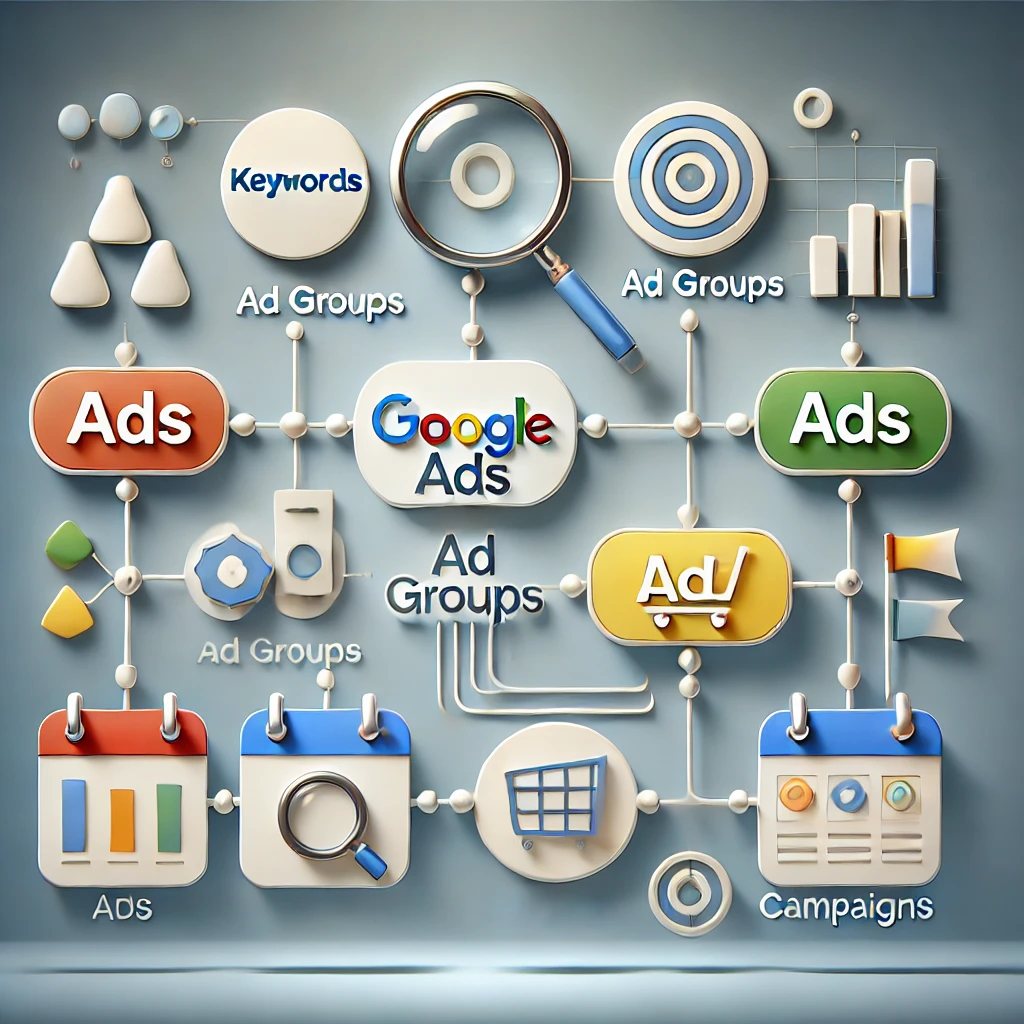
Google Ads campaigns are complex systems designed to deliver highly targeted, measurable advertising. Understanding and mastering their components—campaigns, keywords, ad groups, and ads—allows marketers to achieve exceptional results. In this guide, we dive deep into each component, explaining their purpose, configuration, and contributions to the overall success of your campaigns.
Campaigns: The Strategic Foundation
1. Campaign Overview and Purpose Campaigns represent the highest level of the Google Ads structure. A campaign organizes settings, budget allocation, and overarching targeting goals.
2. Types of Campaigns Google Ads supports various campaign types, each suited to different business objectives:
Search Campaigns: Display text ads triggered by keywords.
Display Campaigns: Show visual ads on Google’s partner sites.
Shopping Campaigns: Showcase product-specific ads for e-commerce.
Video Campaigns: Promote videos on YouTube and other partner platforms.
Performance Max Campaigns: Use AI to serve ads across all Google channels.
3. Campaign Settings
Budgeting: Allocate a daily budget to control spending. For example, an e-commerce business might assign a higher budget to campaigns focused on high-margin products.
Bidding Strategies: Choose between options like:
Maximize Conversions: AI-driven bidding for optimal results.
Target CPA (Cost per Acquisition): Focus on specific cost-per-conversion goals.
Targeting Parameters: Control where and when ads appear by setting:
Geographical Targeting: Ads can target cities, countries, or radii around specific locations.
Audience Segmentation: Define who sees the ads based on demographics, interests, or behaviors.
4. Impact on Campaign Success Campaign-level decisions determine your ad visibility and return on investment (ROI). Misaligned objectives or improper configurations can lead to wasted budgets.
Keywords: The Foundation of Relevance
1. The Role of Keywords Keywords trigger ads when a user performs a search query. They connect user intent to your product or service offerings.
2. Keyword Match Types
Broad Match: Captures related variations of a search term. Example: “running shoes” may trigger searches for “best shoes for jogging.”
Phrase Match: Triggers searches containing the exact keyword phrase.
Exact Match: Matches only the precise keyword.
Negative Keywords: Block irrelevant traffic by excluding certain words. Example: Adding “free” as a negative keyword if your products aren’t free.
3. Keyword Research Techniques
Google Keyword Planner: Identify high-volume, low-competition keywords.
Third-Party Tools: SEMrush, Ahrefs, and Moz provide additional insights.
Competitor Analysis: Analyze competitors’ keyword strategies to uncover opportunities.
4. The Relationship Between Keywords and Campaign Performance Keywords with high intent drive better traffic and conversions. Misaligned keywords can lead to low-quality scores, high costs, and low CTR.
Ad Groups: Organizing Campaign Structure
1. What Are Ad Groups? Ad groups sit within campaigns and organize keywords and ads into tightly themed clusters. Each ad group focuses on a specific theme, product, or service.
2. How Ad Groups Enhance Campaign Efficiency
Thematic Organization: Ad groups ensure that related ads and keywords are grouped together. For example, an online clothing store might have separate ad groups for “Men’s T-Shirts,” “Women’s Dresses,” and “Kids’ Apparel.”
Improved Ad Relevance: Grouping keywords with corresponding ads increases relevance, boosting Quality Scores and lowering CPC.
3. Structuring Effective Ad Groups
Tightly Themed Keywords: Avoid grouping unrelated keywords to maintain relevance.
A/B Testing: Include multiple ad variations within an ad group to determine which performs best.
4. Common Pitfalls in Ad Group Organization
Overloading Ad Groups: Including too many keywords can dilute the ad relevance.
Poorly Defined Themes: Ambiguous grouping can confuse ad delivery and lower performance.
Ads: The Visible Face of Campaigns
1. Types of Google Ads
Search Ads: Appear as text ads on Google Search results.
Display Ads: Visual ads that show on websites within the Google Display Network.
Video Ads: Run on YouTube and other video platforms.
Shopping Ads: Showcase product details, prices, and images directly in search results.
2. Anatomy of a Google Search Ad
Headline (Part 1 & 2): The first point of attention. Make it compelling and relevant. Example: “Shop Affordable Running Shoes.”
Description: Provide additional information and a strong call-to-action (CTA), such as “Order now for free shipping!”
Display URL: Showcases the destination website in a user-friendly format.
3. Crafting Effective Ad Copy
Keyword Integration: Use relevant keywords to align with user intent.
Focus on Benefits: Highlight unique selling points (USPs), such as discounts or features.
Call-to-Action (CTA): Guide the user toward the desired action, e.g., “Sign Up Today.”
4. Using Extensions to Enhance Ads Ad extensions improve visibility and click-through rates by providing extra information. Types include:
Sitelink Extensions: Highlight additional pages on your website.
Call Extensions: Add phone numbers for immediate contact.
Price Extensions: Show pricing information for products.
Synergy Between Components
1. Interdependence of Campaign Components While campaigns define the strategy, keywords, ad groups, and ads execute it. Effective synergy among components ensures cohesive messaging, higher quality scores, and better ROI.
2. Example of a Well-Coordinated Campaign
Campaign Goal: Drive sales for a new running shoe.
Ad Group: “Men’s Running Shoes” with keywords like “best running shoes for men.”
Ads: Highlight features, such as durability and comfort, with a CTA like “Order Today for Free Shipping.”
3. Regular Monitoring and Optimization Continuous analysis and refinement ensure optimal performance. Key metrics include:
CTR (Click-Through Rate): Reflects ad engagement.
Conversion Rate: Measures how many users take the desired action.
Quality Score: Google’s evaluation of ad relevance and keyword alignment.
Best Practices for Optimizing Campaigns
1. Conduct Data-Driven Adjustments
Monitor Search Queries: Identify irrelevant terms triggering ads and add them as negative keywords.
Adjust Bid Strategies: Reallocate resources to high-performing campaigns.
2. Leverage Automation Tools Google Ads offers AI-driven tools like Smart Bidding, which optimize for conversions based on historical data.
3. Implement Remarketing Campaigns Re-engage users who previously interacted with your website by serving tailored ads that encourage conversion.
Final Thoughts
A successful Google Ads campaign is a combination of strategic planning, precise targeting, and ongoing optimization. By mastering the core components—campaigns, keywords, ad groups, and ads—you can drive impactful advertising that resonates with your target audience. Use this guide as a foundation to build campaigns that deliver measurable success and sustained growth.
Google Ads is an essential platform for businesses to reach target audiences efficiently. Bidding strategies are pivotal to how campaigns perform, impacting ad visibility, cost efficiency, and conversion rates. In 2024, Google Ads has refined its automated bidding models, making it critical for advertisers to understand and leverage these strategies for optimal results.
This blog explores the latest bidding strategies, including Maximize Conversions, Target CPA (Cost per Acquisition), tROAS (Target Return on Ad Spend), and manual bidding strategies, and how these updates reflect broader shifts toward machine learning and AI-powered optimization.
1. Automated Bidding: The Rise of Smart Bidding Models
Smart Bidding models have become the cornerstone of Google Ads, with AI-powered optimization now driving the bulk of bidding decisions. Google’s algorithms analyze user behavior, historical data, and real-time trends to adjust bids dynamically.
Key automated bidding strategies include:
Maximize Conversions: Automatically sets bids to drive as many conversions as possible within your budget.
Target CPA: Focuses on achieving conversions at a specific cost per acquisition.
Maximize Conversion Value: Optimizes for the highest possible return based on conversion value, making it useful for e-commerce businesses.
Google recommends starting with Maximize Conversions, then transitioning to Target CPA or tROAS once campaigns accumulate sufficient data (at least 50 conversions) for reliable optimization.
2. Manual vs Automated Bidding: Which One to Choose?
Although automated bidding simplifies campaign management, some advertisers prefer manual CPC bidding for greater control. However, with Enhanced CPC being phased out by March 2025, advertisers will need to transition towards other forms of automation or use Manual CPC in specific scenarios requiring precision (Zorbis, 2024).
Manual bidding is still valuable when experimenting with new campaigns or when granular control over individual keywords or ad groups is necessary. It also helps in niche industries where Google’s algorithms may need more training data to optimize effectively.
3. Leveraging Audience and Location Targeting
Google Ads in 2024 places a stronger emphasis on custom audience segmentation and location targeting.
Audience Targeting: Adjusting bids based on audience segments is a key strategy. For example, advertisers can bid higher for visitors who previously added items to their shopping carts or showed interest in high-value products (Partnerkin, 2024).
Location Targeting: Customizing bids based on geographic performance remains essential. If certain regions convert better, businesses can increase bids for those areas while lowering them in underperforming locations.
4. Time and Device Bid Adjustments
Adjusting bids by time of day or device type helps advertisers fine-tune campaigns. For example:
Increase bids during peak conversion hours (e.g., business hours for B2B campaigns).
Bid more aggressively on mobile devices if data shows higher engagement from mobile users. Conversely, reduce bids on tablets if conversions are consistently low.
Seasonal adjustments also play a critical role in industries like retail, where ad performance fluctuates during holidays and major shopping events.
5. Remarketing Bidding Strategies: Bringing Visitors Back
Remarketing remains an effective way to re-engage users. In 2024, dynamic remarketing is gaining traction, enabling businesses to target users with tailored ads based on their previous interactions with products or services. Advertisers can increase bids for high-value audiences—like those who browsed expensive products—and decrease bids for less-engaged visitors (Google Ads, 2024).
6. Best Practices for Google Ads Bidding in 2024
To maximize returns, advertisers need to experiment and adapt their bidding strategies based on performance data. Here are some actionable tips:
Monitor campaign performance regularly: Track conversion rates, CPA, and ROAS to identify trends.
Use Google Analytics audience segments: Import data to refine targeting and bidding.
A/B test bids: Experiment with different strategies to find the best approach for each campaign type.
Adapt to seasonal trends: Shift bidding strategies according to seasonal traffic patterns and adjust ad formats based on user behavior.
Conclusion: Navigating Google Ads Bidding in 2024
Google’s focus on automation and machine learning has made smart bidding strategies essential for businesses aiming to stay competitive. While automated strategies reduce the workload for advertisers, understanding when and how to use manual CPC and bid adjustments remains critical. Whether your goal is to maximize conversions, optimize ROAS, or fine-tune campaigns based on location or device data, 2024 demands a data-driven, adaptive approach.
By combining automated tools with strategic oversight, businesses can optimize their ad spend and improve campaign outcomes. Staying informed about the latest updates in Google Ads will empower advertisers to make more effective decisions in this ever-changing landscape.