BERT UPDATE GOOGLE (Himanjol Pradip Borah-25141)
All posts by Himanjol Pradip Borah (25141)
Meme Marketing
Blog Assessment 25165 Md
Consumer behaviour toward online shopping platform
Consumer behavior towards online shopping platforms
It is observe that the consumer behaviour towards online shopping platforms depends on a number of factors these vectors are as follows
Convenience,price perception, trust and security, website quality, social influence.
Now we are going to deep dive into some of the factors and try to find out of how these factors affect the consumers perception.
With reference to the first factor that is convenience it is observed that the people who received their products throuhh online shopping on time find online shopping method very convenient.
Some people also find the ability to compare the product online very useful the ability to buy the product 24/7 using the useful the information available about the product online also makes it easy for them to buy the product online
Compare one product with the another and choose the best one for them also makes online shopping very preference
Now coming to the second factor that is the price perception it is observed that online serving platform of a better discount because of the bulk Sourcing the prices are very competitive and there are flash sales and promotional offer which also improve the point of view of customers for online shopping platform.
This is also observed that while using online shopping platform customer feel safe sharing there Digital information for the payment of the product as the as the online shopping platform uses digital security features and their return and refund policies are very clear this create convenience and confusion free operation for the customer .
The quality of the website also influences the choice of customers while using online shopping platform the shopping platforms which provides safe and easy navigation are very popular and the ones which provide good product images and description are very much popular among the customer.
While online shopping customer also uses reviews and rating these reviews and ratings influence their purchase decision
Recommendation from friends or family influence the choice of customer while doing online shopping social media discussion and influencers also affect the perception of customer while doing online shopping. There are some other factors which are also involved which includes the customer mind and perception about doing online shopping
One of the factor is logistics and supply chain management, the online shopping platform which provides very good Logistic and supply chain services which are very efficient towards delivery and deliver to customer with minimum amount of money charged and minimum time are preferred these features are also very appreciated by the customer.
Also some online shopping platform provide options to the customer which are very personalised and customised according to customer needs are preferred nowadays a lot. Some of the most commonly used online shopping blood warms are at follows flipkart, myntra, amazon, zomato, swiggy instamart etc.
Google’s June 2025 Update: What Actually Changed (Expert Analysis)


This latest google update took 16 days and 18 hours to fully complete, finishing on July 17, 2025—slightly faster than Google initially suggested. During this time, we observed notable ranking fluctuations, especially for YMYL (Your Money or Your Life) content, which typically experiences greater impacts from google algorithm updates. Furthermore, what makes this google core update particularly interesting is that we’ve seen some accounts of partial recoveries from previous updates, including the September 2023 helpful content update. In this article, we’ll analyze what actually changed with the google algorithm update and how you can respond effectively.
What Google Announced About the June 2025 Core Update

Image Source: TS2 Space
The June 2025 core update marked a significant moment for search rankings across the web. While some updates pass with minimal disruption, this one garnered attention from SEO professionals worldwide due to its scope and implementation approach.
Rollout timeline and duration
On June 30, 2025, at precisely 7:34 AM PDT, Google began rolling out its second core algorithm update of the year [1]. Unlike some previous updates with indefinite timelines, Google clearly communicated that “the rollout may take up to 3 weeks to complete” [2]. Nonetheless, the actual implementation finished slightly ahead of schedule, concluding on July 17, 2025, at 1:00 AM PDT – a total duration of 16 days and 18 hours [2].
Throughout this period, many tracking tools recorded sharp spikes in algorithmic volatility. Platforms like Semrush, MozCast, and Sistrix showed significant temperature increases, suggesting this was among the more impactful updates in recent memory [1]. What’s interesting, however, is that despite technical measurements indicating substantial change, the disruption felt less dramatic to many site owners than expected.
Official statements from Google
Google maintained its characteristically concise messaging about the update. On the Search Status Dashboard, they simply announced: “Released the June 2025 core update. The rollout may take up to 3 weeks to complete” [2].
Additionally, Google expanded slightly on LinkedIn, describing it as “a regular update designed to better surface relevant, satisfying content for searchers from all types of sites” [2]. This language aligns with previous core update announcements, maintaining their consistent position that these updates aim to improve result quality rather than penalize specific sites.
John Mueller from Google described this as one of the “bigger updates” [2], though interestingly, the response to related tweets was relatively muted – not the typical reaction seen with more disruptive changes [3]. According to some analysts, while data showed significant movement, the update may have implemented more subtle, rather than game-changing, modifications [3].
How this update fits into the yearly update cycle
The June 2025 core update arrived approximately three months after the March 2025 core update, making it the second major algorithm change of the year [2]. This timeframe represents a slightly accelerated pace compared to the historical norm, where major core updates typically occurred every 4-6 months [1].
Moreover, this cadence contradicts expectations set in 2024 when Google hinted at potentially increasing update frequency. Despite these suggestions, 2025 has maintained the same pace as 2024 thus far [2]. In between these formal updates, Google’s systems undergo numerous smaller tweaks that rarely receive official announcements.
The timing may connect to statements made by Google’s Danny Sullivan at Search Central Live New York, where he indicated Google would be adjusting algorithms to surface a greater variety of high-quality content [3]. Consequently, this update appears to be implementing some of those promised changes, focusing on content diversity while maintaining quality standards.
Early Volatility and Hidden System Changes
Many SEOs were caught off guard by the June 2025 core update—not because it happened, but because significant ranking changes had already been occurring well before Google’s official announcement.
Pre-update ranking fluctuations
Sharp-eyed webmasters noticed unusual ranking fluctuations as early as June 28, two days before Google officially confirmed the update [4]. Indeed, the pattern of volatility for this latest google update unfolded in three distinct waves:
- Minor fluctuations between June 4-9, primarily affecting mobile and local searches
- A sharp spike between June 16-18, which many believed was a precursor test
- The most pronounced spike around June 28, aligning with what would eventually be confirmed as the start of the official update [4]
Site owners reported pages that had ranked first for months suddenly dropping to the bottom of page two, while newly published content inexplicably outperformed established evergreen pages [4]. Several third-party SEO tools flagged these volatility spikes, with SEMRush’s tracker eventually hitting 9.3 out of 10 during the rollout throughout July, prompting them to call it a “Googlequake” [5].
Unannounced reviews system update
Interestingly, one pattern emerged from the pre-update volatility—sites previously impacted by reviews updates were seeing significant movement [2]. Based on comprehensive analysis across multiple websites, all signs point to Google quietly implementing a substantial reviews system update behind the scenes.
This aligns perfectly with Google’s previous statements following the April and November 2023 reviews updates, where they explicitly mentioned the reviews system would be “updated on a regular and ongoing basis” without announcing additional reviews updates [2]. Google’s Danny Sullivan had also confirmed that the system continues to be updated frequently [2].
How to distinguish core updates from other changes
For website owners trying to make sense of ranking changes, separating core updates from other algorithm adjustments is essential. First, remember that Google pushes updates constantly—including smaller core updates that can significantly impact specific sites [2].
Google has emphasized that core updates officially begin only when they’re announced [2]. Therefore, any pre-update movement starting in early June was not part of the broad core update that began rolling out on June 30th.
To determine what type of update affected your site:
- Track industry patterns: If sites similar to yours across your niche experienced changes, it’s likely a broader update
- Monitor specific content types: Reviews-focused sites seeing movement might indicate a reviews system update
- Check official channels: The Search Status Dashboard confirms core update timelines [6]
- Analyze impact timing: Changes before announced dates suggest other system updates are at play
When evaluating impacts, remember to wait at least a full week after a core update completes before analyzing your site in Search Console [6]. Compare that week with a week before the update started to accurately pinpoint changes [6].
The June 2025 situation reinforces an important reality about google algorithm updates: they’re constantly happening, often without announcement, making continuous monitoring and adaptation essential for SEO success.
Who Was Impacted: Winners, Losers, and Recovery Cases

Image Source: Search Engine Land
The June 2025 core update has created a fascinating reshuffling across the search landscape. The most surprising outcome has been the recovery patterns among websites previously hit by earlier algorithm changes.
Sites that recovered from the September 2023 HCU(X)
Unexpectedly, a significant number of sites devastated by the September 2023 Helpful Content Update (HCU) finally started showing signs of life. Beginning around July 6-9, these recoveries emerged as a distinct second wave of the update’s impact [7]. Specifically, some websites that had virtually disappeared from search results suddenly reappeared, with tracking data showing clear upward trajectories after nearly two years of algorithmic exile [2].
Interestingly, these recovery signals didn’t appear immediately when the update rolled out but instead manifested several days later—primarily on July 8-9 [2]. This timing suggests Google adjusted specific systems that evaluate content helpfulness during the core update rather than making all changes simultaneously.
Industries most affected (YMYL, e-commerce, etc.)
Your Money Your Life (YMYL) websites experienced extraordinary volatility throughout this update. Health, finance, and legal sectors saw particularly dramatic ranking shifts [2], confirming Google’s heightened scrutiny of content that could potentially impact users’ wellbeing or financial decisions.
In the retail space, Amazon stands out as possibly the biggest loser from this update [8]. Several other major e-commerce players likewise suffered substantial visibility declines, including:
- eBay, Target, and Nordstrom
- Lowe’s, Wayfair, and Best Buy [8]
Certain niches followed unique patterns—notably, some health and finance sites like BetterUp and Patient.info rode a roller coaster throughout 2025, gaining significantly during the March update only to crash with this June release [8].
Examples of full and partial recoveries
Among sites recovering from the September 2023 HCU impact, the rebounds varied substantially in scale. Some webmasters reported traffic increases of approximately 40%, bringing them to roughly 55% of their pre-HCU traffic levels [7]. Others saw more dramatic improvements, with select sites nearly tripling their visitor numbers [7].
First-hand reports from site owners showcase these varying recovery levels:
“My main site heavily hit by HCU is making a strong recovery… We did make changes to it after HCU and then reverted it back to how it was pre-HCU as it shouldn’t have been penalized in the first place.” [7]
Another site owner noted: “Too soon to tell yet, but I think that, from Google, I had a partial recovery here. Maybe some 30 to 40%.” [7]
Nevertheless, Glenn Gabe, a respected SEO analyst, emphasized that not all HCU-affected sites benefited—some actually dropped even further [2]. Furthermore, a concerning number of site owners had simply abandoned their efforts after prolonged traffic losses, missing this potential recovery opportunity [2].
The June 2025 update represents the first meaningful recovery chance for many sites since the HCU classifier was integrated into Google’s core ranking system in March 2024 [2]. While few sites have returned completely to their pre-September 2023 positions, these partial recoveries offer renewed hope after nearly two years of algorithmic challenges.
AI Overviews, Discover, and Other Google Surfaces
Beyond traditional search rankings, the June 2025 google core update significantly altered how content appears across Google’s expanding ecosystem of search surfaces.
Impact on AI Overviews visibility
The latest google update dramatically shifted AI Overviews prevalence. Prior to the update, approximately 10% of queries triggered AI Overviews [9]. Yet, by the final day of the update’s rollout, this figure surged to about 20% of keywords [9]. Interestingly, this percentage has subsequently settled around 15% [9].
More revealing, sites negatively impacted by the core update simultaneously experienced drops in AI Overviews visibility [2]. This confirms what many SEO experts had suspected: Google’s quality assessment extends across all its properties, with core algorithm changes affecting visibility throughout its ecosystem.
The shift builds upon a trend already underway—AI Overviews had grown from 6.49% of queries in January 2025 to 13.14% by March 2025 [10]. Alongside this expansion, the update also brought a concerning development for branded searches, with navigational AI Overviews doubling [10].
Discover traffic drops and gains
Concurrently, Google Discover experienced substantial volatility. Multiple publishers reported severe drops in Discover clicks and impressions coinciding with the core update rollout [11][2]. One prominent support thread titled “Sudden and Massive Drop in Google Discover and Google News Traffic Post June 2025 Core Update” [11] highlighted widespread concern among publishers.
As with AI Overviews, sites reassessed as lower quality during the core update often experienced simultaneous Discover traffic declines [2]. This pattern reinforces that Google’s quality evaluation spans its entire content ecosystem rather than being siloed within traditional search.
Changes in image and news search
Image search likewise underwent substantial shifts. Several sites observed notable increases in image search visibility [2]. Essentially, as rankings fluctuated in main search results, image visibility sometimes moved in opposite directions, creating new traffic opportunities for some publishers.
News search similarly exhibited volatility, with the News tab in search results showing significant movement for certain publishers [2]. This pattern of fluctuation across multiple Google surfaces underscores the comprehensive nature of the June 2025 update.
For publishers, these changes emphasize that an effective SEO strategy must now encompass all Google surfaces, as quality assessments flow between them, creating both risks and opportunities beyond traditional search results.
How to Respond: Recovery Tips and Quality Signals

Image Source: Search Engine Land
Recovering from the June 2025 core update demands a strategic approach focused on user satisfaction above all else. Let’s explore what actually works based on emerging patterns.
Google’s advice on helpful content
Following this latest google update, Google hasn’t issued any new recovery guidelines. Instead, they’ve reinforced their longstanding advice: “There aren’t specific actions to take to recover” and “write helpful content for people and not to rank in search engines”. Google maintains that “as long as they’ve been making satisfying content meant for people,” creators shouldn’t need to make special adjustments. For those experiencing ranking drops, Google recommends reviewing their helpful content guidelines that emphasize satisfying user needs over algorithm targeting.
Understanding Navboost and user signals
Navboost, a key component of Google’s algorithm, analyzes user interactions over a 13-month period to evaluate search result quality. This system tracks:
- “Good clicks” indicating user satisfaction
- “Bad clicks” suggesting dissatisfaction (like quick returns to search results)
- “Last longest click” measuring final engagement depth
These behavioral metrics directly influence rankings, as they reflect user satisfaction—a cornerstone of trustworthiness within Google’s E-E-A-T framework.
Why quality is more than just content
Overall quality now encompasses:
- Content depth: Pages demonstrating first-hand experience outperform keyword-targeted content
- Technical factors: Site speed, mobile responsiveness, and navigation structure impact dwell time
- Engagement patterns: How users interact with your site sends powerful ranking signals
Henceforth, focus on creating content with “intent, clarity, and originality” rather than optimizing purely for algorithms.
Conclusion
The June 2025 core update clearly represents one of Google’s more significant algorithm adjustments in recent years. Despite the substantial volatility measured by tracking tools, many site owners experienced less disruption than anticipated. Nevertheless, the partial recoveries witnessed among sites previously hit by the September 2023 Helpful Content Update offer renewed hope for webmasters who’ve spent nearly two years in algorithmic exile.
Above all, this update reinforces that Google’s quality assessment now flows seamlessly across its entire ecosystem. Sites demonstrating true user value saw improvements across traditional search, AI Overviews, Discover, and other surfaces simultaneously. Consequently, SEO strategies must now extend beyond conventional search rankings to encompass Google’s complete digital landscape.
User signals have undoubtedly emerged as the cornerstone of Google’s evaluation system. Therefore, websites that prioritize genuine user satisfaction through content depth, technical excellence, and meaningful engagement will ultimately outperform those merely optimizing for algorithms. If you’ve found these insights valuable, share on your social media to help fellow webmasters navigate these significant algorithm changes.
Finally, while Google maintains there aren’t “specific actions” needed to recover from updates, the evidence suggests otherwise. Websites consistently delivering content with “intent, clarity, and originality” demonstrate greater resilience during algorithm shifts. This update serves as a powerful reminder that search visibility requires an unwavering commitment to quality across all aspects of your digital presence.
Key Takeaways
Google’s June 2025 core update brought significant changes across search surfaces, offering recovery opportunities while emphasizing user-focused quality signals.
• Recovery window opened: Sites hit by September 2023 HCU saw partial recoveries (30-40% traffic gains), marking the first meaningful recovery chance in nearly two years.
• Multi-surface impact: Quality assessments now flow across all Google properties—drops in search rankings correlated with reduced AI Overviews and Discover visibility.
• User signals drive rankings: Navboost analyzes 13 months of user interactions, making “good clicks” and engagement depth more critical than keyword optimization.
• YMYL sites faced volatility: Health, finance, and e-commerce sectors experienced dramatic ranking shifts, with major retailers like Amazon suffering significant visibility losses.
• Quality transcends content: Success requires combining content depth, technical excellence, and genuine user satisfaction rather than algorithm-focused optimization strategies.
The update reinforces that sustainable SEO success depends on creating genuinely helpful content that satisfies user intent across Google’s entire ecosystem, not just traditional search results.
FAQs
Q1. What were the main changes in Google’s June 2025 core update? The June 2025 update focused on improving content relevance and retrieval efficiency. It caused significant ranking fluctuations, especially for YMYL (Your Money Your Life) sites, and led to partial recoveries for some websites previously impacted by the September 2023 Helpful Content Update.
Q2. How long did the June 2025 core update take to roll out? The update began on June 30, 2025, and completed on July 17, 2025, taking a total of 16 days and 18 hours to fully roll out. This was slightly faster than Google’s initial estimate of up to 3 weeks.
Q3. How did the June 2025 update affect different Google surfaces? The update impacted multiple Google surfaces beyond traditional search. AI Overviews visibility increased, while many publishers experienced drops in Google Discover traffic. Image and news search results also saw significant changes, emphasizing the update’s comprehensive nature across Google’s ecosystem.
Q4. What industries were most affected by the June 2025 core update? YMYL (Your Money Your Life) sectors such as health, finance, and legal websites experienced high volatility. The e-commerce industry was also significantly impacted, with major retailers like Amazon and eBay seeing substantial visibility declines.
Q5. How can websites recover from negative impacts of the June 2025 update? To recover, focus on creating high-quality, user-focused content that demonstrates expertise and originality. Pay attention to user engagement signals, improve technical aspects like site speed and mobile responsiveness, and ensure your content satisfies user intent across all of Google’s search surfaces.
References
[1] – https://www.new-waves.net/google-june-2025-core-update-comprehensive-overview-and-best-practices/?srsltid=AfmBOooJjFaceESs8_3cs6s6aWX16kavTtD4AwFVWSjpBQ3bq2H0nxc0[2] – https://www.gsqi.com/marketing-blog/june-2025-google-core-update/
[3] – https://www.searchenginejournal.com/googles-june-2025-update-analysis-what-just-happened/551501/
[4] – https://getdigitalresults.com/search-engine-optimizations/googles-june-2025-core-update-is-live-key-impacts-across-search-results/
[5] – https://www.ctidigital.com/blog/google-core-updates
[6] – https://developers.google.com/search/docs/appearance/core-updates
[7] – https://www.seroundtable.com/google-june-2025-core-update-recoveries-39735.html
[8] – https://www.amsive.com/insights/seo/june-2025-core-update-winners-losers-trends/
[9] – https://searchengineland.com/data-providers-google-june-2025-core-update-was-a-big-update-459226
[10] – https://www.semrush.com/blog/semrush-ai-overviews-study/
[11] – https://support.google.com/webmasters/thread/358738013/sudden-and-massive-drop-in-google-discover-and-google-news-traffic-post-june-2025-core-update?hl=en
Google’s June 2025 Update: What Actually Changed (Expert Analysis)
This latest google update took 16 days and 18 hours to fully complete, finishing on July 17, 2025—slightly faster than Google initially suggested. During this time, we observed notable ranking fluctuations, especially for YMYL (Your Money or Your Life) content, which typically experiences greater impacts from google algorithm updates. Furthermore, what makes this google core update particularly interesting is that we’ve seen some accounts of partial recoveries from previous updates, including the September 2023 helpful content update. In this article, we’ll analyze what actually changed with the google algorithm update and how you can respond effectively.
What Google Announced About the June 2025 Core Update
Image Source: TS2 Space
The June 2025 core update marked a significant moment for search rankings across the web. While some updates pass with minimal disruption, this one garnered attention from SEO professionals worldwide due to its scope and implementation approach.
Rollout timeline and duration
On June 30, 2025, at precisely 7:34 AM PDT, Google began rolling out its second core algorithm update of the year [1]. Unlike some previous updates with indefinite timelines, Google clearly communicated that “the rollout may take up to 3 weeks to complete” [2]. Nonetheless, the actual implementation finished slightly ahead of schedule, concluding on July 17, 2025, at 1:00 AM PDT – a total duration of 16 days and 18 hours [2].
Throughout this period, many tracking tools recorded sharp spikes in algorithmic volatility. Platforms like Semrush, MozCast, and Sistrix showed significant temperature increases, suggesting this was among the more impactful updates in recent memory [1]. What’s interesting, however, is that despite technical measurements indicating substantial change, the disruption felt less dramatic to many site owners than expected.
Official statements from Google
Google maintained its characteristically concise messaging about the update. On the Search Status Dashboard, they simply announced: “Released the June 2025 core update. The rollout may take up to 3 weeks to complete” [2].
Additionally, Google expanded slightly on LinkedIn, describing it as “a regular update designed to better surface relevant, satisfying content for searchers from all types of sites” [2]. This language aligns with previous core update announcements, maintaining their consistent position that these updates aim to improve result quality rather than penalize specific sites.
John Mueller from Google described this as one of the “bigger updates” [2], though interestingly, the response to related tweets was relatively muted – not the typical reaction seen with more disruptive changes [3]. According to some analysts, while data showed significant movement, the update may have implemented more subtle, rather than game-changing, modifications [3].
How this update fits into the yearly update cycle
The June 2025 core update arrived approximately three months after the March 2025 core update, making it the second major algorithm change of the year [2]. This timeframe represents a slightly accelerated pace compared to the historical norm, where major core updates typically occurred every 4-6 months [1].
Moreover, this cadence contradicts expectations set in 2024 when Google hinted at potentially increasing update frequency. Despite these suggestions, 2025 has maintained the same pace as 2024 thus far [2]. In between these formal updates, Google’s systems undergo numerous smaller tweaks that rarely receive official announcements.
The timing may connect to statements made by Google’s Danny Sullivan at Search Central Live New York, where he indicated Google would be adjusting algorithms to surface a greater variety of high-quality content [3]. Consequently, this update appears to be implementing some of those promised changes, focusing on content diversity while maintaining quality standards.
Early Volatility and Hidden System Changes
Many SEOs were caught off guard by the June 2025 core update—not because it happened, but because significant ranking changes had already been occurring well before Google’s official announcement.
Pre-update ranking fluctuations
Sharp-eyed webmasters noticed unusual ranking fluctuations as early as June 28, two days before Google officially confirmed the update [4]. Indeed, the pattern of volatility for this latest google update unfolded in three distinct waves:
- Minor fluctuations between June 4-9, primarily affecting mobile and local searches
- A sharp spike between June 16-18, which many believed was a precursor test
- The most pronounced spike around June 28, aligning with what would eventually be confirmed as the start of the official update [4]
Site owners reported pages that had ranked first for months suddenly dropping to the bottom of page two, while newly published content inexplicably outperformed established evergreen pages [4]. Several third-party SEO tools flagged these volatility spikes, with SEMRush’s tracker eventually hitting 9.3 out of 10 during the rollout throughout July, prompting them to call it a “Googlequake” [5].
Unannounced reviews system update
Interestingly, one pattern emerged from the pre-update volatility—sites previously impacted by reviews updates were seeing significant movement [2]. Based on comprehensive analysis across multiple websites, all signs point to Google quietly implementing a substantial reviews system update behind the scenes.
This aligns perfectly with Google’s previous statements following the April and November 2023 reviews updates, where they explicitly mentioned the reviews system would be “updated on a regular and ongoing basis” without announcing additional reviews updates [2]. Google’s Danny Sullivan had also confirmed that the system continues to be updated frequently [2].
How to distinguish core updates from other changes
For website owners trying to make sense of ranking changes, separating core updates from other algorithm adjustments is essential. First, remember that Google pushes updates constantly—including smaller core updates that can significantly impact specific sites [2].
Google has emphasized that core updates officially begin only when they’re announced [2]. Therefore, any pre-update movement starting in early June was not part of the broad core update that began rolling out on June 30th.
To determine what type of update affected your site:
- Track industry patterns: If sites similar to yours across your niche experienced changes, it’s likely a broader update
- Monitor specific content types: Reviews-focused sites seeing movement might indicate a reviews system update
- Check official channels: The Search Status Dashboard confirms core update timelines [6]
- Analyze impact timing: Changes before announced dates suggest other system updates are at play
When evaluating impacts, remember to wait at least a full week after a core update completes before analyzing your site in Search Console [6]. Compare that week with a week before the update started to accurately pinpoint changes [6].
The June 2025 situation reinforces an important reality about google algorithm updates: they’re constantly happening, often without announcement, making continuous monitoring and adaptation essential for SEO success.
Who Was Impacted: Winners, Losers, and Recovery Cases
Image Source: Search Engine Land
The June 2025 core update has created a fascinating reshuffling across the search landscape. The most surprising outcome has been the recovery patterns among websites previously hit by earlier algorithm changes.
Sites that recovered from the September 2023 HCU(X)
Unexpectedly, a significant number of sites devastated by the September 2023 Helpful Content Update (HCU) finally started showing signs of life. Beginning around July 6-9, these recoveries emerged as a distinct second wave of the update’s impact [7]. Specifically, some websites that had virtually disappeared from search results suddenly reappeared, with tracking data showing clear upward trajectories after nearly two years of algorithmic exile [2].
Interestingly, these recovery signals didn’t appear immediately when the update rolled out but instead manifested several days later—primarily on July 8-9 [2]. This timing suggests Google adjusted specific systems that evaluate content helpfulness during the core update rather than making all changes simultaneously.
Industries most affected (YMYL, e-commerce, etc.)
Your Money Your Life (YMYL) websites experienced extraordinary volatility throughout this update. Health, finance, and legal sectors saw particularly dramatic ranking shifts [2], confirming Google’s heightened scrutiny of content that could potentially impact users’ wellbeing or financial decisions.
In the retail space, Amazon stands out as possibly the biggest loser from this update [8]. Several other major e-commerce players likewise suffered substantial visibility declines, including:
- eBay, Target, and Nordstrom
- Lowe’s, Wayfair, and Best Buy [8]
Certain niches followed unique patterns—notably, some health and finance sites like BetterUp and Patient.info rode a roller coaster throughout 2025, gaining significantly during the March update only to crash with this June release [8].
Examples of full and partial recoveries
Among sites recovering from the September 2023 HCU impact, the rebounds varied substantially in scale. Some webmasters reported traffic increases of approximately 40%, bringing them to roughly 55% of their pre-HCU traffic levels [7]. Others saw more dramatic improvements, with select sites nearly tripling their visitor numbers [7].
First-hand reports from site owners showcase these varying recovery levels:
“My main site heavily hit by HCU is making a strong recovery… We did make changes to it after HCU and then reverted it back to how it was pre-HCU as it shouldn’t have been penalized in the first place.” [7]
Another site owner noted: “Too soon to tell yet, but I think that, from Google, I had a partial recovery here. Maybe some 30 to 40%.” [7]
Nevertheless, Glenn Gabe, a respected SEO analyst, emphasized that not all HCU-affected sites benefited—some actually dropped even further [2]. Furthermore, a concerning number of site owners had simply abandoned their efforts after prolonged traffic losses, missing this potential recovery opportunity [2].
The June 2025 update represents the first meaningful recovery chance for many sites since the HCU classifier was integrated into Google’s core ranking system in March 2024 [2]. While few sites have returned completely to their pre-September 2023 positions, these partial recoveries offer renewed hope after nearly two years of algorithmic challenges.
AI Overviews, Discover, and Other Google Surfaces
Beyond traditional search rankings, the June 2025 google core update significantly altered how content appears across Google’s expanding ecosystem of search surfaces.
Impact on AI Overviews visibility
The latest google update dramatically shifted AI Overviews prevalence. Prior to the update, approximately 10% of queries triggered AI Overviews [9]. Yet, by the final day of the update’s rollout, this figure surged to about 20% of keywords [9]. Interestingly, this percentage has subsequently settled around 15% [9].
More revealing, sites negatively impacted by the core update simultaneously experienced drops in AI Overviews visibility [2]. This confirms what many SEO experts had suspected: Google’s quality assessment extends across all its properties, with core algorithm changes affecting visibility throughout its ecosystem.
The shift builds upon a trend already underway—AI Overviews had grown from 6.49% of queries in January 2025 to 13.14% by March 2025 [10]. Alongside this expansion, the update also brought a concerning development for branded searches, with navigational AI Overviews doubling [10].
Discover traffic drops and gains
Concurrently, Google Discover experienced substantial volatility. Multiple publishers reported severe drops in Discover clicks and impressions coinciding with the core update rollout [11][2]. One prominent support thread titled “Sudden and Massive Drop in Google Discover and Google News Traffic Post June 2025 Core Update” [11] highlighted widespread concern among publishers.
As with AI Overviews, sites reassessed as lower quality during the core update often experienced simultaneous Discover traffic declines [2]. This pattern reinforces that Google’s quality evaluation spans its entire content ecosystem rather than being siloed within traditional search.
Changes in image and news search
Image search likewise underwent substantial shifts. Several sites observed notable increases in image search visibility [2]. Essentially, as rankings fluctuated in main search results, image visibility sometimes moved in opposite directions, creating new traffic opportunities for some publishers.
News search similarly exhibited volatility, with the News tab in search results showing significant movement for certain publishers [2]. This pattern of fluctuation across multiple Google surfaces underscores the comprehensive nature of the June 2025 update.
For publishers, these changes emphasize that an effective SEO strategy must now encompass all Google surfaces, as quality assessments flow between them, creating both risks and opportunities beyond traditional search results.
How to Respond: Recovery Tips and Quality Signals
Image Source: Search Engine Land
Recovering from the June 2025 core update demands a strategic approach focused on user satisfaction above all else. Let’s explore what actually works based on emerging patterns.
Google’s advice on helpful content
Following this latest google update, Google hasn’t issued any new recovery guidelines. Instead, they’ve reinforced their longstanding advice: “There aren’t specific actions to take to recover” and “write helpful content for people and not to rank in search engines”. Google maintains that “as long as they’ve been making satisfying content meant for people,” creators shouldn’t need to make special adjustments. For those experiencing ranking drops, Google recommends reviewing their helpful content guidelines that emphasize satisfying user needs over algorithm targeting.
Understanding Navboost and user signals
Navboost, a key component of Google’s algorithm, analyzes user interactions over a 13-month period to evaluate search result quality. This system tracks:
- “Good clicks” indicating user satisfaction
- “Bad clicks” suggesting dissatisfaction (like quick returns to search results)
- “Last longest click” measuring final engagement depth
These behavioral metrics directly influence rankings, as they reflect user satisfaction—a cornerstone of trustworthiness within Google’s E-E-A-T framework.
Why quality is more than just content
Overall quality now encompasses:
- Content depth: Pages demonstrating first-hand experience outperform keyword-targeted content
- Technical factors: Site speed, mobile responsiveness, and navigation structure impact dwell time
- Engagement patterns: How users interact with your site sends powerful ranking signals
Henceforth, focus on creating content with “intent, clarity, and originality” rather than optimizing purely for algorithms.
Conclusion
The June 2025 core update clearly represents one of Google’s more significant algorithm adjustments in recent years. Despite the substantial volatility measured by tracking tools, many site owners experienced less disruption than anticipated. Nevertheless, the partial recoveries witnessed among sites previously hit by the September 2023 Helpful Content Update offer renewed hope for webmasters who’ve spent nearly two years in algorithmic exile.
Above all, this update reinforces that Google’s quality assessment now flows seamlessly across its entire ecosystem. Sites demonstrating true user value saw improvements across traditional search, AI Overviews, Discover, and other surfaces simultaneously. Consequently, SEO strategies must now extend beyond conventional search rankings to encompass Google’s complete digital landscape.
User signals have undoubtedly emerged as the cornerstone of Google’s evaluation system. Therefore, websites that prioritize genuine user satisfaction through content depth, technical excellence, and meaningful engagement will ultimately outperform those merely optimizing for algorithms. If you’ve found these insights valuable, share on your social media to help fellow webmasters navigate these significant algorithm changes.
Finally, while Google maintains there aren’t “specific actions” needed to recover from updates, the evidence suggests otherwise. Websites consistently delivering content with “intent, clarity, and originality” demonstrate greater resilience during algorithm shifts. This update serves as a powerful reminder that search visibility requires an unwavering commitment to quality across all aspects of your digital presence.
Key Takeaways
Google’s June 2025 core update brought significant changes across search surfaces, offering recovery opportunities while emphasizing user-focused quality signals.
• Recovery window opened: Sites hit by September 2023 HCU saw partial recoveries (30-40% traffic gains), marking the first meaningful recovery chance in nearly two years.
• Multi-surface impact: Quality assessments now flow across all Google properties—drops in search rankings correlated with reduced AI Overviews and Discover visibility.
• User signals drive rankings: Navboost analyzes 13 months of user interactions, making “good clicks” and engagement depth more critical than keyword optimization.
• YMYL sites faced volatility: Health, finance, and e-commerce sectors experienced dramatic ranking shifts, with major retailers like Amazon suffering significant visibility losses.
• Quality transcends content: Success requires combining content depth, technical excellence, and genuine user satisfaction rather than algorithm-focused optimization strategies.
The update reinforces that sustainable SEO success depends on creating genuinely helpful content that satisfies user intent across Google’s entire ecosystem, not just traditional search results.
FAQs
Q1. What were the main changes in Google’s June 2025 core update? The June 2025 update focused on improving content relevance and retrieval efficiency. It caused significant ranking fluctuations, especially for YMYL (Your Money Your Life) sites, and led to partial recoveries for some websites previously impacted by the September 2023 Helpful Content Update.
Q2. How long did the June 2025 core update take to roll out? The update began on June 30, 2025, and completed on July 17, 2025, taking a total of 16 days and 18 hours to fully roll out. This was slightly faster than Google’s initial estimate of up to 3 weeks.
Q3. How did the June 2025 update affect different Google surfaces? The update impacted multiple Google surfaces beyond traditional search. AI Overviews visibility increased, while many publishers experienced drops in Google Discover traffic. Image and news search results also saw significant changes, emphasizing the update’s comprehensive nature across Google’s ecosystem.
Q4. What industries were most affected by the June 2025 core update? YMYL (Your Money Your Life) sectors such as health, finance, and legal websites experienced high volatility. The e-commerce industry was also significantly impacted, with major retailers like Amazon and eBay seeing substantial visibility declines.
Q5. How can websites recover from negative impacts of the June 2025 update? To recover, focus on creating high-quality, user-focused content that demonstrates expertise and originality. Pay attention to user engagement signals, improve technical aspects like site speed and mobile responsiveness, and ensure your content satisfies user intent across all of Google’s search surfaces.
References
[1] – https://www.new-waves.net/google-june-2025-core-update-comprehensive-overview-and-best-practices/?srsltid=AfmBOooJjFaceESs8_3cs6s6aWX16kavTtD4AwFVWSjpBQ3bq2H0nxc0[2] – https://www.gsqi.com/marketing-blog/june-2025-google-core-update/
[3] – https://www.searchenginejournal.com/googles-june-2025-update-analysis-what-just-happened/551501/
[4] – https://getdigitalresults.com/search-engine-optimizations/googles-june-2025-core-update-is-live-key-impacts-across-search-results/
[5] – https://www.ctidigital.com/blog/google-core-updates
[6] – https://developers.google.com/search/docs/appearance/core-updates
[7] – https://www.seroundtable.com/google-june-2025-core-update-recoveries-39735.html
[8] – https://www.amsive.com/insights/seo/june-2025-core-update-winners-losers-trends/
[9] – https://searchengineland.com/data-providers-google-june-2025-core-update-was-a-big-update-459226
[10] – https://www.semrush.com/blog/semrush-ai-overviews-study/
[11] – https://support.google.com/webmasters/thread/358738013/sudden-and-massive-drop-in-google-discover-and-google-news-traffic-post-june-2025-core-update?hl=en

Complete Guide for Creating a Google Text Ad Campaign
Google Ads can be a powerful tool for driving traffic, generating conversions, and promoting your business. Whether you’re new to Google Ads or looking to improve your existing campaigns, this guide will walk you through the steps to create an effective text ad campaign, as well as help you understand how to choose the right bidding strategy based on your campaign goals.
1. Setting Up Your Google Ads Text Ad Campaign
Before diving into the specifics of bidding strategies, it’s important to first understand how to set up a Google Ads campaign. Here’s a step-by-step process to get started:
Step 1: Create a Google Ads Account
- Sign up: If you don’t already have a Google Ads account, create one at ads.google.com. Make sure you enter your business information, billing details, and timezone.
- Goal Selection: Google Ads will ask you to choose your campaign goal (e.g., Website Traffic, Sales, Leads, Brand Awareness, etc.). Choose the goal that aligns with your business objectives.
Step 2: Choose Your Campaign Type
- Search Campaign: Since you are creating a text ad campaign, select Search Campaign. This will allow you to show ads on Google Search Network (the search engine results pages).
- Network Selection: Choose whether you want your ads to appear on search partners (other search engines, websites, and apps). For text ads, the Google Search Network is usually sufficient.
Step 3: Define Your Target Audience
- Geographic Location: Choose the geographic locations where you want your ads to show. For instance, if you only want to target users in the United States, you can set this in your campaign settings.
- Demographics & Interests: Define the age, gender, income, and interests of your ideal audience. You can even exclude specific groups if necessary.
2. Creating Your Text Ads
The next step is crafting the text ads themselves. A well-optimized text ad can make a huge difference in your click-through rate (CTR). Google Ads text ads are composed of several components, each with its own significance.
Headline
- What It Is: This is the clickable title of your ad that appears in bold on the search results page.
- Best Practices:
- Use keywords that align with the user’s search intent.
- Make the headline actionable—use words like “Buy,” “Get,” or “Start” to create a sense of urgency.
- Limit your character count (maximum of 30 characters) and ensure it’s mobile-friendly.
- Example: For an online shoe store, a headline like “Buy Comfortable Running Shoes Online” might be ideal.
Description Line
- What It Is: The description line offers more detail about your offer and is displayed below the headline.
- Best Practices:
- Focus on the unique selling points (USPs) of your product or service.
- Include a call-to-action (CTA) like “Shop Now” or “Learn More.”
- Make sure the description aligns with the user’s search intent.
- You have 90 characters to work with in this field.
- Example: For a cleaning service, you might write, “Affordable and Reliable Cleaning Services. Book Online Today!”
Path Field (Display URL)
- What It Is: This is part of the URL that appears in the ad. While the domain is static, you can customize the display path to make it relevant to the user’s search.
- Best Practices:
- Keep the path short and relevant to your offer.
- You can use up to two path fields (maximum of 15 characters each).
- Example: If you’re advertising a website for selling books, use a display URL like “www.example.com/BestBooks” or “www.example.com/DiscountBooks.”
Final URL
- What It Is: This is the actual URL that users are directed to when they click your ad. This should be highly relevant to the ad copy and provide a seamless user experience.
- Best Practices:
- Ensure your landing page has a clear call to action and is optimized for conversions.
- Make sure it’s mobile-friendly, fast-loading, and contains relevant content.
3. Choosing the Right Bidding Strategy
Bidding strategy plays a crucial role in how your ads perform. Google Ads offers a variety of bidding options, each with specific advantages based on your campaign goals.
Manual CPC (Cost-per-click)
- When to Use It: Manual CPC gives you complete control over your keyword bids. It’s ideal when:
- You want to test and refine your bids on specific keywords.
- You have a limited budget and want to make sure you’re controlling each click.
- Your goal is traffic generation rather than conversions, or you’re managing a specific set of high-value keywords.
- Example: If you’re a local service provider with a handful of high-converting keywords, you may use Manual CPC to keep control over how much you spend on each click.
Enhanced CPC (ECPC)
- When to Use It: ECPC allows Google to adjust your manual bids based on the likelihood of a conversion. Use ECPC when:
- You want more control than automated bidding but still leverage some automation for conversions.
- You have conversion tracking set up and want Google to help optimize your bids for better performance.
- Your campaign is focused on conversions, but you still prefer to manage your bid manually.
- Example: If you’re a real estate agent with a small budget but high conversion intent on certain keywords (e.g., “buy house in Melbourne”), ECPC can help you optimize your bids for those high-intent searches.
Maximize Clicks
- When to Use It: This strategy is best when your goal is to increase traffic. Google automatically adjusts bids to get as many clicks as possible within your budget. Use Maximize Clicks when:
- You’re not concerned with conversions but want to drive volume to your website.
- You want to increase brand awareness or test different keywords for performance.
- Example: If you’re running an event promotion campaign, Maximize Clicks can help drive more visitors to your event landing page, without worrying about the specific cost per click.
Target CPA (Cost-per-acquisition)
- When to Use It: Use Target CPA when your goal is to acquire conversions at a specific cost. Google automatically adjusts your bids to help you get as many conversions as possible within your target CPA. Use it when:
- You have a well-defined cost-per-conversion goal and want to optimize for sales or leads.
- Your campaign is focused on conversion tracking (Google needs enough data—typically 15 conversions in the past 30 days).
- Example: An online store may use Target CPA to ensure they are spending a fixed amount for each sale or lead and maintain profitability.
Target ROAS (Return on Ad Spend)
- When to Use It: Target ROAS is useful if your focus is maximizing return on investment (ROI) rather than just generating conversions. This strategy aims to drive the highest revenue for each dollar spent. Use it when:
- You are selling high-value products and want to ensure your ad spend aligns with your expected return.
- You’ve collected enough historical data and can set a reasonable ROAS target (e.g., 500% ROAS).
- Example: A luxury retailer selling high-end watches might use Target ROAS to ensure each ad dollar spent generates substantial revenue, rather than simply focusing on conversions.
Maximize Conversions
- When to Use It: This strategy automatically adjusts bids to help you get the maximum number of conversions for your budget. Use Maximize Conversions when:
- Your goal is to acquire as many conversions as possible within your set budget.
- You’re running campaigns with a limited budget and need the most efficient use of that budget.
- Example: A charity running a donation campaign may use Maximize Conversions to get as many donations as possible within a set budget.
Target Impression Share
- When to Use It: If visibility is your primary goal, use Target Impression Share. This strategy automatically adjusts bids to show your ad as often as possible in specific positions (top of the page, first page). Use this strategy when:
- Brand awareness is the focus and you need to dominate the search results.
- You want to maintain a high impression share across all auctions for relevant searches.
- Example: A new tech startup might use Target Impression Share to increase brand visibility and awareness in search results, ensuring their ad appears at the top of the page.
CPM (Cost-per-thousand impressions)
- When to Use It: CPM is primarily used for Display Campaigns where the goal is awareness and visibility, rather than clicks or conversions. Use it when:
- You want to show your ad to as many people as possible.
- Your campaign is designed to reach a broad audience rather than driving clicks or conversions.
- Example: A large company running a product awareness campaign for a new TV model might opt for CPM to maximize exposure.
4. Monitoring and Optimizing Your Campaign
Once your campaign is live, the real work begins. Regular monitoring and optimization will help ensure that you’re maximizing your budget and achieving your desired results.
Key Metrics to Monitor:
- Click-Through Rate (CTR): The percentage of people who click your ad after seeing it.
- Conversion Rate: The percentage of clicks that result in a desired action (purchase, sign-up, etc.).
- Cost-per-Conversion: How much you pay on average for each conversion.
- Quality Score: A measure of the relevance of your ad and landing page to the user’s search.
Optimization Tips:
- Test different ad copy variations to see which performs best.
- Continuously refine your keywords to ensure you’re targeting the most relevant terms.
- Adjust your bids and budgets based on performance to ensure maximum ROI.
5. Conclusion
Creating a Google Ads text ad campaign involves careful planning, strategic bidding, and constant monitoring. By selecting the right bidding strategy and continually refining your ads, you can achieve better results and drive more traffic or conversions at a lower cost.
By understanding the ins and outs of Google Ads text ads and aligning your bidding strategy with your goals, you’ll be able to drive high-quality traffic and achieve your desired outcomes efficiently.

A Deep Dive into Major Google Algorithm Updates
Google processes billions of search queries every day. But how does it decide which website to show first? That’s where its search algorithm comes in. Over the years, Google has rolled out many updates to this algorithm to improve how it ranks websites. If you’re new to SEO (Search Engine Optimization), this guide will help you understand the most important updates—and why they matter.
1. Florida (2003)
The Florida update was one of the first major efforts by Google to clean up spammy search results. Before this, many websites were using tactics like keyword stuffing (repeating the same keyword many times) or hidden text (making keywords invisible to users but visible to Google) just to rank higher. The update hit those sites hard, removing many from top positions overnight. It marked the start of Google focusing more on user-friendly and relevant results.
2. Big Daddy (2005–2006)
This wasn’t a content update—it was a change to Google’s internal infrastructure. It improved how Google handled technical SEO elements like:
- How websites redirect from one URL to another.
- Identifying duplicate content.
- Understanding the main version of a page (called canonicalization). This update laid the groundwork for smarter, more efficient crawling and indexing.
3. Jagger (2005)
Jagger came in three stages and focused on backlink quality. At the time, many websites tried to cheat the system by:
- Buying links.
- Participating in link exchanges (you link to me, I link to you).
- Using link farms (networks of low-quality sites linking to each other). Google started penalizing these tactics, encouraging webmasters to earn links naturally through valuable content.
4. Vince (2009)
This update gave an unexpected advantage to big, well-known brands. Google started favoring websites that users seemed to trust, like big retailers or recognized names. While smaller sites complained, Google defended the move by saying it helped show users more reliable results.
5. Caffeine (2010)
Caffeine wasn’t about rankings—it was about speed and scale. It gave Google a new way to crawl and index the web faster. This meant:
- New pages were added to Google’s index more quickly.
- Search results became fresher, especially for breaking news and recent blog posts. This laid the foundation for real-time search.
6. Panda (2011)
Panda was a major update targeting low-quality content. Websites were penalized if they had:
- Very short articles (thin content).
- Lots of ads.
- Duplicated or copied content.
- Useless pages with no real information. Websites that provided unique, useful, and in-depth content were rewarded. This pushed content creators to focus on quality over quantity.
7. Freshness Algorithm (2011)
Google realized that for some searches—like news, sports scores, or trending events—newer content is more helpful. This update made sure fresher content showed up higher for those types of queries. It was great for publishers and blogs that updated their content frequently.
8. Page Layout Algorithm (2012)
This update focused on user experience. If a webpage had too many ads at the top (above the part you see without scrolling), it got penalized. Google wanted to ensure users could see valuable content right away—not be bombarded by ads.
9. Venice Update (2012)
Venice made Google’s results more local. For example, if you searched for “plumber,” instead of getting nationwide results, you’d start seeing plumbers near your location. This helped small and local businesses appear in searches even without users typing a city name.
10. Penguin (2012)
Penguin cracked down on spammy backlink practices. Google started ignoring or penalizing links that were:
- Bought.
- Part of link schemes.
- Using exact-match anchor text (e.g., too many links saying “buy cheap shoes”). Sites had to clean up their backlink profiles and earn links from trustworthy sources.
11. EMD (Exact Match Domain) Update (2012)
Some sites used exact-match domain names (like bestdealsonphones.com) to rank easily—even with poor content. This update made sure that just having a keyword-rich domain wasn’t enough. You needed to back it up with quality.
12. Payday Loan Update (2013)
This update focused on very spammy industries—like payday loans, casinos, and adult content. These industries had a lot of black-hat SEO, and Google applied stricter filters to prevent them from dominating search results.
13. Hummingbird (2013)
Hummingbird helped Google understand search intent rather than just individual keywords. For example, if someone searched “How to fix a leaking tap,” Google started looking for content that actually solves that problem—not just pages that repeated the words “fix” and “tap.” It laid the groundwork for voice search and conversational queries.
14. Pigeon (2014)
Pigeon improved the accuracy of local search results. It tied Google’s local results more closely to traditional ranking factors (like backlinks and content quality). This meant:
- Local SEO became more competitive.
- Businesses with better websites and strong reviews got better rankings in local results.
15. Mobilegeddon (2015)
As mobile searches began to outnumber desktop searches, Google made mobile-friendliness a ranking factor. If your site didn’t work well on phones, it could drop in mobile search rankings. This update pushed site owners to:
- Use responsive design.
- Improve loading times on mobile.
- Make navigation mobile-friendly.
16. Quality Updates (2015–ongoing)
These updates (sometimes called Phantom updates) didn’t target specific tactics. Instead, they adjusted how Google judged overall content quality. They looked at factors like:
- Usefulness of the information.
- Trustworthiness of the site.
- How users interacted with content (like bounce rate or time on page). It encouraged publishers to create genuinely helpful resources.
17. RankBrain (2015)
RankBrain brought machine learning into Google’s algorithm. It helped Google understand vague or unique searches by analyzing:
- Past user behavior.
- Similar phrases or concepts. This meant Google could deliver better results even if it had never seen the exact search phrase before.
18. Fred (2017)
Fred targeted sites that prioritized making money over helping users. This included:
- Sites full of ads.
- Content created only to rank in search and earn clicks (clickbait).
- Affiliate-heavy pages with little useful info. Websites that focused on user value, clear navigation, and in-depth content were rewarded instead.
19. Helpful Content Updates (2022–2024)
These updates introduced a new ranking signal aimed at identifying content that’s actually helpful to users, not just designed to rank. Google now evaluates whether a site’s content is:
- Written for people or search engines.
- Genuinely helpful, informative, and relevant.
- Demonstrating real expertise or experience. If Google determines your content was created mostly for clicks or SEO manipulation, your whole site might get downgraded in the rankings.
20. Product Reviews Updates (2021–2023)
Google began refining how it ranked product reviews. It now favors reviews that:
- Include original research or insights.
- Demonstrate hands-on use.
- Compare products fairly and comprehensively. Generic or affiliate-heavy reviews without substance started losing visibility. Review pages now need depth and real user value to compete.
21. Spam Updates (2023–2024)
Google improved its SpamBrain AI system to detect a wider range of web spam, including in different languages and formats. These updates target:
- Cloaking and sneaky redirects.
- Automatically generated (AI) spam.
- Manipulative link tactics. Websites using deceptive methods are now identified and penalized much faster.
22. Core Updates (2023–2025)
Google regularly releases core updates that adjust how it assesses content overall. These updates:
- Don’t target specific issues.
- Can impact rankings widely.
- Reward sites with high-quality, helpful content. After a core update, sites may see sudden gains or drops, often based on content depth, authority, and page experience.
23. Site Reputation Abuse Update (May 2024)
Some big-name sites started allowing low-quality or spammy third-party content to be published under their trusted domain names. Google rolled out this update to penalize that practice. It ensures that even high-authority sites can’t get away with publishing junk just for traffic or affiliate commissions.
24. AI Overviews and Search Generative Experience (2023–2024)
Google began testing AI Overviews, which generate summaries and answers directly in search results using generative AI. This:
- Affects how users interact with search results.
- May reduce clicks to traditional organic results.
- Increases the importance of featured snippets, structured data, and content clarity. For content creators, it means optimizing for user satisfaction and clarity is more important than ever.


How to Create Video Ads: A Complete Guide for Beginners (with Strategies and Hacks)
In the ever-evolving world of digital marketing, video ads have emerged as one of the most powerful tools for engaging audiences. Whether on YouTube, Facebook, Instagram, or TikTok, video ads allow brands to tell stories, showcase products, and engage consumers in ways that static images or text cannot. If you’re a beginner with little to no knowledge of ads, this guide will take you through everything you need to know about creating effective video ads. Along with basic steps, we will also cover strategies and hacks to enhance your video ad campaign’s success.
1. What Are Video Ads?
Video ads are digital advertisements that use video content to promote a product, service, or brand. These ads appear before, during, or after video content on platforms like YouTube, Facebook, Instagram, and various streaming services. A typical video ad can last anywhere from 6 seconds (bumper ads) to 30 seconds or more. Their main appeal lies in their ability to blend visuals, sound, and narrative to capture attention and drive action.
2. Why Video Ads Matter in Marketing
Video ads have proven to be a highly effective tool in marketing due to several reasons:
- Higher Engagement: Videos grab attention more effectively than static ads, especially on social media where users scroll quickly.
- Improved Conversions: Studies show that video ads lead to better conversion rates, whether it’s driving purchases, generating leads, or encouraging sign-ups.
- Better Storytelling: With video, you can tell compelling stories that resonate emotionally with your audience. This helps in building a strong connection and trust with potential customers.
- Broad Reach: Video ads can be shared across multiple platforms, providing an extensive reach and visibility for your brand.
3. Types of Video Ads
There are several types of video ads, and choosing the right one depends on your marketing goals and the platform you’re using.
- Skippable Video Ads: These ads are often seen on YouTube and can be skipped after the first 5 seconds. They typically run for 15-30 seconds, and you only pay if the viewer watches the ad for at least 30 seconds.
- Non-Skippable Video Ads: These ads last 15-20 seconds and must be watched in full. They are often used when you need to ensure the message is completely delivered to the viewer.
- Bumper Ads: These are 6-second, non-skippable video ads. They’re best used for quick brand messaging and awareness campaigns.
- Overlay Ads: A less common format, these are semi-transparent ads that appear on the video player itself, typically on YouTube.
4. Setting Up Your Video Ad Campaign
To create a successful video ad, you need to choose a platform for your campaign. Platforms like Google Ads (for YouTube) and Facebook Ads are popular choices, but others like Instagram and TikTok can also be used depending on your target audience.
- Sign Up for an Ads Platform: Start by setting up an account with a platform such as Google Ads or Facebook Ads.
- Select Your Campaign Objective: Choose your goal (e.g., brand awareness, lead generation, sales). The objective will help define how you design and measure your ad’s performance.
- Upload Your Video: If you’re using YouTube, you can directly upload your video from Google Ads. On Facebook, you can upload your video to the ad platform, or you can link it from your existing content.
5. Defining Campaign Goals
Before you create a video ad, it’s crucial to define your campaign goals. Your goals should guide the creation of the ad and its targeting strategy. Common objectives include:
- Brand Awareness: If your goal is to introduce your brand or product to a larger audience, focus on delivering a memorable and compelling message.
- Lead Generation: For lead generation, create ads that encourage viewers to sign up for your email list, download a guide, or request more information.
- Sales: If your goal is to drive sales, use direct and persuasive messaging along with a strong call-to-action (CTA).
6. Targeting the Right Audience
Effective targeting is crucial to the success of your video ad. Without it, your ad could end up in front of people who aren’t interested in your product. Platforms like Google Ads and Facebook provide robust targeting features that let you reach specific audiences based on:
- Demographics: Age, gender, income, education, etc.
- Interests and Behaviors: People who have shown interest in products similar to yours or who have engaged with content related to your industry.
- Geographics: Location-based targeting is important for local businesses.
- Custom Audiences: Upload your own customer list for targeted advertising.
7. Creating Engaging Video Content
Once your targeting is defined, the next step is to create engaging video content. A successful video ad should contain the following elements:
- Attention-Grabbing Opening: The first 5 seconds are critical. Make sure you hook your audience right from the beginning with a bold statement, intriguing question, or attention-grabbing visual.
- Clear Branding: Your brand should be visible early in the video. Whether it’s through logos, product shots, or a brand message, ensure your brand stands out.
- Compelling Storytelling: Use storytelling to connect emotionally with the audience. Present a problem, then offer a solution—your product or service.
- Strong Call to Action (CTA): Always tell viewers what you want them to do next—whether it’s to visit your website, buy a product, or sign up for your service.
8. Optimizing for Different Platforms
Each platform has its unique requirements for video ads, and optimization is key for better performance.
- YouTube: Focus on keeping your message clear within the first 5 seconds. For skippable ads, make sure the hook is strong enough to keep viewers interested.
- Facebook & Instagram: Mobile users dominate these platforms, so create vertical or square videos for better engagement.
- TikTok: The TikTok audience loves authentic, short, and fun content. Make sure your video aligns with the platform’s style for higher engagement.
- LinkedIn: For a more professional tone, create ads that are informative and help solve business-related problems.
9. Setting Your Budget and Bidding Strategy
When setting up your campaign, you’ll need to define your budget. There are various bidding options, such as:
- Cost per View (CPV): You pay when someone watches your ad for at least 30 seconds or interacts with it.
- Cost Per Click (CPC): You pay when someone clicks on your ad (ideal for driving website traffic).
- Cost per Thousand Impressions (CPM): You pay for every thousand impressions your video ad receives.
Be sure to choose a bidding strategy that aligns with your campaign goals. If you’re focused on brand awareness, CPM might be more appropriate. For lead generation, CPV or CPC could work better.
10. Tracking Performance and Metrics
After launching your video ad, tracking its performance is essential. Some key metrics to monitor include:
- View Rate: The percentage of people who watched your video ad.
- Click-Through Rate (CTR): The percentage of viewers who clicked on your CTA.
- Engagement: Likes, shares, and comments can show how well your ad resonated with the audience.
- Conversions: Measure how many viewers completed your desired action, such as making a purchase or signing up for a newsletter.
11. Advanced Strategies and Hacks
To maximize the performance of your video ads, here are a few advanced strategies:
- Retargeting: Show ads to users who have interacted with your brand before, increasing the chances of conversion.
- User-Generated Content (UGC): Use videos created by your customers, as they often feel more authentic and trustworthy.
- Interactive Video Ads: Add interactive elements, like clickable options or surveys, to engage users directly within the video.
12. Avoiding Common Mistakes
To ensure the success of your video ads, here are a few common mistakes to avoid:
- Not Optimizing for Mobile: Most video views are on mobile devices. Ensure your videos are optimized for vertical viewing and load quickly.
- Failing to Include a Clear CTA: Always have a clear, actionable next step for your audience.
- Overloading the Message: Keep your video simple, focusing on one core message at a time.
Conclusion
Creating effective video ads takes time, creativity, and a strategic approach. By understanding the goals of your campaign, targeting the right audience, crafting engaging content, and leveraging platform-specific strategies, you can maximize the success of your video ad campaigns. Implementing advanced techniques like retargeting and using interactive elements will take your campaigns to the next level.
By following this guide and consistently analyzing your results, you can create video ads that not only engage your audience but also drive conversions and boost ROI.
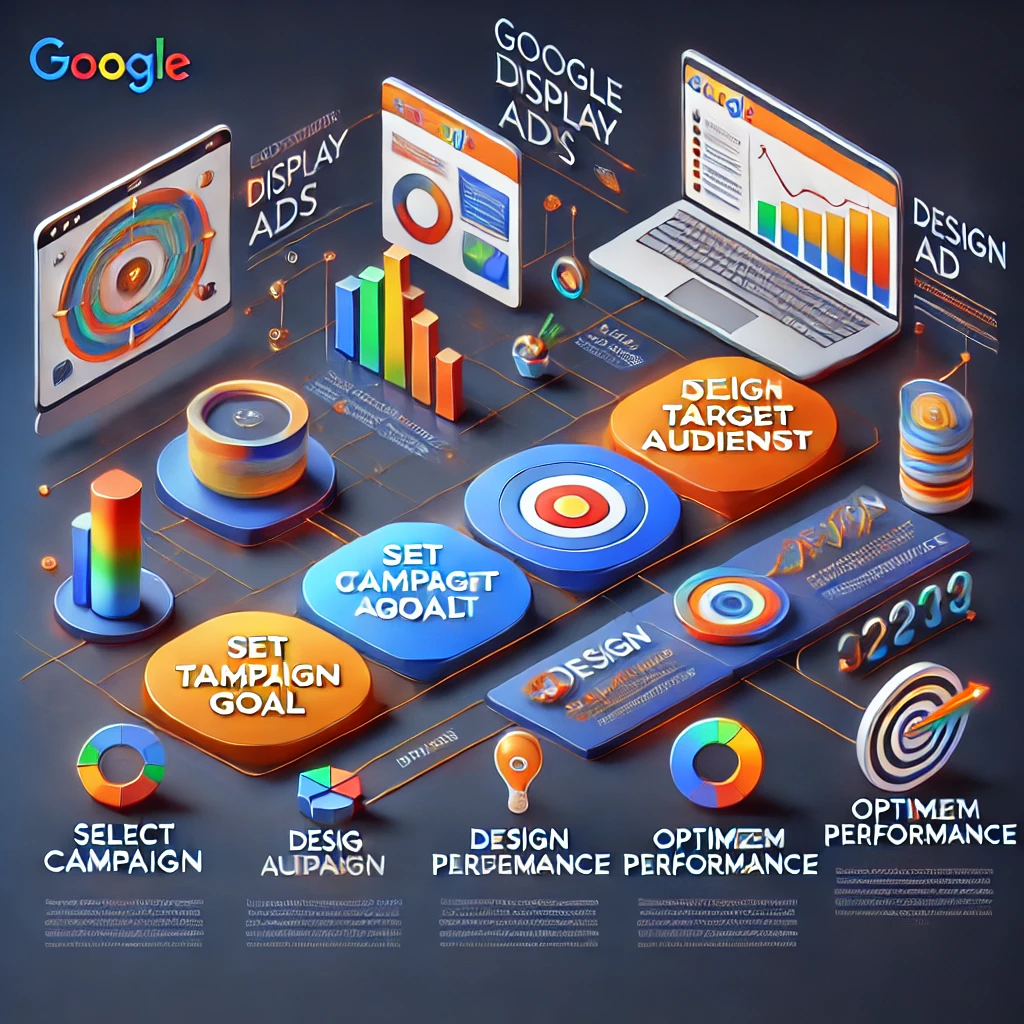
How to Create Google Display Ads: A Beginner’s Guide
1.What Are Google Display Ads?
Google Display Ads are visual advertisements that appear on websites, apps, and video platforms within the Google Display Network (GDN). This network consists of over 2 million websites and reaches over 90% of internet users worldwide, making it one of the largest advertising platforms available.
How Do Google Display Ads Work?
Unlike Google Search Ads, which rely on keywords typed into Google Search, Google Display Ads are shown to users while they’re browsing other websites, watching videos, or using apps. Display Ads use visual elements — including images, graphics, animations, and videos — to grab attention and entice users to take action.
For instance:
- If a user reads articles on a travel blog, they might see ads for luggage deals or flight discounts.
- Someone exploring tech review websites may see ads promoting laptops, smartphones, or gadgets.
The goal is to deliver engaging content to users at the right time, even when they’re not actively searching for your product or service.
Key Characteristics of Google Display Ads
Here are some defining features that set Display Ads apart:
✅ Visual Appeal: Unlike text-only ads, Display Ads use vibrant colors, striking images, and dynamic elements that naturally catch the viewer’s eye.
✅ Extensive Reach: Display Ads can appear on millions of websites, ensuring your brand gains exposure across diverse digital spaces.
✅ Advanced Targeting: Google Display Ads let you target users based on demographics, behaviors, interests, and past interactions.
✅ Cost-Effective Campaigns: Display Ads are budget-friendly, allowing you to control your spending and maximize ROI.
✅ Flexible Formats: Whether it’s a static banner or a rich media ad with animations, you can create ads that match your brand’s aesthetic.
Where Do Google Display Ads Appear?
Display Ads are highly versatile and can appear in multiple locations, such as:
- Websites – Display Ads often appear as banners, sidebars, or embedded graphics within content. Example: A banner promoting workout equipment on a fitness blog.
- Mobile Apps – Ads may appear as pop-ups or in-app banners. Example: An ad for a language learning app appearing within a productivity app.
- YouTube – Display Ads can be placed as banners alongside videos or within the YouTube Watch and Home feeds.
- Gmail – Display Ads can appear in the Promotions or Social tabs, resembling a regular email but marked as an ad.
- News Websites & Forums – Display Ads are commonly seen on media sites like CNN, Forbes, or niche forums relevant to your product.
Types of Content in Display Ads
Google Display Ads can showcase various content types to engage viewers:
✅ Product Promotions: Highlight your latest product with attractive visuals.
✅ Service Awareness: Promote your services with relevant offers.
✅ Event Promotions: Drive sign-ups or ticket sales for events.
✅ Brand Storytelling: Use visuals and messaging to convey your brand identity.
Example Scenario
Imagine you own a fitness apparel brand. A potential customer recently visited your website but didn’t make a purchase. Later, while browsing a lifestyle blog, they see your Display Ad showcasing your latest sportswear collection with a “20% Off – Shop Now” button.
This strategic approach reminds potential buyers of your product, encouraging them to return and complete their purchase.
Benefits of Google Display Ads
Google Display Ads provide several advantages for businesses of all sizes:
✅ Wider Audience Reach: With the GDN covering millions of sites, your ads are seen by a broader audience.
✅ Increased Brand Awareness: Even if users don’t click immediately, repeated exposure reinforces your brand.
✅ Retargeting Opportunities: Display Ads excel at re-engaging visitors who previously browsed your website.
✅ Cost-Effective Marketing: Since you can set budgets and bidding strategies, Display Ads are affordable even for small businesses.
✅ Visual Storytelling: Display Ads allow you to use visuals to convey emotions, messages, or value propositions better than text alone.
2. Why Choose Google Display Ads?
Google Display Ads offer a powerful way to expand your brand’s reach, drive traffic, and generate leads. Whether you’re a small business or a global corporation, Display Ads provide unique advantages that can significantly improve your marketing efforts.
Here’s a closer look at why Google Display Ads are a smart investment:
1. Massive Reach Across the Web
Google Display Ads have access to the Google Display Network (GDN), which spans over 2 million websites, apps, and video platforms. This extensive network allows your ads to appear on popular websites, blogs, and media outlets, ensuring your brand reaches a vast audience.
✅ Example: If you sell fitness equipment, your ad might appear on health blogs, workout video sites, and wellness forums — all places where your target audience is active.
Key Benefit: This unparalleled reach helps you engage users throughout their entire browsing journey — even when they’re not actively searching for your product.
2. Visual Impact for Enhanced Engagement
Unlike text-based ads, Google Display Ads leverage images, videos, and animations to grab attention. This visual element allows you to create engaging content that resonates with users emotionally.
✅ Example: A clothing brand can showcase vibrant, high-quality images of its latest fashion collection, instantly attracting viewers’ attention.
Key Benefit: Visual content often leads to higher engagement rates, improved recall, and stronger emotional connections with your audience.
3. Advanced Targeting Capabilities
Google Display Ads offer powerful targeting options that let you deliver ads to the right people at the right time. Some key targeting features include:
✅ Demographic Targeting: Target users based on age, gender, income, and parental status.
✅ Affinity Audiences: Connect with users interested in specific categories (e.g., travel enthusiasts or tech lovers).
✅ In-Market Audiences: Target users actively researching or comparing products in your niche.
✅ Custom Audiences: Create highly personalized audiences by specifying keywords, websites, or interests relevant to your business.
✅ Remarketing: Re-engage visitors who have previously interacted with your website but didn’t convert.
Key Benefit: Advanced targeting reduces wasted ad spend and ensures your ads are shown to people most likely to convert.
4. Cost-Effective Advertising with Flexible Budgets
Google Display Ads are ideal for businesses with any budget size. With Google’s flexible bidding strategies, you can control your spending and optimize campaigns to maximize ROI.
✅ Cost-Per-Click (CPC): You only pay when someone clicks on your ad.
✅ Cost-Per-Mille (CPM): Pay per 1,000 ad impressions to boost brand awareness.
✅ Smart Bidding: Google’s AI optimizes bids automatically to improve performance.
Key Benefit: Flexible budgeting ensures small businesses and startups can compete with larger advertisers.
5. Powerful Remarketing Capabilities
Google Display Ads excel at remarketing, which helps you reconnect with past website visitors. By targeting users who have previously interacted with your site, you can remind them about your products and encourage them to return.
✅ Example: A customer who added shoes to their shopping cart but didn’t complete the purchase might later see a Display Ad offering a “10% Discount – Complete Your Purchase!” message.
Key Benefit: Remarketing dramatically improves conversion rates by re-engaging warm leads.
6. Creative Flexibility with Multiple Ad Formats
Google Display Ads support diverse ad formats to suit different marketing strategies:
✅ Responsive Display Ads: Automatically adjust in size, format, and layout to fit different placements.
✅ Image Ads: Feature static visuals for clear and concise messaging.
✅ Video Ads: Utilize dynamic content for higher engagement.
✅ Text Ads: Simple, straightforward ads that blend seamlessly with website content.
Key Benefit: This flexibility ensures you can design ads that align with your brand’s style and resonate with your target audience.
7. Strong Integration with Google’s Ecosystem
Google Display Ads can be seamlessly integrated with other Google services like:
✅ Google Analytics – Track performance data, identify trends, and refine your campaigns.
✅ Google Tag Manager – Easily implement tracking codes for conversion tracking.
✅ Google Ads Editor – Manage bulk campaigns efficiently.
Key Benefit: These integrations provide actionable insights that help you optimize campaigns for better results.
8. Drives Both Immediate and Long-Term Results
While Google Search Ads target users actively seeking your product, Display Ads excel at building long-term brand awareness. Even if users don’t click immediately, seeing your ad repeatedly builds trust and keeps your brand top-of-mind.
✅ Example: A skincare brand promoting a new moisturizer can create lasting impressions with frequent display ads on beauty and wellness websites.
Key Benefit: Display Ads contribute to both short-term conversions and long-term brand growth.
9. Effective for New Customer Acquisition
Google Display Ads excel at introducing your business to new audiences. With custom audience targeting, you can engage users who match your ideal customer profile, even if they’ve never heard of your brand before.
✅ Example: A travel agency can target users who recently browsed airline websites, promoting vacation packages to inspire future bookings.
Key Benefit: Display Ads expand your reach beyond organic traffic channels.
10. Real-Time Performance Tracking
Google Display Ads provide comprehensive performance data, allowing you to track:
✅ Click-through rates (CTR)
✅ Impressions
✅ Conversions
✅ Audience engagement
Using Google Analytics and Google Ads reports, you can analyze your campaign’s performance and adjust strategies accordingly.
Key Benefit: Data-driven insights ensure your ad budget is spent efficiently.
Why Choose Google Display Ads Over Other Platforms?
| Feature | Google Display Ads | Social Media Ads | Native Ads |
|---|---|---|---|
| Massive Reach | ✔️ Over 90% of web users | ❌ Limited to platform’s audience | ❌ Restricted to selected sites |
| Visual Creativity | ✔️ Flexible image, video, and rich media formats | ✔️ Strong visual content | ✔️ Integrated within content |
| Advanced Targeting | ✔️ Audience, interest, and behavior-based targeting | ✔️ Strong targeting | ❌ Limited targeting options |
| Remarketing Power | ✔️ Excellent for re-engagement campaigns | ✔️ Effective but less personalized | ❌ Limited remarketing capabilities |
| Cost Flexibility | ✔️ CPC, CPM, and smart bidding options | ❌ May require higher budgets | ✔️ Cost-effective for niche markets |
3. Understanding Google Display Network (GDN)
The Google Display Network (GDN) is an extensive collection of over 2 million websites, apps, and video platforms where Google Display Ads can appear. This network is designed to help advertisers reach a broad audience across multiple online touchpoints — even when users aren’t actively searching for their products or services.
With GDN, you can place your ads on relevant websites, mobile apps, and even popular platforms like YouTube and Gmail. The key advantage is that GDN allows you to reach potential customers as they browse content that aligns with their interests.
Key Features of the Google Display Network
The Google Display Network is packed with powerful features that make it an effective advertising tool:
✅ Massive Reach: GDN covers over 90% of internet users worldwide, ensuring your ads appear where your audience spends time online.
✅ Diverse Ad Placements: Ads can appear on news websites, blogs, shopping platforms, and even inside popular apps.
✅ Advanced Targeting Options: GDN lets you target users based on their interests, demographics, online behavior, and more.
✅ Flexible Ad Formats: The network supports banners, images, text ads, video ads, and responsive ads.
✅ Budget Control: You can set daily limits, define bidding strategies, and adjust your spending to match your goals.
How Does the Google Display Network Work?
The GDN leverages contextual targeting, audience data, and machine learning to deliver ads to the right users. Here’s how it works:
- User Browses a Website or App: When a user visits a website or app that’s part of the Google Display Network, available ad space is automatically scanned.
- Ad Matching: Google’s algorithm determines which ad best fits the user’s profile based on factors like interests, demographics, and browsing behavior.
- Ad Displayed: If your ad meets the criteria, it’s displayed in one of the available ad slots.
For example, if someone reads tech blogs frequently, they may see ads promoting laptops, smartphones, or gadgets that match their browsing habits.
Where Do Google Display Ads Appear?
The Google Display Network offers versatile placements across various digital spaces:
✅ Websites: Display Ads can appear as banners, sidebars, or integrated content blocks on high-traffic sites like Forbes, CNN, or TechCrunch.
✅ YouTube: Display Ads may appear as banners alongside YouTube videos or within the homepage feed.
✅ Gmail: Ads can be placed in the Promotions and Social tabs, appearing like regular emails.
✅ Mobile Apps: Many apps that use Google AdSense display ads between content or as banner overlays.
✅ Google-Owned Properties: Google’s own services like Google Finance, Google News, and Google Maps also feature Display Ads.
Example Scenario: GDN in Action
Suppose you own an online pet store and want to promote a new line of organic dog treats.
- Using GDN, your ads can appear:
✅ On popular pet care blogs.
✅ Inside pet-themed mobile apps.
✅ As banners on YouTube videos about dog training.
✅ Within Gmail’s Promotions tab targeting dog owners.
This multi-channel exposure helps you connect with potential customers across various platforms, ensuring consistent visibility.
Targeting Options Available on GDN
One of the biggest strengths of GDN is its advanced targeting capabilities. These options allow you to pinpoint your ideal audience based on specific behaviors, interests, and demographics.
Here’s a breakdown of the key targeting options:
✅ Demographic Targeting: Filter users by age, gender, income, parental status, etc.
✅ Affinity Audiences: Reach people who have long-term interests in specific categories like fitness, gaming, or travel.
✅ In-Market Audiences: Target users who are actively researching or comparing products in your niche.
✅ Custom Audiences: Build unique audience segments by specifying keywords, competitor websites, and interests.
✅ Topic Targeting: Show ads on websites that focus on specific subjects (e.g., finance, education, sports).
✅ Placement Targeting: Manually select specific websites, apps, or YouTube channels where you want your ads to appear.
✅ Remarketing: Re-engage previous website visitors, encouraging them to return and convert.
Best Practices for Using the Google Display Network
To ensure your Google Display Ads perform effectively, follow these best practices:
✅ Use High-Quality Visuals: Clear, eye-catching images improve engagement rates.
✅ Create Compelling Ad Copy: Use persuasive language and clear Call-to-Action (CTA) phrases.
✅ Target with Precision: Combine audience targeting with placement targeting to refine your reach.
✅ Test Multiple Formats: Experiment with responsive ads, image ads, and video ads to see what works best.
✅ Optimize Landing Pages: Ensure your landing page aligns with your ad content and offers a seamless experience.
Common Misconceptions About GDN
Despite its proven success, some advertisers hesitate to use GDN due to common myths. Let’s address those:
❌ “Display Ads are only for brand awareness.”
✅ Truth: Display Ads can also drive sales, leads, and website traffic with the right targeting.
❌ “Click-through rates (CTR) are always low.”
✅ Truth: While CTR may be lower than Search Ads, GDN is designed for impressions, brand exposure, and strategic remarketing.
❌ “Display Ads require a huge budget.”
✅ Truth: GDN campaigns can start with as little as $10 per day, making it accessible to businesses of all sizes.
Key Benefits of Using the Google Display Network
| Benefit | Description |
|---|---|
| Broad Audience Reach | Engage users across millions of websites, apps, and YouTube. |
| Flexible Budgeting | Control spending with options like CPC, CPM, or smart bidding. |
| Visual Storytelling | Use banners, images, and video ads for enhanced engagement. |
| Powerful Remarketing | Reconnect with past visitors to improve conversion rates. |
| Diverse Placements | Reach potential customers while they read, browse, or watch. |
When to Use the Google Display Network
✅ For Brand Awareness: Ideal for reaching new audiences and introducing your brand.
✅ For Retargeting Campaigns: Great for re-engaging users who abandoned their cart or visited your site.
✅ For Visual Promotions: Display Ads excel at promoting visually appealing products such as fashion, food, or travel.
✅ For Local and Global Marketing: Whether you’re targeting a local neighborhood or an international audience, GDN offers precision targeting.
Pro Tip for GDN Success
To maximize results on the Google Display Network:
✅ Use Responsive Display Ads to ensure your ads fit multiple screen sizes and placements.
✅ Combine remarketing with custom intent audiences to improve conversion rates.
✅ Use high-quality visuals and a clear Call-to-Action (CTA) to encourage clicks.
✅ Regularly analyze performance metrics to refine targeting and improve ROI.
4. Understanding different bidding strategy
Choosing the right bidding strategy is essential for running successful Display Ads campaigns. Each strategy serves a unique purpose, aligning with specific marketing goals like driving clicks, increasing conversions, or maximizing brand visibility. Let’s dive into a detailed breakdown of each bidding strategy, explaining when and how to use them effectively.
1. Manual CPC (Cost-Per-Click)
Manual CPC is a bidding strategy where advertisers set their maximum cost-per-click for each ad. This method offers full control over bids, allowing you to decide exactly how much you’re willing to pay for each click. Unlike automated bidding strategies, Google won’t adjust your bids — you manage them directly.
When to Use:
Manual CPC is ideal when you want greater control over your budget and know which keywords, demographics, or placements are most valuable. This strategy is especially useful for experienced advertisers who can monitor performance closely and adjust bids based on data insights.
Example: Suppose you’re running a Display Ads campaign promoting an e-commerce sale. You know that clicks from specific websites convert better, so you set higher bids for those placements. Meanwhile, you lower bids on less relevant websites to control costs.
Pro Tip: Combining Manual CPC with Bid Adjustments allows you to raise or lower bids for specific devices, locations, or times of day for better performance.
2. Enhanced CPC (ECPC)
Enhanced CPC is an upgraded version of Manual CPC. While you still set your maximum bid, Google can automatically adjust your bids (upward or downward) to improve the likelihood of conversions. ECPC uses machine learning to predict the chances of a user converting and adjusts your bid in real-time.
When to Use:
ECPC works best when you want to maintain control over your bids but still allow Google to optimize for conversions. This strategy is effective for campaigns with a clear conversion goal, such as sign-ups, purchases, or lead generation.
Example: Imagine you’re running ads for a travel agency. If Google detects that a user frequently books vacations and is browsing destination websites, it may increase your bid by 20-30% to improve your chances of winning that impression.
Pro Tip: ECPC is a safer step toward automation if you’re hesitant to switch entirely to fully automated bidding strategies.
3. Target CPA (Cost-Per-Acquisition)
Target CPA is a powerful automated bidding strategy that allows you to set a specific cost-per-acquisition goal. Google automatically adjusts your bids to generate conversions at or below your desired CPA.
When to Use:
This strategy is ideal for advertisers focused on maximizing conversions while maintaining a specific cost. It’s particularly useful for businesses with consistent sales data and well-optimized landing pages.
Example: Suppose you’re running an online store selling fitness equipment. If your average customer spends $100 and you’re willing to pay $20 for each new customer, you set your target CPA at $20. Google will then optimize your bids to achieve conversions at or below this cost.
Pro Tip: For optimal results, ensure you have sufficient conversion data (at least 30 conversions in the past 30 days) before using this strategy. This allows Google’s algorithm to make accurate bidding decisions.
4. Target ROAS (Return on Ad Spend)
Target ROAS is an advanced bidding strategy that optimizes your bids to achieve a specific return on ad spend. With this strategy, you tell Google how much revenue you want to earn for every dollar spent.
When to Use:
Target ROAS is ideal for e-commerce businesses or advertisers with detailed revenue tracking. It’s particularly effective when different products have varying profit margins, and you want Google to prioritize high-value conversions.
Example: Suppose your online electronics store has a range of products with different price points. If your goal is to generate $5 in revenue for every $1 spent, you set your target ROAS at 500%. Google will automatically bid higher for placements likely to yield higher-value purchases.
Pro Tip: Ensure your Conversion Value Tracking is accurately set up to measure revenue data. Without this, Google cannot optimize your bids effectively.
5. Maximize Conversions
Maximize Conversions is a fully automated bidding strategy where Google adjusts your bids to drive the highest number of conversions possible within your set budget. Instead of manually controlling individual bids, you let Google optimize everything for you.
When to Use:
This strategy is best suited for campaigns with flexible budgets focused on increasing conversion volume rather than controlling costs per acquisition. It’s ideal when you’re launching a new product or running a limited-time promotion and want to capture as many leads or sales as possible.
Example: Imagine you’re promoting a seasonal sale for your fashion store. By using Maximize Conversions, Google will automatically bid more aggressively when it identifies high-conversion opportunities, ensuring you generate as many sales as possible within your daily budget.
Pro Tip: Ensure your campaign’s budget is sufficient for Google to effectively optimize bids; a limited budget may restrict its learning process.
6. Maximize Clicks
Maximize Clicks is an automated bidding strategy designed to drive the maximum number of clicks possible within your budget. This strategy prioritizes volume, making it an excellent choice for increasing website traffic.
When to Use:
Maximize Clicks is ideal for campaigns where traffic volume is the primary objective. It’s commonly used in awareness campaigns or when driving visitors to blog posts, landing pages, or special promotions.
Example: Suppose you’re a software company promoting a free eBook. Since your goal is to attract as many readers as possible, you use Maximize Clicks to increase website visits and expand your audience reach.
Pro Tip: Set Maximum CPC Limits to prevent Google from overspending on expensive clicks.
7. Viewable CPM (vCPM)
Viewable CPM is a bidding strategy where you pay for every 1,000 viewable impressions (not just served impressions). An impression is considered “viewable” if at least 50% of your ad is visible on screen for at least one second (for display ads) or two seconds (for video ads).
When to Use:
Viewable CPM is perfect for brand awareness campaigns where visibility is more important than clicks or conversions. It ensures your ads are seen by users, improving exposure.
Example: If you’re promoting a new fashion brand and want to appear on popular lifestyle websites, vCPM ensures you only pay when your ad has a meaningful chance of being seen.
Pro Tip: Use Ad Placements to target high-traffic websites and ensure your ads reach relevant audiences.
8. Target Impression Share
Target Impression Share is a bidding strategy designed to ensure your ads appear in a certain percentage of eligible impressions. You can choose to target the top of the page, absolute top (position 1), or anywhere on the search results page.
When to Use:
This strategy is best when your goal is to dominate the search results for branded terms, key products, or competitive markets. It’s particularly effective for businesses aiming to outshine competitors.
Example: Suppose you’re a local plumbing service, and you want your ad to appear in 90% of searches for “emergency plumber near me.” Using Target Impression Share, Google will adjust your bids to achieve this goal.
Pro Tip: While this strategy increases visibility, ensure your ad quality is high to avoid wasting your budget on impressions that don’t convert.
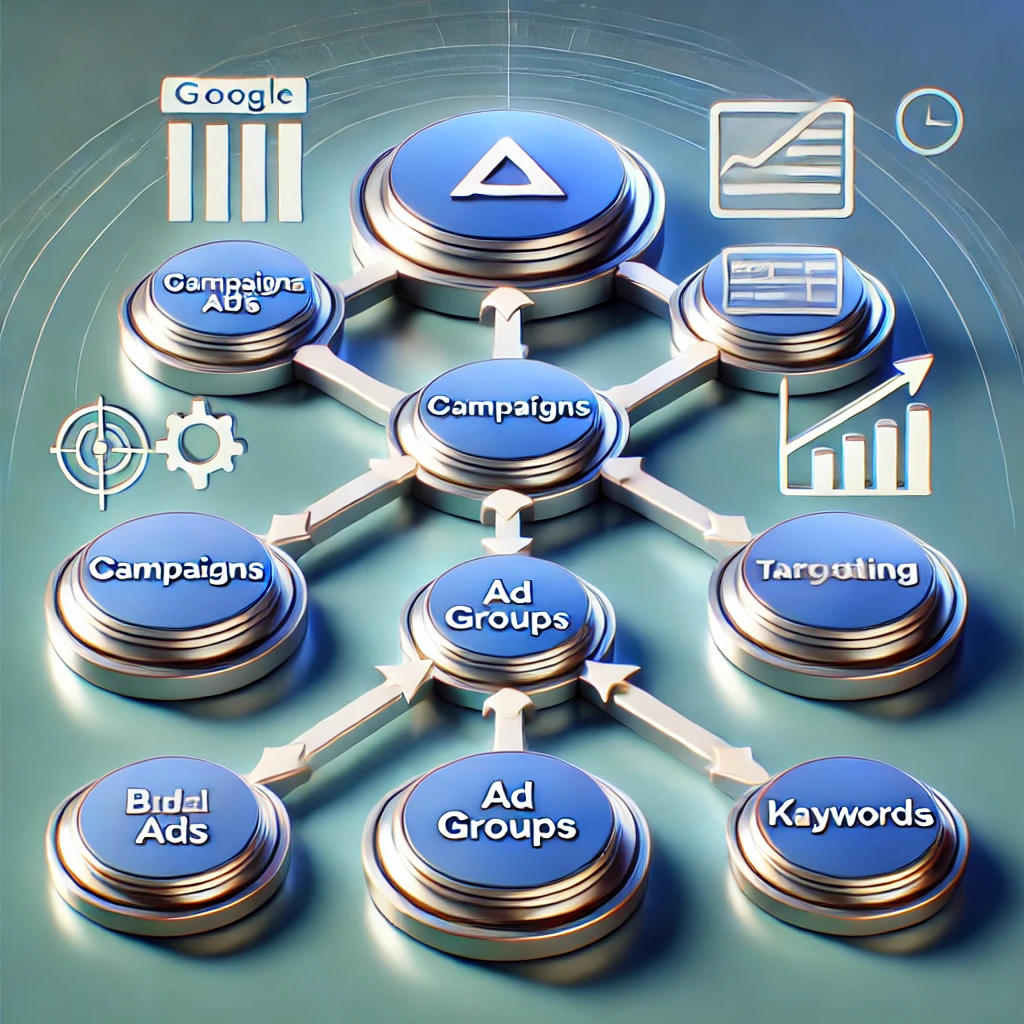
Google Ads Campaign Structure: Understanding Campaigns, Ad Groups, and Ads
When you first start using Google Ads, the platform may seem complex, with its many different features and settings. But once you understand its structure, it becomes a powerful tool for driving targeted traffic, increasing sales, and reaching your business objectives. The key to success with Google Ads lies in how you organize and structure your campaigns, ad groups, and ads.
What is Google Ads?
Google Ads (formerly Google AdWords) is Google’s paid advertising platform, allowing businesses to create ads that appear in Google search results and across the Google Display Network. Google Ads operates on a pay-per-click (PPC) model, meaning you only pay when someone clicks on your ad. It also offers various targeting options to ensure your ads are shown to the right people.
But to achieve success with Google Ads, it’s essential to understand its underlying structure. Google Ads is organized into three levels:
- Campaigns
- Ad Groups
- Ads
Each level plays a unique role in ensuring that your ads are effective, efficient, and relevant to the people you’re targeting.
1. What is a Google Ads Campaign?
A campaign is the highest level of organization within Google Ads. It is where you define your overall advertising strategy, objectives, and budget. Campaigns are where you determine the type of ads you want to run and the broad settings that apply to all the ads within the campaign.
Campaign Settings
Campaign settings are vital in determining the reach and performance of your ads. Here are the key components of campaign settings:
- Campaign Type: This is where you define the objective and format of your campaign. The main campaign types in Google Ads are:
- Search Campaigns: These ads appear in Google’s search engine results when users search for specific keywords related to your business.
- Display Campaigns: These ads appear on websites within the Google Display Network (GDN), which includes millions of sites across the internet. Display ads are usually banners or images.
- Video Campaigns: Ads that appear before or during videos on YouTube and Google’s partner video sites. This is ideal for promoting brand awareness through engaging content.
- Shopping Campaigns: Ads specifically for e-commerce businesses that showcase your products in Google Search and Google Shopping.
- App Campaigns: These are designed to promote mobile app installations by showing ads on various Google networks like Search, Play Store, YouTube, and more.
- Smart Campaigns: These are automated campaigns that simplify ad creation and management, perfect for beginners who are new to Google Ads.
- Campaign Goal: Google Ads allows you to set specific goals for each campaign. These include:
- Sales: If your goal is to increase online purchases.
- Leads: If you’re focusing on capturing form submissions, phone calls, or sign-ups.
- Website Traffic: If your main goal is to drive more visitors to your website.
- Brand Awareness: If your goal is to increase brand visibility.
- Budget: The budget is a fundamental part of any campaign. It defines how much you’re willing to spend per day or for the total lifetime of the campaign. Google Ads uses an auction system to determine how often and where your ad will show based on your budget and bid.
- Targeting: You can target your ads based on several factors, including:
- Geographical location: You can specify cities, countries, or even a radius around your business location.
- Devices: You can target users on desktop computers, tablets, or mobile devices.
- Language: You can target users who speak specific languages.
- Demographics: Age, gender, and parental status are just some of the demographic options you can use to further refine your targeting.
Why Are Campaigns Important?
Campaigns set the tone for everything else in Google Ads. They define your advertising goals and objectives. Once a campaign is set up, everything that falls under it (such as ad groups and ads) will operate according to the settings you’ve defined.
2. What is an Ad Group in Google Ads?
An ad group is the second level of the Google Ads hierarchy. It allows you to organize your ads based on common themes. You can have multiple ad groups under a single campaign, and each ad group focuses on a specific aspect of the products or services you’re promoting.
Ad Group Settings
Ad groups let you organize your ads by grouping them around a set of closely related keywords. Every ad group within a campaign should focus on a specific set of keywords that match the intent of the searcher. Each ad group will contain:
- Keywords: The search terms that trigger your ads. These should be closely related to the products, services, or information you’re promoting.
- Ads: The individual ads you want to show for those keywords. The ads in an ad group should have similar messaging and be relevant to the keywords.
Best Practices for Organizing Ad Groups
- Tightly Grouped Keywords: Ensure that the keywords within an ad group are closely related to one another. For example, in an e-commerce campaign for fitness equipment, create separate ad groups for each product type (e.g., one ad group for dumbbells, another for resistance bands).
- Avoid Keyword Cannibalization: If you use the same keywords across multiple ad groups, you risk competing with your own ads. This can negatively impact your ad performance and budget.
- Ad Copy Relevance: The ad copy should directly match the keywords within the ad group. For example, if someone searches for “buy dumbbells,” the ad should feature the phrase “Buy Dumbbells” in the headline or description. This relevance improves the Quality Score (which we’ll discuss later), leading to better ad placement and lower costs.
Ad Group Example:
For a fitness equipment campaign, you might have the following ad groups:
- Ad Group 1: Dumbbells
- Keywords: “buy dumbbells,” “best dumbbells for home gym,” “affordable dumbbells”
- Ad Copy: “Shop Dumbbells for Home Gym | Free Shipping Available”
- Ad Group 2: Resistance Bands
- Keywords: “buy resistance bands,” “exercise bands for beginners”
- Ad Copy: “Get Resistance Bands for Home Workouts | Shop Now”
Each ad group should focus on a specific product or category, ensuring that users see ads that are directly relevant to their search.
3. What are Ads in Google Ads?
At the ad level, you create the actual advertisements that users will see. Google Ads allows you to run several types of ads, depending on the campaign and ad group type.
Types of Ads
- Text Ads: These are the most common type of ad in Google Search campaigns. Text ads appear in the search results and consist of:
- Headline: A clickable title that describes the product or service.
- Description: A short sentence explaining why the user should click the ad.
- Display URL: A URL that appears in the ad to let users know where they will land.
- Final URL: The URL of the page the user will visit once they click the ad.
- Responsive Search Ads: A newer ad type where Google automatically tests different combinations of headlines and descriptions to show the most relevant combinations for each user.
- Display Ads: These are visually rich ads that show on Google’s Display Network. Display ads can be images, banners, or even video ads.
- Shopping Ads: These ads are used by e-commerce businesses to show products directly in search results or on Google Shopping.
- Video Ads: Ads shown before, during, or after YouTube videos.
Key Components of Text Ads
- Headlines: Headlines are the most important part of your text ad. You can create up to three headlines, with each one up to 30 characters long. Make sure to include your target keywords here for higher relevance.
- Description: You have up to two description lines (90 characters each) to tell the user why they should click on your ad. Make your descriptions action-oriented and include strong calls to action like “Shop Now,” “Free Shipping,” or “Limited Time Offer.”
- Display URL: This is the URL that will be shown to users, although it may not necessarily be the final destination URL. Ensure that the display URL is short, relevant, and easy to understand.
- Final URL: This is the actual destination URL where the user will land after clicking the ad. Make sure that your landing page matches the ad’s promise.
Best Practices for Writing Effective Ads
- Use Keywords in Headlines: Incorporate your targeted keywords into the headlines and descriptions. This helps with ad relevance and Quality Score.
- Clear Calls to Action: Encourage users to take action by including clear and compelling calls to action (e.g., “Shop Today,” “Get Started Now”).
- A/B Testing: Regularly test different versions of your ads (headlines, descriptions, etc.) to find the best-performing combinations.
4. Google Ads Auction System
Google Ads operates on an auction system to determine which ads show up in search results. When a user searches for something, Google runs an auction to select which ads will be shown based on various factors, including the bid, quality score, and ad relevance.
Quality Score
The Quality Score is a key factor in determining the success of your Google Ads campaigns. It is a measure of the quality and relevance of your keywords, ads, and landing pages. A higher Quality Score can help you achieve better ad positions and lower costs.
Conclusion
Understanding the Google Ads structure—campaigns, ad groups, and ads—is crucial for running successful paid search campaigns. Properly organizing your Google Ads account ensures that you target the right audience, structure your budget effectively, and create ads that drive results. By using these foundational concepts, you’ll be on your way to building a well-optimized and cost-effective Google Ads strategy.


How to Generate Leads Online: Strategies and Hacks for Success
In today’s digital world, generating leads online is essential for businesses of all sizes. Whether you’re running a small business or managing a large enterprise, effective lead generation strategies can make the difference between success and failure. However, many businesses struggle with converting website visitors into qualified leads. The key is to understand and apply proven strategies and hacks that maximize the potential of digital platforms. This guide will show you how to generate leads online, along with some strategies and expert hacks to boost your results.
What is Lead Generation?
Lead generation is the process of attracting and converting potential customers (leads) into individuals who express interest in your product or service. A lead is a person or company that has shown some level of interest in your business by taking actions such as filling out a contact form, signing up for a newsletter, or downloading a resource.
For example:
- A visitor fills out a contact form to get more information about your services.
- A user subscribes to your email list for a free e-book or guide.
- A person downloads your app after seeing an advertisement.
These are all examples of leads, and your goal is to turn them into customers through continued engagement.
Why Is Lead Generation Important?
Lead generation is crucial for the following reasons:
- Sales Funnel Optimization: Effective lead generation helps you fill your sales pipeline with qualified prospects who are more likely to convert into paying customers.
- Business Growth: Lead generation is the foundation of any successful marketing and sales strategy. More leads mean more opportunities for conversions and business growth.
- Cost-Effectiveness: Online lead generation methods like content marketing, social media, and email marketing are often more cost-effective than traditional methods like cold calling or paid ads.
- Builds Relationships: By focusing on attracting and nurturing leads, businesses build trust and credibility with their audience, which can result in long-term customer relationships.
Best Strategies for Generating Leads Online
There are several proven strategies to help you generate high-quality leads online. Below are the most effective ones:
1. Content Marketing
Content marketing is one of the most effective ways to attract leads to your website. By providing value through informative blog posts, case studies, eBooks, and whitepapers, you can attract visitors who are interested in your industry or services.
How to Use Content Marketing for Lead Generation:
- Create Lead Magnets: Offer downloadable resources like guides, checklists, templates, and eBooks in exchange for contact information. This creates a win-win scenario where users get value, and you get their details.
- SEO: Optimize your content for search engines to make sure you’re attracting organic traffic that is actively searching for solutions you offer.
- Educational Blog Posts: Write in-depth blog posts that solve problems your target audience is facing. These can act as “mini-sales pages” that engage visitors and encourage them to take action.
Hack: Use tools like Buzzsumo to identify the most popular content in your industry and use this data to create high-quality blog posts or guides on similar topics.
2. Email Marketing
Email marketing is one of the best ways to nurture and convert leads. By capturing leads through your website (via forms, downloads, or subscriptions) and continuing the relationship through email, you can increase the chances of conversion.
How to Use Email Marketing for Lead Generation:
- Lead Magnets: Offer exclusive content to encourage sign-ups, such as free eBooks, checklists, or discounts.
- Segmentation: Use segmentation to send personalized content based on user behavior. A personalized message is more likely to get attention and result in a conversion.
- Email Campaigns: Build a sequence of emails that guide leads through your sales funnel, offering them value at each stage (e.g., educational emails, case studies, product demos, and exclusive offers).
Hack: Use tools like ConvertKit or Mailchimp to create automated email sequences that deliver valuable content at set intervals, helping to build trust and move leads closer to conversion.
3. Social Media Marketing
Social media platforms are great for lead generation because they allow you to engage with your target audience in real-time. Whether it’s Facebook, Instagram, LinkedIn, or Twitter, each platform offers unique opportunities for driving traffic and capturing leads.
How to Use Social Media for Lead Generation:
- Lead Ads: Facebook and LinkedIn offer lead generation ads that allow users to submit their contact information directly within the ad. These ads are great for reducing friction and increasing conversions.
- Engage and Respond: Social media is a two-way communication channel. Respond to comments, answer questions, and engage in conversations. This builds trust and encourages people to learn more about your brand.
- Host Webinars or Live Q&A: Use platforms like Instagram Live, LinkedIn Live, or Facebook Live to host real-time events where you share valuable insights, answer questions, and promote your services or products.
Hack: Create Instagram Stories or LinkedIn Polls to encourage quick interactions. Use these interactions to invite followers to download free resources or join your email list.
4. Paid Advertising (PPC)
Paid advertising is a powerful way to drive traffic to your lead capture pages quickly. Google Ads, Facebook Ads, LinkedIn Ads, and other platforms allow you to target specific audiences with precision, driving them to your landing pages.
How to Use Paid Ads for Lead Generation:
- Targeting: Use detailed targeting options on platforms like Facebook and LinkedIn to ensure your ads reach the right audience.
- Compelling Offers: Offer incentives, such as free trials, discounts, or downloadable content, in your ads to encourage users to provide their contact information.
- Landing Pages: Ensure your landing pages are optimized for lead conversion. Keep them simple, with a clear offer and a prominent call-to-action (CTA).
Hack: Use Google Analytics and Facebook Pixel to track the performance of your ads and optimize them based on real-time data. Split testing can help you identify which ad creatives and landing pages work best.
5. Referral Programs
Referral programs incentivize your current customers to refer new leads. By offering rewards like discounts, free products, or even cash, you can turn your loyal customer base into lead-generation machines.
How to Use Referral Programs for Lead Generation:
- Create an Attractive Offer: Make sure the rewards you offer are compelling enough for customers to refer friends and family.
- Easy Referral Process: Make it easy for your customers to refer others. Provide them with a unique referral link they can share on social media or via email.
- Track Referrals: Use tracking software to ensure you can monitor and reward successful referrals.
Hack: Use tools like ReferralCandy or Yotpo to set up automated referral programs that are easy to manage and scale.
6. Landing Pages & Lead Capture Forms
Landing pages are essential for converting visitors into leads. A well-designed landing page that highlights your offer and includes a clear CTA is vital for successful lead generation.
How to Use Landing Pages for Lead Generation:
- Simplify the Form: Only ask for essential information like name, email address, and company name. The simpler the form, the higher your conversion rate.
- Create a Strong CTA: Your call-to-action should be clear and action-oriented, such as “Download Now,” “Get Started,” or “Request a Demo.”
- Offer Value: Make sure your landing page clearly communicates the value of what you’re offering. This could be a free eBook, a trial, a discount, or valuable content.
Hack: Use A/B testing on your landing pages to see which headlines, CTAs, and forms convert better.
7. Webinars & Virtual Events
Hosting webinars and virtual events can be an excellent way to generate leads. People sign up to attend, and during the event, you can showcase your expertise, products, and services.
How to Use Webinars for Lead Generation:
- Offer Exclusive Content: Make the webinar content valuable, addressing a specific pain point that your audience is facing.
- Promote the Webinar: Use email marketing, social media, and your website to promote the event and drive sign-ups.
- Follow-up: After the webinar, send a thank-you email with a recap of the session and a special offer to attendees.
Hack: Use tools like Zoom, WebinarJam, or Demio to host and promote your webinars. Use automation to follow up with registrants and attendees.
Lead Generation Hacks
Now that you know the essential strategies, here are a few lead generation hacks to take your efforts to the next level:
- Use Chatbots: Implement chatbots on your website to engage visitors in real-time, answer their questions, and collect lead information.
- Scarcity & Urgency: Incorporate urgency in your offers, such as “Limited Time Offer” or “Only X spots left,” to encourage visitors to act fast.
- Leverage Influencers: Partner with influencers or industry experts to promote your brand and generate leads through their audience.
- Exit-Intent Pop-ups: Use exit-intent pop-ups to capture leads before they leave your website. Offer a last-minute discount or free content to entice them to stay.
- Remarketing: Use remarketing ads to target people who visited your website but didn’t convert. Remind them of your offers and encourage them to return.
Conclusion
Generating leads online doesn’t have to be overwhelming. By implementing a solid lead generation strategy and applying the right hacks, you can consistently attract and convert high-quality leads for your business. Whether you’re using content marketing, email campaigns, paid ads, or social media, the key to success lies in providing value, building relationships, and offering irresistible incentives.
Start with the strategies outlined in this guide, experiment with different approaches, and track your results. The more you optimize your lead generation efforts, the more successful your campaigns will be.
FAQs
1. What is the most effective method for generating leads? There’s no one-size-fits-all answer, but content marketing, email marketing, and paid advertising are some of the most effective methods.
2. How can I improve my landing page conversion rates? Focus on simplifying your forms, making your CTA clear, and ensuring that your landing page communicates the value of your offer.
3. Is it necessary to use paid ads for lead generation? No, it’s not necessary, but paid ads can speed up the process by driving targeted traffic to your landing pages.
4. How do I track the success of my lead generation efforts? Use tools like Google Analytics, CRM software, and email marketing analytics to track conversions, click-through rates, and other key metrics.
5. Can I generate leads without a website? Yes! You can generate leads through social media platforms, landing pages, email campaigns, and even webinars.
6. How do I nurture leads into paying customers? Use email marketing, personalized offers, and value-driven content to nurture leads through the sales funnel and eventually convert them into customers.