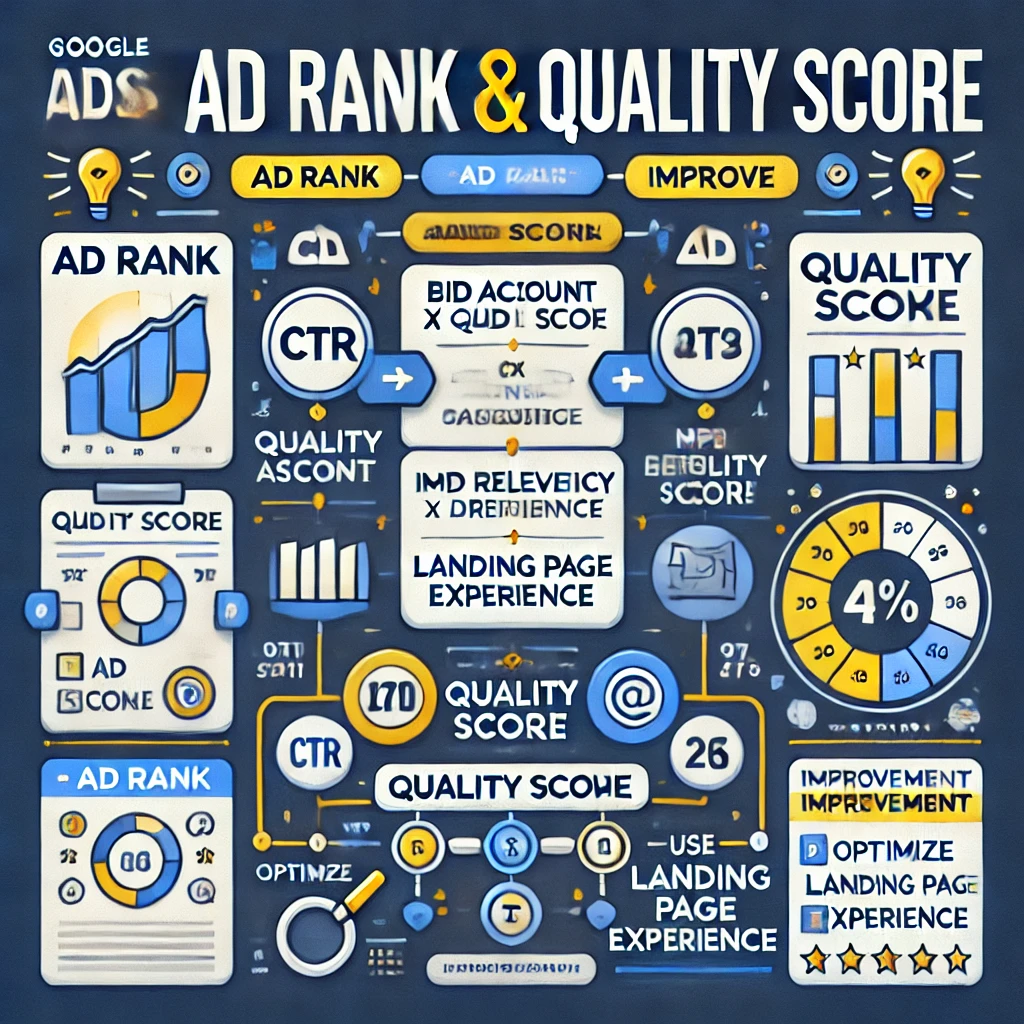
Have you ever wondered why some ads appear at the top of Google search results, while others remain at the bottom—or worse, don’t show up at all? The answer lies in Ad Rank and Quality Score. These two factors determine:
✅ Whether your ad gets displayed ✅ Where your ad appears in search results ✅ How much you pay per click (CPC)
For businesses, understanding Google Ads Ad Rank and Quality Score is essential for:
Reducing ad costs
Improving ad positions
Increasing conversion rates
Many advertisers struggle to grasp these concepts because they seem technical and complicated. That’s why, in this detailed guide, we’ll use one single example throughout so that you can easily relate every point to a real-world scenario.
By the end of this article, you will be able to:
✅ Understand how Ad Rank and Quality Score work ✅ Calculate your Ad Rank, Actual CPC, and Quality Score ✅ Use bidding strategies that maximize your ROI ✅ Optimize your ads for better rankings and lower costs
Whether you’re a beginner or an experienced advertiser, this step-by-step guide will help you master Google Ads bidding.
Example Setup: The Running Shoes Business
Let’s assume three advertisers (A, B, and C) are competing for the keyword “buy running shoes”.
Each advertiser has:
A maximum bid (the most they are willing to pay per click).
A Quality Score (based on expected CTR, ad relevance, and landing page experience).
Advertiser
Max Bid ($)
Quality Score
A
5
8
B
7
5
C
6
4
We will use this example to explain every major concept in Google Ads bidding.
1. What is Ad Rank?
Definition
Ad Rank is a score that determines the position of your ad in Google Search results.
A higher Ad Rank means: ✔ Your ad appears higher in the search results ✔ Your ad gets more clicks ✔ Your ad costs less per click (CPC)
How is Ad Rank Calculated?
AdRank=MaxBid×QualityScore
Now, let’s calculate Ad Rank for each advertiser:
Advertiser
Max Bid ($)
Quality Score
Ad Rank
Ad Position
A
5
8
40
1st
B
7
5
35
2nd
C
6
4
24
3rd
👉 Advertiser A wins the top position even though they bid less than Advertiser B because their Quality Score is higher!
Why Ad Rank Matters
✔ Higher Ad Rank = Better ad placement = More clicks ✔ Higher Quality Score = Lower costs per click (CPC) ✔ A good Ad Rank = A competitive advantage over others
2. What is Quality Score?
Quality Score is a Google Ads rating system (1-10) that measures ad relevance and usefulness.
Each factor is rated on a scale of 1-10 (1 = Poor, 10 = Excellent).
Let’s calculate Quality Score for each advertiser
Advertiser
Expected CTR (1-10)
Ad Relevance (1-10)
Landing Page (1-10)
Quality Score
A
8
9
7
8
B
6
5
4
5
C
5
4
3
4
👉 Advertiser A has the highest Quality Score because their ad is more relevant and has a better landing page experience.
Why Quality Score Matters
✔ Higher Quality Score = Higher Ad Rank (Even with a lower bid!) ✔ Higher Quality Score = Lower Cost-Per-Click (CPC) ✔ Better ad engagement = More conversions
3. How is Actual CPC Calculated?
Google Ads does not charge advertisers their maximum bid. Instead, the Actual CPC is calculated using:
Actual CPC Formula
Actual CPC=(Ad Rank of Competitor Below You/ Your Quality Score) +0.01
Let’s calculate Actual CPC for Advertiser A
Actual CPC=(35/8)+0.01=4.39
👉 Even though Advertiser A bid $5, they only pay $4.39 per click!
Why Actual CPC Matters
✔ Better Quality Score = Lower CPC ✔ Higher Ad Rank = Less cost per click ✔ Optimizing ads saves money!
4. Bidding Strategies in Google Ads
a) Manual CPC (Cost-Per-Click)
Advertisers manually set their max CPC bid.
Best for: Beginners who want full control.
b) Enhanced CPC (ECPC)
Google adjusts bids automatically to get more conversions.
Best for: Advertisers who want a mix of automation and control.
c) Maximize Clicks
Google automatically sets bids to get the highest number of clicks.
Best for:Traffic-focused campaigns.
d) Target CPA (Cost-Per-Acquisition)
Google adjusts bids to get conversions at a set cost.
Best for:Lead generation & sales-focused campaigns.
e) Target ROAS (Return on Ad Spend)
Google adjusts bids to maximize revenue.
Best for:E-commerce stores & high-value products.
f) Maximize Conversions
Google adjusts bids to get the highest number of conversions.
Best for: Businesses with a fixed budget aiming for maximum conversions.
5. How to Improve Quality Score & Ad Rank
Optimize Ad Copy – Use targeted keywords and strong calls to action. Improve Landing Page – Ensure fast load time and mobile-friendliness. Use Ad Extensions – Add sitelinks, callouts, and structured snippets.
Google’s search algorithm has undergone numerous enhancements to ensure it serves user queries effectively. Among these advancements, the RankBrain update, introduced in October 2015, stands out as a transformative milestone. RankBrain marked Google’s first significant integration of artificial intelligence (AI) and machine learning into its search engine, fundamentally changing how search results are processed and ranked.
This blog explores the RankBrain update in depth, covering its features, significance, and strategies to optimize for it. If you’re new to SEO, this guide will break down complex concepts into easy-to-understand insights and provide actionable steps to succeed in an AI-driven search landscape. By the end, you’ll have a comprehensive understanding of RankBrain and how to align your website’s content strategy to thrive.
Table of Contents
What is the RankBrain Update?
Why Did Google Introduce RankBrain?
How RankBrain Works
Key Features of RankBrain
Impact of RankBrain on SEO
Strategies to Optimize for RankBrain
Content Strategies for the RankBrain Era
Measuring Content Performance in the RankBrain Era
Case Studies: Websites That Thrived with RankBrain
Future Implications of AI in Google’s Algorithm
Conclusion
1. What is the RankBrain Update?
RankBrain is Google’s machine-learning-based component of its search algorithm. Unlike traditional methods that relied solely on keywords, RankBrain uses AI to interpret the meaning and intent behind search queries.
Key Points:
AI Integration: RankBrain leverages AI to improve search accuracy.
Search Intent Focus: The update prioritizes understanding what users mean rather than what they type.
Handling Unfamiliar Queries: RankBrain excels in interpreting new or rare queries by analyzing patterns and similarities to known queries.
For example, if a user searches for “best laptops for college students under $1000,” RankBrain identifies laptops that match the criteria even if the search phrase is fragmented or misspelled.
2. Why Did Google Introduce RankBrain?
Before RankBrain, Google’s algorithm relied heavily on matching exact keywords in queries to those in web pages. This approach was effective for straightforward searches but struggled with complex, conversational, or ambiguous queries.
Reasons for Introducing RankBrain:
Increasing Search Complexity: As users began asking longer, conversational queries (often via voice search), Google needed a smarter system.
Evolving User Behavior: Mobile and voice searches led to more natural, question-like queries.
Improving Accuracy: RankBrain enhances the relevance of results for queries that don’t have exact keyword matches.
RankBrain represents a shift in Google’s focus from keywords to context. For instance, a search like “How to fix a leaking sink without tools” now yields relevant, actionable results by analyzing the underlying problem rather than just the keywords.
3. How RankBrain Works
RankBrain uses machine learning to process search queries and rank results based on their relevance. It interprets user intent and matches it with the most appropriate content.
Step-by-Step Process:
Query Interpretation: RankBrain analyzes the query to determine its intent and meaning, considering synonyms, context, and past user behavior.
Content Matching: It identifies pages that best address the query’s intent, even if they don’t include the exact keywords.
Continuous Learning: Over time, RankBrain refines its understanding by analyzing user behavior, such as click-through rates (CTR) and dwell time.
RankBrain ensures users get precise, helpful answers, even for vague or unfamiliar queries. For example, a search for “healthy dinner recipes for picky eaters” might surface content with terms like “easy kid-friendly meals” or “nutritious recipes for children.”
4. Key Features of RankBrain
RankBrain introduced several innovative features that revolutionized search:
Feature
What It Means for Users
AI and Machine Learning
Improves search accuracy by learning from user behavior.
Search Intent Understanding
Focuses on delivering results that align with the meaning behind a query, not just its exact keywords.
Handling Synonyms
Recognizes synonyms and related terms to present diverse yet relevant results.
User Behavior Signals
Factors such as CTR, time spent on page, and bounce rate influence rankings, rewarding engaging content.
These features allow Google to bridge the gap between user queries and high-quality content, creating a more seamless search experience.
5. Impact of RankBrain on SEO
RankBrain shifted the focus from keyword-stuffing to creating high-quality, user-focused content. Websites that adapted to these changes saw better rankings, while outdated strategies lost effectiveness.
Key Impacts:
Content Relevance Over Keywords: Pages with helpful, in-depth content rank higher, even without exact keyword matches.
User Engagement Metrics Matter: High CTR and longer dwell times signal relevance to Google.
Emphasis on Semantic Search: Understanding topics and themes became more important than targeting individual keywords.
6. Strategies to Optimize for RankBrain
To succeed in the RankBrain era, websites must focus on creating value for users. Here are actionable tips:
Content Strategies
Focus on Intent-Driven Topics: Research user intent for popular keywords and structure your content to solve problems or answer questions.
Use Structured Data: Implement schema markup to help Google understand your content better.
Diversify Content Formats: Include videos, infographics, and FAQs to engage users and improve dwell time.
Technical Strategies
Improve Page Speed: Faster websites offer better user experiences and rank higher.
Mobile Optimization: Ensure your site is responsive and functions seamlessly on all devices.
Enhance Navigation: Simplify your site’s structure to make information easy to find.
7. Content Strategies for the RankBrain Era
Creating content that aligns with RankBrain’s focus on user intent requires a thoughtful approach:
Develop Comprehensive Guides: Cover topics in-depth to provide value and keep users on your page longer.
Address Related Queries: Use tools like AnswerThePublic to find questions users commonly ask about your topic.
Optimize Titles and Meta Descriptions: Craft compelling, click-worthy titles to boost your CTR.
Incorporate LSI Keywords: Include related terms and synonyms to enhance your content’s relevance.
8. Measuring Content Performance in the RankBrain Era
To ensure your website aligns with RankBrain’s priorities, monitor key performance indicators (KPIs):
Metric
Why It Matters
Click-Through Rate (CTR)
High CTR signals that your title and meta description are relevant.
Dwell Time
Longer time on page indicates users found the content helpful.
Bounce Rate
A low bounce rate shows that your content matches user expectations.
Tools to Use:
Google Search Console for CTR and bounce rate insights.
Google Analytics for tracking user engagement and time spent on pages.
Heatmap Tools to understand user behavior on your site.
9. Case Studies: Websites That Thrived with RankBrain
Case Study 1: Informational Blog
Challenge: A tech blog struggled with low organic traffic despite publishing regular content. Solution: They shifted focus to creating in-depth guides that answered specific user questions, incorporating related topics and LSI keywords. Result: Organic traffic increased by 70%, and their content began ranking on the first page for competitive queries.
Case Study 2: E-Commerce Store
Challenge: An online retailer faced declining visibility for their product pages. Solution: They revamped product descriptions to address customer pain points, added FAQ sections, and optimized titles for intent-driven searches. Result: CTR improved by 50%, and overall sales increased by 35% within three months.
Case Study 3: Local Business
Challenge: A local fitness center found it hard to attract customers searching for nearby gyms. Solution: They optimized their website with local keywords, created blog posts about fitness tips, and added structured data for local searches. Result: They saw a 40% increase in local traffic and a significant rise in membership inquiries.
10. Future Implications of AI in Google’s Algorithm
RankBrain was just the beginning of AI integration into search. Here’s what to expect in the future:
Voice Search Dominance: As voice assistants like Siri and Alexa grow, queries will become more conversational.
Greater Personalization: AI will deliver search results tailored to individual preferences and history.
Advanced Metrics: User satisfaction metrics, like engagement and return visits, will carry more weight in rankings.
11. Conclusion
The RankBrain update marked a turning point in Google’s approach to search. By focusing on intent, relevance, and user experience, RankBrain ensures users find the most helpful results. For SEO beginners, aligning with RankBrain means creating valuable, engaging content that addresses real user needs. Stay adaptive, and you’ll thrive in the evolving search landscape.
FAQs
Q1: What is RankBrain? A1: RankBrain is Google’s AI-powered system that helps understand search intent and improve results.
Q2: How can I optimize for RankBrain? A2: Focus on creating high-quality, intent-driven content and improving user engagement metrics.
Q3: Does RankBrain replace other ranking factors? A3: No, it works alongside other factors like backlinks, content quality, and mobile-friendliness.
Q4: Why is RankBrain important? A4: It ensures users receive more accurate and relevant search results, improving overall user experience.
In the rapidly evolving world of search engine optimization (SEO), Google’s algorithm updates have consistently shaped the digital landscape. Among the pivotal changes introduced, the Mobilegeddon update stands out as a game-changer for mobile-first indexing and responsive design. Officially rolled out on April 21, 2015, this update has had long-lasting effects on how websites are ranked, emphasizing mobile-friendliness as a critical factor.
In this blog post, we delve into everything you need to know about the Mobilegeddon update—its origins, impact, and strategies to ensure your website thrives in a mobile-first world. Even if you’re a beginner, this guide is written to help you understand the basics and beyond. Let’s explore the ins and outs of this crucial update, focusing on actionable insights and detailed explanations tailored for students and freshers.
Table of Contents
What is the Mobilegeddon Update?
The Significance of Mobilegeddon
How Mobilegeddon Changed SEO Forever
Key Features of the Mobilegeddon Algorithm
The Impact of Mobilegeddon on Businesses
Optimizing Your Website for Mobilegeddon
Measuring Mobile-Friendliness: Tools and Metrics
Case Studies: Businesses That Benefited from Mobilegeddon
Future Trends in Mobile SEO
Conclusion
1. What is the Mobilegeddon Update?
The Mobilegeddon update, a term coined by webmasters and SEOs, refers to Google’s decision to prioritize mobile-friendly websites in search rankings. But what does this mean for you as a beginner?
Imagine you’re searching for something on your phone. You click on a website, but the text is too small, you have to zoom in to read, and links are hard to tap. Frustrating, isn’t it? Google introduced Mobilegeddon to ensure websites provide a smooth experience for users like you on mobile devices. Websites that didn’t adapt to this standard began to rank lower in search results.
Key Highlights Explained:
Mobile-friendly websites rank higher: If a website looks good and works well on a phone, it gets a boost in Google’s rankings.
Non-mobile-friendly websites drop: If a site isn’t optimized for mobile, it loses visibility.
Encourages better website design: Businesses are motivated to improve their websites for mobile users.
To make it even clearer, think of Google as a teacher grading assignments. The teacher gives extra marks to assignments that are neat, well-organized, and easy to read. Similarly, Google rewards websites that are mobile-friendly.
2. The Significance of Mobilegeddon
Why was this update so important? By 2015, more than half of internet users were accessing websites through their phones. Google realized that people needed better experiences on mobile devices.
Why it Matters to Beginners:
Shift in User Behavior: People were no longer just browsing the internet on computers. They were shopping, reading, and watching videos on their phones.
Competitive Advantage: Businesses that adapted to mobile-friendly design gained more visitors and sales.
Better User Experience: Mobile-friendly sites are easier to read, faster to load, and more enjoyable to use.
Imagine walking into two stores: one is well-organized with clear signs, and the other is cluttered and hard to navigate. Which one would you prefer? Mobilegeddon ensured websites became like the organized store for mobile users.
3. How Mobilegeddon Changed SEO Forever
Before Mobilegeddon, optimizing a website for mobile devices was optional. But after the update, it became essential for anyone who wanted their website to be found on Google.
How SEO Evolved:
Mobile-First Indexing: Google started looking at the mobile version of a website first when deciding its ranking. If your mobile site wasn’t good, your ranking would suffer, even if your desktop site was perfect.
Responsive Design Became Standard: Web designers began creating websites that automatically adjusted to any screen size, whether it’s a phone, tablet, or computer.
Page Speed Importance: Slow-loading websites frustrated mobile users, so Google made speed a crucial ranking factor.
Analogy for Beginners: Imagine you’re entering a building. If the front door (desktop version) is grand but the side door (mobile version) is broken, guests won’t have a good experience. Google made sure the side door mattered just as much as the front door.
4. Key Features of the Mobilegeddon Algorithm
The Mobilegeddon update introduced specific criteria to decide if a website was mobile-friendly. Let’s break them down:
Feature
What It Means for You
Responsive Design
Your website’s layout adjusts automatically to fit any screen size, so users don’t have to zoom in or scroll sideways.
Tap-Friendly Elements
Buttons and links should be big enough to tap easily with a finger, even on small screens.
Readable Text
Text should be large enough to read without zooming.
No Flash Elements
Flash doesn’t work on many phones, so websites should use HTML5 for animations or videos.
Page Speed
Your site should load quickly, as mobile users won’t wait long for a page to open.
Why These Features Matter: Imagine you’re visiting a website to book movie tickets. If the buttons are too small or the page takes forever to load, you’ll likely leave and try another site. Mobilegeddon ensured sites avoided such issues.
For beginners, think of these features as a checklist to ensure your website is welcoming and easy to use for everyone.
5. The Impact of Mobilegeddon on Businesses
For businesses, the update was a wake-up call. Those who adapted gained new opportunities, while those who ignored it struggled to stay relevant.
Positive Outcomes:
More Traffic: Businesses with mobile-friendly sites saw a surge in visitors.
Higher Engagement: People spent more time on sites that were easy to navigate.
Better Sales: A smooth mobile experience led to more purchases and inquiries.
Challenges Faced:
Cost of Redesign: Some businesses had to invest money to upgrade their websites.
Technical Knowledge Gap: Many small businesses didn’t know how to make their sites mobile-friendly.
Think About This: If you owned a coffee shop, would you ignore a chance to attract more customers? That’s exactly what Mobilegeddon offered—a way to reach more people online.
6. Optimizing Your Website for Mobilegeddon
Now that you understand the importance of Mobilegeddon, how can you ensure your website is ready?
Adopt Responsive Design: Use website frameworks like Bootstrap that automatically adjust layouts to different screen sizes.
Improve Page Speed: Compress large images, use faster hosting services, and enable caching to make your site load quicker.
Test Mobile Friendliness: Google provides a free Mobile-Friendly Test tool to check if your site meets the criteria.
Optimize Content: Keep your text concise, use bullet points, and include visuals to make content engaging for mobile users.
Focus on User Experience: Simplify menus, make buttons easy to click, and ensure all features work properly on phones.
Remember, optimizing for Mobilegeddon is not just about following rules—it’s about ensuring your visitors have a positive experience.
7. Measuring Mobile-Friendliness: Tools and Metrics
To succeed in a mobile-first world, you need to measure how well your site performs on mobile devices. Here are some tools:
Tool
What It Does
Google Mobile-Friendly Test
Checks if your website is optimized for mobile devices and gives suggestions.
PageSpeed Insights
Measures how fast your website loads and offers tips to improve speed.
Google Search Console
Provides detailed reports on mobile usability issues and how to fix them.
Important Metrics to Track:
Page Load Time: Your site should load in under 3 seconds.
Bounce Rate: A lower bounce rate means users are staying on your site.
Tap Target Size: Buttons and links should be big enough to tap comfortably.
For students, these tools are like report cards for your website. They help you identify where you’re doing well and where you need improvement.
8. Case Studies: Businesses That Benefited from Mobilegeddon
Case Study 1: E-Commerce Success
A small online clothing store revamped its website to be mobile-friendly. Within three months, their mobile traffic doubled, and sales increased by 40%.
Case Study 2: Local Business Visibility
A local restaurant optimized its website for mobile users. They added easy-to-click buttons for reservations and menus, leading to a 30% increase in bookings.
These examples show that even small changes can lead to big results, especially for businesses starting their digital journey.
9. Future Trends in Mobile SEO
As technology advances, here’s what you can expect in the world of mobile SEO:
Voice Search Optimization: More people are using voice assistants like Siri and Alexa to search, so websites need to answer questions clearly.
AI-Driven Personalization: Websites will use artificial intelligence to show content based on what a user likes or needs.
Progressive Web Apps (PWAs): These are websites that look and work like apps, offering a smooth experience even without internet access.
For freshers, staying updated with these trends can help you stay ahead in the competitive digital world.
10. Conclusion
The Mobilegeddon update was not just an algorithm change—it was a call to action for businesses to think mobile-first. By creating mobile-friendly websites, businesses not only improve their rankings but also enhance user experiences and drive growth. For beginners, this is a crucial step in understanding how to succeed online. Embrace these practices, and you’ll be ahead of the curve in the digital world.
FAQs
Q1: What is Mobilegeddon? A1: It is Google’s algorithm update emphasizing mobile-friendly websites for better search rankings.
Q2: How can I check if my website is mobile-friendly? A2: Use Google’s Mobile-Friendly Test tool.
Q3: What happens if my site isn’t mobile-friendly? A3: Your search rankings may decline, affecting traffic and conversions.
Q4: Is mobile-friendliness still relevant in 2024? A4: Absolutely! With mobile usage dominating, it remains a critical SEO factor.
Focus on Long-Tail Keywords Importance of Content Quality
How Hummingbird Handles Queries
Contextual Meaning Entity-Based Search
Key Algorithm Changes in Hummingbird
Comparison with Previous Updates Connection to RankBrain and BERT
Best Practices for Hummingbird-Optimized SEO
Writing for Humans, Not Bots Semantic Keywords Strategy Structured Data
Common Misconceptions About Hummingbird
Hummingbird Isn’t a Penalty It Doesn’t Replace Core Algorithm
Hummingbird and Mobile Search
Mobile Optimization Voice Search and Hummingbird
Impact on Businesses and Websites
Benefits for Small Businesses Challenges and Adjustments
The Relationship Between Hummingbird and Other Updates
Panda and Penguin Post-Hummingbird Updates
Case Studies: Success Stories
Real Examples of Websites Thriving After Hummingbird
Frequently Asked Questions (FAQs)
Six FAQs Answered in Detail
Conclusion
Key Takeaways from Hummingbird Update
Introduction to Google Hummingbird
What Is the Hummingbird Update?
The Google Hummingbird update, rolled out in September 2013, was a transformative algorithm upgrade for Google’s search engine. Unlike incremental updates such as Panda (focused on content quality) or Penguin (targeting spammy backlinks), Hummingbird was a complete re-engineering of Google’s algorithm.
The update was designed to make Google more adept at understanding the context and intent behind user searches. For instance, if someone searched for “Where can I buy eco-friendly shoes near me?”, Hummingbird helped Google interpret the full meaning of the query instead of just focusing on isolated words like “shoes” or “eco-friendly.” The result? Users were served results that better matched their needs.
Why Was It Introduced?
Before Hummingbird, Google’s search engine primarily relied on keywords. While this approach worked for straightforward queries, it struggled with the growing trend of natural language searches—especially with the rise of voice assistants like Siri and Google Assistant. Users no longer typed rigid phrases like “best pizza New York”; they asked conversational questions like, “Where can I find the best pizza in New York City?”
To address these changes in user behavior and provide more relevant results, Google introduced Hummingbird, with a focus on semantic search and conversational understanding.
How Search Engines Work: A Brief Overview
Crawling, Indexing, and Ranking
To understand Hummingbird’s significance, it’s crucial to grasp how search engines function:
Crawling: Search engines send bots (also known as spiders) to scan web pages, following links to discover new content.
Indexing: Once the bots identify content, it’s stored in a vast database (index), where it’s organized for retrieval.
Ranking: When a user types a query, algorithms analyze the indexed content to determine the most relevant results.
Before Hummingbird, the ranking process heavily depended on keyword matches. While effective in many cases, this approach often missed the mark when dealing with ambiguous or complex queries.
Pre-Hummingbird Search Challenges
Keyword Dependence: Search results were often skewed towards pages with exact keyword matches, regardless of relevance.
Lack of Contextual Understanding: Google couldn’t always interpret nuanced or conversational searches, resulting in mismatched results.
Inefficiency with Long Queries: Longer, more detailed searches often confused the algorithm, leading to poor results.
For example, a search for “best running shoes for marathon training in cold weather” might have returned generic pages about “running shoes” instead of targeted results.
Key Features of the Hummingbird Update
Semantic Search
Semantic search marked a shift from simply matching words to understanding their meaning and relationships. Hummingbird prioritized concepts over keywords. For example, if you searched “How do I improve my stamina for long-distance running?” the algorithm analyzed the entire question to understand its intent, considering related ideas like “stamina,” “running,” and “training.”
This change enabled Google to:
Connect related terms (e.g., “stamina” and “endurance”).
Deliver results that answered the question holistically.
Conversational Search
The Hummingbird update supported conversational search queries, which are natural and resemble human speech. Queries like “What’s the weather like today?” could now be understood contextually. Importantly, Google could handle follow-up questions, such as “Will it rain tomorrow?” and recognize that “it” referred to the weather.
This feature became especially relevant with the rise of mobile and voice search. Devices like Google Home and assistants like Alexa relied on this conversational capability.
Knowledge Graph Integration
The Knowledge Graph, introduced in 2012, worked hand-in-hand with Hummingbird to provide direct answers. Instead of making users click through multiple links, Google began displaying information directly in search results. For example:
A search for “capital of France” would show “Paris” in a knowledge panel.
Queries about people, movies, or historical events would often yield quick summaries alongside images or additional details.
This integration made searches faster and more user-friendly.
Why Hummingbird Was Revolutionary
Moving Beyond Keywords
Hummingbird moved Google beyond a keyword-dependent model to one that understood user intent. Rather than seeing queries as strings of words, Google started interpreting them as meaningful questions or requests.
Example:
Query: “How to bake a cake without eggs?”
Pre-Hummingbird: Results might include pages with “bake a cake” or “without eggs,” but not necessarily recipes.
Post-Hummingbird: Results focused on eggless cake recipes.
Understanding Intent
Intent refers to the goal or purpose behind a search. Hummingbird’s focus on intent meant that Google could differentiate between informational, navigational, and transactional queries. For instance:
A search for “best smartphones under $500” (transactional intent) would show product recommendations or online stores.
A search for “how does a smartphone camera work?” (informational intent) would prioritize educational content.
Impact on SEO Practices
Focus on Long-Tail Keywords
Hummingbird made long-tail keywords—specific, multi-word phrases—more important. These queries are typically less competitive but more targeted. For example:
Short-tail keyword: “laptops”
Long-tail keyword: “best lightweight laptops for students 2024”
SEO strategies began to focus on addressing detailed questions and providing comprehensive answers.
Importance of Content Quality
With Hummingbird, the quality of content became a cornerstone of SEO. Pages needed to offer genuine value by:
Answering user queries effectively.
Covering topics in-depth.
Avoiding keyword stuffing or shallow content.
High-quality content earned better rankings, reinforcing the importance of user satisfaction.
How Hummingbird Handles Queries
Contextual Meaning
Hummingbird’s ability to interpret context revolutionized search. It used factors like:
Synonyms: Recognizing that “buy” and “purchase” have similar meanings.
User history: Tailoring results based on previous searches.
Location: Prioritizing nearby businesses for local searches.
For example, a search for “restaurants near me” would deliver personalized results based on the user’s exact location.
Entity-Based Search
Hummingbird introduced the concept of “entities,” which are distinct, recognizable things like people, places, or objects. This helped Google understand:
That “Apple” could mean either a fruit or a tech company.
That “Lincoln” could refer to a president, a car brand, or a location.
By identifying entities, Google could better match queries with relevant results.
Key Algorithm Changes in Hummingbird
Comparison with Previous Updates
Unlike Panda or Penguin, which targeted specific problems, Hummingbird rebuilt Google’s search infrastructure. It didn’t just fix issues; it modernized the entire approach to search.
Connection to RankBrain and BERT
Hummingbird paved the way for future advancements:
RankBrain (2015): Introduced machine learning to improve query understanding.
BERT (2019): Enhanced natural language processing for even greater accuracy.
Hummingbird served as the foundation for these technologies.
Best Practices for Hummingbird-Optimized SEO
Writing for Humans, Not Bots
Focus on creating engaging, user-focused content. Instead of obsessing over keyword density, address real questions users might have.
Semantic Keywords Strategy
Expand beyond exact keywords. For example, instead of focusing solely on “organic farming,” include related terms like “sustainable agriculture” and “natural pest control.”
Structured Data
Use structured data (e.g., schema markup) to help Google understand your content. This can enhance visibility through rich snippets, FAQs, or reviews.
Hummingbird and Mobile Search
Mobile Optimization
Hummingbird prioritized mobile-friendly sites, making it essential for businesses to:
Optimize loading speed.
Use responsive design.
Voice Search and Hummingbird
Hummingbird’s emphasis on natural language processing aligned perfectly with the rise of voice search. Queries became more conversational, requiring content that mirrored spoken language.
Case Studies: Success Stories
Hummingbird’s release revolutionized the way websites approached search engine optimization (SEO). By focusing on user intent, semantic search, and conversational queries, it provided businesses an opportunity to thrive by creating content that addressed the needs of their target audiences. Let’s explore two real-world examples of how websites adapted and succeeded post-Hummingbird.
1. A Health Blog’s Transformation
Scenario Before Hummingbird: A health and wellness blog primarily focused on short articles stuffed with exact-match keywords like “lose weight fast” and “diet tips.” While these articles ranked well initially, their traffic stagnated over time as Google began prioritizing user intent and content depth.
Challenge Post-Hummingbird: The blog saw a decline in search rankings because its articles failed to provide comprehensive answers to user queries. For example, if a user searched, “What is the best way to lose weight for someone with thyroid issues?” the blog’s generic “diet tips” articles didn’t address this specific need.
Solution and Strategy: The blog owner restructured the website content strategy to align with Hummingbird’s emphasis on intent-driven and conversational searches. Key steps included:
Understanding Audience Queries: The blog began using tools like Google Keyword Planner, AnswerThePublic, and SEMrush to identify long-tail and conversational keywords.
Example keyword shift: From “lose weight fast” to “How can I lose weight with hypothyroidism?”
Creating In-Depth Content: Articles were expanded to provide detailed answers. For example:
Before: A 300-word post titled “Diet Tips.”
After: A 1500-word guide titled “A Comprehensive Guide to Losing Weight with Thyroid Conditions,” which included:
Explaining the link between thyroid health and metabolism.
Specific dietary advice.
Exercises tailored for thyroid patients.
Incorporating Structured Data: The blog added schema markup for FAQ sections, enabling Google to display rich snippets directly in the search results.
User-Centered Design: The website was redesigned to ensure mobile responsiveness, fast loading times, and clear navigation.
Results: Within six months, the blog’s organic traffic increased by 80%. Pages with specific long-tail keywords began appearing in the top 3 results. Additionally, the inclusion of FAQ schema led to a 40% increase in click-through rates (CTR) from search engine results.
2. A Local Restaurant’s SEO Revamp
Scenario Before Hummingbird: A family-owned Italian restaurant relied heavily on traditional SEO strategies. Their website was optimized for keywords like “best Italian food” and “top pizza in the city,” but it struggled to attract nearby diners searching for restaurants using conversational queries like, “Where can I get authentic Italian pizza near me?”
Challenge Post-Hummingbird: The rise of mobile searches and voice queries meant potential customers were using location-specific and natural language searches. The restaurant’s website lacked optimization for these trends, leading to declining visibility on local search results.
Solution and Strategy:
Optimizing for Local SEO: The restaurant revamped its Google My Business (GMB) profile with accurate business details, high-quality photos, and reviews. This was critical for showing up in local packs (Google Maps and local search results).
Content for Intent-Based Queries: They added a blog section with posts like:
“Top 5 Italian Dishes You Must Try in [City Name].”
“Where to Find the Best Authentic Italian Pizza Near Me.” These posts targeted long-tail, intent-driven keywords to align with conversational searches.
Mobile and Voice Search Optimization:
The website was optimized for mobile users with faster load times and a responsive design.
Voice-search-friendly content included natural phrases like, “Best Italian pizza open now,” instead of awkward keyword stuffing.
Schema Markup for Local Queries: Schema markup was added for menus, reviews, and event details, ensuring Google could display rich snippets like “Menu Prices” or “Opening Hours” directly in search results.
Results: Within three months:
Positive reviews on their GMB profile increased visibility, leading to a 50% boost in online and walk-in customers.ebsites that adapted to Hummingbird by focusing on user intent and content quality saw significant gains in traffic and rankings. For instance:
The restaurant saw a 60% increase in foot traffic from users who found them via “near me” searches.
Featured snippets and local map listings brought in consistent online bookings.
A blog that shifted from generic fitness tips to answering specific queries like “How to lose belly fat in 30 days” experienced a surge in visitors.
Frequently Asked Questions (FAQs)
1. What is the main purpose of the Hummingbird update?
Hummingbird aimed to make search results more relevant by understanding user intent and context.
2. How does Hummingbird affect SEO?
It emphasizes conversational search, long-tail keywords, and semantic content.
3. Is Hummingbird still relevant today?
Yes, its principles continue to guide updates like RankBrain and BERT.
4. Does Hummingbird penalize websites?
No, it rewards high-quality, relevant content.
5. How does Hummingbird handle voice searches?
By processing natural language, it matches conversational queries with accurate results.
6. What should I do to optimize for Hummingbird?
Focus on creating helpful, user-centered content and utilizing semantic SEO techniques.
Conclusion
The Hummingbird update revolutionized Google Search by shifting the focus from keywords to user intent. Understanding its principles allows websites to create content that meets users’ needs, ensuring long-term success in an ever-evolving SEO landscape.
The Google Penguin Update, launched on April 24, 2012, was a pivotal algorithm aimed at combating link manipulation and web spam. By prioritizing link quality and penalizing manipulative tactics, Penguin fundamentally reshaped the SEO landscape, requiring marketers and website owners to adopt ethical practices.
This in-depth article provides a technical analysis of Penguin, its impact, how it operates, and strategies for recovery. Additionally, we’ll include tables, infographics, and actionable insights to help you adapt to Penguin’s principles.
Table of Contents
What Is the Google Penguin Update?
Why Was Penguin Introduced?
Key Features of Penguin Algorithm
How Penguin Evaluates Link Profiles
Impacts of Penguin: Winners and Losers
Technical Recovery Strategies for Penguin Penalties
Penguin: Real-Time Updates and Its Evolution
FAQs: Understanding Penguin for Freshers
Infographics and Resources
Conclusion: Penguin’s Long-Term Lessons for SEO
1. What Is the Google Penguin Update?
The Google Penguin Update was specifically designed to:
Identify and penalize manipulative link-building strategies.
Reward websites with organic, high-quality backlinks.
Clean up web spam and ensure search results prioritize valuable, user-focused content.
Penguin targeted practices like:
Link farms: Networks of websites linking to each other solely to boost rankings.
Paid backlinks: Buying links to manipulate domain authority.
Exact-match anchor text: Overuse of the same keywords in anchor text.
2. Why Was Penguin Introduced?
Before Penguin, search engines were inundated with spammy websites that ranked high through questionable link-building practices. Google introduced Penguin to:
Improve Search Quality: Eliminate spam and irrelevant results.
The Google Panda Update, first released in February 2011, is one of the most important algorithm updates in SEO history. It was a game-changer that drastically altered the way Google ranked web pages, with a primary focus on improving the quality of content in search results. Websites with low-quality content were penalized, while sites that offered high-quality, user-focused content saw improved rankings.
This guide will explain the key aspects of the Panda update, how it changed SEO, and how you can optimize your website to thrive in the post-Panda world.
What Was the Google Panda Update?
The Panda Update was designed to tackle low-quality websites and improve search engine rankings by promoting relevant, valuable, and engaging content. Before Panda, many websites achieved high rankings through tactics like keyword stuffing, duplicate content, and link farms. However, these websites often offered little value to users.
Google’s goal with the Panda update was to reduce the rankings of websites with poor or “thin” content and reward websites with high-quality, original content. The update was a turning point in Google’s algorithm, as it began prioritizing user experience and content relevance above all else.
The Problem: Low-Quality Websites and Content Farms
Before Panda, many websites succeeded in ranking highly in search results by relying on outdated SEO tactics like keyword stuffing and duplicate content. These sites were often content farms—websites that produced large quantities of low-value, keyword-optimized content designed to rank in Google without providing any real value to users.
Content farms were particularly notorious for generating articles that were short, shallow, and lacked depth. The content was often designed purely for search engines, not for user satisfaction. Google’s Panda update aimed to penalize these sites and push them down the search rankings in favor of websites offering authentic, informative, and high-quality content.
Key Features of the Panda Update
1. Focus on Content Quality
At the heart of the Panda update was a renewed focus on content quality. Google started evaluating websites based on factors like:
Originality: Sites with unique, well-researched, and fresh content were rewarded.
Depth: Comprehensive content that provided in-depth answers to user queries gained favor.
Relevance: Websites that provided content closely aligned with user intent saw better rankings.
Engagement: Content that encouraged user interaction, such as comments and shares, was considered higher quality.
2. Penalty for Thin Content
One of Panda’s most significant effects was penalizing thin content—pages that provided little substance, were poorly written, or failed to add value to the user experience. This included content that was:
Extremely short
Duplicated across multiple pages
Keyword-stuffed without providing context or value
Websites that had relied on “quick-fix” SEO strategies, like scraping content or producing keyword-heavy articles, saw dramatic drops in rankings after Panda.
3. User Experience and Behavioral Signals
Panda emphasized user experience as a ranking factor. Sites that offered a poor experience, such as slow loading times, mobile-unfriendly layouts, or difficult navigation, were penalized. Google started to consider user behavior signals like:
Bounce rate: A high bounce rate could indicate that users weren’t finding what they needed on your page.
Dwell time: How long a user stays on your page was a sign of content quality.
Click-through rate (CTR): A high CTR from search results to your website could signal that your content was relevant and useful.
4. Content Farms and Duplicate Content
Content farms—websites with large volumes of low-quality content—were particularly targeted by Panda. The update sought to reduce the visibility of sites with repetitive, low-value content in favor of those providing unique and informative articles.
Panda also penalized duplicate content, whether intentional or unintentional. Google’s preference was for sites that offered original, unique content rather than repurposing or copying existing material from other sources.
5. The Shift Toward Authoritativeness
While the term E-A-T (Expertise, Authoritativeness, and Trustworthiness) was more explicitly discussed in later updates, Panda set the stage for Google’s increased focus on these factors. Websites with:
Expert-authored content
Authoritative information
Trusted sources
were more likely to see their rankings improve under Panda.
Impact of Panda on SEO
Content Quality Became a Ranking Factor
Before Panda, SEO strategies centered heavily on keyword optimization and link-building. However, after Panda, it became clear that content quality was a dominant factor. Sites that focused on providing high-value, in-depth, and engaging content saw a significant boost in rankings.
SEO Strategy Shift: From Keywords to User-Centric Content
Panda shifted the SEO landscape toward user-centric content. SEO professionals and webmasters started focusing on:
Keyword intent: Understanding what users were actually searching for, not just what keywords they were using.
Long-form content: Websites began producing longer articles that provided more comprehensive answers to user queries.
Content relevance: Ensuring content was directly related to the needs and search intent of the user.
User Signals Became Crucial
With Panda’s focus on user experience, SEO professionals began placing more importance on user engagement signals such as:
Time spent on page
Social shares
Comments and interaction with content
Websites that focused on creating a great user experience—through faster load times, mobile responsiveness, and easy navigation—saw an improvement in their rankings.
Recovery from Panda Penalties
For websites that were negatively impacted by Panda, recovery required a comprehensive strategy:
Content Audit and Improvement:
Removing low-quality content: Sites identified and eliminated duplicate or thin content.
Updating existing content: Articles were rewritten to provide more value and depth.
Adding original insights and user-centered content to replace outdated information.
Focus on Quality over Quantity:
Instead of producing large quantities of content, websites began creating fewer but higher-quality pieces that truly addressed users’ needs.
Improving User Experience:
Enhancing site speed, improving mobile responsiveness, and optimizing site structure were key tactics for improving user experience.
Quality Link Building:
Rather than focusing on acquiring large numbers of backlinks, sites focused on earning high-quality, relevant backlinks from trusted sources.
How to Optimize for Google Panda: Best Practices for 2024
Here are some SEO best practices to help websites optimize for the Panda update and maintain a high-quality ranking in Google’s search results:
Focus on Content Quality:
Create content that provides value, is well-researched, and answers users’ queries comprehensively.
Avoid keyword stuffing. Use keywords naturally and focus on context and user intent.
Regularly Audit Your Content:
Conduct content audits to identify low-quality or duplicate content. Update and improve older content.
Improve User Experience:
Ensure your website loads quickly (under 3 seconds).
Optimize for mobile users by making your site responsive.
Simplify your website’s structure and navigation to enhance the user journey.
Build Authority:
Create content authored by experts in the field.
Gain backlinks from authoritative and relevant websites in your industry.
Encourage User Engagement:
Create interactive content that encourages comments, shares, and other user interactions.
Improve your content’s shareability and make it easy for users to engage.
Avoid Duplicate Content:
Use canonical tags to prevent issues with duplicate content.
Regularly check for copied content, either within your site or from external sources.
Conclusion
The Google Panda update reshaped the SEO landscape by prioritizing content quality and user experience over traditional SEO tactics like keyword optimization and link-building. Websites that focused on providing valuable, original content and a positive user experience thrived, while sites that relied on low-quality content were penalized.
By adopting a content-first approach, conducting regular content audits, improving user experience, and building authority, websites can optimize for Panda and continue to rank well in Google search results. For SEO professionals, the Panda update was a clear signal that quality always trumps quantity.
Google Ads is a powerful platform for businesses to promote their products or services, but at the heart of every successful campaign lies one crucial element: keywords. Keywords are the bridge between your target audience and your ads. They allow your ads to show up when users search for relevant terms on Google. Choosing the right keywords can make the difference between a profitable campaign and one that falls flat.
In this guide, we’ll explore how keywords work in Google Ads, the different types of keywords, how to research and select the most effective keywords, and how to optimize your keyword strategy for the best results.
In Google Ads, keywords are words or phrases that advertisers use to target their ads to specific search queries. When a user types a query into Google that matches or is closely related to the keywords you’ve selected, your ad may be shown to that user. These keywords are the foundation of your Google Ads campaigns, determining when and where your ads will appear.
For example, if you run an online clothing store that sells running shoes, your selected keywords could be “buy running shoes online,” “best running shoes,” or “affordable running shoes.” When someone types these phrases into Google, your ad may show up in the search results, providing an opportunity to attract that person to your website.
Why Are Keywords So Important?
Keywords are the primary way that Google Ads connects your business to users who are actively searching for products, services, or information. Without the right keywords, your ads won’t reach the right audience, and your campaign won’t generate the desired results. Selecting the most relevant and high-intent keywords is essential to the success of any Google Ads campaign.
When you launch a Google Ads campaign, the primary goal is to connect with users who are searching for exactly what you offer. Keywords play a central role in achieving this connection. Here’s why they matter:
1. Match User Intent
The most important function of keywords is matching user intent. For instance, if someone searches for “cheap iPhone cases,” they are likely looking to make a purchase. Your ad must be designed around keywords that align with that user’s intent—whether they’re looking to buy, get information, or find a specific service.
2. Control Over Your Targeting
By selecting your keywords, you can control exactly who sees your ads. If you choose very broad keywords like “shoes,” your ad might be shown to people looking for any type of footwear. On the other hand, more specific keywords like “running shoes for men” can help narrow down the audience to those who are more likely to make a purchase.
3. Improve Your Quality Score
Google Ads uses a metric called Quality Score to measure the relevance and quality of your keywords, ads, and landing pages. The higher your Quality Score, the lower your cost-per-click (CPC) and the better your ad’s position in search results. Using relevant keywords that align with your ads and landing pages can help improve your Quality Score and reduce your advertising costs.
4. Increase Conversion Rates
Choosing the right keywords is crucial for converting clicks into valuable actions, whether that’s a sale, lead, or download. Well-targeted keywords ensure that the users who click on your ads are the ones most likely to engage with your business.
Google Ads offers several different types of keywords that you can use to target your ads. These keywords determine how closely a user’s search query needs to match your selected keywords for your ad to appear. Understanding these types and using them effectively is essential for a successful campaign.
1. Broad Match Keywords
Broad match keywords are the default option in Google Ads. When you use broad match keywords, your ad can appear for any search query that contains the keyword, variations of the keyword, synonyms, and related searches. While broad match keywords can generate a lot of traffic, they may not always be highly targeted.
Example: If your broad match keyword is “running shoes,” your ad could appear for searches like “buy running sneakers,” “best shoes for jogging,” or “footwear for runners.”
Pros:
Can help you reach a wide audience.
Captures related search terms you may not have thought of.
Cons:
May lead to irrelevant clicks and low conversion rates.
May increase your cost-per-click (CPC).
2. Phrase Match Keywords
With phrase match keywords, your ad will only show when a search query includes the exact phrase or a close variation of that phrase. The keyword must appear in the same order in the user’s search query, although other words can be added before or after the phrase.
Example: If your phrase match keyword is “running shoes for men,” your ad could appear for searches like “best running shoes for men” or “affordable running shoes for men,” but not “men’s shoes for running.”
Pros:
Provides more targeted traffic compared to broad match.
Helps ensure that your ad is shown to users with a clearer intent.
Cons:
Limits the reach compared to broad match.
3. Exact Match Keywords
Exact match keywords ensure that your ad will only appear when a user’s search query exactly matches the keyword or close variations. With exact match, your keyword can appear for searches that are highly relevant to your product or service.
Example: If your exact match keyword is “best running shoes for men,” your ad will only show for that exact search term or close variations, such as “top running shoes for men.”
Pros:
Highly targeted traffic.
Higher conversion rates since the keyword matches the user’s intent more precisely.
Cons:
Limited reach.
4. Negative Keywords
Negative keywords allow you to exclude specific terms from triggering your ads. This is helpful for preventing your ads from showing for irrelevant searches and ensuring you’re not wasting your budget on clicks that won’t lead to conversions.
Example: If you sell high-end running shoes, you might want to add “cheap” as a negative keyword so your ads aren’t shown to users looking for budget-friendly options.
Pros:
Helps refine targeting and prevents irrelevant clicks.
Keyword research is a critical step in building a successful Google Ads campaign. Here’s how you can conduct thorough keyword research:
1. Brainstorming Initial Keywords
Start by brainstorming a list of keywords related to your business, products, or services. Think about terms that potential customers might type into Google when looking for what you offer. You can also ask employees, colleagues, or friends for their input.
Example: If you sell skincare products, some initial keywords might include “best skincare products,” “anti-aging creams,” or “moisturizers for dry skin.”
2. Use Google Keyword Planner
Google’s Keyword Planner tool is a free tool that helps you find relevant keywords, estimate search volume, and see how competitive keywords are. You can enter seed keywords into the tool, and it will provide suggestions for related keywords along with data on average monthly searches, competition, and expected CPC.
3. Analyze Competitor Keywords
Take a look at the keywords your competitors are bidding on. You can use tools like SpyFu or Ahrefs to analyze their keywords and identify gaps or opportunities. By understanding what keywords are driving traffic to your competitors, you can find keywords to target in your own campaigns.
4. Review Search Terms Reports
Once your campaigns are running, you can access the Search Terms Report in Google Ads, which shows you the exact queries users are typing when they trigger your ads. Use this data to identify new relevant keywords, as well as irrelevant terms to add to your negative keyword list.
Now that you understand the different types of keywords and how to research them, it’s time to select the right ones for your campaign. Here are some tips for choosing the best keywords:
1. Consider Search Intent
Consider what the user is looking for when they type a keyword into Google. There are three types of search intent:
Navigational: The user is trying to find a specific website (e.g., “Facebook login”).
Informational: The user is seeking information (e.g., “how to start a blog”).
Transactional: The user is looking to make a purchase or take action (e.g., “buy running shoes online”).
Focus on transactional keywords if your goal is conversions, but also consider informational keywords for content-driven campaigns.
2. Look for Long-Tail Keywords
Long-tail keywords are longer, more specific keyword phrases. While they tend to have lower search volume, they also tend to have less competition and a higher conversion rate because they’re more closely aligned with user intent.
Example: Instead of just targeting “running shoes,” a long-tail keyword could be “best running shoes for women with flat feet.”
3. Use Location-Based Keywords
If your business operates in a specific location, include location-based keywords in your campaign. These keywords can help target users in a particular geographic area and ensure your ads reach the right local audience.
Example: If you’re a running shoe store in New York, you could use keywords like “running shoes New York” or “buy running shoes in NYC.”
Now that you have a list of keywords, it’s time to decide how you want them to match with user searches. By using different match types, you can refine your targeting and improve your ad relevance.
Broad Match: Use broad match for maximum reach and experimentation.
Phrase Match: Use phrase match to ensure relevance while still casting a wider net than exact match.
Exact Match: Use exact match for highly targeted campaigns with low volume but high intent.
Negative Keywords: Use negative keywords to filter out irrelevant traffic.
Negative keywords are an often-overlooked feature of Google Ads, but they can help ensure your ads aren’t shown to people who are unlikely to convert. By excluding irrelevant search terms, you can prevent wasted spend and improve your campaign’s overall efficiency.
Example: If you sell premium skincare products, you might want to add “cheap” as a negative keyword to avoid showing your ads to people searching for low-cost alternatives.
Keyword research and selection is not a one-time task. As your campaigns run, continually monitor their performance, analyze data, and refine your keyword strategy. Regularly review the following:
Search Terms Report: Identify new keywords that are driving valuable traffic.
Keyword Performance: Pause underperforming keywords and reallocate budget to high-converting ones.
Negative Keywords: Continuously update your negative keyword list based on performance data.
Conclusion
Choosing the right keywords is one of the most important aspects of a successful Google Ads campaign. By understanding the different types of keywords, conducting thorough research, and refining your keyword strategy over time, you can ensure your ads reach the right audience and generate valuable conversions. Stay informed, test different approaches, and continually optimize your keyword strategy to achieve the best results.
Keyword research and targeting are the foundation of a successful Google Ads campaign. In the simplest terms, keyword research helps you understand what your audience is searching for, and targeting ensures your ads reach them at the right moment. If done correctly, it allows you to create a more effective and cost-efficient ad strategy. Without proper keyword targeting, even the most compelling ad copy and creative can fail to deliver the desired results.
This guide walks you through everything you need to know about keyword research and targeting in Google Ads. By the end of this blog, you’ll have a solid understanding of how to select and optimize your keywords for maximum performance.
Keyword research is the process of identifying the terms and phrases that users type into search engines when looking for information, products, or services. In the context of Google Ads, this means finding out which words and phrases will trigger your ads to appear in the search results.
The primary goal of keyword research is to identify terms that your target audience is likely to use, then create targeted ad campaigns around those keywords. For a beginner, it may seem like a daunting task, but with the right tools and resources, it can be streamlined.
Here’s how you can start:
Identify Seed Keywords: Think of broad terms related to your business or niche. These seed keywords will help generate more specific variations.
Use Google’s Keyword Planner Tool: Google Ads provides a free tool that helps you find keyword ideas along with their search volume and competition level.
Analyze Keyword Intent: Identify whether the keyword suggests a user is looking to buy, learn, or browse, so you can align your ads to match their intent.
Effective keyword research helps you reach the right audience, at the right time, with the right message. Here’s why keyword research is crucial for a successful Google Ads campaign:
Targeted Ads: By choosing relevant keywords, you ensure your ads are shown to users who are actively searching for what you offer. This improves the chances of a click turning into a conversion.
Improved Quality Score: Google uses a metric called Quality Score, which influences how much you pay per click. By choosing the right keywords that align with user intent and your ad copy, you can improve your Quality Score, thus lowering your overall cost per click (CPC).
Maximized ROI: Choosing the right keywords not only saves you money by minimizing irrelevant clicks, but it also helps drive conversions, improving your overall Return on Investment (ROI). If you are not targeting the right keywords, you risk wasting your ad spend.
Ultimately, your keyword strategy is the foundation of how effective your Google Ads campaigns will be. A well-thought-out strategy ensures that your budget is used efficiently and that your ads reach the most relevant users.
Search volume refers to how often a keyword is searched in Google each month. Competition refers to how many other advertisers are bidding on that keyword. Both these metrics play a key role in your keyword selection.
Search Volume:
High-volume keywords are those that have a lot of searches but may be highly competitive. For instance, a keyword like “buy shoes” will have massive search volume but also high competition.
Low-volume keywords may be less competitive, but they also tend to have lower traffic. These keywords can often result in more targeted and highly-converting visitors.
Competition:
High-competition keywords will typically have a higher cost-per-click (CPC). For example, keywords related to financial services like “buy insurance” are very competitive, meaning more advertisers bid for the same keyword.
Low-competition keywords will have a lower CPC, but it’s essential to balance this with search intent. If a keyword has low competition but doesn’t match the user’s search intent, it can still be ineffective.
When conducting keyword research, you need to balance search volume and competition. The goal is to target keywords that strike a good balance between search volume and competition level.
Google Ads offers several types of keyword match types, each with its own level of precision. Understanding these match types will help you control how and when your ads are shown.
Broad Match:
This is the default setting for keywords in Google Ads. It matches your ad with a wide range of search queries that Google deems relevant to your keyword. While this maximizes reach, it can also bring in irrelevant clicks.
Example: If you target the keyword “shoes,” your ad could show for searches like “buy running shoes” or “leather shoes.”
Phrase Match:
This allows your ad to show for searches that include the exact phrase or a close variation of it.
Example: If you target the phrase “red shoes,” your ad could show for searches like “buy red shoes” or “affordable red shoes.”
Exact Match:
This match type is the most restrictive and only shows your ad for exact keyword searches or close variations.
Example: Targeting the exact match keyword “red shoes” will only trigger your ad when a user searches for “red shoes” or very close variants.
Modified Broad Match:
This match type is slightly more flexible than exact match but gives you more control than broad match. It ensures that your keywords appear when certain words are included in the search query.
Negative Keywords:
Negative keywords prevent your ads from showing for irrelevant or unwanted search terms. This is a crucial tool for filtering out clicks that won’t lead to conversions.
Negative keywords are a powerful tool in refining your Google Ads campaigns. They allow you to exclude searches that aren’t relevant to your business, ensuring that your ads aren’t shown for irrelevant queries.
For example:
If you sell high-end shoes, you can add “cheap” or “discount” as negative keywords to avoid wasting ad spend on price-sensitive users who aren’t likely to convert.
Some strategies for using negative keywords:
Common Negative Keywords: Words like “free,” “cheap,” and “best price” are commonly used by people who are unlikely to make a purchase.
Negative Keyword Lists: Google Ads allows you to create lists of negative keywords that can be applied across multiple campaigns, ensuring better targeting and saving time.
Negative keywords help increase your Quality Score and improve the CTR (Click-Through Rate).
When you’re ready to move beyond basic keyword research, there are several advanced strategies you can use:
Competitor Analysis:
Use tools like SEMrush, SpyFu, or Ahrefs to identify the keywords your competitors are targeting. This can provide valuable insights into the terms driving their traffic and conversions.
Long-Tail Keywords:
Long-tail keywords are more specific phrases with lower search volume but often higher conversion rates. For example, instead of targeting “shoes,” a long-tail keyword could be “buy waterproof running shoes for men.”
Google Trends:
This tool allows you to track search trends over time and understand seasonal fluctuations in interest for specific keywords. This helps in refining your targeting strategy for certain times of the year.
Keyword optimization is not a one-time task. Regularly monitoring keyword performance and refining your strategy is crucial for ongoing success.
Track Metrics: Keep an eye on important metrics like CTR, Conversion Rate, and Quality Score.
A/B Testing: Test different versions of your ads and landing pages to see which keywords generate the best performance.
For continuous improvement, you’ll need to test, analyze, and adjust your strategy regularly.
Conclusion
Keyword research and targeting are critical elements for a successful Google Ads campaign. By identifying the right keywords, targeting them strategically, and monitoring their performance, you can improve the effectiveness of your ads, maximize your budget, and drive more qualified traffic.
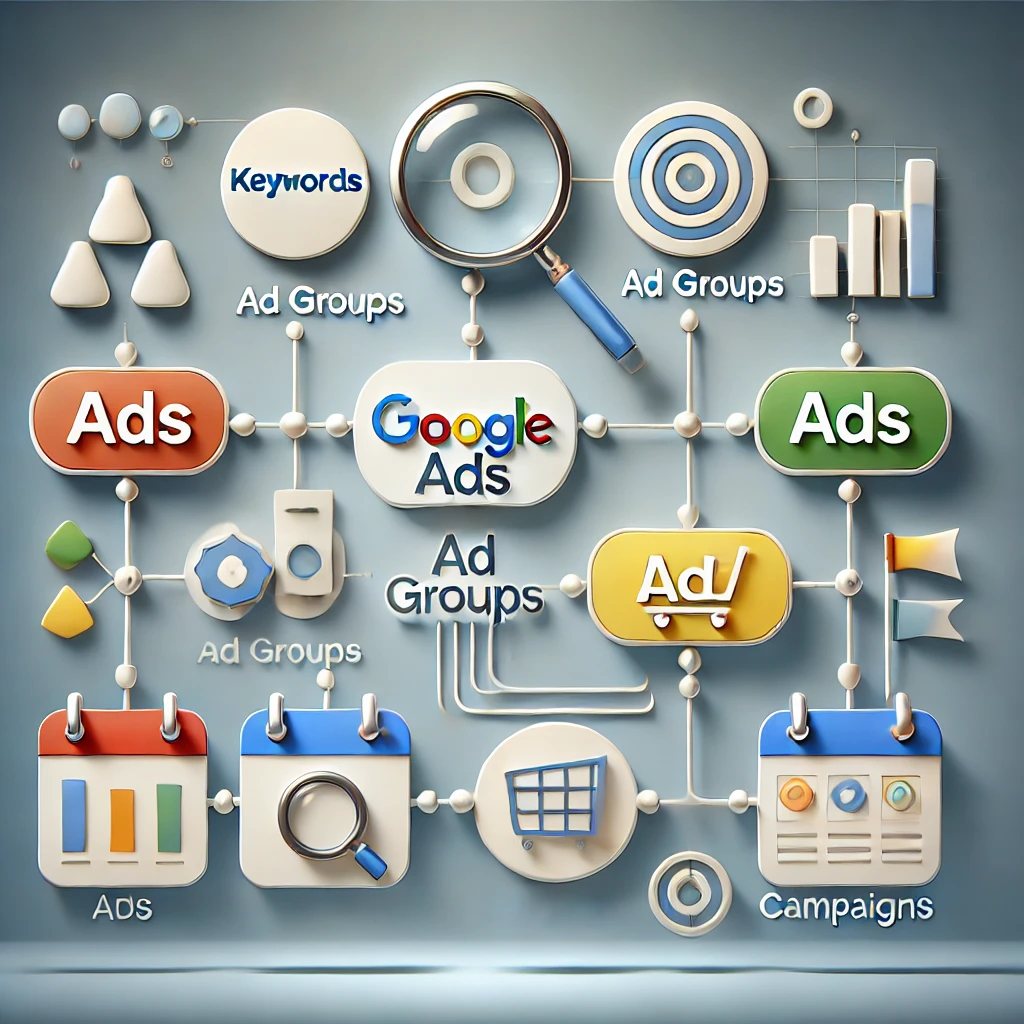
Google Ads campaigns are complex systems designed to deliver highly targeted, measurable advertising. Understanding and mastering their components—campaigns, keywords, ad groups, and ads—allows marketers to achieve exceptional results. In this guide, we dive deep into each component, explaining their purpose, configuration, and contributions to the overall success of your campaigns.
Campaigns: The Strategic Foundation
1. Campaign Overview and Purpose Campaigns represent the highest level of the Google Ads structure. A campaign organizes settings, budget allocation, and overarching targeting goals.
2. Types of Campaigns Google Ads supports various campaign types, each suited to different business objectives:
Search Campaigns: Display text ads triggered by keywords.
Display Campaigns: Show visual ads on Google’s partner sites.
Shopping Campaigns: Showcase product-specific ads for e-commerce.
Video Campaigns: Promote videos on YouTube and other partner platforms.
Performance Max Campaigns: Use AI to serve ads across all Google channels.
3. Campaign Settings
Budgeting: Allocate a daily budget to control spending. For example, an e-commerce business might assign a higher budget to campaigns focused on high-margin products.
Bidding Strategies: Choose between options like:
Maximize Conversions: AI-driven bidding for optimal results.
Target CPA (Cost per Acquisition): Focus on specific cost-per-conversion goals.
Targeting Parameters: Control where and when ads appear by setting:
Geographical Targeting: Ads can target cities, countries, or radii around specific locations.
Audience Segmentation: Define who sees the ads based on demographics, interests, or behaviors.
4. Impact on Campaign Success Campaign-level decisions determine your ad visibility and return on investment (ROI). Misaligned objectives or improper configurations can lead to wasted budgets.
Keywords: The Foundation of Relevance
1. The Role of Keywords Keywords trigger ads when a user performs a search query. They connect user intent to your product or service offerings.
2. Keyword Match Types
Broad Match: Captures related variations of a search term. Example: “running shoes” may trigger searches for “best shoes for jogging.”
Phrase Match: Triggers searches containing the exact keyword phrase.
Exact Match: Matches only the precise keyword.
Negative Keywords: Block irrelevant traffic by excluding certain words. Example: Adding “free” as a negative keyword if your products aren’t free.
3. Keyword Research Techniques
Google Keyword Planner: Identify high-volume, low-competition keywords.
Third-Party Tools: SEMrush, Ahrefs, and Moz provide additional insights.
Competitor Analysis: Analyze competitors’ keyword strategies to uncover opportunities.
4. The Relationship Between Keywords and Campaign Performance Keywords with high intent drive better traffic and conversions. Misaligned keywords can lead to low-quality scores, high costs, and low CTR.
Ad Groups: Organizing Campaign Structure
1. What Are Ad Groups? Ad groups sit within campaigns and organize keywords and ads into tightly themed clusters. Each ad group focuses on a specific theme, product, or service.
2. How Ad Groups Enhance Campaign Efficiency
Thematic Organization: Ad groups ensure that related ads and keywords are grouped together. For example, an online clothing store might have separate ad groups for “Men’s T-Shirts,” “Women’s Dresses,” and “Kids’ Apparel.”
Improved Ad Relevance: Grouping keywords with corresponding ads increases relevance, boosting Quality Scores and lowering CPC.
3. Structuring Effective Ad Groups
Tightly Themed Keywords: Avoid grouping unrelated keywords to maintain relevance.
A/B Testing: Include multiple ad variations within an ad group to determine which performs best.
4. Common Pitfalls in Ad Group Organization
Overloading Ad Groups: Including too many keywords can dilute the ad relevance.
Poorly Defined Themes: Ambiguous grouping can confuse ad delivery and lower performance.
Ads: The Visible Face of Campaigns
1. Types of Google Ads
Search Ads: Appear as text ads on Google Search results.
Display Ads: Visual ads that show on websites within the Google Display Network.
Video Ads: Run on YouTube and other video platforms.
Shopping Ads: Showcase product details, prices, and images directly in search results.
2. Anatomy of a Google Search Ad
Headline (Part 1 & 2): The first point of attention. Make it compelling and relevant. Example: “Shop Affordable Running Shoes.”
Description: Provide additional information and a strong call-to-action (CTA), such as “Order now for free shipping!”
Display URL: Showcases the destination website in a user-friendly format.
3. Crafting Effective Ad Copy
Keyword Integration: Use relevant keywords to align with user intent.
Focus on Benefits: Highlight unique selling points (USPs), such as discounts or features.
Call-to-Action (CTA): Guide the user toward the desired action, e.g., “Sign Up Today.”
4. Using Extensions to Enhance Ads Ad extensions improve visibility and click-through rates by providing extra information. Types include:
Sitelink Extensions: Highlight additional pages on your website.
Call Extensions: Add phone numbers for immediate contact.
Price Extensions: Show pricing information for products.
Synergy Between Components
1. Interdependence of Campaign Components While campaigns define the strategy, keywords, ad groups, and ads execute it. Effective synergy among components ensures cohesive messaging, higher quality scores, and better ROI.
2. Example of a Well-Coordinated Campaign
Campaign Goal: Drive sales for a new running shoe.
Ad Group: “Men’s Running Shoes” with keywords like “best running shoes for men.”
Ads: Highlight features, such as durability and comfort, with a CTA like “Order Today for Free Shipping.”
3. Regular Monitoring and Optimization Continuous analysis and refinement ensure optimal performance. Key metrics include:
CTR (Click-Through Rate): Reflects ad engagement.
Conversion Rate: Measures how many users take the desired action.
Quality Score: Google’s evaluation of ad relevance and keyword alignment.
Best Practices for Optimizing Campaigns
1. Conduct Data-Driven Adjustments
Monitor Search Queries: Identify irrelevant terms triggering ads and add them as negative keywords.
Adjust Bid Strategies: Reallocate resources to high-performing campaigns.
2. Leverage Automation Tools Google Ads offers AI-driven tools like Smart Bidding, which optimize for conversions based on historical data.
3. Implement Remarketing Campaigns Re-engage users who previously interacted with your website by serving tailored ads that encourage conversion.
Final Thoughts
A successful Google Ads campaign is a combination of strategic planning, precise targeting, and ongoing optimization. By mastering the core components—campaigns, keywords, ad groups, and ads—you can drive impactful advertising that resonates with your target audience. Use this guide as a foundation to build campaigns that deliver measurable success and sustained growth.
In today’s hyper-connected digital landscape, where attention spans are dwindling and competition is fierce, businesses must leverage every tool available to capture and retain customer interest. Among these tools, User Interface (UI) and User Experience (UX) design stand out as critical elements that directly influence the effectiveness of digital marketing strategies. This comprehensive examination delves into the technical aspects of UI and UX, illustrating their significance in digital marketing through data, methodologies, and case studies.
Understanding UI and UX
What is User Interface (UI)?
User Interface (UI) encompasses all the visual elements that users interact with on a digital platform. This includes layout, colors, fonts, buttons, icons, and images. The primary goal of UI design is to create an aesthetically pleasing interface that facilitates usability and enhances user interaction.
Key Components of UI
Visual Design: The use of color schemes, typography, and imagery to create an attractive interface.
Interactivity: Elements such as buttons, sliders, and form fields that users interact with.
Information Architecture: The organization and structure of content on a website or application to facilitate easy navigation.
Responsiveness: Ensuring that UI elements function well across a variety of devices and screen sizes.
What is User Experience (UX)?
User Experience (UX) refers to the overall experience a user has while interacting with a product or service, encompassing all aspects of the end-user’s interaction with the company, its services, and its products. UX design focuses on creating a meaningful and relevant experience for users through usability, accessibility, and pleasure.
Key Components of UX
Usability: How easy and intuitive it is for users to accomplish their tasks on a digital platform.
User Research: Gathering insights about user needs and behaviors through methods like surveys, interviews, and usability testing.
User Journey Mapping: Visualizing the steps a user takes to achieve their goals, identifying pain points and opportunities for improvement.
Accessibility: Ensuring that digital products are usable by people with various disabilities and challenges.
The Interplay Between UI and UX
While UI and UX are distinct components, they are intricately linked. A beautifully designed UI can enhance UX, while a poorly designed UI can ruin an otherwise great user experience. Consider the following interactions:
A button that is visually appealing but poorly placed may confuse users, detracting from their overall experience.
Conversely, a well-structured layout that emphasizes usability can enhance the aesthetic value of the interface.
The Importance of Research in UI/UX
Both UI and UX rely heavily on research to inform design decisions. Understanding user behavior, preferences, and pain points can lead to more effective design strategies.
User Testing: Conducting usability tests to observe how real users interact with a product helps identify areas of improvement.
A/B Testing: Comparing two versions of a webpage to see which performs better can inform design choices.
Analytics: Utilizing tools like Google Analytics can provide insights into user behavior, including bounce rates, session duration, and conversion paths.
The Impact of UI/UX on Digital Marketing
1. Enhanced Conversion Rates
Conversion rate optimization (CRO) is a critical aspect of digital marketing, and UI/UX plays a fundamental role. Conversion rates measure the percentage of users who complete a desired action, such as filling out a form, signing up for a newsletter, or making a purchase. According to Unbounce, even a small increase in conversion rates can lead to substantial revenue growth.
Key Strategies for Improving Conversion Rates
Clear Call-to-Actions (CTAs): UI should include prominent and compelling CTAs that guide users towards desired actions. For example, using contrasting colors for buttons can make them stand out.
Simplified Forms: UX design should prioritize form fields that are easy to complete. Reducing the number of required fields can significantly decrease form abandonment rates. HubSpot found that reducing the number of form fields from 5 to 3 increased conversions by 50%.
Trust Signals: Incorporating elements like customer testimonials, reviews, and security badges within the UI can enhance credibility and encourage users to convert.
2. Reduced Bounce Rates
Bounce rate is a crucial metric that indicates the percentage of visitors who leave a site after viewing only one page. A high bounce rate can signal poor user experience, which can significantly impact a website’s SEO ranking.
Techniques to Lower Bounce Rates
Fast Loading Times: According to Google, 53% of mobile users abandon sites that take longer than three seconds to load. Optimizing images, leveraging browser caching, and minimizing HTTP requests can improve load times significantly.
Engaging Content: UI/UX should facilitate easy access to engaging content. Using videos, infographics, and interactive elements can keep users on the page longer.
Responsive Design: With an increasing number of users accessing websites via mobile devices, responsive design is essential. A seamless experience across all devices can significantly lower bounce rates.
3. Increased Customer Satisfaction and Retention
Customer satisfaction is directly correlated with user experience. Satisfied users are more likely to return and become loyal customers, which is invaluable in the competitive digital marketing landscape.
Strategies for Enhancing Customer Satisfaction
Personalization: Tailoring the user experience based on individual preferences can enhance satisfaction. For instance, displaying personalized product recommendations based on previous purchases can create a more engaging shopping experience.
Feedback Mechanisms: Incorporating UI elements such as surveys or feedback forms allows users to voice their opinions, leading to continuous improvement in UX.
Post-Purchase Experience: Ensuring that the user experience extends beyond the initial purchase can lead to higher satisfaction. This includes clear communication regarding order status, easy returns, and follow-up surveys.
4. Higher Engagement Rates
Engagement metrics, such as time spent on site, pages per session, and interaction rates, are directly influenced by UI/UX. Higher engagement often translates into better conversion rates and customer retention.
Techniques to Boost Engagement
Interactive Elements: Incorporating gamification elements, quizzes, and interactive content can increase user engagement. Research from HubSpot shows that interactive content generates 2x more conversions than static content.
Visual Hierarchy: A well-structured layout that utilizes visual hierarchy (size, color, placement) can draw users’ attention to key information, enhancing engagement.
Microinteractions: Small animations or feedback mechanisms that respond to user actions (like hover effects or notifications) can create a more dynamic and engaging experience.
5. Improved Brand Perception
UI/UX plays a crucial role in shaping the perception of a brand. A well-designed digital presence enhances credibility and trustworthiness, impacting how users view the brand.
Strategies to Enhance Brand Perception
Consistent Branding: Ensuring that UI elements are consistent with the brand’s identity (colors, typography, imagery) helps build a strong brand presence. Consistency fosters familiarity, which is key to trust.
Professionalism: A polished, professional interface can enhance user perception. According to a Stanford study, 75% of users admit to judging a company’s credibility based on its website design.
Social Proof: Incorporating elements such as customer reviews, case studies, and testimonials in the UI can enhance brand credibility and influence purchasing decisions.
The Technical Aspects of UI/UX Design
UI Design Best Practices
Typography: Choose fonts that are easy to read and align with the brand’s voice. Maintain a hierarchy by varying font sizes and weights for headings, subheadings, and body text.
Color Theory: Understanding color psychology can guide UI decisions. For instance, blue often conveys trust, while red can create urgency. Consistent color schemes enhance brand recognition.
Grid Systems: Utilizing a grid system can create a balanced and organized layout. This aids in aligning UI elements and creating visual harmony.
Whitespace: Adequate spacing around elements prevents clutter and improves readability. Effective use of whitespace guides user focus and enhances UX.
Icons and Imagery: Use icons to simplify navigation and communicate actions. High-quality imagery can enhance aesthetic appeal but should be optimized for fast loading times.
UX Design Best Practices
User-Centered Design: Prioritize user needs by conducting thorough research and user testing. Understanding target demographics and their behaviors is essential for effective UX design.
Iterative Design Process: Utilize an iterative approach, where designs are continuously refined based on user feedback. This approach fosters adaptability and responsiveness to user needs.
Accessibility Compliance: Follow guidelines set by the Web Content Accessibility Guidelines (WCAG) to ensure that digital products are usable by individuals with disabilities. Consider color contrast, text alternatives, and keyboard navigability.
Data-Driven Decisions: Use analytics and user feedback to inform design choices. Tools like Google Analytics and Hotjar provide valuable insights into user behavior.
Emotional Design: Incorporate elements that evoke positive emotions, such as friendly illustrations or encouraging language. Emotional connections can enhance user satisfaction and loyalty.
Case Studies: Successful Implementation of UI/UX in Digital Marketing
1. Airbnb
Airbnb is a prime example of effective UI/UX design in action. The platform’s UI is clean and visually appealing, with a focus on high-quality images of listings. UX is enhanced through intuitive navigation, comprehensive search filters, and a user-friendly booking process.
Impact: Airbnb’s design has contributed to its significant growth, with over 7 million listings worldwide. The seamless experience fosters user trust and satisfaction, encouraging repeat bookings.
2. Amazon
Amazon’s UI/UX is finely tuned to optimize the shopping experience. Features such as personalized recommendations, one-click purchasing, and easy return processes enhance user satisfaction and increase conversion rates.
Impact: Amazon’s emphasis on UX has made it the go-to e-commerce platform, with a staggering $469.8 billion in revenue in 2021. The focus on customer-centric design leads to higher retention and lifetime value.
3. Slack
Slack’s UI design combines simplicity with functionality. The platform’s UX focuses on seamless collaboration, with features like channel organization and direct messaging designed for ease of use.
Impact: Slack’s user-friendly design has propelled its adoption, boasting over 16 million daily active users. The positive user experience drives engagement and fosters team collaboration.
Future Trends in UI/UX and Digital Marketing
1. Voice User Interface (VUI)
With the rise of voice-activated devices, optimizing UI/UX for voice interactions will be essential. Marketers must adapt to accommodate voice search and ensure a seamless experience for users interacting via voice commands.
2. Augmented Reality (AR) and Virtual Reality (VR)
As AR and VR technologies continue to advance, brands will leverage immersive experiences to engage users. This shift will require innovative UI/UX design to create intuitive interactions within virtual environments.
3. Personalization through AI
Artificial Intelligence (AI) will play an increasingly prominent role in personalizing user experiences. By analyzing user data, AI can deliver tailored content and product recommendations, enhancing satisfaction and engagement.
4. Sustainability and Ethical Design
With growing awareness around sustainability, designers will need to consider the environmental impact of their choices. Ethical design practices, such as reducing digital waste and ensuring equitable access, will become more prominent.
Conclusion
The role of UI and UX in digital marketing is paramount. As businesses compete for attention in a crowded digital landscape, investing in high-quality UI/UX design becomes a necessity rather than a luxury. By enhancing conversion rates, reducing bounce rates, increasing customer satisfaction, boosting engagement, and improving brand perception, effective UI/UX design serves as a powerful catalyst for success.
In an era where user expectations are higher than ever, brands must prioritize user-centric design principles. The interplay between technology, creativity, and human behavior will shape the future of digital marketing, making UI and UX a cornerstone of effective strategies.
As businesses continue to navigate the complexities of the digital marketplace, embracing the principles of UI and UX design will be essential for driving engagement, loyalty, and ultimately, revenue.