BERT UPDATE GOOGLE (Himanjol Pradip Borah-25141)
Category Archives: Blog
Meme Marketing
Blog Assessment 25165 Md
Consumer behaviour toward online shopping platform
Consumer behavior towards online shopping platforms
It is observe that the consumer behaviour towards online shopping platforms depends on a number of factors these vectors are as follows
Convenience,price perception, trust and security, website quality, social influence.
Now we are going to deep dive into some of the factors and try to find out of how these factors affect the consumers perception.
With reference to the first factor that is convenience it is observed that the people who received their products throuhh online shopping on time find online shopping method very convenient.
Some people also find the ability to compare the product online very useful the ability to buy the product 24/7 using the useful the information available about the product online also makes it easy for them to buy the product online
Compare one product with the another and choose the best one for them also makes online shopping very preference
Now coming to the second factor that is the price perception it is observed that online serving platform of a better discount because of the bulk Sourcing the prices are very competitive and there are flash sales and promotional offer which also improve the point of view of customers for online shopping platform.
This is also observed that while using online shopping platform customer feel safe sharing there Digital information for the payment of the product as the as the online shopping platform uses digital security features and their return and refund policies are very clear this create convenience and confusion free operation for the customer .
The quality of the website also influences the choice of customers while using online shopping platform the shopping platforms which provides safe and easy navigation are very popular and the ones which provide good product images and description are very much popular among the customer.
While online shopping customer also uses reviews and rating these reviews and ratings influence their purchase decision
Recommendation from friends or family influence the choice of customer while doing online shopping social media discussion and influencers also affect the perception of customer while doing online shopping. There are some other factors which are also involved which includes the customer mind and perception about doing online shopping
One of the factor is logistics and supply chain management, the online shopping platform which provides very good Logistic and supply chain services which are very efficient towards delivery and deliver to customer with minimum amount of money charged and minimum time are preferred these features are also very appreciated by the customer.
Also some online shopping platform provide options to the customer which are very personalised and customised according to customer needs are preferred nowadays a lot. Some of the most commonly used online shopping blood warms are at follows flipkart, myntra, amazon, zomato, swiggy instamart etc.
Google’s June 2025 Update: What Actually Changed (Expert Analysis)


This latest google update took 16 days and 18 hours to fully complete, finishing on July 17, 2025—slightly faster than Google initially suggested. During this time, we observed notable ranking fluctuations, especially for YMYL (Your Money or Your Life) content, which typically experiences greater impacts from google algorithm updates. Furthermore, what makes this google core update particularly interesting is that we’ve seen some accounts of partial recoveries from previous updates, including the September 2023 helpful content update. In this article, we’ll analyze what actually changed with the google algorithm update and how you can respond effectively.
What Google Announced About the June 2025 Core Update

Image Source: TS2 Space
The June 2025 core update marked a significant moment for search rankings across the web. While some updates pass with minimal disruption, this one garnered attention from SEO professionals worldwide due to its scope and implementation approach.
Rollout timeline and duration
On June 30, 2025, at precisely 7:34 AM PDT, Google began rolling out its second core algorithm update of the year [1]. Unlike some previous updates with indefinite timelines, Google clearly communicated that “the rollout may take up to 3 weeks to complete” [2]. Nonetheless, the actual implementation finished slightly ahead of schedule, concluding on July 17, 2025, at 1:00 AM PDT – a total duration of 16 days and 18 hours [2].
Throughout this period, many tracking tools recorded sharp spikes in algorithmic volatility. Platforms like Semrush, MozCast, and Sistrix showed significant temperature increases, suggesting this was among the more impactful updates in recent memory [1]. What’s interesting, however, is that despite technical measurements indicating substantial change, the disruption felt less dramatic to many site owners than expected.
Official statements from Google
Google maintained its characteristically concise messaging about the update. On the Search Status Dashboard, they simply announced: “Released the June 2025 core update. The rollout may take up to 3 weeks to complete” [2].
Additionally, Google expanded slightly on LinkedIn, describing it as “a regular update designed to better surface relevant, satisfying content for searchers from all types of sites” [2]. This language aligns with previous core update announcements, maintaining their consistent position that these updates aim to improve result quality rather than penalize specific sites.
John Mueller from Google described this as one of the “bigger updates” [2], though interestingly, the response to related tweets was relatively muted – not the typical reaction seen with more disruptive changes [3]. According to some analysts, while data showed significant movement, the update may have implemented more subtle, rather than game-changing, modifications [3].
How this update fits into the yearly update cycle
The June 2025 core update arrived approximately three months after the March 2025 core update, making it the second major algorithm change of the year [2]. This timeframe represents a slightly accelerated pace compared to the historical norm, where major core updates typically occurred every 4-6 months [1].
Moreover, this cadence contradicts expectations set in 2024 when Google hinted at potentially increasing update frequency. Despite these suggestions, 2025 has maintained the same pace as 2024 thus far [2]. In between these formal updates, Google’s systems undergo numerous smaller tweaks that rarely receive official announcements.
The timing may connect to statements made by Google’s Danny Sullivan at Search Central Live New York, where he indicated Google would be adjusting algorithms to surface a greater variety of high-quality content [3]. Consequently, this update appears to be implementing some of those promised changes, focusing on content diversity while maintaining quality standards.
Early Volatility and Hidden System Changes
Many SEOs were caught off guard by the June 2025 core update—not because it happened, but because significant ranking changes had already been occurring well before Google’s official announcement.
Pre-update ranking fluctuations
Sharp-eyed webmasters noticed unusual ranking fluctuations as early as June 28, two days before Google officially confirmed the update [4]. Indeed, the pattern of volatility for this latest google update unfolded in three distinct waves:
- Minor fluctuations between June 4-9, primarily affecting mobile and local searches
- A sharp spike between June 16-18, which many believed was a precursor test
- The most pronounced spike around June 28, aligning with what would eventually be confirmed as the start of the official update [4]
Site owners reported pages that had ranked first for months suddenly dropping to the bottom of page two, while newly published content inexplicably outperformed established evergreen pages [4]. Several third-party SEO tools flagged these volatility spikes, with SEMRush’s tracker eventually hitting 9.3 out of 10 during the rollout throughout July, prompting them to call it a “Googlequake” [5].
Unannounced reviews system update
Interestingly, one pattern emerged from the pre-update volatility—sites previously impacted by reviews updates were seeing significant movement [2]. Based on comprehensive analysis across multiple websites, all signs point to Google quietly implementing a substantial reviews system update behind the scenes.
This aligns perfectly with Google’s previous statements following the April and November 2023 reviews updates, where they explicitly mentioned the reviews system would be “updated on a regular and ongoing basis” without announcing additional reviews updates [2]. Google’s Danny Sullivan had also confirmed that the system continues to be updated frequently [2].
How to distinguish core updates from other changes
For website owners trying to make sense of ranking changes, separating core updates from other algorithm adjustments is essential. First, remember that Google pushes updates constantly—including smaller core updates that can significantly impact specific sites [2].
Google has emphasized that core updates officially begin only when they’re announced [2]. Therefore, any pre-update movement starting in early June was not part of the broad core update that began rolling out on June 30th.
To determine what type of update affected your site:
- Track industry patterns: If sites similar to yours across your niche experienced changes, it’s likely a broader update
- Monitor specific content types: Reviews-focused sites seeing movement might indicate a reviews system update
- Check official channels: The Search Status Dashboard confirms core update timelines [6]
- Analyze impact timing: Changes before announced dates suggest other system updates are at play
When evaluating impacts, remember to wait at least a full week after a core update completes before analyzing your site in Search Console [6]. Compare that week with a week before the update started to accurately pinpoint changes [6].
The June 2025 situation reinforces an important reality about google algorithm updates: they’re constantly happening, often without announcement, making continuous monitoring and adaptation essential for SEO success.
Who Was Impacted: Winners, Losers, and Recovery Cases

Image Source: Search Engine Land
The June 2025 core update has created a fascinating reshuffling across the search landscape. The most surprising outcome has been the recovery patterns among websites previously hit by earlier algorithm changes.
Sites that recovered from the September 2023 HCU(X)
Unexpectedly, a significant number of sites devastated by the September 2023 Helpful Content Update (HCU) finally started showing signs of life. Beginning around July 6-9, these recoveries emerged as a distinct second wave of the update’s impact [7]. Specifically, some websites that had virtually disappeared from search results suddenly reappeared, with tracking data showing clear upward trajectories after nearly two years of algorithmic exile [2].
Interestingly, these recovery signals didn’t appear immediately when the update rolled out but instead manifested several days later—primarily on July 8-9 [2]. This timing suggests Google adjusted specific systems that evaluate content helpfulness during the core update rather than making all changes simultaneously.
Industries most affected (YMYL, e-commerce, etc.)
Your Money Your Life (YMYL) websites experienced extraordinary volatility throughout this update. Health, finance, and legal sectors saw particularly dramatic ranking shifts [2], confirming Google’s heightened scrutiny of content that could potentially impact users’ wellbeing or financial decisions.
In the retail space, Amazon stands out as possibly the biggest loser from this update [8]. Several other major e-commerce players likewise suffered substantial visibility declines, including:
- eBay, Target, and Nordstrom
- Lowe’s, Wayfair, and Best Buy [8]
Certain niches followed unique patterns—notably, some health and finance sites like BetterUp and Patient.info rode a roller coaster throughout 2025, gaining significantly during the March update only to crash with this June release [8].
Examples of full and partial recoveries
Among sites recovering from the September 2023 HCU impact, the rebounds varied substantially in scale. Some webmasters reported traffic increases of approximately 40%, bringing them to roughly 55% of their pre-HCU traffic levels [7]. Others saw more dramatic improvements, with select sites nearly tripling their visitor numbers [7].
First-hand reports from site owners showcase these varying recovery levels:
“My main site heavily hit by HCU is making a strong recovery… We did make changes to it after HCU and then reverted it back to how it was pre-HCU as it shouldn’t have been penalized in the first place.” [7]
Another site owner noted: “Too soon to tell yet, but I think that, from Google, I had a partial recovery here. Maybe some 30 to 40%.” [7]
Nevertheless, Glenn Gabe, a respected SEO analyst, emphasized that not all HCU-affected sites benefited—some actually dropped even further [2]. Furthermore, a concerning number of site owners had simply abandoned their efforts after prolonged traffic losses, missing this potential recovery opportunity [2].
The June 2025 update represents the first meaningful recovery chance for many sites since the HCU classifier was integrated into Google’s core ranking system in March 2024 [2]. While few sites have returned completely to their pre-September 2023 positions, these partial recoveries offer renewed hope after nearly two years of algorithmic challenges.
AI Overviews, Discover, and Other Google Surfaces
Beyond traditional search rankings, the June 2025 google core update significantly altered how content appears across Google’s expanding ecosystem of search surfaces.
Impact on AI Overviews visibility
The latest google update dramatically shifted AI Overviews prevalence. Prior to the update, approximately 10% of queries triggered AI Overviews [9]. Yet, by the final day of the update’s rollout, this figure surged to about 20% of keywords [9]. Interestingly, this percentage has subsequently settled around 15% [9].
More revealing, sites negatively impacted by the core update simultaneously experienced drops in AI Overviews visibility [2]. This confirms what many SEO experts had suspected: Google’s quality assessment extends across all its properties, with core algorithm changes affecting visibility throughout its ecosystem.
The shift builds upon a trend already underway—AI Overviews had grown from 6.49% of queries in January 2025 to 13.14% by March 2025 [10]. Alongside this expansion, the update also brought a concerning development for branded searches, with navigational AI Overviews doubling [10].
Discover traffic drops and gains
Concurrently, Google Discover experienced substantial volatility. Multiple publishers reported severe drops in Discover clicks and impressions coinciding with the core update rollout [11][2]. One prominent support thread titled “Sudden and Massive Drop in Google Discover and Google News Traffic Post June 2025 Core Update” [11] highlighted widespread concern among publishers.
As with AI Overviews, sites reassessed as lower quality during the core update often experienced simultaneous Discover traffic declines [2]. This pattern reinforces that Google’s quality evaluation spans its entire content ecosystem rather than being siloed within traditional search.
Changes in image and news search
Image search likewise underwent substantial shifts. Several sites observed notable increases in image search visibility [2]. Essentially, as rankings fluctuated in main search results, image visibility sometimes moved in opposite directions, creating new traffic opportunities for some publishers.
News search similarly exhibited volatility, with the News tab in search results showing significant movement for certain publishers [2]. This pattern of fluctuation across multiple Google surfaces underscores the comprehensive nature of the June 2025 update.
For publishers, these changes emphasize that an effective SEO strategy must now encompass all Google surfaces, as quality assessments flow between them, creating both risks and opportunities beyond traditional search results.
How to Respond: Recovery Tips and Quality Signals

Image Source: Search Engine Land
Recovering from the June 2025 core update demands a strategic approach focused on user satisfaction above all else. Let’s explore what actually works based on emerging patterns.
Google’s advice on helpful content
Following this latest google update, Google hasn’t issued any new recovery guidelines. Instead, they’ve reinforced their longstanding advice: “There aren’t specific actions to take to recover” and “write helpful content for people and not to rank in search engines”. Google maintains that “as long as they’ve been making satisfying content meant for people,” creators shouldn’t need to make special adjustments. For those experiencing ranking drops, Google recommends reviewing their helpful content guidelines that emphasize satisfying user needs over algorithm targeting.
Understanding Navboost and user signals
Navboost, a key component of Google’s algorithm, analyzes user interactions over a 13-month period to evaluate search result quality. This system tracks:
- “Good clicks” indicating user satisfaction
- “Bad clicks” suggesting dissatisfaction (like quick returns to search results)
- “Last longest click” measuring final engagement depth
These behavioral metrics directly influence rankings, as they reflect user satisfaction—a cornerstone of trustworthiness within Google’s E-E-A-T framework.
Why quality is more than just content
Overall quality now encompasses:
- Content depth: Pages demonstrating first-hand experience outperform keyword-targeted content
- Technical factors: Site speed, mobile responsiveness, and navigation structure impact dwell time
- Engagement patterns: How users interact with your site sends powerful ranking signals
Henceforth, focus on creating content with “intent, clarity, and originality” rather than optimizing purely for algorithms.
Conclusion
The June 2025 core update clearly represents one of Google’s more significant algorithm adjustments in recent years. Despite the substantial volatility measured by tracking tools, many site owners experienced less disruption than anticipated. Nevertheless, the partial recoveries witnessed among sites previously hit by the September 2023 Helpful Content Update offer renewed hope for webmasters who’ve spent nearly two years in algorithmic exile.
Above all, this update reinforces that Google’s quality assessment now flows seamlessly across its entire ecosystem. Sites demonstrating true user value saw improvements across traditional search, AI Overviews, Discover, and other surfaces simultaneously. Consequently, SEO strategies must now extend beyond conventional search rankings to encompass Google’s complete digital landscape.
User signals have undoubtedly emerged as the cornerstone of Google’s evaluation system. Therefore, websites that prioritize genuine user satisfaction through content depth, technical excellence, and meaningful engagement will ultimately outperform those merely optimizing for algorithms. If you’ve found these insights valuable, share on your social media to help fellow webmasters navigate these significant algorithm changes.
Finally, while Google maintains there aren’t “specific actions” needed to recover from updates, the evidence suggests otherwise. Websites consistently delivering content with “intent, clarity, and originality” demonstrate greater resilience during algorithm shifts. This update serves as a powerful reminder that search visibility requires an unwavering commitment to quality across all aspects of your digital presence.
Key Takeaways
Google’s June 2025 core update brought significant changes across search surfaces, offering recovery opportunities while emphasizing user-focused quality signals.
• Recovery window opened: Sites hit by September 2023 HCU saw partial recoveries (30-40% traffic gains), marking the first meaningful recovery chance in nearly two years.
• Multi-surface impact: Quality assessments now flow across all Google properties—drops in search rankings correlated with reduced AI Overviews and Discover visibility.
• User signals drive rankings: Navboost analyzes 13 months of user interactions, making “good clicks” and engagement depth more critical than keyword optimization.
• YMYL sites faced volatility: Health, finance, and e-commerce sectors experienced dramatic ranking shifts, with major retailers like Amazon suffering significant visibility losses.
• Quality transcends content: Success requires combining content depth, technical excellence, and genuine user satisfaction rather than algorithm-focused optimization strategies.
The update reinforces that sustainable SEO success depends on creating genuinely helpful content that satisfies user intent across Google’s entire ecosystem, not just traditional search results.
FAQs
Q1. What were the main changes in Google’s June 2025 core update? The June 2025 update focused on improving content relevance and retrieval efficiency. It caused significant ranking fluctuations, especially for YMYL (Your Money Your Life) sites, and led to partial recoveries for some websites previously impacted by the September 2023 Helpful Content Update.
Q2. How long did the June 2025 core update take to roll out? The update began on June 30, 2025, and completed on July 17, 2025, taking a total of 16 days and 18 hours to fully roll out. This was slightly faster than Google’s initial estimate of up to 3 weeks.
Q3. How did the June 2025 update affect different Google surfaces? The update impacted multiple Google surfaces beyond traditional search. AI Overviews visibility increased, while many publishers experienced drops in Google Discover traffic. Image and news search results also saw significant changes, emphasizing the update’s comprehensive nature across Google’s ecosystem.
Q4. What industries were most affected by the June 2025 core update? YMYL (Your Money Your Life) sectors such as health, finance, and legal websites experienced high volatility. The e-commerce industry was also significantly impacted, with major retailers like Amazon and eBay seeing substantial visibility declines.
Q5. How can websites recover from negative impacts of the June 2025 update? To recover, focus on creating high-quality, user-focused content that demonstrates expertise and originality. Pay attention to user engagement signals, improve technical aspects like site speed and mobile responsiveness, and ensure your content satisfies user intent across all of Google’s search surfaces.
References
[1] – https://www.new-waves.net/google-june-2025-core-update-comprehensive-overview-and-best-practices/?srsltid=AfmBOooJjFaceESs8_3cs6s6aWX16kavTtD4AwFVWSjpBQ3bq2H0nxc0[2] – https://www.gsqi.com/marketing-blog/june-2025-google-core-update/
[3] – https://www.searchenginejournal.com/googles-june-2025-update-analysis-what-just-happened/551501/
[4] – https://getdigitalresults.com/search-engine-optimizations/googles-june-2025-core-update-is-live-key-impacts-across-search-results/
[5] – https://www.ctidigital.com/blog/google-core-updates
[6] – https://developers.google.com/search/docs/appearance/core-updates
[7] – https://www.seroundtable.com/google-june-2025-core-update-recoveries-39735.html
[8] – https://www.amsive.com/insights/seo/june-2025-core-update-winners-losers-trends/
[9] – https://searchengineland.com/data-providers-google-june-2025-core-update-was-a-big-update-459226
[10] – https://www.semrush.com/blog/semrush-ai-overviews-study/
[11] – https://support.google.com/webmasters/thread/358738013/sudden-and-massive-drop-in-google-discover-and-google-news-traffic-post-june-2025-core-update?hl=en
Google’s June 2025 Update: What Actually Changed (Expert Analysis)
This latest google update took 16 days and 18 hours to fully complete, finishing on July 17, 2025—slightly faster than Google initially suggested. During this time, we observed notable ranking fluctuations, especially for YMYL (Your Money or Your Life) content, which typically experiences greater impacts from google algorithm updates. Furthermore, what makes this google core update particularly interesting is that we’ve seen some accounts of partial recoveries from previous updates, including the September 2023 helpful content update. In this article, we’ll analyze what actually changed with the google algorithm update and how you can respond effectively.
What Google Announced About the June 2025 Core Update
Image Source: TS2 Space
The June 2025 core update marked a significant moment for search rankings across the web. While some updates pass with minimal disruption, this one garnered attention from SEO professionals worldwide due to its scope and implementation approach.
Rollout timeline and duration
On June 30, 2025, at precisely 7:34 AM PDT, Google began rolling out its second core algorithm update of the year [1]. Unlike some previous updates with indefinite timelines, Google clearly communicated that “the rollout may take up to 3 weeks to complete” [2]. Nonetheless, the actual implementation finished slightly ahead of schedule, concluding on July 17, 2025, at 1:00 AM PDT – a total duration of 16 days and 18 hours [2].
Throughout this period, many tracking tools recorded sharp spikes in algorithmic volatility. Platforms like Semrush, MozCast, and Sistrix showed significant temperature increases, suggesting this was among the more impactful updates in recent memory [1]. What’s interesting, however, is that despite technical measurements indicating substantial change, the disruption felt less dramatic to many site owners than expected.
Official statements from Google
Google maintained its characteristically concise messaging about the update. On the Search Status Dashboard, they simply announced: “Released the June 2025 core update. The rollout may take up to 3 weeks to complete” [2].
Additionally, Google expanded slightly on LinkedIn, describing it as “a regular update designed to better surface relevant, satisfying content for searchers from all types of sites” [2]. This language aligns with previous core update announcements, maintaining their consistent position that these updates aim to improve result quality rather than penalize specific sites.
John Mueller from Google described this as one of the “bigger updates” [2], though interestingly, the response to related tweets was relatively muted – not the typical reaction seen with more disruptive changes [3]. According to some analysts, while data showed significant movement, the update may have implemented more subtle, rather than game-changing, modifications [3].
How this update fits into the yearly update cycle
The June 2025 core update arrived approximately three months after the March 2025 core update, making it the second major algorithm change of the year [2]. This timeframe represents a slightly accelerated pace compared to the historical norm, where major core updates typically occurred every 4-6 months [1].
Moreover, this cadence contradicts expectations set in 2024 when Google hinted at potentially increasing update frequency. Despite these suggestions, 2025 has maintained the same pace as 2024 thus far [2]. In between these formal updates, Google’s systems undergo numerous smaller tweaks that rarely receive official announcements.
The timing may connect to statements made by Google’s Danny Sullivan at Search Central Live New York, where he indicated Google would be adjusting algorithms to surface a greater variety of high-quality content [3]. Consequently, this update appears to be implementing some of those promised changes, focusing on content diversity while maintaining quality standards.
Early Volatility and Hidden System Changes
Many SEOs were caught off guard by the June 2025 core update—not because it happened, but because significant ranking changes had already been occurring well before Google’s official announcement.
Pre-update ranking fluctuations
Sharp-eyed webmasters noticed unusual ranking fluctuations as early as June 28, two days before Google officially confirmed the update [4]. Indeed, the pattern of volatility for this latest google update unfolded in three distinct waves:
- Minor fluctuations between June 4-9, primarily affecting mobile and local searches
- A sharp spike between June 16-18, which many believed was a precursor test
- The most pronounced spike around June 28, aligning with what would eventually be confirmed as the start of the official update [4]
Site owners reported pages that had ranked first for months suddenly dropping to the bottom of page two, while newly published content inexplicably outperformed established evergreen pages [4]. Several third-party SEO tools flagged these volatility spikes, with SEMRush’s tracker eventually hitting 9.3 out of 10 during the rollout throughout July, prompting them to call it a “Googlequake” [5].
Unannounced reviews system update
Interestingly, one pattern emerged from the pre-update volatility—sites previously impacted by reviews updates were seeing significant movement [2]. Based on comprehensive analysis across multiple websites, all signs point to Google quietly implementing a substantial reviews system update behind the scenes.
This aligns perfectly with Google’s previous statements following the April and November 2023 reviews updates, where they explicitly mentioned the reviews system would be “updated on a regular and ongoing basis” without announcing additional reviews updates [2]. Google’s Danny Sullivan had also confirmed that the system continues to be updated frequently [2].
How to distinguish core updates from other changes
For website owners trying to make sense of ranking changes, separating core updates from other algorithm adjustments is essential. First, remember that Google pushes updates constantly—including smaller core updates that can significantly impact specific sites [2].
Google has emphasized that core updates officially begin only when they’re announced [2]. Therefore, any pre-update movement starting in early June was not part of the broad core update that began rolling out on June 30th.
To determine what type of update affected your site:
- Track industry patterns: If sites similar to yours across your niche experienced changes, it’s likely a broader update
- Monitor specific content types: Reviews-focused sites seeing movement might indicate a reviews system update
- Check official channels: The Search Status Dashboard confirms core update timelines [6]
- Analyze impact timing: Changes before announced dates suggest other system updates are at play
When evaluating impacts, remember to wait at least a full week after a core update completes before analyzing your site in Search Console [6]. Compare that week with a week before the update started to accurately pinpoint changes [6].
The June 2025 situation reinforces an important reality about google algorithm updates: they’re constantly happening, often without announcement, making continuous monitoring and adaptation essential for SEO success.
Who Was Impacted: Winners, Losers, and Recovery Cases
Image Source: Search Engine Land
The June 2025 core update has created a fascinating reshuffling across the search landscape. The most surprising outcome has been the recovery patterns among websites previously hit by earlier algorithm changes.
Sites that recovered from the September 2023 HCU(X)
Unexpectedly, a significant number of sites devastated by the September 2023 Helpful Content Update (HCU) finally started showing signs of life. Beginning around July 6-9, these recoveries emerged as a distinct second wave of the update’s impact [7]. Specifically, some websites that had virtually disappeared from search results suddenly reappeared, with tracking data showing clear upward trajectories after nearly two years of algorithmic exile [2].
Interestingly, these recovery signals didn’t appear immediately when the update rolled out but instead manifested several days later—primarily on July 8-9 [2]. This timing suggests Google adjusted specific systems that evaluate content helpfulness during the core update rather than making all changes simultaneously.
Industries most affected (YMYL, e-commerce, etc.)
Your Money Your Life (YMYL) websites experienced extraordinary volatility throughout this update. Health, finance, and legal sectors saw particularly dramatic ranking shifts [2], confirming Google’s heightened scrutiny of content that could potentially impact users’ wellbeing or financial decisions.
In the retail space, Amazon stands out as possibly the biggest loser from this update [8]. Several other major e-commerce players likewise suffered substantial visibility declines, including:
- eBay, Target, and Nordstrom
- Lowe’s, Wayfair, and Best Buy [8]
Certain niches followed unique patterns—notably, some health and finance sites like BetterUp and Patient.info rode a roller coaster throughout 2025, gaining significantly during the March update only to crash with this June release [8].
Examples of full and partial recoveries
Among sites recovering from the September 2023 HCU impact, the rebounds varied substantially in scale. Some webmasters reported traffic increases of approximately 40%, bringing them to roughly 55% of their pre-HCU traffic levels [7]. Others saw more dramatic improvements, with select sites nearly tripling their visitor numbers [7].
First-hand reports from site owners showcase these varying recovery levels:
“My main site heavily hit by HCU is making a strong recovery… We did make changes to it after HCU and then reverted it back to how it was pre-HCU as it shouldn’t have been penalized in the first place.” [7]
Another site owner noted: “Too soon to tell yet, but I think that, from Google, I had a partial recovery here. Maybe some 30 to 40%.” [7]
Nevertheless, Glenn Gabe, a respected SEO analyst, emphasized that not all HCU-affected sites benefited—some actually dropped even further [2]. Furthermore, a concerning number of site owners had simply abandoned their efforts after prolonged traffic losses, missing this potential recovery opportunity [2].
The June 2025 update represents the first meaningful recovery chance for many sites since the HCU classifier was integrated into Google’s core ranking system in March 2024 [2]. While few sites have returned completely to their pre-September 2023 positions, these partial recoveries offer renewed hope after nearly two years of algorithmic challenges.
AI Overviews, Discover, and Other Google Surfaces
Beyond traditional search rankings, the June 2025 google core update significantly altered how content appears across Google’s expanding ecosystem of search surfaces.
Impact on AI Overviews visibility
The latest google update dramatically shifted AI Overviews prevalence. Prior to the update, approximately 10% of queries triggered AI Overviews [9]. Yet, by the final day of the update’s rollout, this figure surged to about 20% of keywords [9]. Interestingly, this percentage has subsequently settled around 15% [9].
More revealing, sites negatively impacted by the core update simultaneously experienced drops in AI Overviews visibility [2]. This confirms what many SEO experts had suspected: Google’s quality assessment extends across all its properties, with core algorithm changes affecting visibility throughout its ecosystem.
The shift builds upon a trend already underway—AI Overviews had grown from 6.49% of queries in January 2025 to 13.14% by March 2025 [10]. Alongside this expansion, the update also brought a concerning development for branded searches, with navigational AI Overviews doubling [10].
Discover traffic drops and gains
Concurrently, Google Discover experienced substantial volatility. Multiple publishers reported severe drops in Discover clicks and impressions coinciding with the core update rollout [11][2]. One prominent support thread titled “Sudden and Massive Drop in Google Discover and Google News Traffic Post June 2025 Core Update” [11] highlighted widespread concern among publishers.
As with AI Overviews, sites reassessed as lower quality during the core update often experienced simultaneous Discover traffic declines [2]. This pattern reinforces that Google’s quality evaluation spans its entire content ecosystem rather than being siloed within traditional search.
Changes in image and news search
Image search likewise underwent substantial shifts. Several sites observed notable increases in image search visibility [2]. Essentially, as rankings fluctuated in main search results, image visibility sometimes moved in opposite directions, creating new traffic opportunities for some publishers.
News search similarly exhibited volatility, with the News tab in search results showing significant movement for certain publishers [2]. This pattern of fluctuation across multiple Google surfaces underscores the comprehensive nature of the June 2025 update.
For publishers, these changes emphasize that an effective SEO strategy must now encompass all Google surfaces, as quality assessments flow between them, creating both risks and opportunities beyond traditional search results.
How to Respond: Recovery Tips and Quality Signals
Image Source: Search Engine Land
Recovering from the June 2025 core update demands a strategic approach focused on user satisfaction above all else. Let’s explore what actually works based on emerging patterns.
Google’s advice on helpful content
Following this latest google update, Google hasn’t issued any new recovery guidelines. Instead, they’ve reinforced their longstanding advice: “There aren’t specific actions to take to recover” and “write helpful content for people and not to rank in search engines”. Google maintains that “as long as they’ve been making satisfying content meant for people,” creators shouldn’t need to make special adjustments. For those experiencing ranking drops, Google recommends reviewing their helpful content guidelines that emphasize satisfying user needs over algorithm targeting.
Understanding Navboost and user signals
Navboost, a key component of Google’s algorithm, analyzes user interactions over a 13-month period to evaluate search result quality. This system tracks:
- “Good clicks” indicating user satisfaction
- “Bad clicks” suggesting dissatisfaction (like quick returns to search results)
- “Last longest click” measuring final engagement depth
These behavioral metrics directly influence rankings, as they reflect user satisfaction—a cornerstone of trustworthiness within Google’s E-E-A-T framework.
Why quality is more than just content
Overall quality now encompasses:
- Content depth: Pages demonstrating first-hand experience outperform keyword-targeted content
- Technical factors: Site speed, mobile responsiveness, and navigation structure impact dwell time
- Engagement patterns: How users interact with your site sends powerful ranking signals
Henceforth, focus on creating content with “intent, clarity, and originality” rather than optimizing purely for algorithms.
Conclusion
The June 2025 core update clearly represents one of Google’s more significant algorithm adjustments in recent years. Despite the substantial volatility measured by tracking tools, many site owners experienced less disruption than anticipated. Nevertheless, the partial recoveries witnessed among sites previously hit by the September 2023 Helpful Content Update offer renewed hope for webmasters who’ve spent nearly two years in algorithmic exile.
Above all, this update reinforces that Google’s quality assessment now flows seamlessly across its entire ecosystem. Sites demonstrating true user value saw improvements across traditional search, AI Overviews, Discover, and other surfaces simultaneously. Consequently, SEO strategies must now extend beyond conventional search rankings to encompass Google’s complete digital landscape.
User signals have undoubtedly emerged as the cornerstone of Google’s evaluation system. Therefore, websites that prioritize genuine user satisfaction through content depth, technical excellence, and meaningful engagement will ultimately outperform those merely optimizing for algorithms. If you’ve found these insights valuable, share on your social media to help fellow webmasters navigate these significant algorithm changes.
Finally, while Google maintains there aren’t “specific actions” needed to recover from updates, the evidence suggests otherwise. Websites consistently delivering content with “intent, clarity, and originality” demonstrate greater resilience during algorithm shifts. This update serves as a powerful reminder that search visibility requires an unwavering commitment to quality across all aspects of your digital presence.
Key Takeaways
Google’s June 2025 core update brought significant changes across search surfaces, offering recovery opportunities while emphasizing user-focused quality signals.
• Recovery window opened: Sites hit by September 2023 HCU saw partial recoveries (30-40% traffic gains), marking the first meaningful recovery chance in nearly two years.
• Multi-surface impact: Quality assessments now flow across all Google properties—drops in search rankings correlated with reduced AI Overviews and Discover visibility.
• User signals drive rankings: Navboost analyzes 13 months of user interactions, making “good clicks” and engagement depth more critical than keyword optimization.
• YMYL sites faced volatility: Health, finance, and e-commerce sectors experienced dramatic ranking shifts, with major retailers like Amazon suffering significant visibility losses.
• Quality transcends content: Success requires combining content depth, technical excellence, and genuine user satisfaction rather than algorithm-focused optimization strategies.
The update reinforces that sustainable SEO success depends on creating genuinely helpful content that satisfies user intent across Google’s entire ecosystem, not just traditional search results.
FAQs
Q1. What were the main changes in Google’s June 2025 core update? The June 2025 update focused on improving content relevance and retrieval efficiency. It caused significant ranking fluctuations, especially for YMYL (Your Money Your Life) sites, and led to partial recoveries for some websites previously impacted by the September 2023 Helpful Content Update.
Q2. How long did the June 2025 core update take to roll out? The update began on June 30, 2025, and completed on July 17, 2025, taking a total of 16 days and 18 hours to fully roll out. This was slightly faster than Google’s initial estimate of up to 3 weeks.
Q3. How did the June 2025 update affect different Google surfaces? The update impacted multiple Google surfaces beyond traditional search. AI Overviews visibility increased, while many publishers experienced drops in Google Discover traffic. Image and news search results also saw significant changes, emphasizing the update’s comprehensive nature across Google’s ecosystem.
Q4. What industries were most affected by the June 2025 core update? YMYL (Your Money Your Life) sectors such as health, finance, and legal websites experienced high volatility. The e-commerce industry was also significantly impacted, with major retailers like Amazon and eBay seeing substantial visibility declines.
Q5. How can websites recover from negative impacts of the June 2025 update? To recover, focus on creating high-quality, user-focused content that demonstrates expertise and originality. Pay attention to user engagement signals, improve technical aspects like site speed and mobile responsiveness, and ensure your content satisfies user intent across all of Google’s search surfaces.
References
[1] – https://www.new-waves.net/google-june-2025-core-update-comprehensive-overview-and-best-practices/?srsltid=AfmBOooJjFaceESs8_3cs6s6aWX16kavTtD4AwFVWSjpBQ3bq2H0nxc0[2] – https://www.gsqi.com/marketing-blog/june-2025-google-core-update/
[3] – https://www.searchenginejournal.com/googles-june-2025-update-analysis-what-just-happened/551501/
[4] – https://getdigitalresults.com/search-engine-optimizations/googles-june-2025-core-update-is-live-key-impacts-across-search-results/
[5] – https://www.ctidigital.com/blog/google-core-updates
[6] – https://developers.google.com/search/docs/appearance/core-updates
[7] – https://www.seroundtable.com/google-june-2025-core-update-recoveries-39735.html
[8] – https://www.amsive.com/insights/seo/june-2025-core-update-winners-losers-trends/
[9] – https://searchengineland.com/data-providers-google-june-2025-core-update-was-a-big-update-459226
[10] – https://www.semrush.com/blog/semrush-ai-overviews-study/
[11] – https://support.google.com/webmasters/thread/358738013/sudden-and-massive-drop-in-google-discover-and-google-news-traffic-post-june-2025-core-update?hl=en

Complete Guide for Creating a Google Text Ad Campaign
Google Ads can be a powerful tool for driving traffic, generating conversions, and promoting your business. Whether you’re new to Google Ads or looking to improve your existing campaigns, this guide will walk you through the steps to create an effective text ad campaign, as well as help you understand how to choose the right bidding strategy based on your campaign goals.
1. Setting Up Your Google Ads Text Ad Campaign
Before diving into the specifics of bidding strategies, it’s important to first understand how to set up a Google Ads campaign. Here’s a step-by-step process to get started:
Step 1: Create a Google Ads Account
- Sign up: If you don’t already have a Google Ads account, create one at ads.google.com. Make sure you enter your business information, billing details, and timezone.
- Goal Selection: Google Ads will ask you to choose your campaign goal (e.g., Website Traffic, Sales, Leads, Brand Awareness, etc.). Choose the goal that aligns with your business objectives.
Step 2: Choose Your Campaign Type
- Search Campaign: Since you are creating a text ad campaign, select Search Campaign. This will allow you to show ads on Google Search Network (the search engine results pages).
- Network Selection: Choose whether you want your ads to appear on search partners (other search engines, websites, and apps). For text ads, the Google Search Network is usually sufficient.
Step 3: Define Your Target Audience
- Geographic Location: Choose the geographic locations where you want your ads to show. For instance, if you only want to target users in the United States, you can set this in your campaign settings.
- Demographics & Interests: Define the age, gender, income, and interests of your ideal audience. You can even exclude specific groups if necessary.
2. Creating Your Text Ads
The next step is crafting the text ads themselves. A well-optimized text ad can make a huge difference in your click-through rate (CTR). Google Ads text ads are composed of several components, each with its own significance.
Headline
- What It Is: This is the clickable title of your ad that appears in bold on the search results page.
- Best Practices:
- Use keywords that align with the user’s search intent.
- Make the headline actionable—use words like “Buy,” “Get,” or “Start” to create a sense of urgency.
- Limit your character count (maximum of 30 characters) and ensure it’s mobile-friendly.
- Example: For an online shoe store, a headline like “Buy Comfortable Running Shoes Online” might be ideal.
Description Line
- What It Is: The description line offers more detail about your offer and is displayed below the headline.
- Best Practices:
- Focus on the unique selling points (USPs) of your product or service.
- Include a call-to-action (CTA) like “Shop Now” or “Learn More.”
- Make sure the description aligns with the user’s search intent.
- You have 90 characters to work with in this field.
- Example: For a cleaning service, you might write, “Affordable and Reliable Cleaning Services. Book Online Today!”
Path Field (Display URL)
- What It Is: This is part of the URL that appears in the ad. While the domain is static, you can customize the display path to make it relevant to the user’s search.
- Best Practices:
- Keep the path short and relevant to your offer.
- You can use up to two path fields (maximum of 15 characters each).
- Example: If you’re advertising a website for selling books, use a display URL like “www.example.com/BestBooks” or “www.example.com/DiscountBooks.”
Final URL
- What It Is: This is the actual URL that users are directed to when they click your ad. This should be highly relevant to the ad copy and provide a seamless user experience.
- Best Practices:
- Ensure your landing page has a clear call to action and is optimized for conversions.
- Make sure it’s mobile-friendly, fast-loading, and contains relevant content.
3. Choosing the Right Bidding Strategy
Bidding strategy plays a crucial role in how your ads perform. Google Ads offers a variety of bidding options, each with specific advantages based on your campaign goals.
Manual CPC (Cost-per-click)
- When to Use It: Manual CPC gives you complete control over your keyword bids. It’s ideal when:
- You want to test and refine your bids on specific keywords.
- You have a limited budget and want to make sure you’re controlling each click.
- Your goal is traffic generation rather than conversions, or you’re managing a specific set of high-value keywords.
- Example: If you’re a local service provider with a handful of high-converting keywords, you may use Manual CPC to keep control over how much you spend on each click.
Enhanced CPC (ECPC)
- When to Use It: ECPC allows Google to adjust your manual bids based on the likelihood of a conversion. Use ECPC when:
- You want more control than automated bidding but still leverage some automation for conversions.
- You have conversion tracking set up and want Google to help optimize your bids for better performance.
- Your campaign is focused on conversions, but you still prefer to manage your bid manually.
- Example: If you’re a real estate agent with a small budget but high conversion intent on certain keywords (e.g., “buy house in Melbourne”), ECPC can help you optimize your bids for those high-intent searches.
Maximize Clicks
- When to Use It: This strategy is best when your goal is to increase traffic. Google automatically adjusts bids to get as many clicks as possible within your budget. Use Maximize Clicks when:
- You’re not concerned with conversions but want to drive volume to your website.
- You want to increase brand awareness or test different keywords for performance.
- Example: If you’re running an event promotion campaign, Maximize Clicks can help drive more visitors to your event landing page, without worrying about the specific cost per click.
Target CPA (Cost-per-acquisition)
- When to Use It: Use Target CPA when your goal is to acquire conversions at a specific cost. Google automatically adjusts your bids to help you get as many conversions as possible within your target CPA. Use it when:
- You have a well-defined cost-per-conversion goal and want to optimize for sales or leads.
- Your campaign is focused on conversion tracking (Google needs enough data—typically 15 conversions in the past 30 days).
- Example: An online store may use Target CPA to ensure they are spending a fixed amount for each sale or lead and maintain profitability.
Target ROAS (Return on Ad Spend)
- When to Use It: Target ROAS is useful if your focus is maximizing return on investment (ROI) rather than just generating conversions. This strategy aims to drive the highest revenue for each dollar spent. Use it when:
- You are selling high-value products and want to ensure your ad spend aligns with your expected return.
- You’ve collected enough historical data and can set a reasonable ROAS target (e.g., 500% ROAS).
- Example: A luxury retailer selling high-end watches might use Target ROAS to ensure each ad dollar spent generates substantial revenue, rather than simply focusing on conversions.
Maximize Conversions
- When to Use It: This strategy automatically adjusts bids to help you get the maximum number of conversions for your budget. Use Maximize Conversions when:
- Your goal is to acquire as many conversions as possible within your set budget.
- You’re running campaigns with a limited budget and need the most efficient use of that budget.
- Example: A charity running a donation campaign may use Maximize Conversions to get as many donations as possible within a set budget.
Target Impression Share
- When to Use It: If visibility is your primary goal, use Target Impression Share. This strategy automatically adjusts bids to show your ad as often as possible in specific positions (top of the page, first page). Use this strategy when:
- Brand awareness is the focus and you need to dominate the search results.
- You want to maintain a high impression share across all auctions for relevant searches.
- Example: A new tech startup might use Target Impression Share to increase brand visibility and awareness in search results, ensuring their ad appears at the top of the page.
CPM (Cost-per-thousand impressions)
- When to Use It: CPM is primarily used for Display Campaigns where the goal is awareness and visibility, rather than clicks or conversions. Use it when:
- You want to show your ad to as many people as possible.
- Your campaign is designed to reach a broad audience rather than driving clicks or conversions.
- Example: A large company running a product awareness campaign for a new TV model might opt for CPM to maximize exposure.
4. Monitoring and Optimizing Your Campaign
Once your campaign is live, the real work begins. Regular monitoring and optimization will help ensure that you’re maximizing your budget and achieving your desired results.
Key Metrics to Monitor:
- Click-Through Rate (CTR): The percentage of people who click your ad after seeing it.
- Conversion Rate: The percentage of clicks that result in a desired action (purchase, sign-up, etc.).
- Cost-per-Conversion: How much you pay on average for each conversion.
- Quality Score: A measure of the relevance of your ad and landing page to the user’s search.
Optimization Tips:
- Test different ad copy variations to see which performs best.
- Continuously refine your keywords to ensure you’re targeting the most relevant terms.
- Adjust your bids and budgets based on performance to ensure maximum ROI.
5. Conclusion
Creating a Google Ads text ad campaign involves careful planning, strategic bidding, and constant monitoring. By selecting the right bidding strategy and continually refining your ads, you can achieve better results and drive more traffic or conversions at a lower cost.
By understanding the ins and outs of Google Ads text ads and aligning your bidding strategy with your goals, you’ll be able to drive high-quality traffic and achieve your desired outcomes efficiently.

A Deep Dive into Major Google Algorithm Updates
Google processes billions of search queries every day. But how does it decide which website to show first? That’s where its search algorithm comes in. Over the years, Google has rolled out many updates to this algorithm to improve how it ranks websites. If you’re new to SEO (Search Engine Optimization), this guide will help you understand the most important updates—and why they matter.
1. Florida (2003)
The Florida update was one of the first major efforts by Google to clean up spammy search results. Before this, many websites were using tactics like keyword stuffing (repeating the same keyword many times) or hidden text (making keywords invisible to users but visible to Google) just to rank higher. The update hit those sites hard, removing many from top positions overnight. It marked the start of Google focusing more on user-friendly and relevant results.
2. Big Daddy (2005–2006)
This wasn’t a content update—it was a change to Google’s internal infrastructure. It improved how Google handled technical SEO elements like:
- How websites redirect from one URL to another.
- Identifying duplicate content.
- Understanding the main version of a page (called canonicalization). This update laid the groundwork for smarter, more efficient crawling and indexing.
3. Jagger (2005)
Jagger came in three stages and focused on backlink quality. At the time, many websites tried to cheat the system by:
- Buying links.
- Participating in link exchanges (you link to me, I link to you).
- Using link farms (networks of low-quality sites linking to each other). Google started penalizing these tactics, encouraging webmasters to earn links naturally through valuable content.
4. Vince (2009)
This update gave an unexpected advantage to big, well-known brands. Google started favoring websites that users seemed to trust, like big retailers or recognized names. While smaller sites complained, Google defended the move by saying it helped show users more reliable results.
5. Caffeine (2010)
Caffeine wasn’t about rankings—it was about speed and scale. It gave Google a new way to crawl and index the web faster. This meant:
- New pages were added to Google’s index more quickly.
- Search results became fresher, especially for breaking news and recent blog posts. This laid the foundation for real-time search.
6. Panda (2011)
Panda was a major update targeting low-quality content. Websites were penalized if they had:
- Very short articles (thin content).
- Lots of ads.
- Duplicated or copied content.
- Useless pages with no real information. Websites that provided unique, useful, and in-depth content were rewarded. This pushed content creators to focus on quality over quantity.
7. Freshness Algorithm (2011)
Google realized that for some searches—like news, sports scores, or trending events—newer content is more helpful. This update made sure fresher content showed up higher for those types of queries. It was great for publishers and blogs that updated their content frequently.
8. Page Layout Algorithm (2012)
This update focused on user experience. If a webpage had too many ads at the top (above the part you see without scrolling), it got penalized. Google wanted to ensure users could see valuable content right away—not be bombarded by ads.
9. Venice Update (2012)
Venice made Google’s results more local. For example, if you searched for “plumber,” instead of getting nationwide results, you’d start seeing plumbers near your location. This helped small and local businesses appear in searches even without users typing a city name.
10. Penguin (2012)
Penguin cracked down on spammy backlink practices. Google started ignoring or penalizing links that were:
- Bought.
- Part of link schemes.
- Using exact-match anchor text (e.g., too many links saying “buy cheap shoes”). Sites had to clean up their backlink profiles and earn links from trustworthy sources.
11. EMD (Exact Match Domain) Update (2012)
Some sites used exact-match domain names (like bestdealsonphones.com) to rank easily—even with poor content. This update made sure that just having a keyword-rich domain wasn’t enough. You needed to back it up with quality.
12. Payday Loan Update (2013)
This update focused on very spammy industries—like payday loans, casinos, and adult content. These industries had a lot of black-hat SEO, and Google applied stricter filters to prevent them from dominating search results.
13. Hummingbird (2013)
Hummingbird helped Google understand search intent rather than just individual keywords. For example, if someone searched “How to fix a leaking tap,” Google started looking for content that actually solves that problem—not just pages that repeated the words “fix” and “tap.” It laid the groundwork for voice search and conversational queries.
14. Pigeon (2014)
Pigeon improved the accuracy of local search results. It tied Google’s local results more closely to traditional ranking factors (like backlinks and content quality). This meant:
- Local SEO became more competitive.
- Businesses with better websites and strong reviews got better rankings in local results.
15. Mobilegeddon (2015)
As mobile searches began to outnumber desktop searches, Google made mobile-friendliness a ranking factor. If your site didn’t work well on phones, it could drop in mobile search rankings. This update pushed site owners to:
- Use responsive design.
- Improve loading times on mobile.
- Make navigation mobile-friendly.
16. Quality Updates (2015–ongoing)
These updates (sometimes called Phantom updates) didn’t target specific tactics. Instead, they adjusted how Google judged overall content quality. They looked at factors like:
- Usefulness of the information.
- Trustworthiness of the site.
- How users interacted with content (like bounce rate or time on page). It encouraged publishers to create genuinely helpful resources.
17. RankBrain (2015)
RankBrain brought machine learning into Google’s algorithm. It helped Google understand vague or unique searches by analyzing:
- Past user behavior.
- Similar phrases or concepts. This meant Google could deliver better results even if it had never seen the exact search phrase before.
18. Fred (2017)
Fred targeted sites that prioritized making money over helping users. This included:
- Sites full of ads.
- Content created only to rank in search and earn clicks (clickbait).
- Affiliate-heavy pages with little useful info. Websites that focused on user value, clear navigation, and in-depth content were rewarded instead.
19. Helpful Content Updates (2022–2024)
These updates introduced a new ranking signal aimed at identifying content that’s actually helpful to users, not just designed to rank. Google now evaluates whether a site’s content is:
- Written for people or search engines.
- Genuinely helpful, informative, and relevant.
- Demonstrating real expertise or experience. If Google determines your content was created mostly for clicks or SEO manipulation, your whole site might get downgraded in the rankings.
20. Product Reviews Updates (2021–2023)
Google began refining how it ranked product reviews. It now favors reviews that:
- Include original research or insights.
- Demonstrate hands-on use.
- Compare products fairly and comprehensively. Generic or affiliate-heavy reviews without substance started losing visibility. Review pages now need depth and real user value to compete.
21. Spam Updates (2023–2024)
Google improved its SpamBrain AI system to detect a wider range of web spam, including in different languages and formats. These updates target:
- Cloaking and sneaky redirects.
- Automatically generated (AI) spam.
- Manipulative link tactics. Websites using deceptive methods are now identified and penalized much faster.
22. Core Updates (2023–2025)
Google regularly releases core updates that adjust how it assesses content overall. These updates:
- Don’t target specific issues.
- Can impact rankings widely.
- Reward sites with high-quality, helpful content. After a core update, sites may see sudden gains or drops, often based on content depth, authority, and page experience.
23. Site Reputation Abuse Update (May 2024)
Some big-name sites started allowing low-quality or spammy third-party content to be published under their trusted domain names. Google rolled out this update to penalize that practice. It ensures that even high-authority sites can’t get away with publishing junk just for traffic or affiliate commissions.
24. AI Overviews and Search Generative Experience (2023–2024)
Google began testing AI Overviews, which generate summaries and answers directly in search results using generative AI. This:
- Affects how users interact with search results.
- May reduce clicks to traditional organic results.
- Increases the importance of featured snippets, structured data, and content clarity. For content creators, it means optimizing for user satisfaction and clarity is more important than ever.
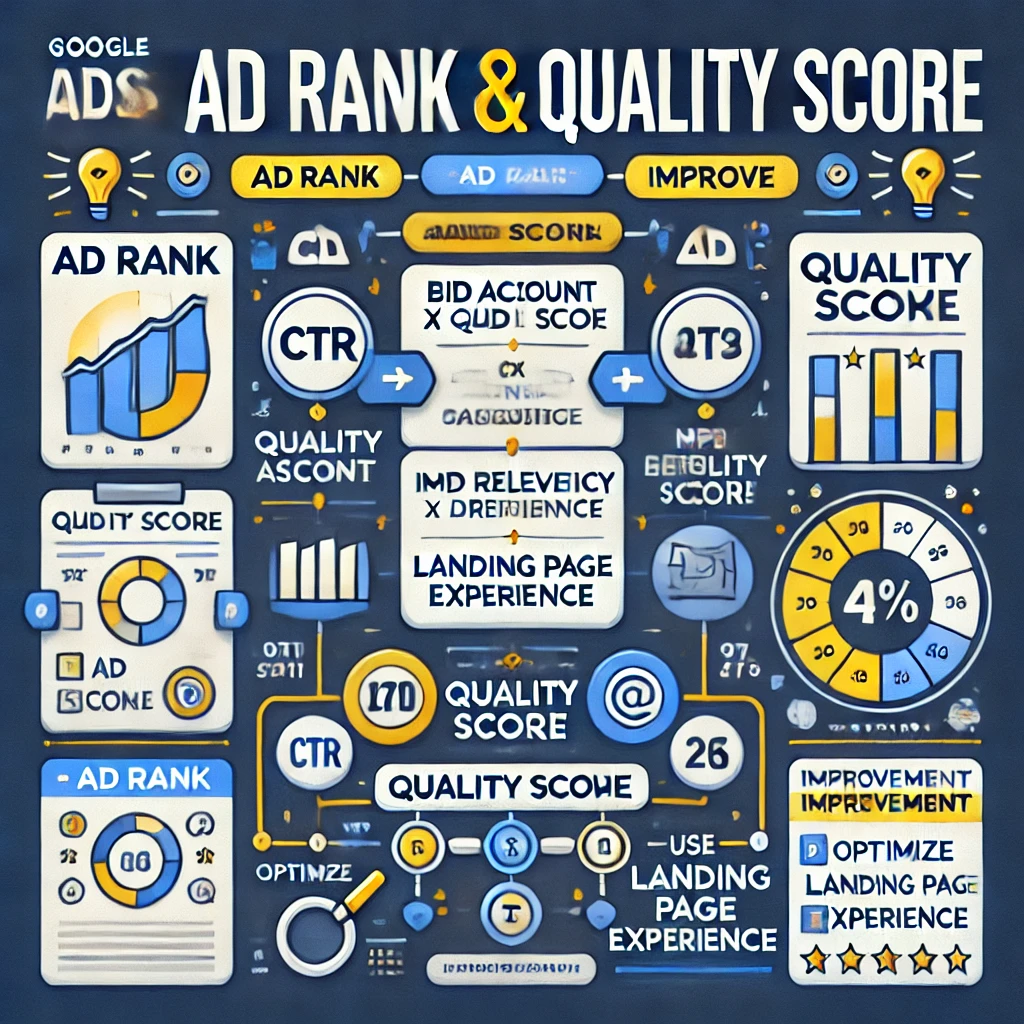
Google Ads Ad Rank & Quality Score Explained
Introduction
Have you ever wondered why some ads appear at the top of Google search results, while others remain at the bottom—or worse, don’t show up at all? The answer lies in Ad Rank and Quality Score. These two factors determine:
✅ Whether your ad gets displayed
✅ Where your ad appears in search results
✅ How much you pay per click (CPC)
For businesses, understanding Google Ads Ad Rank and Quality Score is essential for:
-
- Reducing ad costs
- Improving ad positions
- Increasing conversion rates
Many advertisers struggle to grasp these concepts because they seem technical and complicated. That’s why, in this detailed guide, we’ll use one single example throughout so that you can easily relate every point to a real-world scenario.
By the end of this article, you will be able to:
✅ Understand how Ad Rank and Quality Score work
✅ Calculate your Ad Rank, Actual CPC, and Quality Score
✅ Use bidding strategies that maximize your ROI
✅ Optimize your ads for better rankings and lower costs
Whether you’re a beginner or an experienced advertiser, this step-by-step guide will help you master Google Ads bidding.
Example Setup: The Running Shoes Business
Let’s assume three advertisers (A, B, and C) are competing for the keyword “buy running shoes”.
Each advertiser has:
-
- A maximum bid (the most they are willing to pay per click).
- A Quality Score (based on expected CTR, ad relevance, and landing page experience).
| Advertiser | Max Bid ($) | Quality Score |
|---|---|---|
| A | 5 | 8 |
| B | 7 | 5 |
| C | 6 | 4 |
We will use this example to explain every major concept in Google Ads bidding.
1. What is Ad Rank?
Definition
Ad Rank is a score that determines the position of your ad in Google Search results.
A higher Ad Rank means:
✔ Your ad appears higher in the search results
✔ Your ad gets more clicks
✔ Your ad costs less per click (CPC)
How is Ad Rank Calculated?
AdRank=MaxBid×QualityScore
Now, let’s calculate Ad Rank for each advertiser:
| Advertiser | Max Bid ($) | Quality Score | Ad Rank | Ad Position |
|---|---|---|---|---|
| A | 5 | 8 | 40 | 1st |
| B | 7 | 5 | 35 | 2nd |
| C | 6 | 4 | 24 | 3rd |
👉 Advertiser A wins the top position even though they bid less than Advertiser B because their Quality Score is higher!
Why Ad Rank Matters
✔ Higher Ad Rank = Better ad placement = More clicks
✔ Higher Quality Score = Lower costs per click (CPC)
✔ A good Ad Rank = A competitive advantage over others
2. What is Quality Score?
Quality Score is a Google Ads rating system (1-10) that measures ad relevance and usefulness.
How is Quality Score Calculated?
QualityScore=(Expected CTR+Ad Relevance+Landing Page Experience)/3
Each factor is rated on a scale of 1-10 (1 = Poor, 10 = Excellent).
Let’s calculate Quality Score for each advertiser
| Advertiser | Expected CTR (1-10) | Ad Relevance (1-10) | Landing Page (1-10) | Quality Score |
|---|---|---|---|---|
| A | 8 | 9 | 7 | 8 |
| B | 6 | 5 | 4 | 5 |
| C | 5 | 4 | 3 | 4 |
👉 Advertiser A has the highest Quality Score because their ad is more relevant and has a better landing page experience.
Why Quality Score Matters
✔ Higher Quality Score = Higher Ad Rank (Even with a lower bid!)
✔ Higher Quality Score = Lower Cost-Per-Click (CPC)
✔ Better ad engagement = More conversions
3. How is Actual CPC Calculated?
Google Ads does not charge advertisers their maximum bid. Instead, the Actual CPC is calculated using:
Actual CPC Formula
Actual CPC=(Ad Rank of Competitor Below You/ Your Quality Score) +0.01
Let’s calculate Actual CPC for Advertiser A
Actual CPC=(35/8)+0.01=4.39
👉 Even though Advertiser A bid $5, they only pay $4.39 per click!
Why Actual CPC Matters
✔ Better Quality Score = Lower CPC
✔ Higher Ad Rank = Less cost per click
✔ Optimizing ads saves money!
4. Bidding Strategies in Google Ads
a) Manual CPC (Cost-Per-Click)
-
- Advertisers manually set their max CPC bid.
- Best for: Beginners who want full control.
b) Enhanced CPC (ECPC)
-
- Google adjusts bids automatically to get more conversions.
- Best for: Advertisers who want a mix of automation and control.
c) Maximize Clicks
-
- Google automatically sets bids to get the highest number of clicks.
- Best for: Traffic-focused campaigns.
d) Target CPA (Cost-Per-Acquisition)
-
- Google adjusts bids to get conversions at a set cost.
- Best for: Lead generation & sales-focused campaigns.
e) Target ROAS (Return on Ad Spend)
-
- Google adjusts bids to maximize revenue.
- Best for: E-commerce stores & high-value products.
f) Maximize Conversions
-
- Google adjusts bids to get the highest number of conversions.
- Best for: Businesses with a fixed budget aiming for maximum conversions.
5. How to Improve Quality Score & Ad Rank
Optimize Ad Copy – Use targeted keywords and strong calls to action.
Improve Landing Page – Ensure fast load time and mobile-friendliness.
Use Ad Extensions – Add sitelinks, callouts, and structured snippets.
Understanding Google Ads Keywords: How to Choose the Right Keywords for Your Campaigns
Introduction
Google Ads is a powerful platform for businesses to promote their products or services, but at the heart of every successful campaign lies one crucial element: keywords. Keywords are the bridge between your target audience and your ads. They allow your ads to show up when users search for relevant terms on Google. Choosing the right keywords can make the difference between a profitable campaign and one that falls flat.
In this guide, we’ll explore how keywords work in Google Ads, the different types of keywords, how to research and select the most effective keywords, and how to optimize your keyword strategy for the best results.
Topics Covered in This Blog
- What Are Keywords in Google Ads?
- Why Keywords Are So Important for Your Google Ads Campaigns
- Types of Keywords in Google Ads
- How to Conduct Keyword Research for Google Ads
- Choosing the Right Keywords for Your Campaigns
- Using Keyword Match Types Effectively
- Utilizing Negative Keywords to Refine Your Targeting
- Optimizing Your Keyword Strategy Over Time
1. What Are Keywords in Google Ads?
In Google Ads, keywords are words or phrases that advertisers use to target their ads to specific search queries. When a user types a query into Google that matches or is closely related to the keywords you’ve selected, your ad may be shown to that user. These keywords are the foundation of your Google Ads campaigns, determining when and where your ads will appear.
For example, if you run an online clothing store that sells running shoes, your selected keywords could be “buy running shoes online,” “best running shoes,” or “affordable running shoes.” When someone types these phrases into Google, your ad may show up in the search results, providing an opportunity to attract that person to your website.
Why Are Keywords So Important?
Keywords are the primary way that Google Ads connects your business to users who are actively searching for products, services, or information. Without the right keywords, your ads won’t reach the right audience, and your campaign won’t generate the desired results. Selecting the most relevant and high-intent keywords is essential to the success of any Google Ads campaign.
2. Why Keywords Are So Important for Your Google Ads Campaigns
When you launch a Google Ads campaign, the primary goal is to connect with users who are searching for exactly what you offer. Keywords play a central role in achieving this connection. Here’s why they matter:
1. Match User Intent
The most important function of keywords is matching user intent. For instance, if someone searches for “cheap iPhone cases,” they are likely looking to make a purchase. Your ad must be designed around keywords that align with that user’s intent—whether they’re looking to buy, get information, or find a specific service.
2. Control Over Your Targeting
By selecting your keywords, you can control exactly who sees your ads. If you choose very broad keywords like “shoes,” your ad might be shown to people looking for any type of footwear. On the other hand, more specific keywords like “running shoes for men” can help narrow down the audience to those who are more likely to make a purchase.
3. Improve Your Quality Score
Google Ads uses a metric called Quality Score to measure the relevance and quality of your keywords, ads, and landing pages. The higher your Quality Score, the lower your cost-per-click (CPC) and the better your ad’s position in search results. Using relevant keywords that align with your ads and landing pages can help improve your Quality Score and reduce your advertising costs.
4. Increase Conversion Rates
Choosing the right keywords is crucial for converting clicks into valuable actions, whether that’s a sale, lead, or download. Well-targeted keywords ensure that the users who click on your ads are the ones most likely to engage with your business.
3. Types of Keywords in Google Ads
Google Ads offers several different types of keywords that you can use to target your ads. These keywords determine how closely a user’s search query needs to match your selected keywords for your ad to appear. Understanding these types and using them effectively is essential for a successful campaign.
1. Broad Match Keywords
Broad match keywords are the default option in Google Ads. When you use broad match keywords, your ad can appear for any search query that contains the keyword, variations of the keyword, synonyms, and related searches. While broad match keywords can generate a lot of traffic, they may not always be highly targeted.
Example: If your broad match keyword is “running shoes,” your ad could appear for searches like “buy running sneakers,” “best shoes for jogging,” or “footwear for runners.”
Pros:
- Can help you reach a wide audience.
- Captures related search terms you may not have thought of.
Cons:
- May lead to irrelevant clicks and low conversion rates.
- May increase your cost-per-click (CPC).
2. Phrase Match Keywords
With phrase match keywords, your ad will only show when a search query includes the exact phrase or a close variation of that phrase. The keyword must appear in the same order in the user’s search query, although other words can be added before or after the phrase.
Example: If your phrase match keyword is “running shoes for men,” your ad could appear for searches like “best running shoes for men” or “affordable running shoes for men,” but not “men’s shoes for running.”
Pros:
- Provides more targeted traffic compared to broad match.
- Helps ensure that your ad is shown to users with a clearer intent.
Cons:
- Limits the reach compared to broad match.
3. Exact Match Keywords
Exact match keywords ensure that your ad will only appear when a user’s search query exactly matches the keyword or close variations. With exact match, your keyword can appear for searches that are highly relevant to your product or service.
Example: If your exact match keyword is “best running shoes for men,” your ad will only show for that exact search term or close variations, such as “top running shoes for men.”
Pros:
- Highly targeted traffic.
- Higher conversion rates since the keyword matches the user’s intent more precisely.
Cons:
- Limited reach.
4. Negative Keywords
Negative keywords allow you to exclude specific terms from triggering your ads. This is helpful for preventing your ads from showing for irrelevant searches and ensuring you’re not wasting your budget on clicks that won’t lead to conversions.
Example: If you sell high-end running shoes, you might want to add “cheap” as a negative keyword so your ads aren’t shown to users looking for budget-friendly options.
Pros:
- Helps refine targeting and prevents irrelevant clicks.
- Increases your campaign’s efficiency.
Cons:
- Requires ongoing monitoring and adjustment.
4. How to Conduct Keyword Research for Google Ads
Keyword research is a critical step in building a successful Google Ads campaign. Here’s how you can conduct thorough keyword research:
1. Brainstorming Initial Keywords
Start by brainstorming a list of keywords related to your business, products, or services. Think about terms that potential customers might type into Google when looking for what you offer. You can also ask employees, colleagues, or friends for their input.
Example: If you sell skincare products, some initial keywords might include “best skincare products,” “anti-aging creams,” or “moisturizers for dry skin.”
2. Use Google Keyword Planner
Google’s Keyword Planner tool is a free tool that helps you find relevant keywords, estimate search volume, and see how competitive keywords are. You can enter seed keywords into the tool, and it will provide suggestions for related keywords along with data on average monthly searches, competition, and expected CPC.
3. Analyze Competitor Keywords
Take a look at the keywords your competitors are bidding on. You can use tools like SpyFu or Ahrefs to analyze their keywords and identify gaps or opportunities. By understanding what keywords are driving traffic to your competitors, you can find keywords to target in your own campaigns.
4. Review Search Terms Reports
Once your campaigns are running, you can access the Search Terms Report in Google Ads, which shows you the exact queries users are typing when they trigger your ads. Use this data to identify new relevant keywords, as well as irrelevant terms to add to your negative keyword list.
5. Choosing the Right Keywords for Your Campaigns
Now that you understand the different types of keywords and how to research them, it’s time to select the right ones for your campaign. Here are some tips for choosing the best keywords:
1. Consider Search Intent
Consider what the user is looking for when they type a keyword into Google. There are three types of search intent:
- Navigational: The user is trying to find a specific website (e.g., “Facebook login”).
- Informational: The user is seeking information (e.g., “how to start a blog”).
- Transactional: The user is looking to make a purchase or take action (e.g., “buy running shoes online”).
Focus on transactional keywords if your goal is conversions, but also consider informational keywords for content-driven campaigns.
2. Look for Long-Tail Keywords
Long-tail keywords are longer, more specific keyword phrases. While they tend to have lower search volume, they also tend to have less competition and a higher conversion rate because they’re more closely aligned with user intent.
Example: Instead of just targeting “running shoes,” a long-tail keyword could be “best running shoes for women with flat feet.”
3. Use Location-Based Keywords
If your business operates in a specific location, include location-based keywords in your campaign. These keywords can help target users in a particular geographic area and ensure your ads reach the right local audience.
Example: If you’re a running shoe store in New York, you could use keywords like “running shoes New York” or “buy running shoes in NYC.”
6. Using Keyword Match Types Effectively
Now that you have a list of keywords, it’s time to decide how you want them to match with user searches. By using different match types, you can refine your targeting and improve your ad relevance.
- Broad Match: Use broad match for maximum reach and experimentation.
- Phrase Match: Use phrase match to ensure relevance while still casting a wider net than exact match.
- Exact Match: Use exact match for highly targeted campaigns with low volume but high intent.
- Negative Keywords: Use negative keywords to filter out irrelevant traffic.
7. Utilizing Negative Keywords to Refine Your Targeting
Negative keywords are an often-overlooked feature of Google Ads, but they can help ensure your ads aren’t shown to people who are unlikely to convert. By excluding irrelevant search terms, you can prevent wasted spend and improve your campaign’s overall efficiency.
Example: If you sell premium skincare products, you might want to add “cheap” as a negative keyword to avoid showing your ads to people searching for low-cost alternatives.
8. Optimizing Your Keyword Strategy Over Time
Keyword research and selection is not a one-time task. As your campaigns run, continually monitor their performance, analyze data, and refine your keyword strategy. Regularly review the following:
- Search Terms Report: Identify new keywords that are driving valuable traffic.
- Keyword Performance: Pause underperforming keywords and reallocate budget to high-converting ones.
- Negative Keywords: Continuously update your negative keyword list based on performance data.
Conclusion
Choosing the right keywords is one of the most important aspects of a successful Google Ads campaign. By understanding the different types of keywords, conducting thorough research, and refining your keyword strategy over time, you can ensure your ads reach the right audience and generate valuable conversions. Stay informed, test different approaches, and continually optimize your keyword strategy to achieve the best results.
Keyword Research and Targeting in Google Ads: A Comprehensive Guide
Introduction
Keyword research and targeting are the foundation of a successful Google Ads campaign. In the simplest terms, keyword research helps you understand what your audience is searching for, and targeting ensures your ads reach them at the right moment. If done correctly, it allows you to create a more effective and cost-efficient ad strategy. Without proper keyword targeting, even the most compelling ad copy and creative can fail to deliver the desired results.
This guide walks you through everything you need to know about keyword research and targeting in Google Ads. By the end of this blog, you’ll have a solid understanding of how to select and optimize your keywords for maximum performance.
Topics Covered in This Blog
- What is Keyword Research?
- The Importance of Keyword Research in Google Ads
- Understanding Search Volume and Competition
- Types of Keyword Match Types in Google Ads
- Using Negative Keywords for Better Targeting
- Advanced Keyword Research Techniques
- Optimizing Keywords with Bidding Strategies
- Monitoring and Refining Keyword Performance
1. What is Keyword Research?
Keyword research is the process of identifying the terms and phrases that users type into search engines when looking for information, products, or services. In the context of Google Ads, this means finding out which words and phrases will trigger your ads to appear in the search results.
The primary goal of keyword research is to identify terms that your target audience is likely to use, then create targeted ad campaigns around those keywords. For a beginner, it may seem like a daunting task, but with the right tools and resources, it can be streamlined.
Here’s how you can start:
- Identify Seed Keywords: Think of broad terms related to your business or niche. These seed keywords will help generate more specific variations.
- Use Google’s Keyword Planner Tool: Google Ads provides a free tool that helps you find keyword ideas along with their search volume and competition level.
- Analyze Keyword Intent: Identify whether the keyword suggests a user is looking to buy, learn, or browse, so you can align your ads to match their intent.
2. The Importance of Keyword Research in Google Ads
Effective keyword research helps you reach the right audience, at the right time, with the right message. Here’s why keyword research is crucial for a successful Google Ads campaign:
- Targeted Ads: By choosing relevant keywords, you ensure your ads are shown to users who are actively searching for what you offer. This improves the chances of a click turning into a conversion.
- Improved Quality Score: Google uses a metric called Quality Score, which influences how much you pay per click. By choosing the right keywords that align with user intent and your ad copy, you can improve your Quality Score, thus lowering your overall cost per click (CPC).
- Maximized ROI: Choosing the right keywords not only saves you money by minimizing irrelevant clicks, but it also helps drive conversions, improving your overall Return on Investment (ROI). If you are not targeting the right keywords, you risk wasting your ad spend.
Ultimately, your keyword strategy is the foundation of how effective your Google Ads campaigns will be. A well-thought-out strategy ensures that your budget is used efficiently and that your ads reach the most relevant users.
3. Understanding Search Volume and Competition
Search volume refers to how often a keyword is searched in Google each month. Competition refers to how many other advertisers are bidding on that keyword. Both these metrics play a key role in your keyword selection.
- Search Volume:
- High-volume keywords are those that have a lot of searches but may be highly competitive. For instance, a keyword like “buy shoes” will have massive search volume but also high competition.
- Low-volume keywords may be less competitive, but they also tend to have lower traffic. These keywords can often result in more targeted and highly-converting visitors.
- Competition:
- High-competition keywords will typically have a higher cost-per-click (CPC). For example, keywords related to financial services like “buy insurance” are very competitive, meaning more advertisers bid for the same keyword.
- Low-competition keywords will have a lower CPC, but it’s essential to balance this with search intent. If a keyword has low competition but doesn’t match the user’s search intent, it can still be ineffective.
When conducting keyword research, you need to balance search volume and competition. The goal is to target keywords that strike a good balance between search volume and competition level.
4. Types of Keyword Match Types in Google Ads
Google Ads offers several types of keyword match types, each with its own level of precision. Understanding these match types will help you control how and when your ads are shown.
- Broad Match:
- This is the default setting for keywords in Google Ads. It matches your ad with a wide range of search queries that Google deems relevant to your keyword. While this maximizes reach, it can also bring in irrelevant clicks.
- Example: If you target the keyword “shoes,” your ad could show for searches like “buy running shoes” or “leather shoes.”
- Phrase Match:
- This allows your ad to show for searches that include the exact phrase or a close variation of it.
- Example: If you target the phrase “red shoes,” your ad could show for searches like “buy red shoes” or “affordable red shoes.”
- Exact Match:
- This match type is the most restrictive and only shows your ad for exact keyword searches or close variations.
- Example: Targeting the exact match keyword “red shoes” will only trigger your ad when a user searches for “red shoes” or very close variants.
- Modified Broad Match:
- This match type is slightly more flexible than exact match but gives you more control than broad match. It ensures that your keywords appear when certain words are included in the search query.
- Negative Keywords:
- Negative keywords prevent your ads from showing for irrelevant or unwanted search terms. This is a crucial tool for filtering out clicks that won’t lead to conversions.
5. Using Negative Keywords for Better Targeting
Negative keywords are a powerful tool in refining your Google Ads campaigns. They allow you to exclude searches that aren’t relevant to your business, ensuring that your ads aren’t shown for irrelevant queries.
For example:
- If you sell high-end shoes, you can add “cheap” or “discount” as negative keywords to avoid wasting ad spend on price-sensitive users who aren’t likely to convert.
Some strategies for using negative keywords:
- Common Negative Keywords: Words like “free,” “cheap,” and “best price” are commonly used by people who are unlikely to make a purchase.
- Negative Keyword Lists: Google Ads allows you to create lists of negative keywords that can be applied across multiple campaigns, ensuring better targeting and saving time.
Negative keywords help increase your Quality Score and improve the CTR (Click-Through Rate).
6. Advanced Keyword Research Techniques
When you’re ready to move beyond basic keyword research, there are several advanced strategies you can use:
- Competitor Analysis:
- Use tools like SEMrush, SpyFu, or Ahrefs to identify the keywords your competitors are targeting. This can provide valuable insights into the terms driving their traffic and conversions.
- Long-Tail Keywords:
- Long-tail keywords are more specific phrases with lower search volume but often higher conversion rates. For example, instead of targeting “shoes,” a long-tail keyword could be “buy waterproof running shoes for men.”
- Google Trends:
- This tool allows you to track search trends over time and understand seasonal fluctuations in interest for specific keywords. This helps in refining your targeting strategy for certain times of the year.
7. Optimizing Keywords with Bidding Strategies
Once you’ve selected your keywords, you need to optimize your bidding strategy to ensure your ads are shown to the right audience at the right cost.
- Manual Bidding: Allows you to set bids for each keyword manually. This is useful if you have a good understanding of the performance of each keyword.
- Automated Bidding: Google’s automated bidding strategies aim to maximize conversions or clicks based on your target goals.
Choose a bidding strategy that aligns with your objectives and budget.
8. Monitoring and Refining Keyword Performance
Keyword optimization is not a one-time task. Regularly monitoring keyword performance and refining your strategy is crucial for ongoing success.
- Track Metrics: Keep an eye on important metrics like CTR, Conversion Rate, and Quality Score.
- A/B Testing: Test different versions of your ads and landing pages to see which keywords generate the best performance.
For continuous improvement, you’ll need to test, analyze, and adjust your strategy regularly.
Conclusion
Keyword research and targeting are critical elements for a successful Google Ads campaign. By identifying the right keywords, targeting them strategically, and monitoring their performance, you can improve the effectiveness of your ads, maximize your budget, and drive more qualified traffic.
Key Components of a Google Ads Campaign
Google Ads campaigns are complex systems designed to deliver highly targeted, measurable advertising. Understanding and mastering their components—campaigns, keywords, ad groups, and ads—allows marketers to achieve exceptional results. In this guide, we dive deep into each component, explaining their purpose, configuration, and contributions to the overall success of your campaigns.
Campaigns: The Strategic Foundation
1. Campaign Overview and Purpose
Campaigns represent the highest level of the Google Ads structure. A campaign organizes settings, budget allocation, and overarching targeting goals.
2. Types of Campaigns
Google Ads supports various campaign types, each suited to different business objectives:
- Search Campaigns: Display text ads triggered by keywords.
- Display Campaigns: Show visual ads on Google’s partner sites.
- Shopping Campaigns: Showcase product-specific ads for e-commerce.
- Video Campaigns: Promote videos on YouTube and other partner platforms.
- Performance Max Campaigns: Use AI to serve ads across all Google channels.
3. Campaign Settings
- Budgeting: Allocate a daily budget to control spending. For example, an e-commerce business might assign a higher budget to campaigns focused on high-margin products.
- Bidding Strategies: Choose between options like:
- Maximize Conversions: AI-driven bidding for optimal results.
- Target CPA (Cost per Acquisition): Focus on specific cost-per-conversion goals.
- Targeting Parameters: Control where and when ads appear by setting:
- Geographical Targeting: Ads can target cities, countries, or radii around specific locations.
- Audience Segmentation: Define who sees the ads based on demographics, interests, or behaviors.
4. Impact on Campaign Success
Campaign-level decisions determine your ad visibility and return on investment (ROI). Misaligned objectives or improper configurations can lead to wasted budgets.


Keywords: The Foundation of Relevance
1. The Role of Keywords
Keywords trigger ads when a user performs a search query. They connect user intent to your product or service offerings.
2. Keyword Match Types
- Broad Match: Captures related variations of a search term. Example: “running shoes” may trigger searches for “best shoes for jogging.”
- Phrase Match: Triggers searches containing the exact keyword phrase.
- Exact Match: Matches only the precise keyword.
- Negative Keywords: Block irrelevant traffic by excluding certain words. Example: Adding “free” as a negative keyword if your products aren’t free.
3. Keyword Research Techniques
- Google Keyword Planner: Identify high-volume, low-competition keywords.
- Third-Party Tools: SEMrush, Ahrefs, and Moz provide additional insights.
- Competitor Analysis: Analyze competitors’ keyword strategies to uncover opportunities.
4. The Relationship Between Keywords and Campaign Performance
Keywords with high intent drive better traffic and conversions. Misaligned keywords can lead to low-quality scores, high costs, and low CTR.

Ad Groups: Organizing Campaign Structure
1. What Are Ad Groups?
Ad groups sit within campaigns and organize keywords and ads into tightly themed clusters. Each ad group focuses on a specific theme, product, or service.
2. How Ad Groups Enhance Campaign Efficiency
- Thematic Organization: Ad groups ensure that related ads and keywords are grouped together. For example, an online clothing store might have separate ad groups for “Men’s T-Shirts,” “Women’s Dresses,” and “Kids’ Apparel.”
- Improved Ad Relevance: Grouping keywords with corresponding ads increases relevance, boosting Quality Scores and lowering CPC.
3. Structuring Effective Ad Groups
- Tightly Themed Keywords: Avoid grouping unrelated keywords to maintain relevance.
- A/B Testing: Include multiple ad variations within an ad group to determine which performs best.
4. Common Pitfalls in Ad Group Organization
- Overloading Ad Groups: Including too many keywords can dilute the ad relevance.
- Poorly Defined Themes: Ambiguous grouping can confuse ad delivery and lower performance.

Ads: The Visible Face of Campaigns
1. Types of Google Ads
- Search Ads: Appear as text ads on Google Search results.
- Display Ads: Visual ads that show on websites within the Google Display Network.
- Video Ads: Run on YouTube and other video platforms.
- Shopping Ads: Showcase product details, prices, and images directly in search results.
2. Anatomy of a Google Search Ad
- Headline (Part 1 & 2): The first point of attention. Make it compelling and relevant. Example: “Shop Affordable Running Shoes.”
- Description: Provide additional information and a strong call-to-action (CTA), such as “Order now for free shipping!”
- Display URL: Showcases the destination website in a user-friendly format.
3. Crafting Effective Ad Copy
- Keyword Integration: Use relevant keywords to align with user intent.
- Focus on Benefits: Highlight unique selling points (USPs), such as discounts or features.
- Call-to-Action (CTA): Guide the user toward the desired action, e.g., “Sign Up Today.”
4. Using Extensions to Enhance Ads
Ad extensions improve visibility and click-through rates by providing extra information. Types include:
- Sitelink Extensions: Highlight additional pages on your website.
- Call Extensions: Add phone numbers for immediate contact.
- Price Extensions: Show pricing information for products.

Synergy Between Components
1. Interdependence of Campaign Components
While campaigns define the strategy, keywords, ad groups, and ads execute it. Effective synergy among components ensures cohesive messaging, higher quality scores, and better ROI.
2. Example of a Well-Coordinated Campaign
- Campaign Goal: Drive sales for a new running shoe.
- Ad Group: “Men’s Running Shoes” with keywords like “best running shoes for men.”
- Ads: Highlight features, such as durability and comfort, with a CTA like “Order Today for Free Shipping.”
3. Regular Monitoring and Optimization
Continuous analysis and refinement ensure optimal performance. Key metrics include:
- CTR (Click-Through Rate): Reflects ad engagement.
- Conversion Rate: Measures how many users take the desired action.
- Quality Score: Google’s evaluation of ad relevance and keyword alignment.
Best Practices for Optimizing Campaigns
1. Conduct Data-Driven Adjustments
- Monitor Search Queries: Identify irrelevant terms triggering ads and add them as negative keywords.
- Adjust Bid Strategies: Reallocate resources to high-performing campaigns.
2. Leverage Automation Tools
Google Ads offers AI-driven tools like Smart Bidding, which optimize for conversions based on historical data.
3. Implement Remarketing Campaigns
Re-engage users who previously interacted with your website by serving tailored ads that encourage conversion.
Final Thoughts
A successful Google Ads campaign is a combination of strategic planning, precise targeting, and ongoing optimization. By mastering the core components—campaigns, keywords, ad groups, and ads—you can drive impactful advertising that resonates with your target audience. Use this guide as a foundation to build campaigns that deliver measurable success and sustained growth.